
Create
AI Image Generator Using Other Images as Style Reference
Describe the visual style of existing images in text and generate new artwork inspired by those references.
AI Image Generator
0/20000 characters
My images
Loading...
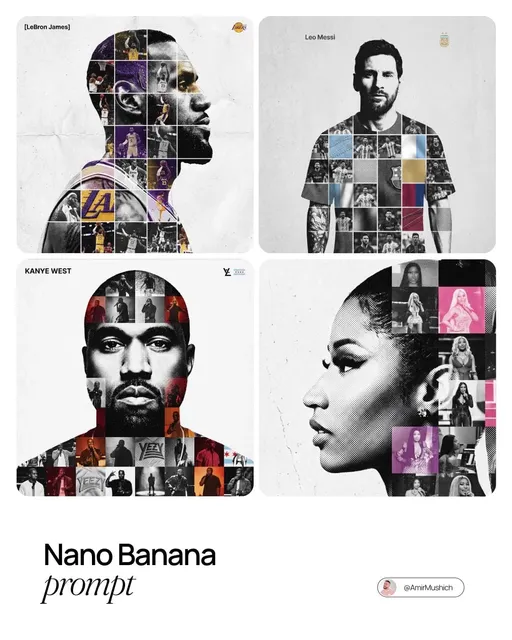
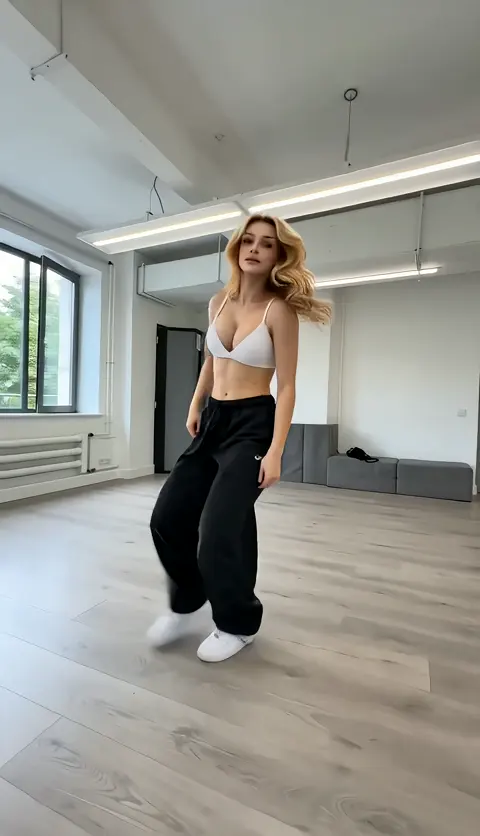
How do I generate an image using other images as reference?
Describe the visual style, medium, colors, and composition of the reference images you have in mind using text. The generator interprets your description and creates a new image inspired by those visual qualities.
AI Image Generator Using Other Images as Style Reference
Collage Style
Input
An image in the style of a paper collage with cut-out magazine shapes overlapping, muted earth tones and bold typography
Expected output
A collage-style image with overlapping paper shapes, magazine textures, and layered typography elements
Vintage Photograph Style
Input
A scene from the 1920s with a group of people in flapper dresses and suits gathered around a vintage car, sepia tones
Expected output
A vintage-style image with period clothing, the car, and warm sepia coloring throughout
Mixed Media Style
Input
A portrait combining pencil sketch lines with watercolor washes in blue and orange, unfinished art studio feel
Expected output
A mixed-media portrait with visible pencil strokes layered over watercolor washes in the specified colors
Create images by describing visual styles and references from other images in text
Describe Cross-References
Explain the visual style of one type of image to guide the generation of another.
Style Blending
Combine descriptions of different visual styles into a focused prompt.
No Source Uploads Needed
Describe existing visual references through text rather than uploading files.
How It Works
1
Step 1: Describe
Describe the desired image.
2
Step 2: Configure
Choose the available generation settings.
3
Step 3: Create
Generate, review, and download a suitable result.
Tips for Reference-Based Prompts
How to reference styles without source images.
Input Constraints
- The tool does not accept uploaded images as input.
- Results interpret your written style descriptions.
- Review outputs for fidelity to your described reference.
Practical Tips
- Describe the medium: charcoal, digital art, oil painting, photograph.
- Refer to specific visual eras or movements for style guidance.
- Mention texture, color palette, and composition techniques.
Privacy
- Do not upload personal or sensitive material unless you have permission to use it.
Usage Rights
- Confirm that you have the rights needed for the inputs and intended use of the result.
Prompt recipes
Copy a structure, then adjust the subject, lighting, camera, and output details for your own result.
Vintage travel poster aesthetic
A mountain railway scene in the style of a 1950s travel poster with flat color blocks, bold sans-serif text reading 'Alpine Express', simplified geometric shapes for trees and mountains, limited color palette of red, cream, and forest green
Naming the era and medium like 1950s travel poster sets clear style expectations, flat color blocks and geometric shapes guide the rendering style, and a limited color palette prevents over-complication.
Film noir photography style
A detective standing under a streetlamp in a foggy alley at night, shot in black and white with high contrast shadows, dramatic side lighting creating long shadows on wet cobblestones, grainy film texture
Film noir is defined by high contrast and specific lighting, so naming these elements along with black and white and film grain creates a cohesive reference style.
Impressionist painting technique
A garden path with blooming flowers in the style of impressionist painting, visible brushstrokes with dabs of unmixed color, soft edges and blurred details, warm afternoon light filtering through trees, pastel palette of pink, lavender, and pale yellow
Impressionism is characterized by visible brushwork and unmixed color, so describing these techniques along with soft edges and a specific pastel palette guides the style interpretation.
Isometric video game art
A small fantasy village in isometric perspective with tiled roofs, cobblestone streets, and a central fountain, pixel art style with a 16-color palette, clean outlines and no anti-aliasing, sprites arranged on a grid
Isometric pixel art requires specific technical details like grid alignment and limited color palette, naming these constraints along with the pixel art style creates a clear visual target.
Woodcut print aesthetic
A forest scene carved in the style of a traditional woodcut print, bold black lines with white negative space, simplified shapes with no gradients, textured paper background visible, high contrast between ink and paper
Woodcut prints have a distinctive technical limitation—bold lines and no gradients—so naming these constraints along with the carved texture guides the style interpretation.
Art deco illustration style
A jazz singer on stage in the style of an art deco illustration, geometric patterns framing the figure, metallic gold and deep teal color scheme, symmetrical composition with decorative borders, flat shading with sharp edges
Art deco is defined by geometric patterns, metallic accents, and symmetry, so naming these visual elements along with flat shading creates a cohesive period style reference.
Best use cases
Match the workflow to the input you have and the result you need before opening the generator.
Create artwork inspired by a specific visual era
Input: Description of the era, medium, color palette, and distinctive visual techniques
Result: An image that captures the visual language of the described period or style
Tool: /text-to-image
Generate a concept by blending two visual styles
Input: Description of both styles and how their elements should combine
Result: A hybrid image that interprets elements from both described styles
Tool: /text-to-image
Produce a visual reference for a design project
Input: Description of the reference style, composition, and key visual elements
Result: An image that serves as a style guide or mood reference for further design work
Tool: /text-to-image
Explore visual techniques from other media
Input: Description of the medium and its distinctive visual characteristics
Result: An image that interprets the described medium's visual language
Tool: /text-to-image
Limitations to know before generating
- The tool interprets style descriptions but cannot replicate exact visual styles from specific copyrighted works or artists.
- Complex style blends may require multiple generations to achieve the desired balance.
- Technical art terms may be interpreted differently than intended; review results and adjust descriptions.
- Generated images are inspired by style descriptions, not copies of existing reference images.
- Fine stylistic details may require several prompt iterations to refine.
Creative Suite: AI Video Generator & AI Image Generator Tools
Power up your creative workflow with our AI-driven tools. Generate stunning videos, create images, and apply custom adjustments - our AI Video Generator and AI Image Generator offer a complete solution for all your creative needs.
Strictly Prohibits Adult/NSFW Content








Pricing
Choose the credit package that works best for you.
No hidden fees • Cancel anytime • Unused credits roll over
Starter
Perfect for trying out AI creation.
Credits
200 credits / month
- Up to 20 videos per month
- Up to 100 images per month
$6.99/ month$9.9930% OFF
Billed monthly
First-time subscribers get 30% off their first month, then standard price
What's included
- Credits never expire
- Standard models
- HD, Watermark-Free Downloads
- Private Generation
- Faster Generation Speed
- Ad-free experience
Basic
Perfect for light creators.
Credits
500 credits / month
- Up to 50 videos per month
- Up to 250 images per month
$13.99/ month$19.9930% OFF
Billed monthly
First-time subscribers get 30% off their first month, then standard price
What's included
- Credits never expire
- Standard models
- HD, Watermark-Free Downloads
- Private Generation
- Faster Generation Speed
- Ad-free experience
Pro
PopularBest value for creators
Credits
1,200 credits / month
- Up to 120 videos per month
- Up to 600 images per month
$39.99/ month
Billed monthly
What's included
- Credits never expire
- All models + Early access to new models
- HD, Watermark-Free Downloads
- Private Generation
- Faster Generation Speed
- Ultra HD resolution
- Ad-free experience
Ultra
For video creators and power users.
Credits
5,000 credits / month
- Up to 500 videos per month
- Up to 2,500 images per month
$99.99/ month
Billed monthly
What's included
- Credits never expire
- All models + Early access to new models
- HD, Watermark-Free Downloads
- Private Generation
- Faster Generation Speed
- Ultra HD resolution
- Ad-free experience
Free
Standard models only — upgrade to unlock premium models.
Credits
10 free credits on signup
Questions? Contact us at support@domer.io
Describe Your Reference Style
Open the generator and describe the visual style and subject of the image you want to create.