
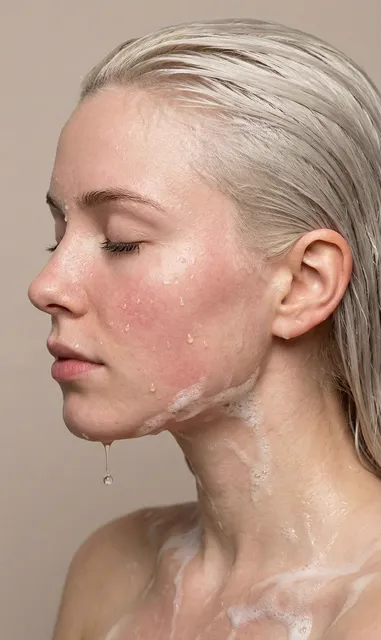
AI Image Generator Using Picture Description
Turn detailed text descriptions into images. Describe the scene you want to see and generate it without uploading a picture.
AI Image Generator
0/20000 characters
My images
Loading...

How do I generate an image using a picture description?
Write a detailed description of the picture you want to create, covering the subject, setting, lighting, colors, and style. The text-to-image tool interprets your description and generates a matching image.
AI Image Generator Using Picture Description
Watercolor painting description
Input
A soft watercolor painting of a lavender field with a small farmhouse in the distance, loose washes of purple and green, paper texture visible
Expected output
A watercolor style image with soft color washes depicting a rural lavender landscape
Monochrome portrait description
Input
A black and white portrait of an elderly person with deep wrinkles, dramatic side lighting, high contrast, film grain texture, intimate crop
Expected output
A dramatic monochrome portrait with strong contrast and visible film grain texture
Fantasy landscape description
Input
A fantasy landscape with floating islands connected by stone bridges, waterfalls falling into clouds, warm golden light, epic scale
Expected output
A fantasy scene with floating landmasses and waterfalls in a warm atmospheric light
Create images by describing a picture concept in detail using text
No source photo needed
Create any image purely from a written description. No need to find, upload, or edit an existing picture.
Complete creative freedom
Describe scenes that don't exist in any photograph and have them rendered as realistic or artistic images.
Detailed visual control
Control every element through your description—from lighting and colors to composition and texture.
How It Works
1
Describe the desired image
Describe the desired image.
2
Choose generation settings
Choose the available generation settings.
3
Generate and download
Generate, review, and download a suitable result.
Writing descriptive prompts
Use visual language as if describing to an artist.
Input Constraints
- Do not claim generated images are photographs of real events or people.
- Avoid prompts that could create misleading or deceptive content.
- Review outputs before sharing.
Practical Tips
- Describe as if you're explaining a photo to someone: what's in the foreground, background, left, right.
- Include artistic style: 'photorealistic', 'painterly', 'illustration', '3D render'.
- Add sensory words: 'warm', 'cold', 'soft', 'harsh', 'vibrant', 'muted'.
Privacy
- Do not upload personal or sensitive material unless you have permission to use it.
Usage Rights
- Confirm that you have the rights needed for the inputs and intended use of the result.
Prompt recipes
Copy a structure, then adjust the subject, lighting, camera, and output details for your own result.
Photorealistic nature scene with weather
A mountain valley at dawn with a thin layer of morning mist hovering over a river, pine trees lining the banks, distant snow-capped peaks catching the first pink light, photorealistic DSLR style with wide-angle lens, vivid greens and blues
Combining natural lighting like dawn with weather elements like mist creates atmosphere, naming a lens type guides composition, and specific colors prevent generic output.
Dramatic portrait with studio lighting
A close-up portrait of a woman in her forties with silver hair pulled back, wearing a black turtleneck, shot against a dark gray background with a single key light from the left creating strong cheekbone definition and catch light in the eyes
Studio lighting setups benefit from specific light placement descriptions, the dark background isolates the subject, and catch light adds life to the eyes.
Illustrated children's book scene
A cozy bedroom with a child reading under a blanket fort made of patterned quilts, warm string lights inside the fort, a stuffed bear sitting next to the child, soft hand-drawn illustration style with watercolor texture and visible paper grain
Children's book illustrations are defined by warmth and hand-drawn texture, so naming watercolor and paper grain guides the style away from overly digital rendering.
Architectural interior with material detail
A modern kitchen with white marble countertops, matte black cabinet handles, light oak floating shelves, and a large window showing a garden view, afternoon sunlight creating soft shadows on the countertop, Scandinavian minimalist design
Interior design prompts benefit from specific material names like marble and oak, natural lighting creates depth, and naming a design style sets the overall aesthetic direction.
Fantasy creature with environmental context
A dragon perched on a cliff edge overlooking a stormy ocean, scales rendered in shades of dark blue and silver, wings folded against its body, waves crashing against rocks below, overcast sky with breaks of light illuminating the creature from above
Fantasy creatures need grounding elements like the stormy ocean and cliff, specific scale colors prevent generic dragon designs, and breaks of light create a focal point.
Product photography with lifestyle context
A ceramic coffee mug with a matte charcoal glaze sitting on a wooden breakfast table next to an open book and reading glasses, steam rising from the mug, soft morning light from a nearby window casting gentle shadows, shallow depth of field
Product shots benefit from lifestyle context like the book and glasses, steam adds a sense of freshness, and shallow depth of field isolates the product while keeping context.
Best use cases
Match the workflow to the input you have and the result you need before opening the generator.
Generate concept art for a creative project
Input: Detailed description of the subject, environment, lighting, and artistic style
Result: A visual concept that interprets your description and guides further creative work
Tool: /text-to-image
Create a placeholder image for design mockups
Input: Description of the scene, composition, and visual style that fits your layout
Result: An image that fills the space and communicates the intended visual direction
Tool: /text-to-image
Visualize a scene from a story or script
Input: Written description of the setting, characters, mood, and key visual elements from your narrative
Result: A scene illustration that captures the atmosphere and helps visualize the moment
Tool: /text-to-image
Produce a mood board reference image
Input: Description of colors, textures, lighting, and composition that capture your intended mood
Result: An image that conveys the desired aesthetic and can be used alongside other references
Tool: /text-to-image
Limitations to know before generating
- Generated images are interpretations of your text and may not match your mental picture exactly on the first try.
- Complex scenes with many specific objects or precise spatial relationships may require several prompt iterations.
- Fine details like legible text, accurate hands, or intricate patterns may need multiple generations and careful prompt refinement.
- The tool cannot replicate specific copyrighted works, real people, or trademarked characters.
- Review outputs for unintended elements or compositional issues before using them in a project.
Creative Suite: AI Video Generator & AI Image Generator Tools
Power up your creative workflow with our AI-driven tools. Generate stunning videos, create images, and apply custom adjustments - our AI Video Generator and AI Image Generator offer a complete solution for all your creative needs.
Strictly Prohibits Adult/NSFW Content








Pricing
Choose the credit package that works best for you.
No hidden fees • Cancel anytime • Unused credits roll over
Starter
Perfect for trying out AI creation.
Credits
200 credits / month
- Up to 20 videos per month
- Up to 100 images per month
$6.99/ month$9.9930% OFF
Billed monthly
First-time subscribers get 30% off their first month, then standard price
What's included
- Credits never expire
- Standard models
- HD, Watermark-Free Downloads
- Private Generation
- Faster Generation Speed
- Ad-free experience
Basic
Perfect for light creators.
Credits
500 credits / month
- Up to 50 videos per month
- Up to 250 images per month
$13.99/ month$19.9930% OFF
Billed monthly
First-time subscribers get 30% off their first month, then standard price
What's included
- Credits never expire
- Standard models
- HD, Watermark-Free Downloads
- Private Generation
- Faster Generation Speed
- Ad-free experience
Pro
PopularBest value for creators
Credits
1,200 credits / month
- Up to 120 videos per month
- Up to 600 images per month
$39.99/ month
Billed monthly
What's included
- Credits never expire
- All models + Early access to new models
- HD, Watermark-Free Downloads
- Private Generation
- Faster Generation Speed
- Ultra HD resolution
- Ad-free experience
Ultra
For video creators and power users.
Credits
5,000 credits / month
- Up to 500 videos per month
- Up to 2,500 images per month
$99.99/ month
Billed monthly
What's included
- Credits never expire
- All models + Early access to new models
- HD, Watermark-Free Downloads
- Private Generation
- Faster Generation Speed
- Ultra HD resolution
- Ad-free experience
Free
Standard models only — upgrade to unlock premium models.
Credits
10 free credits on signup
Questions? Contact us at support@domer.io
Create from Description
Open the tool and describe the picture you want to see in detail.