
Create
AI Image Generator with Reference Images
Describe your image in text and reference a photo for style or composition. Generate, review, and download a result that combines both inputs.
AI Image Generator
0/20000 characters
My images
Loading...

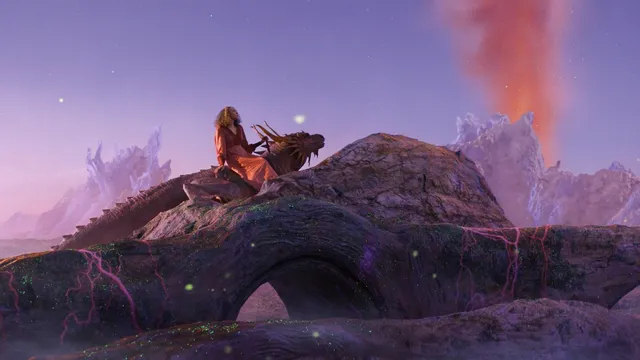
How to use reference images with AI generation
This tool accepts a text description of the image you want. You can mention a reference image in your prompt to guide the output's style, color palette, or composition. The generator combines your text and the visual cues to produce a new image that reflects both. Review the result and adjust your prompt or reference choice as needed.
AI Image Generator with Reference Images
Match a color palette from a reference
Input
A modern living room with large windows and indoor plants, using the color palette from my reference photo
Expected output
A living room scene image with colors and tones matching the provided reference image
Follow a pose or composition reference
Input
A character sitting at a desk writing in a journal, keeping the same pose as shown in the reference image
Expected output
An image of a character in a seated writing pose aligned with the reference composition
Use a material texture reference for an object
Input
A decorative vase with the same brushed metal texture as the reference image
Expected output
An image of a vase with a textured metallic surface reflecting the reference material
Generate new images by combining a text prompt with visual reference guidance to shape style, subject, or composition.
Guide the output with visual context
Provide a reference image along with your text description to give the generator more cues about the look you want.
Reduce trial and error
Show what you mean visually instead of describing everything in words, making it easier to get closer to your intended result.
Combine text and visual direction
Use the reference image for overall style while the text prompt controls the specific subject and details of the output.
How It Works
1
Describe the desired image
Describe the desired image.
2
Choose the available generation settings
Choose the available generation settings.
3
Generate, review, and download a suitable result
Generate, review, and download a suitable result.
Using reference images effectively
Make the most of visual references alongside your text.
Input Constraints
- Only use reference images you own or have permission to use.
- Describe what you want in words as well as providing a reference.
- Do not rely on a reference image alone without a text prompt.
Practical Tips
- Use references for style, color, or composition rather than exact copies.
- Describe which aspect of the reference you want to follow, such as mood or texture.
- Try different references to see how each one influences the result.
- Keep your text prompt specific even when using a strong reference image.
Privacy
- Do not upload personal or sensitive material unless you have permission to use it.
Usage Rights
- Confirm that you have the rights needed for the inputs and intended use of the result.
Prompt recipes
Copy a structure, then adjust the subject, lighting, camera, and output details for your own result.
Transfer painting style to a new subject
A portrait of a young woman with curly red hair, using the impressionist brushstroke style from my reference painting
Specifies a new subject while borrowing a distinct artistic technique from a reference, allowing style transfer without copying the original subject.
Match lighting mood from a reference photo
A coffee shop interior with customers at tables, using the warm golden-hour lighting from my reference photo
Defines the scene and borrows the lighting quality from a reference, creating a consistent mood without duplicating the setting.
Adopt composition framing from a reference
A street market at sunset, using the same wide-angle framing and foreground-background layering as my reference image
Applies a reference's compositional structure to a different scene, helping achieve a professional framing approach.
Use reference color grading for a new scene
A mountain landscape at dawn, using the muted pastel color grading from my reference photo
Borrows a color treatment from a reference to apply a cohesive aesthetic to a completely different subject.
Borrow texture detail from a reference
A close-up of a leather-bound book on a wooden desk, using the same textured fabric detail from my reference macro shot
References a material texture to add realism and detail to a different object, improving visual richness.
Best use cases
Match the workflow to the input you have and the result you need before opening the generator.
Brand-consistent social visuals
Input: Scene description with a reference image that captures your brand's color palette and mood
Result: A new image that feels on-brand without reusing the same photo
Tool: Text to Image
Concept art inspired by existing work
Input: Character or scene description referencing the artistic style of an existing piece you admire
Result: A new concept illustration with the visual style of the reference
Tool: Text to Image
Product shot with a reference aesthetic
Input: Product description with a reference photo showing the desired lighting or background style
Result: A product image that matches the visual tone of the reference
Tool: Text to Image
Editorial image matching a publication style
Input: Editorial scene description with a reference from the target publication
Result: An image that fits the visual language of the publication
Tool: Text to Image
Limitations to know before generating
- Reference images guide the output but do not guarantee exact replication of every detail.
- You must own or have permission to use any reference image you provide.
- Results depend on how clearly you describe which aspect of the reference to follow.
- Complex references with many competing visual elements may produce less predictable results.
- Generated images should be reviewed to ensure they do not reproduce copyrighted or sensitive elements from the reference.
Creative Suite: AI Video Generator & AI Image Generator Tools
Power up your creative workflow with our AI-driven tools. Generate stunning videos, create images, and apply custom adjustments - our AI Video Generator and AI Image Generator offer a complete solution for all your creative needs.
Strictly Prohibits Adult/NSFW Content








Pricing
Choose the credit package that works best for you.
No hidden fees • Cancel anytime • Unused credits roll over
Starter
Perfect for trying out AI creation.
Credits
200 credits / month
- Up to 20 videos per month
- Up to 100 images per month
$6.99/ month$9.9930% OFF
Billed monthly
First-time subscribers get 30% off their first month, then standard price
What's included
- Credits never expire
- Standard models
- HD, Watermark-Free Downloads
- Private Generation
- Faster Generation Speed
- Ad-free experience
Basic
Perfect for light creators.
Credits
500 credits / month
- Up to 50 videos per month
- Up to 250 images per month
$13.99/ month$19.9930% OFF
Billed monthly
First-time subscribers get 30% off their first month, then standard price
What's included
- Credits never expire
- Standard models
- HD, Watermark-Free Downloads
- Private Generation
- Faster Generation Speed
- Ad-free experience
Pro
PopularBest value for creators
Credits
1,200 credits / month
- Up to 120 videos per month
- Up to 600 images per month
$39.99/ month
Billed monthly
What's included
- Credits never expire
- All models + Early access to new models
- HD, Watermark-Free Downloads
- Private Generation
- Faster Generation Speed
- Ultra HD resolution
- Ad-free experience
Ultra
For video creators and power users.
Credits
5,000 credits / month
- Up to 500 videos per month
- Up to 2,500 images per month
$99.99/ month
Billed monthly
What's included
- Credits never expire
- All models + Early access to new models
- HD, Watermark-Free Downloads
- Private Generation
- Faster Generation Speed
- Ultra HD resolution
- Ad-free experience
Free
Standard models only — upgrade to unlock premium models.
Credits
10 free credits on signup
Questions? Contact us at support@domer.io
Try generating with a reference image
Open the text-to-image tool, describe the image you want, and use a reference image to guide the output.