
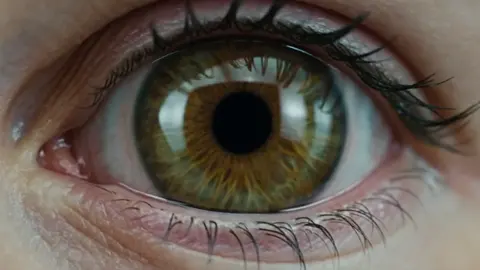
AI Photo Generator Picmojo Tool
Use ai photo generator picmojo to turn your text descriptions into unique visuals. Describe what you want to see, choose your settings, and generate images.
AI Image Generator
0/20000 characters
My images
Loading...
What does ai photo generator picmojo do?
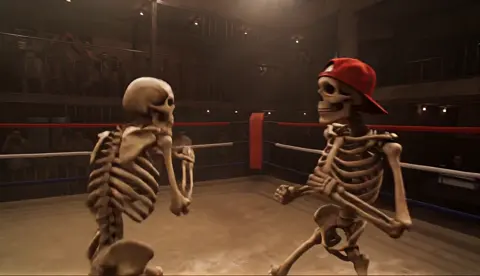
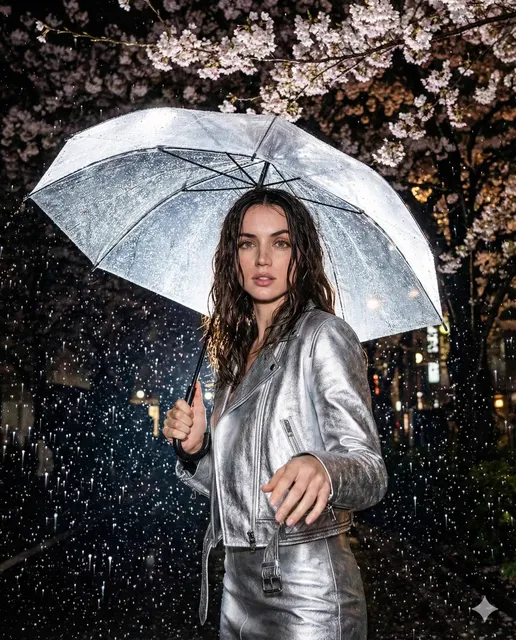
It converts your written description into a visual image. You describe a scene, subject, or idea in plain language, select generation settings, and the tool produces an image you can review and download. No drawing or photography experience is required.
AI Photo Generator Picmojo Tool
Landscape with atmospheric lighting
Input
A misty mountain range at sunrise with pine trees in the foreground, warm golden light breaking through clouds.
Expected output
A scenic landscape image matching the described atmosphere and lighting conditions.
Character in a fantasy setting
Input
A fantasy warrior in silver armor standing in an ancient forest, holding a glowing blue sword, dramatic lighting.
Expected output
A character portrait reflecting the described armor, setting, and mood.
Futuristic cityscape concept
Input
A futuristic city skyline with floating buildings connected by glass bridges, neon purple and cyan lighting, night setting.
Expected output
A conceptual cityscape image showing the described architectural and lighting details.
Turn a text description into a visual result without needing design or drawing skills.
Turn words into images
Describe any scene, character, or concept in plain language and get a visual result without needing drawing or design skills.
Explore creative variations
Adjust your prompt and regenerate to explore different compositions, styles, and color palettes until you find what works.
Review before finalizing
Each result can be reviewed and refined. Generate multiple options to compare before choosing the image that fits your project.
How It Works
1
Describe
Describe the desired image.
2
Configure
Choose the available generation settings.
3
Generate
Generate, review, and download a suitable result.
Tips for Better Results
Small adjustments to your prompt can make a large difference in the output.
Input Constraints
- Use descriptive language about the subject, setting, and mood.
- Be specific about lighting, colors, and composition when those matter.
- Avoid including text, numbers, or fine details that may not render accurately.
- Do not include personal or sensitive material without permission.
Practical Tips
- Start with a clear subject and setting before adding stylistic details.
- Try different phrasings of the same idea to see how the output changes.
- Use adjectives for mood, lighting, and texture to guide the visual result.
- Review each generation and adjust your prompt based on what you see.
- Save your best results and note the prompt that produced them for future reference.
Privacy
- Do not upload personal or sensitive material unless you have permission to use it.
Usage Rights
- Confirm that you have the rights needed for the inputs and intended use of the result.
Prompt recipes
Copy a structure, then adjust the subject, lighting, camera, and output details for your own result.
Atmospheric landscape with seasonal detail
A foggy autumn forest path covered in fallen leaves, early morning mist, soft diffused light filtering through bare branches, cool color palette with warm leaf tones.
Combines time of day, weather, season, and specific color guidance to create a cohesive natural scene with clear mood.
Character portrait with cultural context
A steampunk inventor in a cluttered workshop, brass goggles on forehead, wearing a leather apron, surrounded by mechanical devices and blueprints, warm Edison bulb lighting.
Defines character role, setting, costume details, and props to build a complete visual story with consistent aesthetic.
Product mockup with studio setup
A minimalist ceramic vase on a white pedestal against a soft gray background, studio lighting from the left creating gentle shadows, clean and elegant composition.
Specifies product, background, lighting direction, and composition style for a professional presentation look.
Fantasy architecture with scale markers
A massive ancient library interior with towering bookshelves reaching into darkness, spiral staircases connecting multiple levels, a small figure reading at a desk for scale, candlelight illumination.
Uses a human figure to communicate scale, describes vertical space and lighting to create grandeur and atmosphere.
Abstract concept with texture focus
Swirling liquid paint in deep blues and metallic gold mixing together, macro view showing texture and flow patterns, high contrast, artistic and dynamic.
Focuses on physical properties like texture, movement, and material interaction rather than recognizable objects, giving clear abstract direction.
Best use cases
Match the workflow to the input you have and the result you need before opening the generator.
Need a landscape for a blog header
Input: Describe the time of day, weather, dominant colors, and key landscape features like mountains, water, or trees.
Result: A wide horizontal landscape image suitable for cropping to banner dimensions.
Tool: Text to Image with aspect ratio set to landscape or wide format.
Creating a character concept for a story
Input: Describe clothing, physical features, pose, setting, and lighting that convey the character's role or personality.
Result: A portrait or full-figure character image that matches your narrative direction.
Tool: Text to Image with portrait or square aspect ratio.
Visualizing a product idea before prototyping
Input: Describe the product shape, materials, color, and context such as on a table, in a hand, or in a studio setting.
Result: A realistic or stylized product rendering you can review and refine.
Tool: Text to Image with focus on lighting and material keywords like matte, metallic, or wood grain.
Generating abstract art for a presentation
Input: Describe colors, shapes, textures, and movement or mood rather than objects.
Result: A visually interesting abstract composition that fits your theme.
Tool: Text to Image with keywords like abstract, flowing, geometric, or textured.
Limitations to know before generating
- Fine details like small text, intricate patterns, or specific hand positions may not render accurately and often require regeneration or manual editing.
- The tool generates from your description but cannot read your mind — vague prompts produce unpredictable results.
- Results are based on the model's training data and may reflect common visual styles or biases present in that data.
- Generated images should be reviewed for accuracy, appropriateness, and fitness for your intended use before publishing or sharing.
- You are responsible for confirming that you have the rights needed for both your prompt inputs and your intended use of the output.
Creative Suite: AI Video Generator & AI Image Generator Tools
Power up your creative workflow with our AI-driven tools. Generate stunning videos, create images, and apply custom adjustments - our AI Video Generator and AI Image Generator offer a complete solution for all your creative needs.
Strictly Prohibits Adult/NSFW Content








Pricing
Choose the credit package that works best for you.
No hidden fees • Cancel anytime • Unused credits roll over
Starter
Perfect for trying out AI creation.
Credits
200 credits / month
- Up to 20 videos per month
- Up to 100 images per month
$6.99/ month$9.9930% OFF
Billed monthly
First-time subscribers get 30% off their first month, then standard price
What's included
- Credits never expire
- Standard models
- HD, Watermark-Free Downloads
- Private Generation
- Faster Generation Speed
- Ad-free experience
Basic
Perfect for light creators.
Credits
500 credits / month
- Up to 50 videos per month
- Up to 250 images per month
$13.99/ month$19.9930% OFF
Billed monthly
First-time subscribers get 30% off their first month, then standard price
What's included
- Credits never expire
- Standard models
- HD, Watermark-Free Downloads
- Private Generation
- Faster Generation Speed
- Ad-free experience
Pro
PopularBest value for creators
Credits
1,200 credits / month
- Up to 120 videos per month
- Up to 600 images per month
$39.99/ month
Billed monthly
What's included
- Credits never expire
- All models + Early access to new models
- HD, Watermark-Free Downloads
- Private Generation
- Faster Generation Speed
- Ultra HD resolution
- Ad-free experience
Ultra
For video creators and power users.
Credits
5,000 credits / month
- Up to 500 videos per month
- Up to 2,500 images per month
$99.99/ month
Billed monthly
What's included
- Credits never expire
- All models + Early access to new models
- HD, Watermark-Free Downloads
- Private Generation
- Faster Generation Speed
- Ultra HD resolution
- Ad-free experience
Free
Standard models only — upgrade to unlock premium models.
Credits
10 free credits on signup
Questions? Contact us at support@domer.io
Create your first image from text
Open the tool, describe your idea in words, and generate a custom image in moments.