
AI Retro Photo Generator
Generate retro photo images by describing scenes, subjects, lighting, and vintage styles in natural language.
AI Image Generator
0/20000 characters
My images
Loading...
What is an AI retro photo generator?
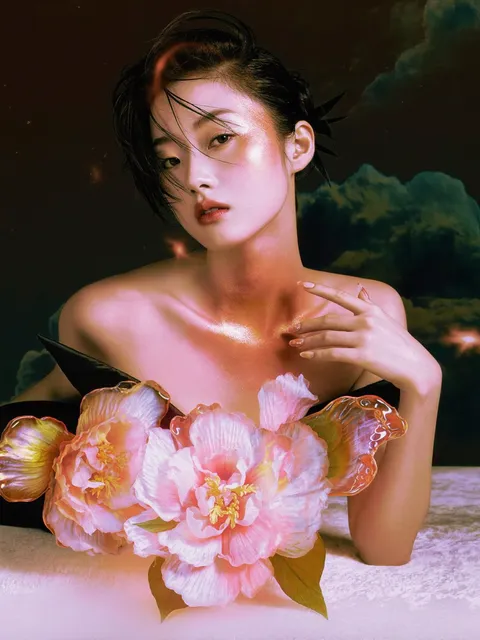
An AI retro photo generator creates retro-styled images from text prompts. Describe a scene with vintage lighting, film grain, color tones, and composition, then review the generated result. The tool interprets your description of subjects, settings, and retro aesthetics to produce images with nostalgic visual characteristics.
AI Retro Photo Generator
Vintage Street Portrait
Input
A young woman in a 1970s floral dress standing on a cobblestone street, warm afternoon light, film grain, muted orange and brown tones, shallow depth of field
Expected output
A retro portrait with vintage color grading, visible film texture, and soft background blur capturing a 1970s aesthetic
Classic Car Scene
Input
A red 1965 Mustang parked in front of a pastel diner, golden hour lighting, Kodachrome color palette, slight vignette, American Southwest background
Expected output
A nostalgic automotive scene with saturated vintage colors, warm sunset tones, and retro composition style
Analog Family Memory
Input
A family picnic in a park during the 1980s, faded color cast, soft focus, sun flare through trees, people sitting on a checkered blanket
Expected output
A family scene with faded color tones, light leaks, and the visual character of aged analog photographs
Generate retro photo images from a text description of the scene, subject, and style
Describe Vintage Scenes
Write a prompt with era-specific details, lighting, and film characteristics to create images with retro visual qualities.
Control Era and Style
Specify decades, color palettes, film types, and vintage photography techniques to guide the aesthetic direction.
Iterate on Composition
Adjust lighting descriptions, color tones, and framing details in your prompt to refine the nostalgic atmosphere.
How It Works
1
Describe the image
Describe the desired image.
2
Choose settings
Choose the available generation settings.
3
Generate and review
Generate, review, and download a suitable result.
Creating Retro Photo Prompts
Specific era details, color palettes, and film characteristics produce more convincing vintage results.
Input Constraints
- Name the era or decade to establish the time period
- Describe lighting quality such as golden hour, overcast, or indoor tungsten
- Include film characteristics like grain, faded colors, light leaks, or vignetting
- Mention composition elements such as framing, depth of field, or perspective
Practical Tips
- Use decade-specific fashion, vehicles, or architecture details
- Reference analog film types like Kodachrome, Polaroid, or Ektachrome for color guidance
- Describe texture qualities such as soft focus, scratches, or dust
- Add atmospheric elements like sun flare, haze, or muted tones
Privacy
- Do not upload personal or sensitive material unless you have permission to use it.
Usage Rights
- Confirm that you have the rights needed for the inputs and intended use of the result.
Prompt recipes
Copy a structure, then adjust the subject, lighting, camera, and output details for your own result.
Faded Summer Road Trip Memory
A dusty station wagon parked beside a desert highway, late afternoon in 1978, faded orange and teal color cast, visible film grain, heat shimmer effect, distant mountains, weathered road sign
Combines specific year, location details, vintage color science, and atmospheric conditions to create an authentic analog travel photo aesthetic
Grainy Urban Night Scene
A neon-lit diner corner in 1983, rain-slicked pavement reflecting colored signs, pushed film grain, tungsten color balance, slight motion blur on passing car, street lamp glow
Uses technical film terms and era-specific urban elements with lighting conditions that mimic high-ISO night photography from the 1980s
Soft-Focus Family Gathering
A birthday party in a wood-paneled living room, 1975, soft focus around edges, warm incandescent lighting, children around a cake, Ektachrome color saturation, slight vignette
References specific film stock, indoor lighting of the era, and optical characteristics that recreate the look of home photography from that decade
Sun-Bleached Beach Snapshot
A couple walking on a beach at sunset, early 1970s, overexposed highlights, muted pastel tones, visible sun flare, shallow depth of field, faded magenta color shift
Describes common exposure and color-aging characteristics of vintage beach photos, with technical details that guide the retro color grading
Instant Film Portrait
A close-up portrait of a teenager in a varsity jacket, 1989, Polaroid SX-70 aesthetic, cyan-magenta color shift, soft contrast, white border frame, slightly faded center, indoor flash lighting
Names a specific instant film format with its characteristic color balance, framing, and aging qualities for an authentic Polaroid look
Best use cases
Match the workflow to the input you have and the result you need before opening the generator.
Create vintage travel visuals
Input: Description of a location with era details, time of day, weather, and analog photo characteristics
Result: A travel scene with retro color tones, film grain, and nostalgic composition
Tool: Text to Image with decade, film type, and lighting cues in the prompt
Design retro social media content
Input: Scene description with vintage fashion, objects, or settings plus film aesthetic details
Result: Shareable images with authentic analog photo styling and era-appropriate subjects
Tool: Text to Image with specific color palette and texture references
Visualize historical scene concepts
Input: Detailed prompt with period-accurate elements, camera angle, and film format characteristics
Result: A scene that appears to come from archival photography of the specified era
Tool: Text to Image with historical context and photographic technical terms
Explore vintage portrait styles
Input: Subject description with era fashion, lighting setup, film stock reference, and framing
Result: A portrait with the visual signature of analog film photography from the chosen decade
Tool: Text to Image with portrait-specific lighting and depth-of-field guidance
Limitations to know before generating
- Generated images may not perfectly replicate the exact chemical and optical properties of specific vintage film stocks
- Era-appropriate details like fashion and objects depend on accurate prompt descriptions; the tool does not research historical accuracy
- Retro color grading and grain effects are interpretations based on the prompt and may vary between generations
- Results work best as concept visuals or creative content; they are not forensic reproductions of historical photography
- The tool does not verify whether described scenes, people, or objects actually existed in the specified time period
Creative Suite: AI Video Generator & AI Image Generator Tools
Power up your creative workflow with our AI-driven tools. Generate stunning videos, create images, and apply custom adjustments - our AI Video Generator and AI Image Generator offer a complete solution for all your creative needs.
Strictly Prohibits Adult/NSFW Content








Pricing
Choose the credit package that works best for you.
No hidden fees • Cancel anytime • Unused credits roll over
Starter
Perfect for trying out AI creation.
Credits
200 credits / month
- Up to 20 videos per month
- Up to 100 images per month
$6.99/ month$9.9930% OFF
Billed monthly
First-time subscribers get 30% off their first month, then standard price
What's included
- Credits never expire
- Standard models
- HD, Watermark-Free Downloads
- Private Generation
- Faster Generation Speed
- Ad-free experience
Basic
Perfect for light creators.
Credits
500 credits / month
- Up to 50 videos per month
- Up to 250 images per month
$13.99/ month$19.9930% OFF
Billed monthly
First-time subscribers get 30% off their first month, then standard price
What's included
- Credits never expire
- Standard models
- HD, Watermark-Free Downloads
- Private Generation
- Faster Generation Speed
- Ad-free experience
Pro
PopularBest value for creators
Credits
1,200 credits / month
- Up to 120 videos per month
- Up to 600 images per month
$39.99/ month
Billed monthly
What's included
- Credits never expire
- All models + Early access to new models
- HD, Watermark-Free Downloads
- Private Generation
- Faster Generation Speed
- Ultra HD resolution
- Ad-free experience
Ultra
For video creators and power users.
Credits
5,000 credits / month
- Up to 500 videos per month
- Up to 2,500 images per month
$99.99/ month
Billed monthly
What's included
- Credits never expire
- All models + Early access to new models
- HD, Watermark-Free Downloads
- Private Generation
- Faster Generation Speed
- Ultra HD resolution
- Ad-free experience
Free
Standard models only — upgrade to unlock premium models.
Credits
10 free credits on signup
Questions? Contact us at support@domer.io
Start generating retro photo images
Open the text-to-image tool and describe the scene, era, and vintage photo style you want to create.