
AI Roblox Character Generator
Create blocky game-style characters from text. Describe the look, outfit, and pose, choose settings, and review the result.
AI Image Generator
0/20000 characters
My images
Loading...
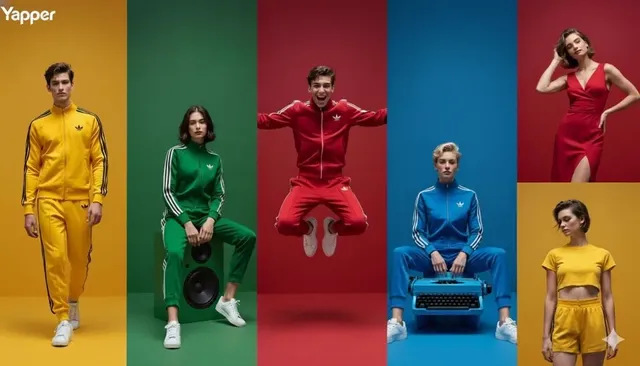
What is an AI Roblox character generator?
An AI Roblox character generator creates blocky game-style character images from text prompts. Describe a character's outfit, colors, pose, and style in plain language, then choose generation settings and review the result. The tool produces original images with blocky proportions and simple shapes similar to game avatars, but results are concept images, not official game assets.
AI Roblox Character Generator
Blocky avatar concept
Input
A blocky game character with a yellow hoodie and blue jeans, simple cylindrical arms, neutral smile, plain studio background, toy-like render style
Expected output
A blocky game-style character in a yellow hoodie with a simple toy-like render
Game hero
Input
A blocky game hero with a red cap and brown vest, square hands, confident pose, bright blue sky background, low-poly style
Expected output
A low-poly blocky hero with a red cap in a bright scene
Character lineup
Input
Three blocky game characters standing side by side — a green robot, a purple wizard, and an orange knight — simple shapes, solid colors, plain background
Expected output
A lineup of three blocky game characters in distinct colors and shapes
Create a blocky, game-style character image from a text prompt
Create game-style characters fast
Generate a blocky character image from text without modeling or sculpting.
Explore style variations
Change outfit, color, and pose in the prompt to try different character looks.
Use as visual references
Keep generated images as concept references for game ideas, videos, or personal projects.
How It Works
1
Describe the desired image.
Describe the desired image.
2
Choose the available generation settings.
Choose the available generation settings.
3
Generate, review, and download a suitable result.
Generate, review, and download a suitable result.
Prompting Blocky Game Characters
Simple shapes, clear colors, and a named style help produce a clean game-style character.
Input Constraints
- Describe the outfit and colors clearly
- Mention the render style — toy-like, low-poly, game render
- Keep the character original rather than copying a specific game asset
- Review results before using them in a project
Practical Tips
- Name one character at a time for clearer results
- Add a plain background to focus on the character
- Specify pose — standing, waving, running
- Confirm you have rights for your intended use
Privacy
- Do not upload personal or sensitive material unless you have permission to use it.
Usage Rights
- Confirm that you have the rights needed for the inputs and intended use of the result.
Prompt recipes
Copy a structure, then adjust the subject, lighting, camera, and output details for your own result.
Casual Blocky Avatar
A blocky game character wearing a red t-shirt and gray shorts, cylindrical limbs, rounded head with simple facial features, standing straight, plain white background, toy-like plastic material, even studio lighting
Uses simple clothing, basic shapes, and a clean background to create a clear character concept with typical blocky game proportions
Adventure Hero with Gear
A blocky game hero in a blue explorer jacket with a brown backpack, square hands holding a map, confident standing pose, outdoor grassland background, low-poly style with flat shading
Combines character clothing and props with a specific pose and environment, using low-poly style terms to guide the game aesthetic
Fantasy Character in Costume
A blocky wizard character wearing a purple robe and tall pointed hat, holding a glowing staff, feet planted on stone floor, medieval castle interior background, simple geometric shapes, vibrant color blocks
Describes fantasy outfit elements, props, and setting while emphasizing geometric simplicity and bold colors typical of game characters
Action Pose Character
A blocky ninja character in black outfit with red trim, mid-jump pose with one leg forward, simple cylindrical limbs, rooftop at night background, game render style with solid colors and minimal detail
Specifies an action pose and movement to create dynamic character art, using style cues that maintain blocky simplicity
Character Group Lineup
Three blocky game characters in a row: left is a green robot with antenna, center is a purple mage with staff, right is an orange knight with shield, all facing forward, plain gray background, toy-style render
Describes multiple characters with clear individual traits and positions, using consistent style terms for a cohesive lineup image
Best use cases
Match the workflow to the input you have and the result you need before opening the generator.
Design a game character concept
Input: Text description of outfit, colors, body proportions, pose, and render style
Result: A blocky character image with game-style proportions suitable as a visual reference
Tool: Text to Image with toy-like or low-poly style keywords
Create avatar ideas for a project
Input: Simple clothing description, basic shapes, standing pose, plain background
Result: Clean character concepts you can compare and refine
Tool: Text to Image with studio lighting and minimal background
Visualize character variations
Input: Base character description with color or outfit changes in each prompt
Result: Multiple versions of a character showing different styles or themes
Tool: Text to Image with consistent shape language and varied clothing details
Generate character lineup art
Input: Description of multiple characters with individual traits, positions, and shared background
Result: A group image showing several blocky characters side by side
Tool: Text to Image with numbered character details and consistent style terms
Limitations to know before generating
- Generated images are concept art, not rigged 3D models; they cannot be directly imported into games
- Results are original images based on your prompt, not official assets from any game platform
- Character likeness and proportions depend on the clarity of your text description
- Copying specific game avatars or characters may raise rights concerns; describe original characters instead
- The tool does not create animations or multiple angles of the same character in a single generation
Creative Suite: AI Video Generator & AI Image Generator Tools
Power up your creative workflow with our AI-driven tools. Generate stunning videos, create images, and apply custom adjustments - our AI Video Generator and AI Image Generator offer a complete solution for all your creative needs.
Strictly Prohibits Adult/NSFW Content








Pricing
Choose the credit package that works best for you.
No hidden fees • Cancel anytime • Unused credits roll over
Starter
Perfect for trying out AI creation.
Credits
200 credits / month
- Up to 20 videos per month
- Up to 100 images per month
$6.99/ month$9.9930% OFF
Billed monthly
First-time subscribers get 30% off their first month, then standard price
What's included
- Credits never expire
- Standard models
- HD, Watermark-Free Downloads
- Private Generation
- Faster Generation Speed
- Ad-free experience
Basic
Perfect for light creators.
Credits
500 credits / month
- Up to 50 videos per month
- Up to 250 images per month
$13.99/ month$19.9930% OFF
Billed monthly
First-time subscribers get 30% off their first month, then standard price
What's included
- Credits never expire
- Standard models
- HD, Watermark-Free Downloads
- Private Generation
- Faster Generation Speed
- Ad-free experience
Pro
PopularBest value for creators
Credits
1,200 credits / month
- Up to 120 videos per month
- Up to 600 images per month
$39.99/ month
Billed monthly
What's included
- Credits never expire
- All models + Early access to new models
- HD, Watermark-Free Downloads
- Private Generation
- Faster Generation Speed
- Ultra HD resolution
- Ad-free experience
Ultra
For video creators and power users.
Credits
5,000 credits / month
- Up to 500 videos per month
- Up to 2,500 images per month
$99.99/ month
Billed monthly
What's included
- Credits never expire
- All models + Early access to new models
- HD, Watermark-Free Downloads
- Private Generation
- Faster Generation Speed
- Ultra HD resolution
- Ad-free experience
Free
Standard models only — upgrade to unlock premium models.
Credits
10 free credits on signup
Questions? Contact us at support@domer.io
Create Game-Style Characters
Open the text-to-image tool, describe a blocky character, and generate an image you can review and download.