
Create
Burger King AI Image Generator for Food Imagery
Use burger king ai image generator to describe burgers, meals, and restaurant scenes in text to generate food photography and fast-food visuals.
AI Image Generator
0/20000 characters
My images
Loading...
How to use an AI image generator for food and fast-food visuals
Describe the food item, plating, and setting in text. Include ingredient details such as cheese, lettuce, or sauce, and mention lighting style such as warm or appetizing. Choose generation settings to match the look you want, then generate the image. Review the result for visual appeal and adjust your description to refine composition, lighting, or ingredient visibility.
Burger King AI Image Generator for Food Imagery
Classic burger
Input
A juicy cheeseburger with lettuce, tomato, and melted cheddar on a sesame seed bun, wooden table background, appetizing lighting
Expected output
A food photograph of a stacked burger with visible toppings, melted cheese, toasted bun, and warm appetizing lighting
Fast-food meal
Input
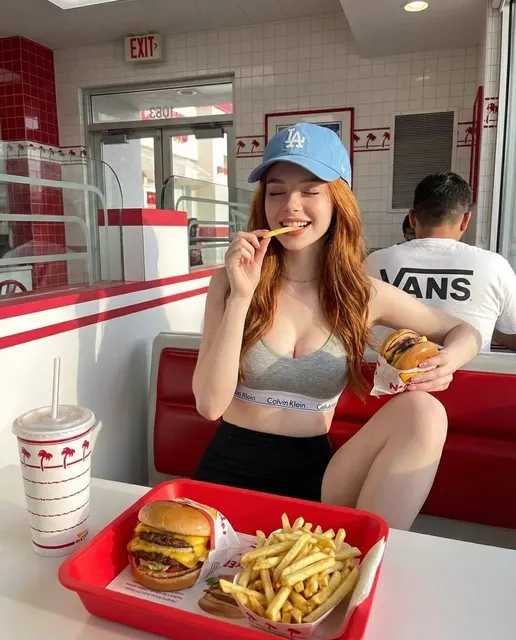
A tray with a burger, crispy golden fries in a red carton, and a frosted drink, overhead view, bright restaurant lighting
Expected output
An overhead fast-food meal composition with a burger, fry carton, and drink cup on a tray, bright even lighting
Restaurant counter
Input
A fast-food counter with a menu board in the background, a cash register, and a prepared order bag on the counter, warm interior lighting
Expected output
A restaurant counter scene with a menu display, service counter, register, and a takeout bag, warm indoor lighting
Generate food photography and fast-food scene imagery from text descriptions for menu design, content, or concept exploration.
Food imagery generation
Create food and meal visuals from text descriptions for menus or content
Plating and presentation exploration
Describe different food arrangements, ingredients, and presentation styles
Restaurant scene creation
Generate counter, kitchen, and dining scenes from descriptive text
How It Works
1
Describe the image
Describe the desired image.
2
Choose settings
Choose the available generation settings.
3
Generate and review
Generate, review, and download a suitable result.
Tips for food-themed prompts
Ingredient and texture descriptions improve food imagery realism.
Input Constraints
- Describe the main food item first
- Add toppings, sides, and plating details
- Mention the lighting for appetizing presentation
- Describe the setting such as table, tray, or counter
- Review images before deciding on a final version
- Avoid describing too many food items in one scene
Practical Tips
- Use texture words like crispy, juicy, melted, or toasted
- Describe the lighting as warm, bright, or natural
- Mention the angle such as overhead, side view, or close-up
- Include plating details like bun type or garnish
- Use descriptive colors for ingredients
Privacy
- Do not upload personal or sensitive material unless you have permission to use it.
Usage Rights
- Confirm that you have the rights needed for the inputs and intended use of the result.
Prompt recipes
Copy a structure, then adjust the subject, lighting, camera, and output details for your own result.
Appetizing burger close-up
A double cheeseburger with melted American cheese, fresh lettuce, ripe tomato slices, pickles, and special sauce on a toasted brioche bun, side angle, warm golden lighting.
Combines ingredient specifics, bun type, camera angle, and lighting to create appetizing food photography.
Fast-food combo meal
A burger meal on a red tray: cheeseburger, crispy golden fries in a paper sleeve, soda cup with straw, overhead flat-lay view, bright clean lighting.
Specifies meal components, tray color, view angle, and lighting for a recognizable fast-food presentation.
Counter service scene
A fast-food restaurant counter with menu boards overhead, a register, an order ready on the pickup counter, and a staff member handing a bag to a customer, warm indoor lighting.
Describes scene context, key elements, human interaction, and lighting to create a service moment illustration.
Ingredient detail shot
A close-up of a burger patty being topped with melted cheddar cheese, lettuce leaf, and tomato slice, shallow depth of field, appetizing steam rising, golden hour lighting.
Focuses on assembly moment, ingredient layers, depth of field, and steam detail for dynamic food imagery.
Takeout packaging concept
A branded paper bag with a burger logo, an open bag showing wrapped burgers and fries inside, wooden table surface, soft natural light.
Combines branding element, packaging detail, product visibility, and natural lighting for realistic takeout imagery.
Best use cases
Match the workflow to the input you have and the result you need before opening the generator.
Creating menu photography concepts
Input: Food item name, ingredient list, plating style, and appetizing lighting description
Result: Food photography images for menu design or digital displays
Tool: Text to Image with food photography prompt
Generating social media food content
Input: Meal composition, view angle, color palette, and setting details
Result: Shareable food images for social posts or ads
Tool: Text to Image with overhead or close-up prompt
Visualizing restaurant interior scenes
Input: Counter or dining area description, menu boards, lighting, and activity
Result: Restaurant scene illustrations for concept presentations
Tool: Text to Image with interior scene prompt
Designing packaging or branding visuals
Input: Packaging type, brand elements, product inside, and presentation angle
Result: Packaging concept images to guide design work
Tool: Text to Image with product packaging prompt
Limitations to know before generating
- Generated food images may not match exact branding, logos, or specific restaurant design elements.
- Text on packaging, menu boards, or signage may be illegible or misspelled.
- Food texture and ingredient accuracy vary; review images carefully for realism before use.
- Complex meal compositions with many items may produce cluttered or unclear results.
- The tool does not provide nutritional information, recipe details, or food safety guidance.
Creative Suite: AI Video Generator & AI Image Generator Tools
Power up your creative workflow with our AI-driven tools. Generate stunning videos, create images, and apply custom adjustments - our AI Video Generator and AI Image Generator offer a complete solution for all your creative needs.
Strictly Prohibits Adult/NSFW Content








Pricing
Choose the credit package that works best for you.
No hidden fees • Cancel anytime • Unused credits roll over
Starter
Perfect for trying out AI creation.
Credits
200 credits / month
- Up to 20 videos per month
- Up to 100 images per month
$6.99/ month$9.9930% OFF
Billed monthly
First-time subscribers get 30% off their first month, then standard price
What's included
- Credits never expire
- Standard models
- HD, Watermark-Free Downloads
- Private Generation
- Faster Generation Speed
- Ad-free experience
Basic
Perfect for light creators.
Credits
500 credits / month
- Up to 50 videos per month
- Up to 250 images per month
$13.99/ month$19.9930% OFF
Billed monthly
First-time subscribers get 30% off their first month, then standard price
What's included
- Credits never expire
- Standard models
- HD, Watermark-Free Downloads
- Private Generation
- Faster Generation Speed
- Ad-free experience
Pro
PopularBest value for creators
Credits
1,200 credits / month
- Up to 120 videos per month
- Up to 600 images per month
$39.99/ month
Billed monthly
What's included
- Credits never expire
- All models + Early access to new models
- HD, Watermark-Free Downloads
- Private Generation
- Faster Generation Speed
- Ultra HD resolution
- Ad-free experience
Ultra
For video creators and power users.
Credits
5,000 credits / month
- Up to 500 videos per month
- Up to 2,500 images per month
$99.99/ month
Billed monthly
What's included
- Credits never expire
- All models + Early access to new models
- HD, Watermark-Free Downloads
- Private Generation
- Faster Generation Speed
- Ultra HD resolution
- Ad-free experience
Free
Standard models only — upgrade to unlock premium models.
Credits
10 free credits on signup
Questions? Contact us at support@domer.io
Start generating food imagery
Open the Text to Image tool and describe the food visual you want to create.