
Create
Chat GPT Image Generator Pro
Create professional-quality images from text. Describe lighting, composition, and style in detail to produce polished visuals for presentations and projects.
AI Image Generator
0/20000 characters
My images
Loading...
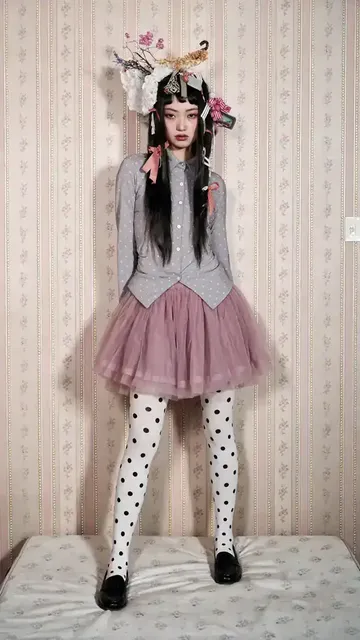
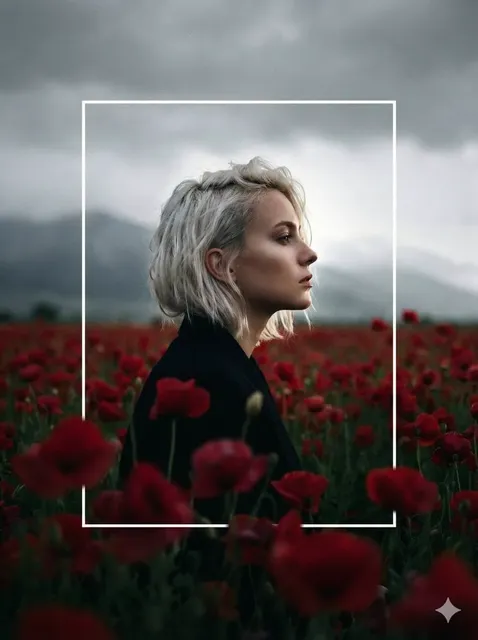
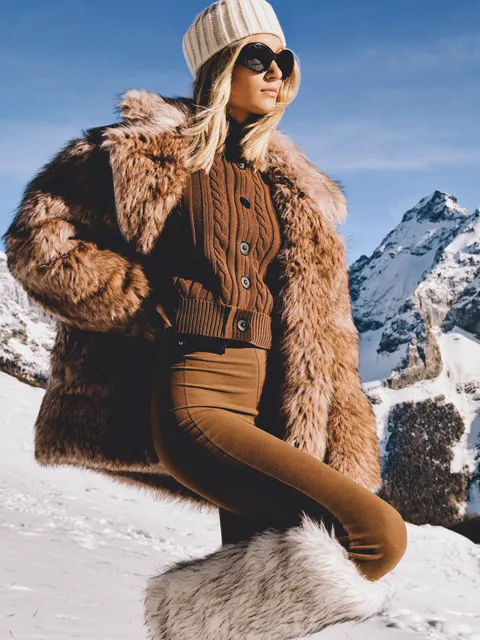
What makes a pro-level AI image generator?
A pro-level text-to-image tool allows detailed control through descriptive prompts—you specify lighting type, composition framing, lens effects, and quality cues to produce images suitable for professional contexts. Describe studio lighting setups, camera angles, material textures, and color grading to achieve polished results.
Chat GPT Image Generator Pro
Cinematic scene
Input
A lone figure walking through a rain-soaked alley at night, neon signs reflected in puddles, cinematic lighting with shallow depth of field
Expected output
A dramatic scene with strong contrast, selective focus, and rich atmospheric lighting in a narrow urban setting
Product mockup
Input
A minimalist perfume bottle in frosted glass on a white marble surface, soft natural light from the left, clean shadows, studio photography style
Expected output
A clean product image with soft reflections, controlled shadows, and a professional studio aesthetic
Polished portrait
Input
A professional headshot of a woman with natural makeup, soft diffused lighting, blurred neutral background, corporate portrait style
Expected output
A well-lit portrait with smooth skin tones, gentle catchlights in the eyes, and a professional business look
Generate high-quality images from detailed text prompts with control over lighting, composition, and professional visual aesthetics.
High-quality visuals from text
Produce images suitable for presentations, portfolios, and marketing materials without needing a photographer or designer.
Save time on visual concepts
Generate polished concept images in minutes instead of hours, allowing faster iteration on creative directions.
Professional lighting without a studio
Describe studio lighting setups, natural light conditions, or dramatic effects to achieve professional-looking results.
How It Works
1
Describe the desired image.
Describe the desired image.
2
Choose the available generation settings.
Choose the available generation settings.
3
Generate, review, and download a suitable result.
Generate, review, and download a suitable result.
Tips for professional results
Lighting and composition descriptions make the biggest difference.
Input Constraints
- Avoid using real brand names, logos, or copyrighted characters.
- Do not upload personal photos of others without permission.
- Keep descriptions focused on visual elements, not narrative.
- Review all generated images before using them in professional contexts.
- Respect content guidelines when generating people or recognizable settings.
Practical Tips
- Describe lighting: 'soft diffused', 'dramatic side light', 'studio strobe'.
- Mention lens effects: 'shallow depth of field', 'wide angle', 'macro'.
- Specify the background: 'clean white', 'textured wall', 'outdoor bokeh'.
- Add quality cues: 'high resolution', 'sharp focus', 'professional grade'.
- Describe the color tone: 'warm golden', 'cool blue', 'neutral balanced'.
Privacy
- Do not upload personal or sensitive material unless you have permission to use it.
Usage Rights
- Confirm that you have the rights needed for the inputs and intended use of the result.
Prompt recipes
Copy a structure, then adjust the subject, lighting, camera, and output details for your own result.
Corporate Headshot Style
A professional business portrait of a man in a navy suit and white shirt, neutral expression, soft diffused studio lighting from a large softbox, light gray seamless backdrop, shallow depth of field, corporate photography style
Specifies wardrobe, lighting equipment, background type, and depth of field to replicate professional studio headshot aesthetics.
Premium Product Photography
A luxury wristwatch on a black velvet surface, dramatic side lighting creating strong highlights on the metal case, dark moody background, macro lens perspective showing intricate dial details, high-end commercial photography
Uses material textures, lighting direction, lens type, and commercial context keywords to achieve a high-end product shot look.
Editorial Food Photography
A rustic wooden board with artisan bread, olive oil in a small ceramic dish, fresh herbs scattered around, natural window light from the side casting soft shadows, warm earth tones, magazine editorial style
Combines natural lighting, color palette, and editorial style cues to create an appealing food composition.
Architectural Interior Shot
A modern minimalist living room with floor-to-ceiling windows, afternoon sunlight streaming in, white sofa with gray throw pillows, polished concrete floor, wide angle lens view, architectural photography style, crisp focus throughout
Describes room layout, natural light timing, materials, lens type, and focus style to replicate professional real estate photography.
Dramatic Cinematic Lighting
A lone figure standing in a dark warehouse, single shaft of light from a high window illuminating dust particles in the air, deep shadows, cinematic color grading with teal and orange tones, film noir atmosphere
Uses specific lighting setup, atmospheric detail, color grading reference, and genre cues to create a cinematic mood.
Best use cases
Match the workflow to the input you have and the result you need before opening the generator.
Client presentation visuals
Input: Detailed descriptions of lighting setup, composition type, and professional aesthetic keywords
Result: Polished images suitable for pitch decks, proposals, and stakeholder meetings
Tool: Text to Image with detailed prompts emphasizing lighting and quality
Marketing material concepts
Input: Product or scene descriptions with commercial photography style cues and brand-appropriate tone
Result: Professional-looking concept images for campaigns, ads, or promotional content
Tool: Text to Image with focus on composition and brand aesthetic
Portfolio or case study illustrations
Input: High-quality scene or object descriptions with attention to materials, lighting, and presentation
Result: Professional visuals that enhance portfolio projects and demonstrate capabilities
Tool: Text to Image with emphasis on polish and detail
Website or app design mockups
Input: Clean, well-composed scenes with appropriate aspect ratio and space for UI overlay
Result: Background images or hero visuals that fit modern web design standards
Tool: Text to Image with specified dimensions and minimal clutter
Limitations to know before generating
- Professional quality depends heavily on prompt detail—vague descriptions produce generic results
- Lighting and composition control is indirect; you describe the desired effect but cannot adjust post-generation
- Fine details like sharp text, precise brand elements, or exact product specifications are not reliably generated
- Human faces and hands require careful review as they may have subtle quality issues
- Results should be treated as concept visuals, not final deliverables—professional use cases may require additional editing
Creative Suite: AI Video Generator & AI Image Generator Tools
Power up your creative workflow with our AI-driven tools. Generate stunning videos, create images, and apply custom adjustments - our AI Video Generator and AI Image Generator offer a complete solution for all your creative needs.
Strictly Prohibits Adult/NSFW Content








Pricing
Choose the credit package that works best for you.
No hidden fees • Cancel anytime • Unused credits roll over
Starter
Perfect for trying out AI creation.
Credits
200 credits / month
- Up to 20 videos per month
- Up to 100 images per month
$6.99/ month$9.9930% OFF
Billed monthly
First-time subscribers get 30% off their first month, then standard price
What's included
- Credits never expire
- Standard models
- HD, Watermark-Free Downloads
- Private Generation
- Faster Generation Speed
- Ad-free experience
Basic
Perfect for light creators.
Credits
500 credits / month
- Up to 50 videos per month
- Up to 250 images per month
$13.99/ month$19.9930% OFF
Billed monthly
First-time subscribers get 30% off their first month, then standard price
What's included
- Credits never expire
- Standard models
- HD, Watermark-Free Downloads
- Private Generation
- Faster Generation Speed
- Ad-free experience
Pro
PopularBest value for creators
Credits
1,200 credits / month
- Up to 120 videos per month
- Up to 600 images per month
$39.99/ month
Billed monthly
What's included
- Credits never expire
- All models + Early access to new models
- HD, Watermark-Free Downloads
- Private Generation
- Faster Generation Speed
- Ultra HD resolution
- Ad-free experience
Ultra
For video creators and power users.
Credits
5,000 credits / month
- Up to 500 videos per month
- Up to 2,500 images per month
$99.99/ month
Billed monthly
What's included
- Credits never expire
- All models + Early access to new models
- HD, Watermark-Free Downloads
- Private Generation
- Faster Generation Speed
- Ultra HD resolution
- Ad-free experience
Free
Standard models only — upgrade to unlock premium models.
Credits
10 free credits on signup
Questions? Contact us at support@domer.io
Start generating professional images
Open the tool, describe your vision, and produce polished visuals in moments.