
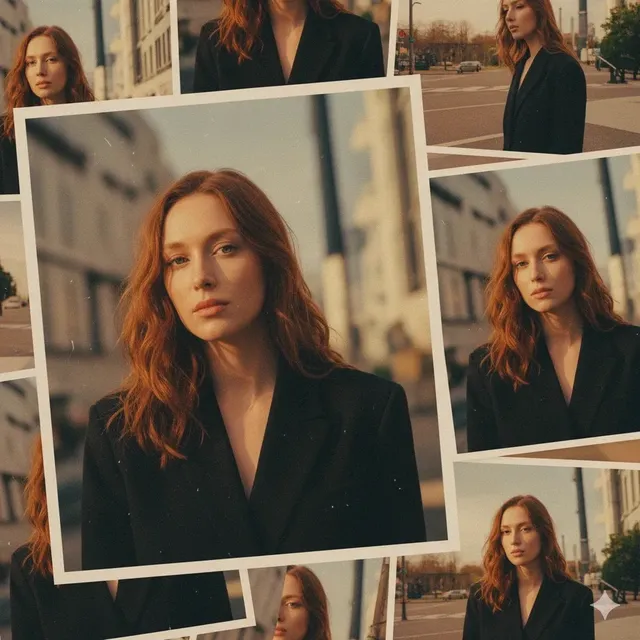
Description for AI Image Generator
Learn to write effective image descriptions. Understand what details to include, see working examples, and generate better images.
AI Image Generator
0/20000 characters
My images
Loading...
What makes a good description for an AI image generator?
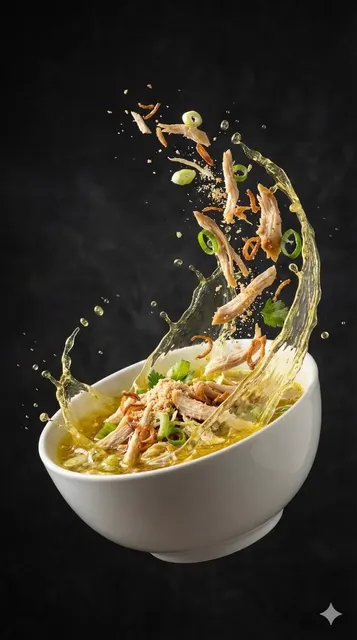
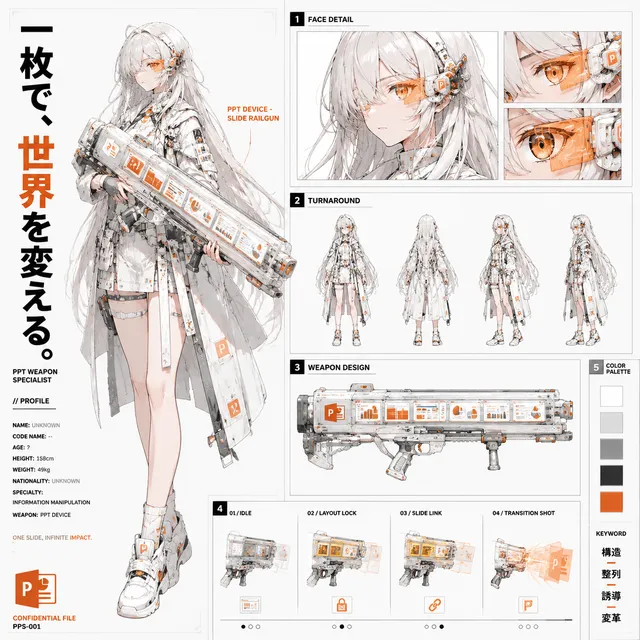
A good description for an AI image generator includes four elements: the main subject, the setting or background, the lighting and mood, and the style or format. For example, instead of 'a mountain', write 'a snow-capped mountain at sunrise, soft pink and orange sky, misty valley below, landscape photography style'. The generator builds the image from your words, so clear visual details produce more accurate results.
Description for AI Image Generator
Detailed scene description
Input
A rainy city street at night with neon reflections on wet pavement, an umbrella, and a distant taxi cab with glowing taillights
Expected output
A city night scene with rain, neon reflections, and the described urban details visible
Character description
Input
An elderly wizard with a long white beard wearing deep blue robes embroidered with gold stars, holding a wooden staff with a glowing crystal
Expected output
A fantasy character portrait with the wizard's robes, staff, and crystal highlighted
Mood description
Input
A calm sunrise over a quiet lake with still water reflecting orange and pink clouds, a wooden dock extending into the water
Expected output
A calm landscape scene with the sunrise, lake reflections, and wooden dock in silhouette
Write effective image descriptions to generate accurate AI images from text prompts
Better prompts, better results
Learn what details to include in your descriptions for more accurate image generation.
Structured descriptions
Understand how to organize your prompt by subject, setting, style, and mood.
Iterative refinement
Learn how adjusting specific words in your description changes the output.
How It Works
1
Step 1: Describe
Describe the desired image.
2
Step 2: Configure
Choose the available generation settings.
3
Step 3: Create
Generate, review, and download a suitable result.
Writing effective descriptions
Key elements of a good image description.
Input Constraints
- Results reflect your exact wording and detail level.
- More specific descriptions tend to produce more targeted results.
- Review and adjust to refine outputs.
Practical Tips
- Start with the main subject, then add setting and atmosphere.
- Use adjectives that describe qualities like 'glossy', 'rough', 'bright', or 'dim'.
- Mention what should be in the foreground and background.
Privacy
- Do not upload personal or sensitive material unless you have permission to use it.
Usage Rights
- Confirm that you have the rights needed for the inputs and intended use of the result.
Prompt recipes
Copy a structure, then adjust the subject, lighting, camera, and output details for your own result.
Subject with clear action
A woman walking through a wheat field at sunset, wind blowing her hair, golden light from behind creating a silhouette, natural outdoor setting
Describes subject, action, lighting direction, visual effect, and setting for a coherent outdoor scene.
Object with material and lighting
A glass vase filled with white roses on a white marble countertop, soft natural light from a window, clean minimalist style, high contrast
Specifies object, materials, light source, style, and contrast for a polished still life.
Scene with atmosphere and time
A foggy forest path at dawn, sunlight breaking through mist, tall pine trees on both sides, quiet and serene mood, landscape photography style
Includes location, time, weather, lighting, mood, and photographic style for an atmospheric natural scene.
Character with costume and expression
A young chef in a white apron and chef's hat, smiling while holding a wooden spoon, bright modern kitchen background, warm natural light, lifestyle photography
Describes profession, clothing, expression, action, setting, lighting, and photographic context for a lifestyle portrait.
Abstract with color and texture
Abstract watercolor painting with flowing gradients in lavender, teal, and soft yellow, organic shapes, visible brush strokes, light and airy feel
Names style, color palette, shape type, texture details, and mood for a cohesive abstract artwork.
Best use cases
Match the workflow to the input you have and the result you need before opening the generator.
Generate a hero image for a landing page
Input: Wide composition with a clear focal subject, balanced colors, and space for text overlay
Result: A visually balanced image suitable for use as a page header with room for headlines
Tool: Text to Image with 16:9 aspect ratio and compositional balance
Create a character reference for a story
Input: Detailed character description with clothing, facial features, pose, and personality cues
Result: A character portrait with consistent features matching the description
Tool: Text to Image with character-focused prompt and portrait orientation
Design a background texture
Input: Abstract or minimal description with color palette, texture type, and seamless or edge requirements
Result: A background image with the requested color and texture suitable for layering
Tool: Text to Image with abstract style and minimal composition
Visualize a product concept
Input: Product type, materials, setting, lighting, and commercial photography style
Result: A product mockup image suitable for early-stage concept review
Tool: Text to Image with commercial style and clean product composition
Limitations to know before generating
- Generated images may not match your description exactly and often require iteration.
- Describing spatial relationships and precise object placement is difficult and may not render correctly.
- Text within images is often garbled or incorrect.
- Complex scenes with many subjects or detailed interactions may not compose as described.
- You are responsible for confirming rights and permissions for both input descriptions and output use.
Creative Suite: AI Video Generator & AI Image Generator Tools
Power up your creative workflow with our AI-driven tools. Generate stunning videos, create images, and apply custom adjustments - our AI Video Generator and AI Image Generator offer a complete solution for all your creative needs.
Strictly Prohibits Adult/NSFW Content








Pricing
Choose the credit package that works best for you.
No hidden fees • Cancel anytime • Unused credits roll over
Starter
Perfect for trying out AI creation.
Credits
200 credits / month
- Up to 20 videos per month
- Up to 100 images per month
$6.99/ month$9.9930% OFF
Billed monthly
First-time subscribers get 30% off their first month, then standard price
What's included
- Credits never expire
- Standard models
- HD, Watermark-Free Downloads
- Private Generation
- Faster Generation Speed
- Ad-free experience
Basic
Perfect for light creators.
Credits
500 credits / month
- Up to 50 videos per month
- Up to 250 images per month
$13.99/ month$19.9930% OFF
Billed monthly
First-time subscribers get 30% off their first month, then standard price
What's included
- Credits never expire
- Standard models
- HD, Watermark-Free Downloads
- Private Generation
- Faster Generation Speed
- Ad-free experience
Pro
PopularBest value for creators
Credits
1,200 credits / month
- Up to 120 videos per month
- Up to 600 images per month
$39.99/ month
Billed monthly
What's included
- Credits never expire
- All models + Early access to new models
- HD, Watermark-Free Downloads
- Private Generation
- Faster Generation Speed
- Ultra HD resolution
- Ad-free experience
Ultra
For video creators and power users.
Credits
5,000 credits / month
- Up to 500 videos per month
- Up to 2,500 images per month
$99.99/ month
Billed monthly
What's included
- Credits never expire
- All models + Early access to new models
- HD, Watermark-Free Downloads
- Private Generation
- Faster Generation Speed
- Ultra HD resolution
- Ad-free experience
Free
Standard models only — upgrade to unlock premium models.
Credits
10 free credits on signup
Questions? Contact us at support@domer.io
Write your description
Open the generator and describe the image you want to create.