
ESIMG AI Image Generator
Create custom images from text descriptions. Describe subjects, settings, styles, and moods to generate visuals for creative projects.
AI Image Generator
0/20000 characters
My images
Loading...
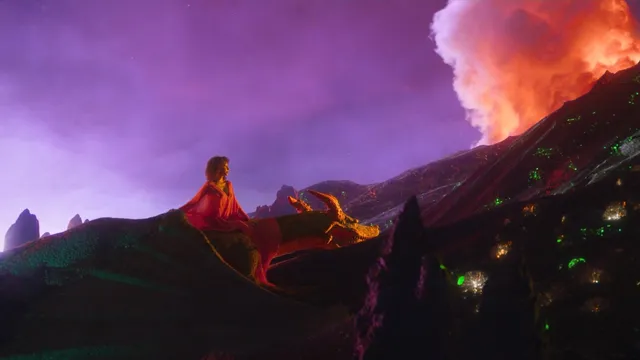
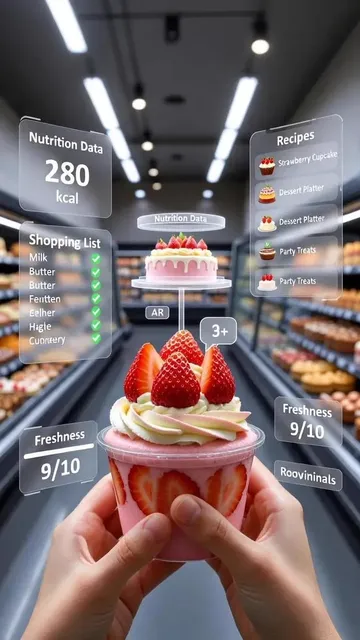
How do I get started with ESIMG AI image generation?
Type a clear description of the image you want to create. Include the main subject, setting, colors, style, and mood. More specific prompts generally produce more targeted results that match your vision.
ESIMG AI Image Generator
Natural Landscape Scene
Input
A serene mountain lake at sunrise with mist rising from the water, pine trees reflected in still water, soft golden light, landscape photography style
Expected output
A peaceful landscape showing a mountain lake with morning mist, tree reflections, and warm sunrise lighting
Urban Street Photography
Input
A busy city street at night with neon signs reflecting on wet pavement, pedestrians with umbrellas, rain effects, cinematic urban mood
Expected output
A nighttime city scene with neon lights, rain-slicked streets, and people walking with umbrellas
Abstract Art Composition
Input
An abstract composition with flowing liquid shapes in teal and coral colors, smooth gradients, modern digital art style, minimalist background
Expected output
A contemporary abstract image featuring organic shapes, teal and coral tones, and smooth color transitions
Generate custom images from text descriptions
Easy to Start
Begin creating images immediately by typing a description of what you want to see.
Creative Flexibility
Generate a wide range of visual styles and subjects from a single text input.
Quick Results
Get visual output in moments, allowing rapid exploration of different ideas.
How It Works
1
Describe
Describe the desired image.
2
Configure
Choose the available generation settings.
3
Generate
Generate, review, and download a suitable result.
Guidance for Best Results
Tips to get the most useful images from your text prompts.
Input Constraints
- Focus on clear, specific descriptions for better results
- Avoid contradictory instructions in the same prompt
- Review generated output before relying on it
Practical Tips
- Start with the main subject and add details gradually
- Use descriptive but concise language
- Iterate on prompts to refine results
Privacy
- Do not upload personal or sensitive material unless you have permission to use it.
Usage Rights
- Confirm that you have the rights needed for the inputs and intended use of the result.
Prompt recipes
Copy a structure, then adjust the subject, lighting, camera, and output details for your own result.
Product Photography Style
A sleek consumer product on a clean white surface, soft studio lighting from above and side, minimalist composition, commercial photography aesthetic, sharp focus on product
Defines subject (consumer product), background (white surface), specific lighting (studio, directional), composition (minimalist), and style (commercial photography) for clean product visuals.
Cozy Interior Scene
A warm living room corner with a reading chair, floor lamp, bookshelf, and window showing rain outside, soft afternoon light, cozy hygge atmosphere, interior design photography
Combines setting (living room corner), specific furniture (chair, lamp, bookshelf), weather context (rain outside), lighting (soft afternoon), and mood (cozy hygge) for an inviting interior.
Food Photography Flat Lay
Top-down view of a breakfast spread with coffee, croissants, fruit, and flowers on a marble table, natural morning light, food styling photography, warm inviting tones
Specifies perspective (top-down), food items (coffee, croissants, fruit), props (flowers), surface (marble), lighting (natural morning), and style (food styling) for appealing culinary imagery.
Nature Macro Detail
Extreme close-up of water droplets on a green leaf with morning dew, soft blurred background, natural lighting, macro photography style, fresh organic feel
Uses specific scale (extreme close-up), subject (water droplets on leaf), time context (morning dew), depth cues (blurred background), and style (macro photography) for detailed nature imagery.
Travel Destination Vista
A scenic coastal viewpoint with turquoise ocean, white cliffs, and a winding path, golden hour light, travel photography composition, sense of adventure and wanderlust
Combines destination type (coastal viewpoint), color (turquoise ocean), landscape features (cliffs, path), lighting (golden hour), and emotional tone (adventure, wanderlust) for evocative travel imagery.
Workspace Flat Lay
Clean desk workspace from above with laptop, notebook, pen, coffee mug, and small plant, organized minimal aesthetic, soft natural light, productivity and focus mood
Defines view (overhead), workspace items (laptop, notebook, accessories), visual style (minimal, organized), lighting (soft natural), and emotional context (productivity) for aspirational workspace content.
Best use cases
Match the workflow to the input you have and the result you need before opening the generator.
Blog post illustrations
Input: Describe relevant scenes, objects, or concepts that visually support your article topic
Result: Custom header images or inline graphics that match your content theme
Tool: Text to Image
Social media graphics
Input: Request visually appealing compositions with clear focal points and on-brand colors
Result: Eye-catching images for posts, stories, or profile backgrounds
Tool: Text to Image
Presentation visuals
Input: Specify clean, professional imagery with space for text overlays and appropriate tone
Result: Slide backgrounds or supporting graphics for business or educational presentations
Tool: Text to Image
Creative mood boards
Input: Generate images with specific color palettes, textures, and stylistic elements
Result: Visual references to define aesthetic direction for larger projects
Tool: Text to Image
Limitations to know before generating
- Generated images are interpretations of text descriptions, not precise technical renderings
- Complex scenes with many elements may lack coherence or miss specific details
- Text within images is often illegible; add typography separately if needed
- Results depend on prompt clarity; vague descriptions produce generic outputs
- Fine details like faces, hands, or intricate patterns may be imprecise
- Always review generated images for accuracy and appropriateness before use
Creative Suite: AI Video Generator & AI Image Generator Tools
Power up your creative workflow with our AI-driven tools. Generate stunning videos, create images, and apply custom adjustments - our AI Video Generator and AI Image Generator offer a complete solution for all your creative needs.
Strictly Prohibits Adult/NSFW Content








Pricing
Choose the credit package that works best for you.
No hidden fees • Cancel anytime • Unused credits roll over
Starter
Perfect for trying out AI creation.
Credits
200 credits / month
- Up to 20 videos per month
- Up to 100 images per month
$6.99/ month$9.9930% OFF
Billed monthly
First-time subscribers get 30% off their first month, then standard price
What's included
- Credits never expire
- Standard models
- HD, Watermark-Free Downloads
- Private Generation
- Faster Generation Speed
- Ad-free experience
Basic
Perfect for light creators.
Credits
500 credits / month
- Up to 50 videos per month
- Up to 250 images per month
$13.99/ month$19.9930% OFF
Billed monthly
First-time subscribers get 30% off their first month, then standard price
What's included
- Credits never expire
- Standard models
- HD, Watermark-Free Downloads
- Private Generation
- Faster Generation Speed
- Ad-free experience
Pro
PopularBest value for creators
Credits
1,200 credits / month
- Up to 120 videos per month
- Up to 600 images per month
$39.99/ month
Billed monthly
What's included
- Credits never expire
- All models + Early access to new models
- HD, Watermark-Free Downloads
- Private Generation
- Faster Generation Speed
- Ultra HD resolution
- Ad-free experience
Ultra
For video creators and power users.
Credits
5,000 credits / month
- Up to 500 videos per month
- Up to 2,500 images per month
$99.99/ month
Billed monthly
What's included
- Credits never expire
- All models + Early access to new models
- HD, Watermark-Free Downloads
- Private Generation
- Faster Generation Speed
- Ultra HD resolution
- Ad-free experience
Free
Standard models only — upgrade to unlock premium models.
Credits
10 free credits on signup
Questions? Contact us at support@domer.io
Ready to create your ai image?
Open the text-to-image tool and describe your vision. Start with the main subject and add details as you go.