

Golden Ratio Image Generator
Create balanced images using golden ratio composition. Describe where your subject sits and generate naturally framed results to review.
AI Image Generator
0/20000 characters
My images
Loading...
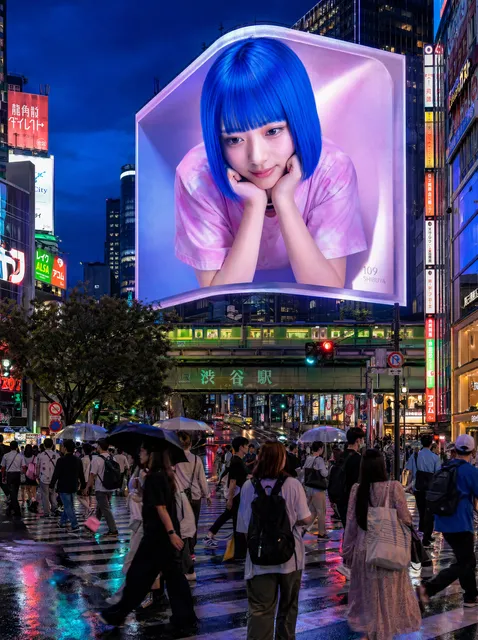
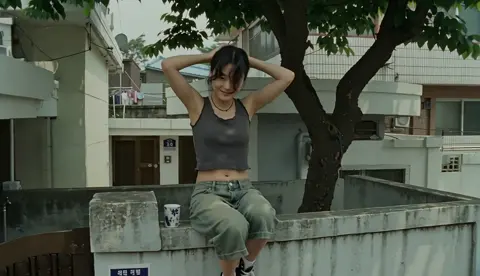

What is a golden ratio image generator?
A golden ratio image generator is a text-to-image tool used to create visually balanced compositions based on the golden ratio (phi, approximately 1.618). You describe where you want the main subject positioned using terms like golden ratio line, phi grid intersection, or spiral focal point, and the tool generates an image with natural, mathematically harmonious framing.
Golden Ratio Image Generator
Landscape on the phi line
Input
A mountain lake at dawn with the horizon on the lower golden-ratio line and a lone boat at the spiral focal point.
Expected output
A balanced landscape where the horizon and boat draw the eye to a natural resting point.
Portrait with a spiral focal point
Input
A close portrait of a woman in soft light, with her eyes placed near the golden spiral focal point.
Expected output
A portrait whose gaze sits on a natural point of focus.
Product on a phi intersection
Input
A ceramic mug on a wooden table, set on a golden-ratio grid intersection with soft side light.
Expected output
A product shot that feels steady and well composed.
Create images with golden ratio composition by describing focal point placement and natural framing in text prompts.
Balanced composition
Describe where the subject should sit and let the framing follow the golden ratio instead of measuring by hand.
A clear focal point
Placing the key element on a phi point gives the image a natural spot for the eye to land.
Reusable framing
Once you find wording that works, you can reuse the same composition idea across different scenes.
How It Works
1
Describe your image
Describe the desired image.
2
Choose settings
Choose the available generation settings.
3
Generate and review
Generate, review, and download a suitable result.
Getting a balanced result
A few notes on describing golden-ratio composition.
Input Constraints
- Mention golden ratio, phi grid, or spiral in the prompt.
- State where the main subject should sit.
- Keep the scene simple so the composition reads clearly.
Practical Tips
- Name a lighting direction, such as soft side light.
- Describe the horizon position for landscape scenes.
- Use one clear subject for a stronger focal point.
Privacy
- Do not upload personal or sensitive material unless you have permission to use it.
Usage Rights
- Confirm that you have the rights needed for the inputs and intended use of the result.
Prompt recipes
Copy a structure, then adjust the subject, lighting, camera, and output details for your own result.
Classic landscape with phi horizon
A coastal sunset scene with the ocean horizon positioned on the lower golden ratio line, a sailboat placed at the golden spiral focal point, warm orange sky fading to purple, gentle waves, balanced composition
Places two key visual elements on mathematically harmonious points while using color gradient and natural elements to reinforce the balanced feel.
Portrait with spiral eye placement
A close-up portrait of a person with their leading eye positioned at the golden spiral focal point, soft natural window light from the left, neutral background, shallow depth of field, harmonious framing
Uses the most powerful focal point (the eye) on the spiral center while soft lighting and simple background let the composition structure shine.
Architectural diagonal composition
A modern staircase with the vanishing point on a golden ratio intersection, dramatic side lighting creating shadows along phi grid lines, minimalist concrete and wood materials, geometric balance
Leverages architecture's natural lines aligned with golden ratio divisions while lighting emphasizes the mathematical structure.
Food photography with phi placement
A rustic wooden cutting board with fresh bread positioned on the upper right golden ratio intersection, soft morning light from the top left, scattered flour and wheat stalks, natural balanced composition
Places the main subject on a phi point while complementary elements fill negative space naturally, creating visual balance without symmetry.
Floral macro with spiral center
A close-up of a sunflower with the seed spiral center aligned to the golden spiral focal point, soft diffused lighting, natural brown and yellow tones, blurred green background, organic mathematical beauty
Uses nature's own golden ratio spiral as the subject while positioning it on the composition's mathematical focal point for double reinforcement.
Best use cases
Match the workflow to the input you have and the result you need before opening the generator.
Landscape photography composition
Input: Horizon line position on lower or upper phi line, focal element like boat, tree, or building at spiral point, clear lighting direction
Result: Naturally balanced landscape images with strong focal points for photography practice or visual reference
Tool: Text to Image with golden ratio and landscape composition keywords
Portrait and headshot framing
Input: Eye or face position at spiral focal point, simple background, directional lighting, specific depth of field
Result: Portraits with harmonious framing where the viewer's attention naturally lands on the subject's face
Tool: Text to Image with portrait composition and phi spiral placement
Product photography concepts
Input: Product positioned on phi grid intersection, complementary props in supporting positions, directional lighting, clean background
Result: Balanced product visuals for e-commerce reference, mood boards, or composition study
Tool: Text to Image with product photography and golden ratio placement
Composition study and reference
Input: Any subject with explicit phi grid, spiral, or golden ratio line placement instructions, simple elements for clarity
Result: Educational images demonstrating golden ratio principles for design learning or teaching
Tool: Text to Image with explicit golden ratio terminology in prompt
Limitations to know before generating
- The tool interprets golden ratio placement from text descriptions, which may not achieve mathematical precision
- Multiple attempts with refined prompts are usually needed to achieve the desired compositional balance
- Complex scenes with many elements are harder to control for golden ratio placement than simple, focused compositions
- The tool does not display phi grid overlays or measurements, so visual balance must be judged by eye
- Exact numerical ratios and pixel-perfect positioning are not guaranteed in generated results
- You must confirm rights to inputs and verify the output meets requirements for your intended use
Creative Suite: AI Video Generator & AI Image Generator Tools
Power up your creative workflow with our AI-driven tools. Generate stunning videos, create images, and apply custom adjustments - our AI Video Generator and AI Image Generator offer a complete solution for all your creative needs.
Strictly Prohibits Adult/NSFW Content








Pricing
Choose the credit package that works best for you.
No hidden fees • Cancel anytime • Unused credits roll over
Starter
Perfect for trying out AI creation.
Credits
200 credits / month
- Up to 20 videos per month
- Up to 100 images per month
$6.99/ month$9.9930% OFF
Billed monthly
First-time subscribers get 30% off their first month, then standard price
What's included
- Credits never expire
- Standard models
- HD, Watermark-Free Downloads
- Private Generation
- Faster Generation Speed
- Ad-free experience
Basic
Perfect for light creators.
Credits
500 credits / month
- Up to 50 videos per month
- Up to 250 images per month
$13.99/ month$19.9930% OFF
Billed monthly
First-time subscribers get 30% off their first month, then standard price
What's included
- Credits never expire
- Standard models
- HD, Watermark-Free Downloads
- Private Generation
- Faster Generation Speed
- Ad-free experience
Pro
PopularBest value for creators
Credits
1,200 credits / month
- Up to 120 videos per month
- Up to 600 images per month
$39.99/ month
Billed monthly
What's included
- Credits never expire
- All models + Early access to new models
- HD, Watermark-Free Downloads
- Private Generation
- Faster Generation Speed
- Ultra HD resolution
- Ad-free experience
Ultra
For video creators and power users.
Credits
5,000 credits / month
- Up to 500 videos per month
- Up to 2,500 images per month
$99.99/ month
Billed monthly
What's included
- Credits never expire
- All models + Early access to new models
- HD, Watermark-Free Downloads
- Private Generation
- Faster Generation Speed
- Ultra HD resolution
- Ad-free experience
Free
Standard models only — upgrade to unlock premium models.
Credits
10 free credits on signup
Questions? Contact us at support@domer.io
Compose with the golden ratio
Describe your scene, place the focal point, and generate a balanced image to review.