

60 Second AI Video Generator
Generate a one-minute video clip from a text description. Perfect for social media ads, product demos, and complete mini-stories.
AI Video Generator
0/20000 characters
Cost:10
My videos
Loading...
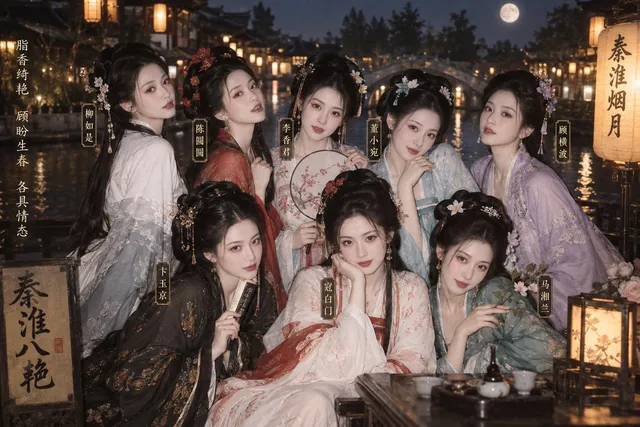
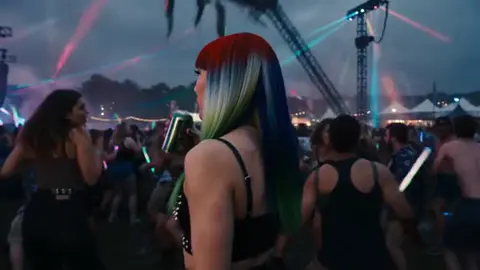
What is a 60 second AI video generator?
A 60 second AI video generator turns a text prompt into a one-minute video clip. Describe a sequence of scenes, actions, or moments, choose your generation settings, and download a video ready for social platforms, ad slots, or product demonstrations.
60 Second AI Video Generator
Morning routine montage
Input
A morning routine montage: alarm clock rings, person stretches in bed, makes coffee, walks dog in the park, arrives at work desk, takes a sip of coffee. Smooth transitions between each moment.
Expected output
A one-minute montage showing a complete morning routine sequence with natural transitions.
Product demo in 60 seconds
Input
A smartwatch unboxing and setup: box opens, watch revealed, strap adjusted, screen lights up, menu navigation shown, fitness tracking demo, finished setup with a smile.
Expected output
A 60-second product demo showing smartwatch unboxing, setup, and feature demonstration.
Quick tutorial segment
Input
How to fold a fitted sheet: lay sheet flat, fold in half, tuck corners into each other, fold into a rectangle, final neat square. Each step clearly shown with hands.
Expected output
A 60-second tutorial showing each step of folding a fitted sheet into a neat square.
Create a one-minute video clip from a text prompt for short-form content, social media campaigns, and product demonstrations.
Match Platform Duration Limits
Generate content that fits within common short-video platform duration requirements.
Tell a Complete Mini-Story
Create a self-contained narrative or demonstration in a single generation.
Produce Ad-Ready Content
Generate 60-second spots for advertising slots and social media campaigns.
How It Works
1
Describe the scene
Describe the desired scene and motion.
2
Choose settings
Choose the available generation settings.
3
Generate and download
Generate, review, and download a suitable result.
Creating 60-second videos
Structure your prompt to cover the full duration with a clear beginning, middle, and end or logical sequence.
Input Constraints
- Actual duration depends on the tool's generation capabilities and settings
- Longer prompts may be needed to fill 60 seconds of content
- Review the output to ensure it meets your duration requirements
Practical Tips
- Describe a sequence of events that naturally spans the full duration
- Include transition cues between different moments in the scene
- Start with the beginning action and end with a clear conclusion
Privacy
- Do not upload personal or sensitive material unless you have permission to use it.
Usage Rights
- Confirm that you have the rights needed for the inputs and intended use of the result.
Prompt recipes
Copy a structure, then adjust the subject, lighting, camera, and output details for your own result.
Explainer Video Sequence
A problem-solution narrative: someone struggling with tangled cables, frustrated expression, then using a cable organizer, clean desk reveal, satisfied smile. Each beat 10-12 seconds, smooth fades between scenes.
Breaks the minute into clear problem-solution beats with natural timing. Transitions help the narrative flow.
Recipe Quick Take
Making a smoothie from start to finish: ingredients laid out on counter, each item added to blender one by one, blending action with visible motion, pouring into glass, garnish added, final sip. Real-time pacing.
Sequential actions fill the duration naturally. Real-time pacing keeps each step clear and followable.
App Feature Walkthrough
Opening a fitness app, tapping through onboarding screens, entering user data, selecting a workout plan, starting a timer, exercise animation plays, completion screen with stats. Screen-capture style, clear UI.
Mirrors real user flow through the app. Clear UI focus and step-by-step progression suit tutorial content.
Before-and-After Transformation
A cluttered room with scattered items, time-lapse cleaning and organizing, items sorted into bins, surfaces wiped, final reveal of tidy space with sunlight streaming in. 15 seconds before, 30 seconds transition, 15 seconds after.
Three-act structure with clear time allocation. Time-lapse keeps the middle section dynamic.
Product Assembly Demo
Unboxing a desk lamp: removing from packaging, laying out parts, screwing base together, attaching shade, plugging in, switching on with warm light glow. Hands-only view, each step 8-10 seconds.
Hands-only framing keeps focus on the product. Even step timing creates a steady instructional pace.
Day-in-the-Life Montage
A day in the life of a coffee shop: morning prep with lights turning on, first customer arriving, barista making latte art, lunch rush with multiple orders, afternoon calm with someone reading, closing routine. Six 10-second vignettes.
Six equal beats create rhythm. Each vignette shows a distinct time of day with recognizable activity.
Best use cases
Match the workflow to the input you have and the result you need before opening the generator.
Social media ad campaign
Input: A problem-solution narrative with clear visual beats
Result: A 60-second ad spot ready for platform upload
Tool: Text to Video with transition cues and timing notes
Product unboxing and setup
Input: A sequence from packaging to first use
Result: A complete product demo showing the customer journey
Tool: Text to Video with step-by-step action description
Tutorial or how-to segment
Input: A multi-step process with clear beginning and end
Result: A concise tutorial covering the full workflow
Tool: Text to Video with each step and timing described
Brand story or montage
Input: A series of vignettes showing a theme or day-in-the-life
Result: A narrative montage with emotional arc
Tool: Text to Video with scene list and transition style
Limitations to know before generating
- Sixty seconds requires a well-structured prompt with clear beats.
- Complex multi-scene sequences may render with pacing or transition issues.
- Generated clips may need editing for timing or coherence.
- Not all described actions will render at the intended speed.
- Review the output to ensure it meets your duration and quality needs.
Creative Suite: AI Video Generator & AI Image Generator Tools
Power up your creative workflow with our AI-driven tools. Generate stunning videos, create images, and apply custom adjustments - our AI Video Generator and AI Image Generator offer a complete solution for all your creative needs.
Strictly Prohibits Adult/NSFW Content








Pricing
Choose the credit package that works best for you.
No hidden fees • Cancel anytime • Unused credits roll over
Starter
Perfect for trying out AI creation.
Credits
200 credits / month
- Up to 20 videos per month
- Up to 100 images per month
$6.99/ month$9.9930% OFF
Billed monthly
First-time subscribers get 30% off their first month, then standard price
What's included
- Credits never expire
- Standard models
- HD, Watermark-Free Downloads
- Private Generation
- Faster Generation Speed
- Ad-free experience
Basic
Perfect for light creators.
Credits
500 credits / month
- Up to 50 videos per month
- Up to 250 images per month
$13.99/ month$19.9930% OFF
Billed monthly
First-time subscribers get 30% off their first month, then standard price
What's included
- Credits never expire
- Standard models
- HD, Watermark-Free Downloads
- Private Generation
- Faster Generation Speed
- Ad-free experience
Pro
PopularBest value for creators
Credits
1,200 credits / month
- Up to 120 videos per month
- Up to 600 images per month
$39.99/ month
Billed monthly
What's included
- Credits never expire
- All models + Early access to new models
- HD, Watermark-Free Downloads
- Private Generation
- Faster Generation Speed
- Ultra HD resolution
- Ad-free experience
Ultra
For video creators and power users.
Credits
5,000 credits / month
- Up to 500 videos per month
- Up to 2,500 images per month
$99.99/ month
Billed monthly
What's included
- Credits never expire
- All models + Early access to new models
- HD, Watermark-Free Downloads
- Private Generation
- Faster Generation Speed
- Ultra HD resolution
- Ad-free experience
Free
Standard models only — upgrade to unlock premium models.
Credits
10 free credits on signup
Questions? Contact us at support@domer.io
Describe a 60-second video
Open the text-to-video generator, describe your scene or sequence, and generate a one-minute clip.