
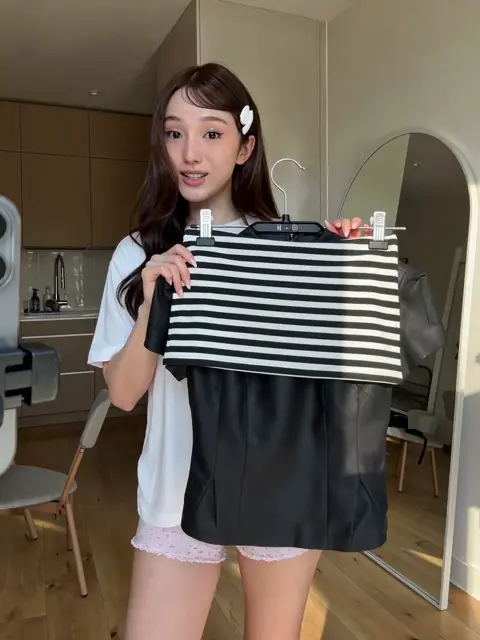
AI Affiliate Video Generator
Use ai affiliate video generator to generate affiliate promo clips from text. Describe the product, setting, and presentation—then review the result.
AI Video Generator
0/20000 characters
Cost:10
My videos
Loading...
What is an AI affiliate video generator?
An AI affiliate video generator turns a written description of a product, scene, and presentation style into a short promotional video clip. You describe what you want to show—such as a smartwatch rotating or earbuds side by side—and the tool renders a reviewable result you can use in affiliate content.
AI Affiliate Video Generator
Smartwatch product rotation
Input
A sleek smartwatch rotating slowly on a polished marble surface, display screen glowing with fitness stats, white studio lighting
Expected output
A generated product rotation video showing a smartwatch on marble with a glowing display
Kitchen gadget in use
Input
A stainless steel vegetable chopper pressing down on fresh tomatoes, juice and seeds scattering, steam rising, satisfied chef nodding in background
Expected output
A generated video of a kitchen gadget being used with visible food prep action
Wireless earbuds comparison
Input
Two wireless earbud cases side by side on a dark wood surface, one white and one black, feature labels appearing above each
Expected output
A generated product comparison clip with two earbud cases and floating feature labels
Generate promotional video clips for affiliate marketing from text descriptions
No physical products needed
Create affiliate content for products you promote without ordering samples, setting up lighting, or filming—just describe the scene.
Multiple visual angles
Generate different product shots such as rotation, in-use, and comparison by describing each scene in a new prompt.
A/B test creative concepts
Test different product presentation styles, backgrounds, and lighting setups by rewriting scene descriptions and comparing results.
How It Works
1
Describe the desired scene and motion.
Describe the desired scene and motion.
2
Choose the available generation settings.
Choose the available generation settings.
3
Generate, review, and download a suitable result.
Generate, review, and download a suitable result.
Tips for affiliate video prompts
Describe the product as a generic item without brand names.
Input Constraints
- Avoid using trademarked brand names or logos in the scene description
- Do not make performance, price, or availability claims about the product
- Results are generated approximations, not real product footage
Practical Tips
- Describe the product by its type such as smartwatch, earbuds, or kitchen gadget rather than brand
- Include the surface and background such as marble, wood, or gradient for visual consistency
- Add interaction cues like rotating, being used, or side by side to suggest the video style
Privacy
- Do not upload personal or sensitive material unless you have permission to use it.
Usage Rights
- Confirm that you have the rights needed for the inputs and intended use of the result.
Prompt recipes
Copy a structure, then adjust the subject, lighting, camera, and output details for your own result.
Product unboxing reveal
A branded box opening slowly with tissue paper parting to reveal a wireless charger, camera looking down from above, soft studio lighting, clean white background
Combines packaging, reveal motion, camera angle, lighting, and background—matching popular unboxing video formats for affiliate content.
Lifestyle product in context
A portable Bluetooth speaker on a picnic blanket with food and drinks nearby, warm afternoon sunlight, camera panning slowly across the scene, relaxed outdoor mood
Describes product, setting props, lighting, camera movement, and mood—showing the product in a relatable real-world use case.
Feature highlight with annotations
A fitness tracker on a wrist with animated labels pointing to heart rate monitor, step counter, and waterproof rating, close-up shot, neutral background, clean tech aesthetic
Focuses on product placement, annotation cues, framing, background, and style—ideal for feature-focused affiliate explainer videos.
Before-and-after demonstration
A wrinkled shirt on the left and the same shirt smooth after steaming on the right, handheld steamer in between, split-screen composition, bright studio lighting
Describes problem state, solution state, product, composition style, and lighting—effective for demonstrating product benefits.
Product size comparison
A portable laptop stand next to a coffee cup and a smartphone for scale, all on a wood desk, overhead camera angle, natural daylight, minimal setup
Combines product, scale references, surface, camera angle, and lighting—helping viewers understand product size and portability.
Best use cases
Match the workflow to the input you have and the result you need before opening the generator.
Amazon affiliate product video
Input: Product description with rotation or feature highlight
Result: Clean product clip suitable for review blog or YouTube
Tool: Text to video with product-focused framing
Instagram affiliate post
Input: Product in lifestyle context with mood and setting
Result: Vertical or square clip showing product in use
Tool: Text to video with vertical aspect ratio and lifestyle cues
Product comparison for blog
Input: Two products side by side with feature labels
Result: Comparison clip showing key differences
Tool: Text to video with side-by-side composition
TikTok affiliate hook video
Input: Fast unboxing or demo with motion and impact
Result: Short vertical clip with high visual energy
Tool: Text to video with vertical framing and quick motion
Limitations to know before generating
- The tool generates visual approximations of products from your description—results are not real product footage.
- Avoid using trademarked brand names, logos, or specific model numbers in the prompt; describe products by type instead.
- Do not make performance, price, availability, or ranking claims about the product in the prompt or the final affiliate content.
- You must confirm that you have the rights needed for the inputs and the intended use, including affiliate program compliance.
- Review every output for visual accuracy and appropriateness before using it in affiliate marketing content.
Creative Suite: AI Video Generator & AI Image Generator Tools
Power up your creative workflow with our AI-driven tools. Generate stunning videos, create images, and apply custom adjustments - our AI Video Generator and AI Image Generator offer a complete solution for all your creative needs.
Strictly Prohibits Adult/NSFW Content








Pricing
Choose the credit package that works best for you.
No hidden fees • Cancel anytime • Unused credits roll over
Starter
Perfect for trying out AI creation.
Credits
200 credits / month
- Up to 20 videos per month
- Up to 100 images per month
$6.99/ month$9.9930% OFF
Billed monthly
First-time subscribers get 30% off their first month, then standard price
What's included
- Credits never expire
- Standard models
- HD, Watermark-Free Downloads
- Private Generation
- Faster Generation Speed
- Ad-free experience
Basic
Perfect for light creators.
Credits
500 credits / month
- Up to 50 videos per month
- Up to 250 images per month
$13.99/ month$19.9930% OFF
Billed monthly
First-time subscribers get 30% off their first month, then standard price
What's included
- Credits never expire
- Standard models
- HD, Watermark-Free Downloads
- Private Generation
- Faster Generation Speed
- Ad-free experience
Pro
PopularBest value for creators
Credits
1,200 credits / month
- Up to 120 videos per month
- Up to 600 images per month
$39.99/ month
Billed monthly
What's included
- Credits never expire
- All models + Early access to new models
- HD, Watermark-Free Downloads
- Private Generation
- Faster Generation Speed
- Ultra HD resolution
- Ad-free experience
Ultra
For video creators and power users.
Credits
5,000 credits / month
- Up to 500 videos per month
- Up to 2,500 images per month
$99.99/ month
Billed monthly
What's included
- Credits never expire
- All models + Early access to new models
- HD, Watermark-Free Downloads
- Private Generation
- Faster Generation Speed
- Ultra HD resolution
- Ad-free experience
Free
Standard models only — upgrade to unlock premium models.
Credits
10 free credits on signup
Questions? Contact us at support@domer.io
Create your first affiliate product video
Open the text-to-video tool and describe a product in a specific setting. Adjust the prompt until the scene matches your promotional idea.