

AI Aging Video Generator
Generate time-progression video clips from text. Describe the starting state, ending state, and transition—then review the result.
AI Video Generator
0/20000 characters
Cost:10
My videos
Loading...
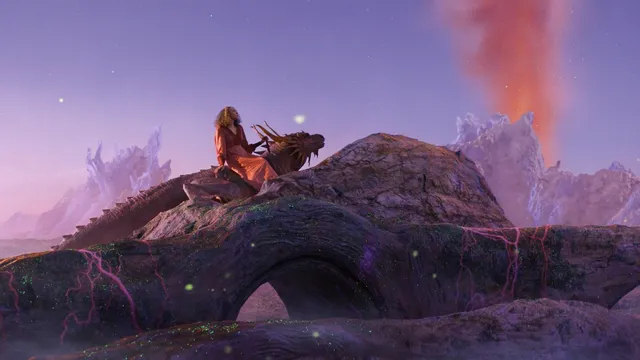
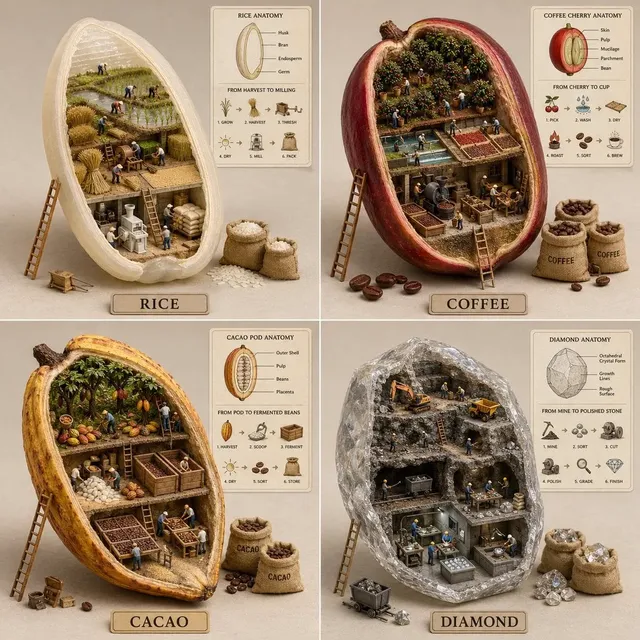
What is an AI aging video generator?
An AI aging video generator turns a written description of a time-based transformation into a short video clip. You describe the starting state, the ending state, and the transition—such as a tree through the seasons or a portrait aging over decades—and the tool renders the progression as a reviewable result.
AI Aging Video Generator
Tree through seasons
Input
A young tree in a meadow growing leaves in spring, turning green in summer, shedding in autumn, and standing bare in winter snow
Expected output
A seasonal transition clip showing the same tree changing through the four seasons with corresponding weather effects
Portrait aging
Input
A portrait of a person gradually aging from youth to old age with grey hair and wrinkles appearing over time
Expected output
A slow-transition clip showing a face progressively adding age lines, grey hair, and changing skin texture
City street through eras
Input
A modern city street gradually transforming into its early 20th-century version with vintage cars and period clothing
Expected output
A time-regression clip where modern buildings, vehicles, and clothing revert to an earlier historical style
Visualise the passage of time on a person, place, or object in a short video clip
Communicate time-based concepts
Show aging, growth, or decay visually without requiring time-lapse footage, VFX skills, or long-term filming.
Create before-and-after storytelling
Generate clips that illustrate transformation over time for narrative, educational, or conceptual projects.
Experiment with time effects
Explore how different subjects change across eras, life stages, or seasons through creative text prompts.
How It Works
1
Describe the scene
Describe the desired scene and motion.
2
Choose settings
Choose the available generation settings.
3
Generate and review
Generate, review, and download a suitable result.
Tips for aging effect prompts
Describe the starting state, the ending state, and the period of transition.
Input Constraints
- Avoid describing specific real people by name for age progression
- Keep the transition focused on one subject or scene
- Do not make medical or biological accuracy claims
Practical Tips
- Clearly define the before and after state in your prompt
- Use time markers like spring to winter or young to old
- Describe intermediate stages for smoother transitions
- Mention environmental changes that support the time passage such as weather or lighting
- Keep the scene simple for clearer time-transition results
Privacy
- Do not upload personal or sensitive material unless you have permission to use it.
Usage Rights
- Confirm that you have the rights needed for the inputs and intended use of the result.
Prompt recipes
Copy a structure, then adjust the subject, lighting, camera, and output details for your own result.
Building weathering over decades
A newly constructed brick building with clean walls and fresh paint gradually weathering with cracks appearing, paint fading, ivy growing, windows breaking, over fifty years
Describes starting state, multiple decay indicators, time span, and progression stages—creating a clear narrative of physical aging.
Child growing to adult
A child in a park growing taller through teenage years into adulthood, clothing styles updating, hairstyle changing, same background location across all stages
Combines age progression, visual markers like clothing and hair, location consistency, and clear life-stage transitions.
Garden through a year
A vegetable garden plot empty with soil in early spring, seedlings appearing, plants growing tall in summer, harvest in autumn, bare earth in winter
Describes seasonal progression with clear growth stages, harvest moment, and return to starting state—useful for educational or agricultural content.
Car aging and rusting
A shiny new car parked in a driveway slowly accumulating dirt, rust forming on panels, paint chipping, tires deflating, interior fading over twenty years
Specifies object, multiple degradation indicators, time span, and environmental effects—effective for illustrating neglect or time passage.
Historical costume evolution
A figure wearing 1920s fashion gradually transitioning through 1950s, 1980s, and 2020s styles with matching hairstyles and accessories for each era
Focuses on fashion and style markers across distinct time periods—useful for historical, educational, or fashion content.
Best use cases
Match the workflow to the input you have and the result you need before opening the generator.
Educational time-lapse concept
Input: Description of natural or historical progression with clear stages
Result: Clip showing transformation over time for teaching
Tool: Text to video with stage markers and time span
Narrative storytelling transition
Input: Character or location aging description with emotional arc
Result: Visual metaphor for time passage in story
Tool: Text to video with before-and-after states
Conceptual art or portfolio piece
Input: Artistic time progression with symbolic elements
Result: Expressive clip exploring time and change
Tool: Text to video with mood and atmosphere cues
Product lifecycle demonstration
Input: Object aging or degrading over time description
Result: Clip showing wear, rust, or decay stages
Tool: Text to video with degradation indicators
Limitations to know before generating
- The tool interprets your description of time progression—results are stylised approximations, not scientifically accurate aging simulations.
- Avoid describing specific real people by name for age progression; focus on generic or fictional characters instead.
- Complex multi-subject scenes may be harder to control than single-subject transformations.
- Do not make medical, biological, or forensic accuracy claims about the aging process shown in the results.
- Review every output for appropriateness and visual accuracy before using it in educational, narrative, or public projects.
Creative Suite: AI Video Generator & AI Image Generator Tools
Power up your creative workflow with our AI-driven tools. Generate stunning videos, create images, and apply custom adjustments - our AI Video Generator and AI Image Generator offer a complete solution for all your creative needs.
Strictly Prohibits Adult/NSFW Content








Pricing
Choose the credit package that works best for you.
No hidden fees • Cancel anytime • Unused credits roll over
Starter
Perfect for trying out AI creation.
Credits
200 credits / month
- Up to 20 videos per month
- Up to 100 images per month
$6.99/ month$9.9930% OFF
Billed monthly
First-time subscribers get 30% off their first month, then standard price
What's included
- Credits never expire
- Standard models
- HD, Watermark-Free Downloads
- Private Generation
- Faster Generation Speed
- Ad-free experience
Basic
Perfect for light creators.
Credits
500 credits / month
- Up to 50 videos per month
- Up to 250 images per month
$13.99/ month$19.9930% OFF
Billed monthly
First-time subscribers get 30% off their first month, then standard price
What's included
- Credits never expire
- Standard models
- HD, Watermark-Free Downloads
- Private Generation
- Faster Generation Speed
- Ad-free experience
Pro
PopularBest value for creators
Credits
1,200 credits / month
- Up to 120 videos per month
- Up to 600 images per month
$39.99/ month
Billed monthly
What's included
- Credits never expire
- All models + Early access to new models
- HD, Watermark-Free Downloads
- Private Generation
- Faster Generation Speed
- Ultra HD resolution
- Ad-free experience
Ultra
For video creators and power users.
Credits
5,000 credits / month
- Up to 500 videos per month
- Up to 2,500 images per month
$99.99/ month
Billed monthly
What's included
- Credits never expire
- All models + Early access to new models
- HD, Watermark-Free Downloads
- Private Generation
- Faster Generation Speed
- Ultra HD resolution
- Ad-free experience
Free
Standard models only — upgrade to unlock premium models.
Credits
10 free credits on signup
Questions? Contact us at support@domer.io
Try the aging effect
Open the text-to-video tool and describe a scene that changes over time.