
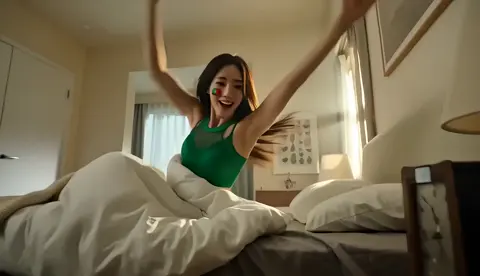
AI content video generator for YouTube
Turn scene descriptions into video clips for YouTube. Describe the shot, choose settings, generate, and review before adding to your edit.
AI Video Generator
0/20000 characters
Cost:10
My videos
Loading...

What is an AI content video generator for YouTube?
An AI content video generator for YouTube creates short video clips from text descriptions that you can use as scenes, B-roll, or background footage in your videos. Describe the shot you need—such as a workspace close-up, a cityscape transition, or an abstract backdrop—and the tool generates a clip you can download and edit into your project. It helps creators fill gaps in their footage without filming every shot.
AI content video generator for YouTube
Channel intro backdrop
Input
A wide shot of a futuristic workspace with floating holograms and soft blue light, slow camera push-in, cinematic
Expected output
A cinematic wide scene of a futuristic workspace with a slow push-in and soft blue lighting.
Talking point B-roll
Input
Close-up of hands typing on a laptop beside a coffee mug, shallow depth of field, natural window light
Expected output
A shallow-focus close-up of hands typing beside a coffee mug in natural light.
Transition backdrop
Input
Abstract flowing waves in teal and purple, smooth motion, seamless loopable background
Expected output
A smooth abstract loop of teal and purple waves that can serve as a transition or background.
Generate reusable video scenes and B-roll from text descriptions for YouTube content production
Turn ideas into scene drafts
Describe the shot you need and get a concrete visual draft you can review before editing it into a video.
Keep a consistent look
Repeat the lighting, palette, and camera style in each prompt to keep clips visually consistent across a project.
Review before publishing
Check motion, framing, and rights before reusing a clip in your own content.
How It Works
1
Describe the scene and motion
Describe the desired scene and motion.
2
Choose the settings
Choose the available generation settings.
3
Generate and review
Generate, review, and download a suitable result.
YouTube content scene tips
Write each clip as a visual brief: what is in the shot, how it moves, and the mood you want.
Input Constraints
- Describe the subject, setting, and camera angle
- Name the motion such as push-in, pan, or drift
- Give the lighting, palette, and mood
- Keep clips original and avoid copying existing footage
- State the intended use so you can check rights before publishing
Practical Tips
- Write one sentence for the scene and one for the motion
- Mention whether the clip should loop
- Try a second prompt that changes only the camera angle
- Review each clip before adding it to your edit
Privacy
- Do not upload personal or sensitive material unless you have permission to use it.
Usage Rights
- Confirm that you have the rights needed for the inputs and intended use of the result.
Prompt recipes
Copy a structure, then adjust the subject, lighting, camera, and output details for your own result.
Tech review insert shot
Overhead shot of a smartphone on a desk surrounded by cables, earbuds, and a charging dock, soft diffused studio lighting, no hands visible.
Overhead product layouts are instantly recognizable in tech content, and clean lighting keeps focus on the gear.
Explainer whiteboard pan
Slow horizontal pan across a whiteboard filled with diagrams and sticky notes, bright office lighting, marker in one corner.
Panning across work-in-progress visuals suggests planning and process, ideal for explainer or tutorial intros.
Lifestyle vlog B-roll
Medium shot of a person walking down a sunny sidewalk carrying a backpack, natural light, camera tracking from behind at walking pace.
Tracking shots add energy and human presence without requiring the subject to face the camera.
Dramatic channel trailer opener
Low-angle shot of a city skyline at dusk, lights turning on in windows, slow upward tilt to the sky, cinematic color grading.
Low angles and dusk lighting create a cinematic mood, and the upward tilt feels aspirational.
Gaming channel abstract intro
Glowing neon grid floor extending into the distance, camera flying forward at high speed, cyan and magenta colors, dark background.
High-speed forward motion grabs attention immediately, and neon grids are a recognizable gaming aesthetic.
Tutorial section divider
Close-up of a hand writing 'Step 2' on a notepad with a pen, shallow focus, warm desk lamp lighting.
Handwritten step markers feel personal and help viewers track progress through long tutorials.
Best use cases
Match the workflow to the input you have and the result you need before opening the generator.
Tech review or unboxing video
Input: Describe product close-ups, overhead layouts, and clean studio lighting
Result: Professional insert shots that can be cut between talking-head segments
Tool: AI Video Generator
Explainer or tutorial video
Input: Describe workspace details, hands demonstrating a task, and clear lighting
Result: B-roll clips that illustrate the steps or concepts you're explaining
Tool: AI Video Generator
Channel trailer or series intro
Input: Describe cinematic establishing shots, dramatic lighting, and smooth camera motion
Result: High-impact opener clips that set the tone and brand for your channel
Tool: AI Video Generator
Vlog or lifestyle content
Input: Describe natural environments, people in motion, and handheld or tracking camera styles
Result: Authentic-feeling clips that add variety and pacing to vlog edits
Tool: AI Video Generator
Limitations to know before generating
- Generated clips are starting points and may require color grading or trimming to match your existing footage
- The tool cannot generate clips longer than a few seconds, so multi-shot sequences need separate prompts
- Human faces, hands, and motion may not always be frame-accurate and should be reviewed before use
- You are responsible for confirming that generated clips do not infringe on copyrighted material or brand imagery
- Clips should be tested in your editing timeline to ensure they cut smoothly with your primary footage
Creative Suite: AI Video Generator & AI Image Generator Tools
Power up your creative workflow with our AI-driven tools. Generate stunning videos, create images, and apply custom adjustments - our AI Video Generator and AI Image Generator offer a complete solution for all your creative needs.
Strictly Prohibits Adult/NSFW Content








Pricing
Choose the credit package that works best for you.
No hidden fees • Cancel anytime • Unused credits roll over
Starter
Perfect for trying out AI creation.
Credits
200 credits / month
- Up to 20 videos per month
- Up to 100 images per month
$6.99/ month$9.9930% OFF
Billed monthly
First-time subscribers get 30% off their first month, then standard price
What's included
- Credits never expire
- Standard models
- HD, Watermark-Free Downloads
- Private Generation
- Faster Generation Speed
- Ad-free experience
Basic
Perfect for light creators.
Credits
500 credits / month
- Up to 50 videos per month
- Up to 250 images per month
$13.99/ month$19.9930% OFF
Billed monthly
First-time subscribers get 30% off their first month, then standard price
What's included
- Credits never expire
- Standard models
- HD, Watermark-Free Downloads
- Private Generation
- Faster Generation Speed
- Ad-free experience
Pro
PopularBest value for creators
Credits
1,200 credits / month
- Up to 120 videos per month
- Up to 600 images per month
$39.99/ month
Billed monthly
What's included
- Credits never expire
- All models + Early access to new models
- HD, Watermark-Free Downloads
- Private Generation
- Faster Generation Speed
- Ultra HD resolution
- Ad-free experience
Ultra
For video creators and power users.
Credits
5,000 credits / month
- Up to 500 videos per month
- Up to 2,500 images per month
$99.99/ month
Billed monthly
What's included
- Credits never expire
- All models + Early access to new models
- HD, Watermark-Free Downloads
- Private Generation
- Faster Generation Speed
- Ultra HD resolution
- Ad-free experience
Free
Standard models only — upgrade to unlock premium models.
Credits
10 free credits on signup
Questions? Contact us at support@domer.io
Draft your next scene
Open the text-to-video tool, describe the shot you need for your content, and generate a clip you can review and download.