
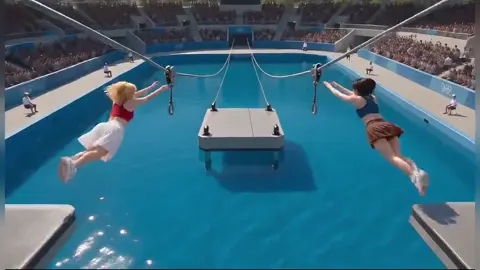
AI Reel Video Generator for Quick Clips
Generate short video clips from text descriptions. Describe the scene, motion, and style, then create vertical or standard clips for social media.
AI Video Generator
0/20000 characters
Cost:10
My videos
Loading...
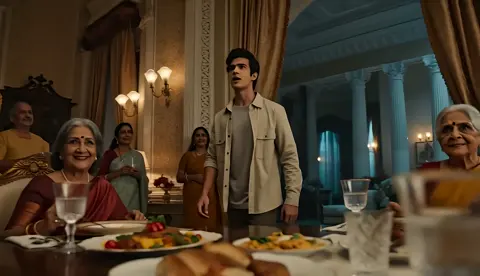
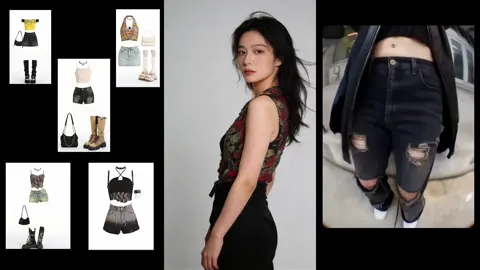
What does an AI reel video generator do?
An AI reel video generator creates short video clips from text prompts. You describe the scene, camera movement, lighting, and subject, then generate clips suitable for social media reels, stories, or short-form content platforms.
AI Reel Video Generator for Quick Clips
Fashion lookbook clip
Input
A model wearing a flowing silk dress twirls slowly in a sunlit studio, fabric catches the light, slow-motion effect, soft focus background
Expected output
A slow-motion fashion clip with twirling dress movement and sunlight highlights
Coastal travel scene
Input
Aerial view of a turquoise coastline with white sand beaches, waves breaking gently on the shore, camera glides forward smoothly over the water
Expected output
A gliding aerial coastal clip with turquoise water and white sand
Food styling moment
Input
A hand drizzles golden honey over a stack of pancakes, steam rises, warm morning sunlight streams through a nearby window, close-up shot
Expected output
A warm close-up food clip with honey drizzle and steam rising
Create short video clips from text for social media reels and short-form content
Clip creation without filming
Turn a text description into a video clip without cameras, crew, or stock footage licensing.
Rapid style exploration
Generate multiple versions of a scene by adjusting the prompt to compare visual styles and compositions.
Preview before final use
Review each generated clip inside the tool before deciding to download or regenerate.
How It Works
1
Describe the scene
Describe the desired scene and motion.
2
Choose settings
Choose the available generation settings.
3
Generate and download
Generate, review, and download a suitable result.
Writing short-form prompts
Clear subject, motion, and lighting details help the generator produce engaging short clips.
Input Constraints
- Focus on one primary subject and motion per clip
- Keep descriptions concise for short-duration output
- Review each clip before using it in your project
Practical Tips
- Start with the subject, then add setting and motion details
- Include lighting and camera angle keywords for dynamic results
- If the output does not match your idea, rephrase and regenerate
Privacy
- Do not upload personal or sensitive material unless you have permission to use it.
Usage Rights
- Confirm that you have the rights needed for the inputs and intended use of the result.
Prompt recipes
Copy a structure, then adjust the subject, lighting, camera, and output details for your own result.
Product showcase with rotation
A minimalist white sneaker on a clean grey surface, studio lighting from above, camera orbits slowly around the shoe, shallow depth of field
Orbiting camera and shallow focus create a professional product reveal effect common in advertising reels
Nature closeup with macro detail
A dewdrop on a green leaf in morning light, camera slowly pushes in to show the reflection of trees inside the droplet, soft background blur
Macro push-in and reflection detail add visual interest and work well for calming nature content
Street scene with motion blur
A busy city street at dusk, car headlights streak past, pedestrians cross at a crosswalk, camera locked on a single point while motion blurs around it
Motion blur and static camera create energy while keeping the viewer's focus anchored on one spot
Workout energy moment
A person performs a jump squat in a gym, slow-motion as they reach the peak of the jump, bright overhead lights, sweat visible, intense focus on their face
Slow-motion peak action captures athleticism and effort, making workout content more dramatic
Dessert pour shot
Chocolate sauce being poured over a scoop of vanilla ice cream, the sauce drips down the sides, close-up shot, warm cafe lighting in the background
Pour moments and dripping textures are visually satisfying and commonly perform well in food reels
Best use cases
Match the workflow to the input you have and the result you need before opening the generator.
Showcase a product feature
Input: Close-up of the product with orbiting camera and studio lighting
Result: A polished product clip with professional framing
Tool: Text to Video with rotation and lighting keywords
Share a travel highlight
Input: Aerial or wide-angle description of a landscape with smooth camera movement
Result: A cinematic travel clip with gliding camera motion
Tool: Text to Video with aerial and landscape prompts
Create food content
Input: Close-up action like pouring, drizzling, or steam rising with warm lighting
Result: A satisfying food moment clip with texture detail
Tool: Text to Video with close-up and action verbs
Visualize a workout move
Input: Athletic action with slow-motion timing and dynamic lighting
Result: An energetic fitness clip highlighting peak movement
Tool: Text to Video with slow-motion and action focus
Limitations to know before generating
- Clip duration depends on the generation settings; check available options before starting
- Complex scenes with multiple subjects or rapid motion may produce less predictable results
- Output quality varies based on prompt specificity; vague descriptions may need refinement
- Generated clips are starting points and may need editing for final use
- Aspect ratio support depends on the tool settings; verify format options before generating
Creative Suite: AI Video Generator & AI Image Generator Tools
Power up your creative workflow with our AI-driven tools. Generate stunning videos, create images, and apply custom adjustments - our AI Video Generator and AI Image Generator offer a complete solution for all your creative needs.
Strictly Prohibits Adult/NSFW Content








Pricing
Choose the credit package that works best for you.
No hidden fees • Cancel anytime • Unused credits roll over
Starter
Perfect for trying out AI creation.
Credits
200 credits / month
- Up to 20 videos per month
- Up to 100 images per month
$6.99/ month$9.9930% OFF
Billed monthly
First-time subscribers get 30% off their first month, then standard price
What's included
- Credits never expire
- Standard models
- HD, Watermark-Free Downloads
- Private Generation
- Faster Generation Speed
- Ad-free experience
Basic
Perfect for light creators.
Credits
500 credits / month
- Up to 50 videos per month
- Up to 250 images per month
$13.99/ month$19.9930% OFF
Billed monthly
First-time subscribers get 30% off their first month, then standard price
What's included
- Credits never expire
- Standard models
- HD, Watermark-Free Downloads
- Private Generation
- Faster Generation Speed
- Ad-free experience
Pro
PopularBest value for creators
Credits
1,200 credits / month
- Up to 120 videos per month
- Up to 600 images per month
$39.99/ month
Billed monthly
What's included
- Credits never expire
- All models + Early access to new models
- HD, Watermark-Free Downloads
- Private Generation
- Faster Generation Speed
- Ultra HD resolution
- Ad-free experience
Ultra
For video creators and power users.
Credits
5,000 credits / month
- Up to 500 videos per month
- Up to 2,500 images per month
$99.99/ month
Billed monthly
What's included
- Credits never expire
- All models + Early access to new models
- HD, Watermark-Free Downloads
- Private Generation
- Faster Generation Speed
- Ultra HD resolution
- Ad-free experience
Free
Standard models only — upgrade to unlock premium models.
Credits
10 free credits on signup
Questions? Contact us at support@domer.io
Ready to Create a Short Clip?
Open the text-to-video tool, describe your scene, and generate a reel-ready video clip.