

AI Story Generator Text to Video
Turn story scenes into video clips. Describe a narrative moment—setting, characters, action—and generate matching video.
AI Video Generator
0/20000 characters
Cost:10
My videos
Loading...
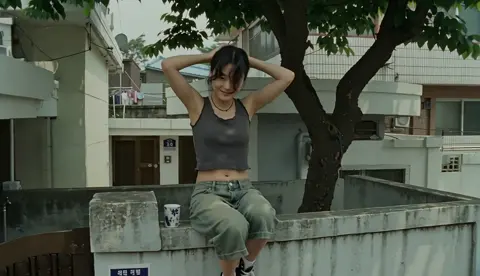

What is an AI story generator text to video tool?
An AI story generator text to video tool creates video clips from written story descriptions. You describe a narrative moment—the setting, characters, actions, mood, and lighting—and the tool generates a video clip representing that scene. Each generation handles one scene at a time, allowing you to build a visual story scene by scene.
AI Story Generator Text to Video
Fantasy story opening
Input
A young traveler stands at the edge of a vast forest at dawn, holding a wooden staff, mist curling around their boots, a path disappearing into the trees.
Expected output
A generated scene showing a character at a forest edge with morning mist, staff in hand, and an inviting path ahead.
Mystery scene
Input
A dimly lit study with bookshelves covering every wall, a single desk lamp casting warm light on an open letter, rain streaking the window behind.
Expected output
A moody interior scene with desk lamp lighting, rain on the window, and the visual focus on an open letter.
Character introduction
Input
A chef in a busy restaurant kitchen, wiping sweat from their forehead, checking a timer, quickly plating a dish with focus and precision.
Expected output
A kitchen scene showing the chef in motion, with steam, timed movements, and the final plating action.
Turn a written story or narrative into a video by describing each scene in text
Written scenes become visuals
Describe a story moment in plain text and the tool generates a video that represents that narrative scene.
Focus on one scene at a time
Each generation handles a single described moment, letting you build a story visually one scene at a time.
Refine scenes by rewriting
Adjust your description and regenerate to better match the visual tone, pacing, or details of the narrative.
How It Works
1
Describe the scene
Describe the desired scene and motion.
2
Choose settings
Choose the available generation settings.
3
Generate and download
Generate, review, and download a suitable result.
Turning story moments into video
Write scene descriptions that capture the setting, characters, and key action of the story moment.
Input Constraints
- The tool generates one scene per text prompt.
- Results reflect the visual details in your description.
- Review every generated clip for narrative fit before using it.
Practical Tips
- Describe the setting first—location, time of day, lighting.
- Add characters and what they are doing or feeling in the scene.
- Include motion elements—what moves and how.
- Keep each prompt focused on a single story beat for clearer results.
Privacy
- Do not upload personal or sensitive material unless you have permission to use it.
Usage Rights
- Confirm that you have the rights needed for the inputs and intended use of the result.
Prompt recipes
Copy a structure, then adjust the subject, lighting, camera, and output details for your own result.
Hero's departure scene
A lone figure in a worn leather jacket stands at the edge of a crumbling stone bridge at dusk, backpack slung over one shoulder, looking back at a distant village with smoke rising from chimneys, warm orange sunset light casting long shadows
Establishes character, setting, emotional tone, time of day, and visual direction—classic story departure moment.
Tension-building confrontation
Two characters facing each other across a narrow alley at night, one holding a flashlight pointed at the other's face, brick walls on either side, distant city sounds implied, shadows flickering from a streetlight at the alley entrance, tense body language
Uses confined space, dramatic lighting, opposing positions, and implied sound to build confrontational tension.
Discovery moment
A close-up of a character's hand brushing dust off an ancient carved wooden box in a dim attic, sunlight breaking through a small window creating a beam of light on the box, cobwebs visible, slow deliberate hand motion, sense of mystery
Focuses on the discovered object, uses lighting to highlight importance, includes environmental detail and deliberate pacing.
Quiet character reflection
A character sitting alone on a weathered wooden dock at a still lake, legs dangling over the edge, head tilted back looking at a star-filled night sky, gentle water ripples below, peaceful silence, soft moonlight reflected on water
Creates contemplative mood through solitude, natural setting, stillness, night atmosphere, and reflective posture.
Chase sequence moment
A runner sprinting through a crowded marketplace, weaving between fruit stalls and shoppers, colorful fabrics hanging overhead, camera tracking from behind at running pace, bright midday sun, sense of urgency, motion blur on background figures
Conveys action and urgency through fast motion, crowded environment, tracking camera, and motion blur visual cues.
Emotional reunion
Two characters running toward each other across an open field of tall grass at golden hour, arms outstretched, wind moving the grass, camera positioned low showing their silhouettes against the warm sunset sky, joyful energy
Uses open space, golden hour lighting, silhouette framing, motion toward each other, and natural elements for emotional impact.
Best use cases
Match the workflow to the input you have and the result you need before opening the generator.
Visualizing a novel or screenplay
Input: Key story beats described with setting, character position, lighting, and emotional tone
Result: A series of video scenes that bring your written narrative to life for pitching, storyboarding, or concept exploration
Tool: Text to Video
Social media story teaser
Input: A single compelling scene from your story—mystery moment, character introduction, dramatic turning point
Result: A short video teaser to share on Instagram, TikTok, or Twitter to promote your written work
Tool: Text to Video
Animation or film pre-visualization
Input: Detailed scene description including camera angle, character action, lighting, and visual effects
Result: Rough video previews of story scenes to communicate visual direction before animation or filming begins
Tool: Text to Video
Interactive storytelling or game cutscene concept
Input: Branching story moments with specific character choices, environmental details, and mood shifts
Result: Visual concepts for game cutscenes or interactive narrative decision points
Tool: Text to Video
Limitations to know before generating
- Each generation creates a video for one described scene—full narratives require multiple generations.
- Scene continuity across multiple clips requires careful description consistency and manual editing.
- Generated characters are generic figures—maintaining consistent character appearance across scenes is difficult.
- Complex character interactions, dialogue, or coordinated actions may not render naturally.
- The tool generates video only—no dialogue, voiceover, or sound effects are produced.
Creative Suite: AI Video Generator & AI Image Generator Tools
Power up your creative workflow with our AI-driven tools. Generate stunning videos, create images, and apply custom adjustments - our AI Video Generator and AI Image Generator offer a complete solution for all your creative needs.
Strictly Prohibits Adult/NSFW Content








Pricing
Choose the credit package that works best for you.
No hidden fees • Cancel anytime • Unused credits roll over
Starter
Perfect for trying out AI creation.
Credits
200 credits / month
- Up to 20 videos per month
- Up to 100 images per month
$6.99/ month$9.9930% OFF
Billed monthly
First-time subscribers get 30% off their first month, then standard price
What's included
- Credits never expire
- Standard models
- HD, Watermark-Free Downloads
- Private Generation
- Faster Generation Speed
- Ad-free experience
Basic
Perfect for light creators.
Credits
500 credits / month
- Up to 50 videos per month
- Up to 250 images per month
$13.99/ month$19.9930% OFF
Billed monthly
First-time subscribers get 30% off their first month, then standard price
What's included
- Credits never expire
- Standard models
- HD, Watermark-Free Downloads
- Private Generation
- Faster Generation Speed
- Ad-free experience
Pro
PopularBest value for creators
Credits
1,200 credits / month
- Up to 120 videos per month
- Up to 600 images per month
$39.99/ month
Billed monthly
What's included
- Credits never expire
- All models + Early access to new models
- HD, Watermark-Free Downloads
- Private Generation
- Faster Generation Speed
- Ultra HD resolution
- Ad-free experience
Ultra
For video creators and power users.
Credits
5,000 credits / month
- Up to 500 videos per month
- Up to 2,500 images per month
$99.99/ month
Billed monthly
What's included
- Credits never expire
- All models + Early access to new models
- HD, Watermark-Free Downloads
- Private Generation
- Faster Generation Speed
- Ultra HD resolution
- Ad-free experience
Free
Standard models only — upgrade to unlock premium models.
Credits
10 free credits on signup
Questions? Contact us at support@domer.io
Turn your story into video
Describe a story scene in text, generate a matching video clip, and review the result. Open the text-to-video tool to begin.