

ai video generator alibaba guide
Create product videos from text descriptions. Generate motion visuals for e-commerce without filming, lighting, or studio space.
AI Video Generator
0/20000 characters
Cost:10
My videos
Loading...
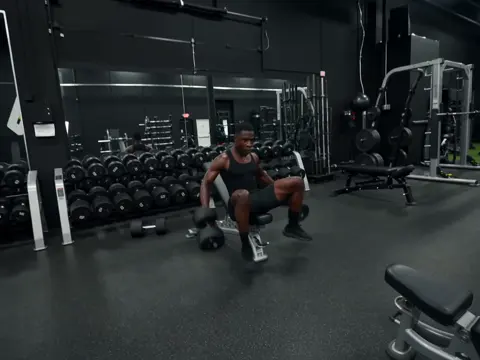
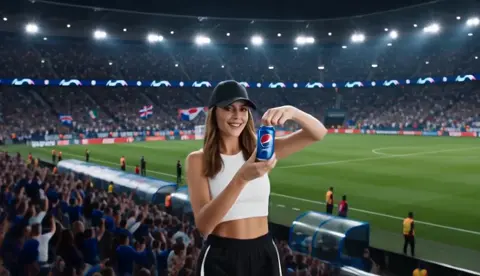

What is an AI video generator for Alibaba?
An AI video generator for Alibaba is a text-to-video tool that creates product showcase clips from written scene descriptions. Sellers describe the product, setting, and motion, then generate video content for e-commerce listings without filming equipment.
ai video generator alibaba guide
Product feature highlight
Input
A close-up shot of a stainless steel water bottle rotating on a white surface, with condensation droplets forming on the surface. Warm natural lighting from the left side.
Expected output
A smooth panning video of a water bottle on a clean white background, emphasizing the metallic finish and the condensation effect.
Lifestyle usage scene
Input
A person in casual office attire places a wireless charging stand on a desk, sets down a phone, and walks away. Soft ambient office lighting with a blurred bookshelf background.
Expected output
A short video showing the natural movement of placing and using the charger in a realistic desk setting.
Packaging unboxing motion
Input
A cardboard box opens from the top, revealing a neatly packed electronic gadget inside foam inserts. Bright neutral tabletop lighting.
Expected output
A brief opening sequence showing the box lid lifting and the product interior visible, simulating an unboxing moment.
Generate product showcase videos for e-commerce listings from text scene descriptions.
No filming equipment needed
Turn text descriptions into motion visuals without cameras, lighting kits, or studio space.
Rapid iteration for listings
Generate multiple video concepts from rewritten prompts to test which visuals work best for different product pages.
Consistent brand look
Describe the same scene style and lighting across products to maintain a unified visual tone in your store.
How It Works
1
Describe the scene
Describe the desired scene and motion.
2
Choose settings
Choose the available generation settings.
3
Generate and download
Generate, review, and download a suitable result.
Tips for better product videos
Small adjustments in your prompt can change how the final video looks.
Input Constraints
- The tool generates video from text prompts only; it does not accept Alibaba SKU numbers or catalog images as input.
- Prompt results vary; review each video for visual accuracy before using it in a listing.
- Generated clips are short — plan your scenes around a single product or feature per clip.
Practical Tips
- Include lighting direction and background color in your prompt for more consistent visuals.
- Mention camera movement (pan, zoom, rotate) when you want a more dynamic result.
- Keep prompts focused on one product or action to avoid motion artifacts.
- Test two or three prompt versions for the same product and compare the outputs.
Privacy
- Do not upload personal or sensitive material unless you have permission to use it.
Usage Rights
- Confirm that you have the rights needed for the inputs and intended use of the result.
Prompt recipes
Copy a structure, then adjust the subject, lighting, camera, and output details for your own result.
Product rotation showcase
A sleek wireless mouse rotating slowly on a dark gray surface, soft studio lighting from above and the right, clean white background, modern minimalist aesthetic
Smooth rotation and controlled lighting highlight product shape and finish; effective for tech accessories and small electronics listings.
Lifestyle product in use
A bamboo cutting board on a kitchen counter with fresh vegetables being placed on it, natural window light from the left, warm home kitchen atmosphere
Shows product in realistic use context with natural lighting; builds trust and helps buyers visualize the product in their own space.
Unboxing presentation
Hands opening a branded product box on a white table, lifting the lid to reveal the item inside with protective foam, overhead camera angle, bright even lighting
Simulates the unboxing experience and showcases packaging quality; increases perceived value and buyer confidence.
Feature detail zoom
A close-up camera push into the textured fabric of a backpack showing stitching detail and zipper quality, soft side lighting to emphasize texture, neutral background
Highlights craftsmanship and material quality through deliberate camera movement; addresses buyer concerns about build quality.
Scale and proportion shot
A compact Bluetooth speaker placed next to a standard coffee mug on a wooden desk for size comparison, overhead view, natural daylight, casual workspace setting
Provides visual size reference through familiar objects; reduces buyer uncertainty about product dimensions.
Best use cases
Match the workflow to the input you have and the result you need before opening the generator.
Hero product video for listing
Input: Product description with rotation or camera movement, lighting direction, and clean background
Result: A short showcase clip emphasizing product shape, finish, and key features
Tool: Text-to-video generator
Lifestyle usage demonstration
Input: Product interaction scene with realistic setting, natural actions, and ambient lighting
Result: A clip showing the product in a relatable context to help buyers visualize use
Tool: Text-to-video generator
Feature highlight closeup
Input: Closeup description of specific product detail with camera movement and texture emphasis
Result: A focused clip that addresses quality concerns and highlights craftsmanship
Tool: Text-to-video generator
Unboxing teaser
Input: Packaging opening sequence with hands, overhead angle, and reveal moment described
Result: A brief clip that simulates the unboxing experience and showcases packaging
Tool: Text-to-video generator
Limitations to know before generating
- Generated clips are supplementary content and should not replace product photography or detailed specifications.
- Prompt results vary; some product types and materials render more accurately than others.
- Clips are concept-quality and require review for visual accuracy, lighting consistency, and brand alignment before adding to listings.
- The tool does not integrate with Alibaba inventory systems; videos must be downloaded and uploaded manually.
Creative Suite: AI Video Generator & AI Image Generator Tools
Power up your creative workflow with our AI-driven tools. Generate stunning videos, create images, and apply custom adjustments - our AI Video Generator and AI Image Generator offer a complete solution for all your creative needs.
Strictly Prohibits Adult/NSFW Content








Pricing
Choose the credit package that works best for you.
No hidden fees • Cancel anytime • Unused credits roll over
Starter
Perfect for trying out AI creation.
Credits
200 credits / month
- Up to 20 videos per month
- Up to 100 images per month
$6.99/ month$9.9930% OFF
Billed monthly
First-time subscribers get 30% off their first month, then standard price
What's included
- Credits never expire
- Standard models
- HD, Watermark-Free Downloads
- Private Generation
- Faster Generation Speed
- Ad-free experience
Basic
Perfect for light creators.
Credits
500 credits / month
- Up to 50 videos per month
- Up to 250 images per month
$13.99/ month$19.9930% OFF
Billed monthly
First-time subscribers get 30% off their first month, then standard price
What's included
- Credits never expire
- Standard models
- HD, Watermark-Free Downloads
- Private Generation
- Faster Generation Speed
- Ad-free experience
Pro
PopularBest value for creators
Credits
1,200 credits / month
- Up to 120 videos per month
- Up to 600 images per month
$39.99/ month
Billed monthly
What's included
- Credits never expire
- All models + Early access to new models
- HD, Watermark-Free Downloads
- Private Generation
- Faster Generation Speed
- Ultra HD resolution
- Ad-free experience
Ultra
For video creators and power users.
Credits
5,000 credits / month
- Up to 500 videos per month
- Up to 2,500 images per month
$99.99/ month
Billed monthly
What's included
- Credits never expire
- All models + Early access to new models
- HD, Watermark-Free Downloads
- Private Generation
- Faster Generation Speed
- Ultra HD resolution
- Ad-free experience
Free
Standard models only — upgrade to unlock premium models.
Credits
10 free credits on signup
Questions? Contact us at support@domer.io
Start generating product showcase videos
Open the text-to-video tool, write your first scene prompt, and see what the generator produces for your product.