
Create
ai video generator content guide
Create video content at scale. Generate clips for social posts, website backgrounds, and marketing campaigns from text descriptions.
AI Video Generator
0/20000 characters
Cost:10
My videos
Loading...
What types of content can AI video generators create?
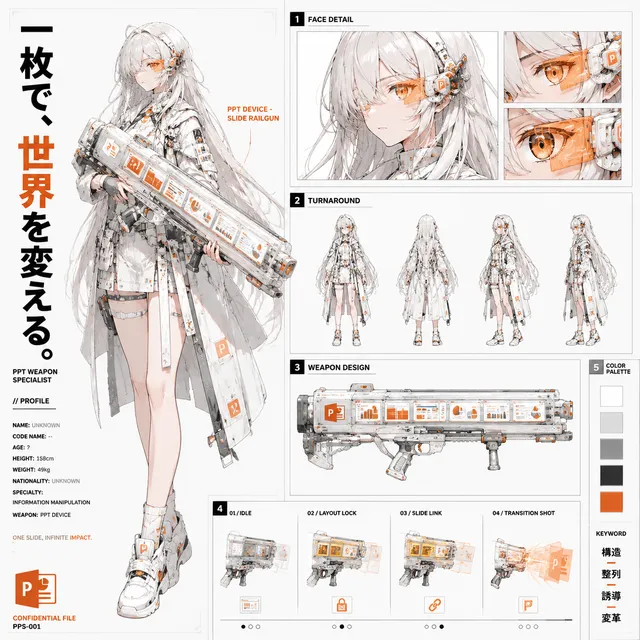
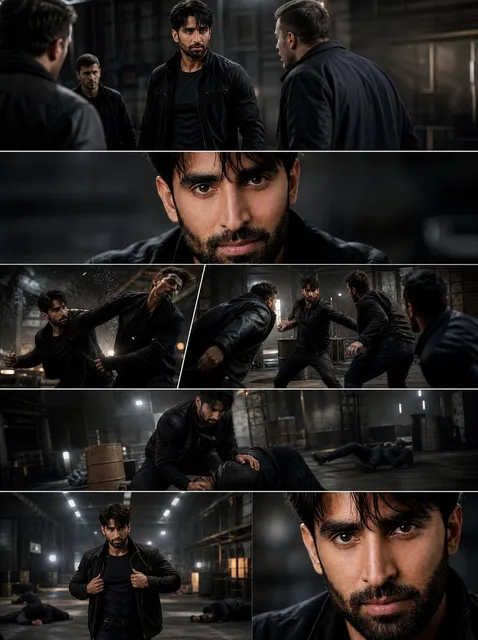
AI video generators create short clips for social media, website hero backgrounds, product showcases, presentation visuals, and marketing assets—any content that starts with a written scene description.
ai video generator content guide
Social media teaser clip
Input
A 15-second energetic montage of bright product shots dissolving into each other with sparkling light flares and a fast-paced rhythm.
Expected output
A short clip with quick cuts between product images, each dissolving with a soft light flare effect.
Website hero background
Input
A slow, smooth pan across a calm mountain lake at sunrise with mist rising from the water and warm light spreading across the peaks.
Expected output
A generated video of a slow horizontal glide over a mountain lake with soft morning mist and golden sunlight hitting the peaks.
Blog illustration scene
Input
A person sitting at a desk writing in a notebook, with floating icons above their head representing ideas: a lightbulb, a gear, and a star.
Expected output
A short clip of a focused writer at a desk with small, semi-transparent icons slowly orbiting above their head.
Generate video content for marketing campaigns, social media channels, and storytelling projects.
Ready-to-use video assets
Generate short clips that can be used as-is in social posts, website backgrounds, or presentation slides without further editing.
Scale content production
Produce multiple video variations from different prompt ideas to support larger content calendars and campaigns.
Reduce production time
Skip the filming, editing, and rendering pipeline by generating video directly from a text description.
How It Works
1
Describe the desired scene and motion.
Describe the desired scene and motion.
2
Choose the available generation settings.
Choose the available generation settings.
3
Generate, review, and download a suitable result.
Generate, review, and download a suitable result.
Tips for content-focused prompts
Think about where and how the video will be used before writing your prompt.
Input Constraints
- Match the scene pacing to the intended platform: faster cuts for social media, slower pans for websites.
- Avoid including branded logos or specific product names that you do not own the rights to.
- Consider the aspect ratio needs of your target platform when describing the scene.
Practical Tips
- Specify the mood: 'energetic', 'calm', 'professional', 'playful'.
- Include lighting and colour direction: 'bright and airy', 'dark and moody'.
- Describe motion style: 'slow pan', 'fast cuts', 'gentle zoom'.
Privacy
- Do not upload personal or sensitive material unless you have permission to use it.
Usage Rights
- Confirm that you have the rights needed for the inputs and intended use of the result.
Prompt recipes
Copy a structure, then adjust the subject, lighting, camera, and output details for your own result.
Instagram Reel hook
Extreme close-up of a hand reaching toward the camera in slow motion, dramatic side lighting creating strong shadows, dark moody background, tension and anticipation.
Immediate visual intrigue grabs attention in the first second, essential for social feeds where users scroll quickly.
YouTube intro sequence
Fast-paced montage of five different workspace scenes—coffee brewing, hands typing, notebook flipping, screen glowing, calendar page turning—each 1-2 seconds, energetic morning vibe.
High energy and variety signal productivity and action, setting an engaging tone for longer-form content.
LinkedIn thought leadership backdrop
Slow dolly through a modern library with floor-to-ceiling bookshelves, warm ambient lighting, quiet and contemplative atmosphere, camera moving steadily forward.
Conveys knowledge and credibility with a calm, authoritative visual suitable for professional content backgrounds.
TikTok transition effect
A person snapping their fingers, camera zooming in rapidly on the snap, screen flashing white, then cutting to a completely different colorful scene, sharp and punchy timing.
Visual punctuation and surprise timing match TikTok's fast-cut editing culture and keep viewer engagement high.
E-commerce product showcase
A sleek product rotating 360 degrees on a white pedestal, three-point studio lighting, reflective surface beneath, slow and smooth rotation, premium aesthetic.
Clean product presentation with professional lighting builds trust and showcases details, ideal for online store listings or ads.
Best use cases
Match the workflow to the input you have and the result you need before opening the generator.
Social media feed post
Input: Eye-catching 5-10 second clip with bold colors, fast motion, or striking visual contrast.
Result: Attention-grabbing content optimized for Instagram, TikTok, or LinkedIn feeds.
Tool: Text to Video with vertical or square aspect ratio and high visual impact.
Website landing page hero
Input: Ambient background scene with slow, subtle motion—nature, abstract patterns, or lifestyle imagery.
Result: Looping video that plays behind text and CTA buttons without distracting from message.
Tool: Text to Video with slow pacing and neutral mood.
Email marketing visual
Input: Product-focused or seasonal scene with clear subject and bright, inviting mood.
Result: Inline video or animated thumbnail that increases email open and click-through rates.
Tool: Text to Video with straightforward composition and immediate visual clarity.
Presentation or pitch deck insert
Input: Concept illustration, data visualization, or professional scene that supports narrative points.
Result: 15-30 second clip that plays during a specific slide to reinforce key message.
Tool: Text to Video with clean, professional style and on-topic visual metaphor.
Limitations to know before generating
- Short clips work better than long-form content; aim for 5-30 seconds per generation.
- Output quality varies—expect to generate multiple versions and select the best result.
- Generated content is stylized; do not represent it as documentary or real-world footage.
- Platform-specific aspect ratios (vertical, square, horizontal) must be specified in settings or prompt.
- Complex multi-scene narratives are harder than single-scene clips; break stories into separate generations.
- Do not rely on generated content for time-sensitive news or factual reporting without verification.
Creative Suite: AI Video Generator & AI Image Generator Tools
Power up your creative workflow with our AI-driven tools. Generate stunning videos, create images, and apply custom adjustments - our AI Video Generator and AI Image Generator offer a complete solution for all your creative needs.
Strictly Prohibits Adult/NSFW Content








Pricing
Choose the credit package that works best for you.
No hidden fees • Cancel anytime • Unused credits roll over
Starter
Perfect for trying out AI creation.
Credits
200 credits / month
- Up to 20 videos per month
- Up to 100 images per month
$6.99/ month$9.9930% OFF
Billed monthly
First-time subscribers get 30% off their first month, then standard price
What's included
- Credits never expire
- Standard models
- HD, Watermark-Free Downloads
- Private Generation
- Faster Generation Speed
- Ad-free experience
Basic
Perfect for light creators.
Credits
500 credits / month
- Up to 50 videos per month
- Up to 250 images per month
$13.99/ month$19.9930% OFF
Billed monthly
First-time subscribers get 30% off their first month, then standard price
What's included
- Credits never expire
- Standard models
- HD, Watermark-Free Downloads
- Private Generation
- Faster Generation Speed
- Ad-free experience
Pro
PopularBest value for creators
Credits
1,200 credits / month
- Up to 120 videos per month
- Up to 600 images per month
$39.99/ month
Billed monthly
What's included
- Credits never expire
- All models + Early access to new models
- HD, Watermark-Free Downloads
- Private Generation
- Faster Generation Speed
- Ultra HD resolution
- Ad-free experience
Ultra
For video creators and power users.
Credits
5,000 credits / month
- Up to 500 videos per month
- Up to 2,500 images per month
$99.99/ month
Billed monthly
What's included
- Credits never expire
- All models + Early access to new models
- HD, Watermark-Free Downloads
- Private Generation
- Faster Generation Speed
- Ultra HD resolution
- Ad-free experience
Free
Standard models only — upgrade to unlock premium models.
Credits
10 free credits on signup
Questions? Contact us at support@domer.io
Generate your first content clip
Open the text-to-video tool, describe the scene you need for your project, and generate a short video ready to use in your content workflow.