
Create
AI Video Generator for Social Media Content
Describe a scene—subject, motion, lighting—and generate video clips you can review, refine, and download before posting to feeds, stories, or reels.
AI Video Generator
0/20000 characters
Cost:10
My videos
Loading...

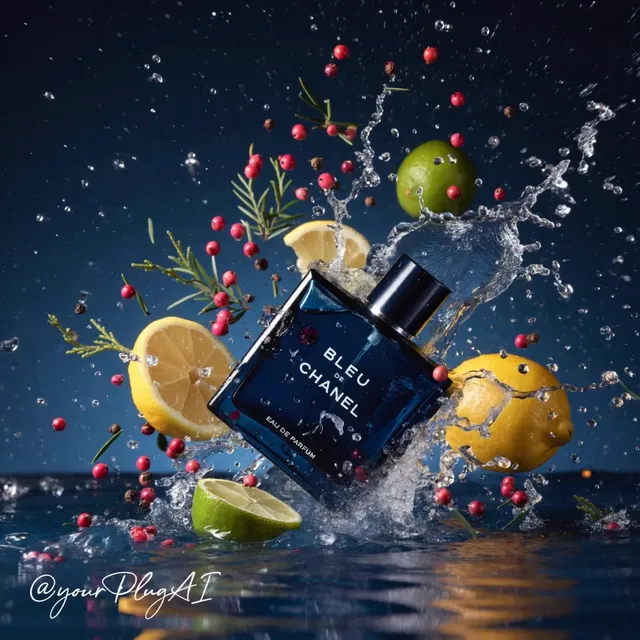
How does an AI video generator work for social media content?
An AI video generator for social media content accepts a written scene description and produces a video clip that matches the subject, setting, and motion you specified. You review the result, adjust the prompt if needed, and download the version that fits your post. No camera or editing software required.
AI Video Generator for Social Media Content
Feed-post product visual
Input
A coffee cup being filled, steam rising, warm morning light from a window, camera slowly pushing in toward the cup.
Expected output
A short looping clip with the cup filling, steam drifting upward, and soft natural light across a cafe-style scene.
Story-style workspace pan
Input
Flat-lay desk scene with a notebook, phone, and coffee, camera drifting left to right, natural window light casting soft shadows.
Expected output
A slow lateral pan across the desk with gentle light shifts and a calm, professional mood.
Short-form hook visual
Input
Bold text headline 'Save this for later' rising over a pastel gradient background with soft circular bokeh.
Expected output
A motion-graphics style clip with the headline floating upward and bokeh circles drifting in the background.
Generate short video clips for social posts by describing the scene and motion in text.
Brief to clip in one step
Describe a scene once and get footage you can review, making it easy to produce several variations for different posts or platforms.
Direct control over visual style
Because the workflow starts with a text prompt, you decide the subject, setting, and motion before anything is generated.
Review before publishing
Check each result for visual quality and scene fit, then regenerate if the clip does not match your intended post, all within the same tool.
How It Works
1
Describe the scene
Describe the desired scene and motion.
2
Choose settings
Choose the available generation settings.
3
Generate and review
Generate, review, and download a suitable result.
Writing prompts for social video
Concrete scene descriptions with subject, setting, and motion details produce clips that are easier to review and refine.
Input Constraints
- Describe one clear subject and a single main action per clip.
- Mention camera movement when it matters, such as a slow push-in or side pan.
- Keep prompts focused on visuals; the output is generated video, not a finished edit with captions or music.
Practical Tips
- Add lighting and mood words such as 'soft morning light' to set the tone.
- State a rough duration if the tool offers it, such as 'a short loop for stories.'
- Review motion and coherence before downloading, and regenerate when the result does not match your intent.
Privacy
- Do not upload personal or sensitive material unless you have permission to use it.
Usage Rights
- Confirm that you have the rights needed for the inputs and intended use of the result.
Prompt recipes
Copy a structure, then adjust the subject, lighting, camera, and output details for your own result.
Overhead food styling shot
Overhead view of a breakfast table, a hand placing a plate of toast and eggs beside a cup of coffee, natural morning light, white tablecloth.
The overhead angle and hand motion create a recipe-style aesthetic that performs well in food and lifestyle feeds.
Product unboxing moment
Hands opening a gift box, tissue paper being lifted, a small product revealed inside, soft afternoon light from the side, camera steady from above.
The unboxing sequence triggers curiosity and keeps viewers watching to see what is inside.
Nature background loop
Close-up of leaves rustling gently in a breeze, sunlight filtering through the canopy, soft green tones, camera steady.
Calm, looping nature clips work as story backgrounds or quote overlays and require no sync to audio.
Text-on-gradient animated intro
Bold sans-serif text reading 'Three tips to remember' fading in over a smooth blue-to-purple gradient, subtle glow around the text.
Simple animated text on a clean gradient grabs attention in the first second and sets up the rest of the post.
Product in lifestyle context
A reusable water bottle sitting on a yoga mat beside a towel and phone, gym environment in soft focus, natural light from a window, camera angle slightly low.
The lifestyle setting and product placement feel authentic rather than staged, making the clip more relatable.
Time-lapse style transformation
A blank canvas on an easel, paint strokes appearing one by one, colors building up into a landscape, studio lighting from the left, camera steady.
The progressive reveal keeps viewers engaged and works well for creative or process-focused accounts.
Best use cases
Match the workflow to the input you have and the result you need before opening the generator.
Instagram Reel or TikTok opener
Input: High-contrast visual with quick motion—hands, product reveal, or text animation.
Result: A three-to-six-second hook that grabs attention in the first frame.
Tool: AI video generator with vertical aspect ratio and short duration setting.
Story background for text overlay
Input: Calm, looping scene with minimal motion—nature, abstract gradient, or slow product pan.
Result: A background clip that supports overlaid text without competing for attention.
Tool: AI video generator set to loop mode if available, or short duration for manual looping.
Feed post video thumbnail
Input: Single clear subject with good framing and natural light, no distracting motion.
Result: A clip that looks good as a still thumbnail and plays smoothly when tapped.
Tool: AI video generator with square or 4:5 aspect ratio for feed optimization.
Carousel asset for multi-slide post
Input: One scene per slide—product angle, detail shot, or lifestyle context—each with consistent lighting.
Result: A set of short clips that feel cohesive when swiped through in sequence.
Tool: AI video generator run multiple times with related prompts and the same mood/lighting cues.
Limitations to know before generating
- Generated clips are drafts that need review for motion quality and visual coherence before posting.
- The tool does not add captions, music, or combine multiple scenes; those steps happen outside the workflow.
- Prompt clarity matters—vague descriptions produce vague results.
- You are responsible for confirming that inputs and outputs respect rights, privacy, and platform guidelines before publishing.
Creative Suite: AI Video Generator & AI Image Generator Tools
Power up your creative workflow with our AI-driven tools. Generate stunning videos, create images, and apply custom adjustments - our AI Video Generator and AI Image Generator offer a complete solution for all your creative needs.
Strictly Prohibits Adult/NSFW Content








Pricing
Choose the credit package that works best for you.
No hidden fees • Cancel anytime • Unused credits roll over
Starter
Perfect for trying out AI creation.
Credits
200 credits / month
- Up to 20 videos per month
- Up to 100 images per month
$6.99/ month$9.9930% OFF
Billed monthly
First-time subscribers get 30% off their first month, then standard price
What's included
- Credits never expire
- Standard models
- HD, Watermark-Free Downloads
- Private Generation
- Faster Generation Speed
- Ad-free experience
Basic
Perfect for light creators.
Credits
500 credits / month
- Up to 50 videos per month
- Up to 250 images per month
$13.99/ month$19.9930% OFF
Billed monthly
First-time subscribers get 30% off their first month, then standard price
What's included
- Credits never expire
- Standard models
- HD, Watermark-Free Downloads
- Private Generation
- Faster Generation Speed
- Ad-free experience
Pro
PopularBest value for creators
Credits
1,200 credits / month
- Up to 120 videos per month
- Up to 600 images per month
$39.99/ month
Billed monthly
What's included
- Credits never expire
- All models + Early access to new models
- HD, Watermark-Free Downloads
- Private Generation
- Faster Generation Speed
- Ultra HD resolution
- Ad-free experience
Ultra
For video creators and power users.
Credits
5,000 credits / month
- Up to 500 videos per month
- Up to 2,500 images per month
$99.99/ month
Billed monthly
What's included
- Credits never expire
- All models + Early access to new models
- HD, Watermark-Free Downloads
- Private Generation
- Faster Generation Speed
- Ultra HD resolution
- Ad-free experience
Free
Standard models only — upgrade to unlock premium models.
Credits
10 free credits on signup
Questions? Contact us at support@domer.io
Create your next social clip
Open the text-to-video tool, describe the scene you want, and review the result before you share it.