
Create
AI Video Generator Hyper Realistic
Describe lighting, textures, and camera angles in detail, and generate realistic-looking video clips. No filming, locations, or crew required.
AI Video Generator
0/20000 characters
Cost:10
My videos
Loading...


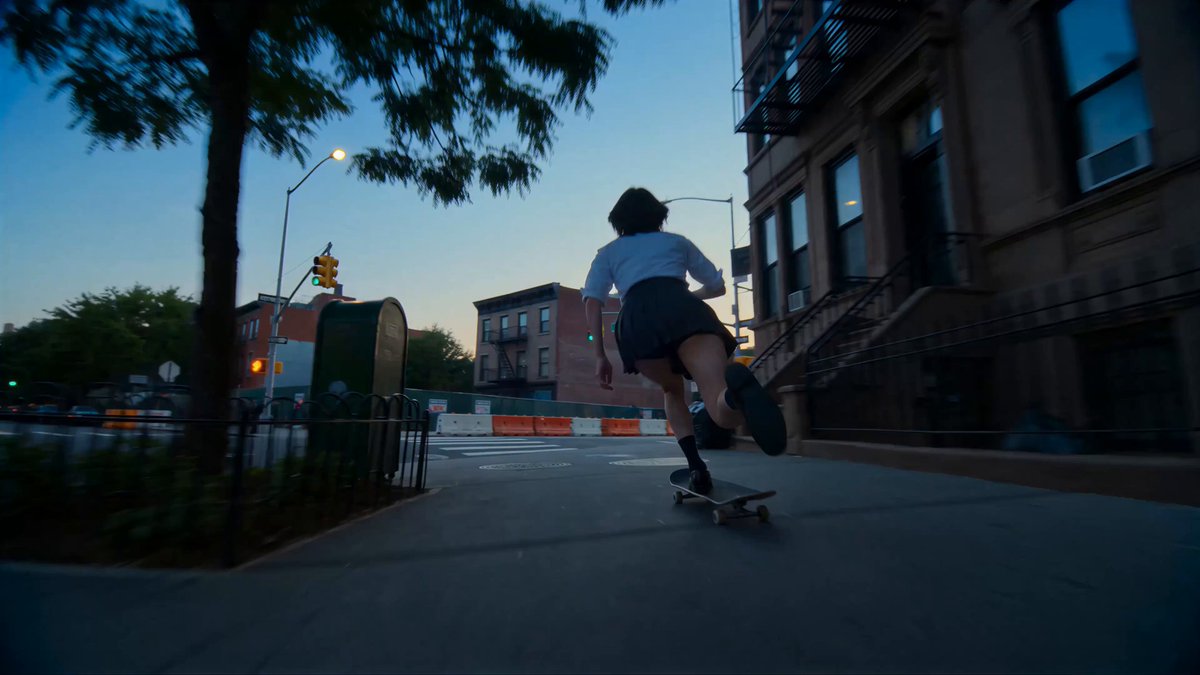
What makes a video generation hyper realistic?
Hyper realistic video generation focuses on natural lighting, detailed textures, believable motion, and cinematic framing. You describe these elements in a text prompt—lighting type, surface materials, camera angle, depth of field—and the AI video generator hyper realistic tool interprets your description to produce a clip that aims for photorealism. The result depends on prompt detail and available generation settings.
AI Video Generator Hyper Realistic
Realistic street scene
Input
A rainy city street at night, wet pavement reflecting neon signs, a person with an umbrella walks past, cinematic lighting
Expected output
A realistic night street clip with wet reflections, ambient glow, and a pedestrian moving through the frame
Close-up food preparation
Input
A chef slicing ripe tomatoes on a wooden board, bright kitchen light, steam rising, shallow depth of field
Expected output
A close-up cooking clip with sharp focus on the knife work and soft background blur
Nature wildlife moment
Input
A deer drinking from a crystal-clear stream in a sunlit forest, leaves rustling, natural colour palette
Expected output
A nature clip showing a deer at a stream with realistic lighting and subtle ambient motion
Create video clips that aim for a realistic look by writing detailed scene descriptions with lighting, texture, and camera cues
Achieve polished visuals without a shoot
Describe a realistic scene and generate the clip instead of organising a production, hiring a crew, or scouting locations.
Test compositions before committing
Explore different scene setups by changing your prompt instead of building sets or coordinating equipment.
Generate lifestyle-style clips
Create visuals that feel natural and believable for product storytelling, brand content, or concept presentations.
How It Works
1
Describe the scene
Describe the desired scene and motion.
2
Choose settings
Choose the available generation settings.
3
Generate and review
Generate, review, and download a suitable result.
Tips for realistic scene descriptions
Specific lighting and texture details help the result feel more natural. Focus on visible, physical elements rather than abstract concepts.
Input Constraints
- Describe realistic environments with concrete details
- Include lighting cues such as time of day and light source
- Avoid purely abstract or surreal concepts if realism is the goal
Practical Tips
- Use terms such as natural light, shallow depth of field, or cinematic
- Describe the texture of surfaces and materials
- Specify the camera angle and distance from the subject
- Review the generated clip and refine the prompt for closer results
Privacy
- Do not upload personal or sensitive material unless you have permission to use it.
Usage Rights
- Confirm that you have the rights needed for the inputs and intended use of the result.
Prompt recipes
Copy a structure, then adjust the subject, lighting, camera, and output details for your own result.
Morning coffee table scene
A white ceramic mug of black coffee on a wooden table beside an open book. Morning sunlight streaming through a window, casting soft shadows. Steam rising from the mug. Shallow depth of field with blurred houseplant in background.
Combines natural lighting, material textures, visible atmospheric effect (steam), and bokeh framing to create a believable, lifestyle-friendly still-life moment.
Rain on car windshield
Raindrops sliding down a car windshield at night. Blurred city lights and neon signs visible through the glass. Wiper blade sweeps across once. Camera inside the car, shallow focus on the rain droplets.
Focuses on water texture, light refraction, and bokeh to emphasize realism through physical material behavior and cinematic POV framing.
Beach wave close-up
A wave rolling onto a sandy beach at sunset. Camera low to the ground, water rushing over pebbles and shells. Foam bubbles in the foreground. Warm golden hour lighting with soft shadows.
Uses low camera angle, water motion detail, natural debris, and time-of-day lighting to produce a tactile, immersive nature clip.
Candle flame macro
A single candle flame flickering in a dark room. Warm orange and yellow light illuminating a small area around the wick. Wax melting slowly. Black background, high contrast, extreme close-up.
Highlights realistic light behavior, material change (melting wax), and high-contrast framing to create a simple yet visually rich and believable scene.
Fresh bread on cutting board
A loaf of rustic sourdough bread on a wooden cutting board. Knife beside it. Steam rising from the fresh-cut slice. Soft natural window light from the left. Flour dust on the board surface.
Combines multiple material textures (bread crust, wood grain, flour), visible steam, and directional natural light to build a realistic food photography aesthetic.
Best use cases
Match the workflow to the input you have and the result you need before opening the generator.
Create product lifestyle visuals for marketing
Input: Product in a realistic setting with natural lighting, surface textures, and camera framing described
Result: A polished lifestyle clip showing the product in use or context with believable lighting and atmosphere
Tool: Text to Video
Generate cinematic b-roll for video projects
Input: Environment description with lighting type, camera angle, depth of field, and motion cues
Result: Short atmospheric clips for editing into larger video projects as background or transition footage
Tool: Text to Video
Produce concept visuals for film pre-production
Input: Scene description with camera position, lighting direction, and material details from the script
Result: Draft video clips showing how the scene could look before location scouting and cinematography planning
Tool: Text to Video
Test lighting and framing ideas
Input: Multiple variations of the same scene with different lighting or camera angles described
Result: A set of clips demonstrating how lighting and framing choices affect mood and realism
Tool: Text to Video
Limitations to know before generating
- Results vary based on prompt detail and available generation settings; detailed prompts with specific visual cues give the best chance of a realistic outcome
- Complex motion, intricate textures, or highly specific material rendering may not match photographic accuracy
- The tool generates interpretations of your description, not frame-accurate replicas of real footage or reference images
- Output quality depends on how well the prompt translates into visual rendering; always review results carefully before final use
- Realism is most effective in scenes with clear lighting, simple subjects, and natural environments; abstract or surreal prompts reduce perceived realism
Creative Suite: AI Video Generator & AI Image Generator Tools
Power up your creative workflow with our AI-driven tools. Generate stunning videos, create images, and apply custom adjustments - our AI Video Generator and AI Image Generator offer a complete solution for all your creative needs.
Strictly Prohibits Adult/NSFW Content








Pricing
Choose the credit package that works best for you.
No hidden fees • Cancel anytime • Unused credits roll over
Starter
Perfect for trying out AI creation.
Credits
200 credits / month
- Up to 20 videos per month
- Up to 100 images per month
$6.99/ month$9.9930% OFF
Billed monthly
First-time subscribers get 30% off their first month, then standard price
What's included
- Credits never expire
- Standard models
- HD, Watermark-Free Downloads
- Private Generation
- Faster Generation Speed
- Ad-free experience
Basic
Perfect for light creators.
Credits
500 credits / month
- Up to 50 videos per month
- Up to 250 images per month
$13.99/ month$19.9930% OFF
Billed monthly
First-time subscribers get 30% off their first month, then standard price
What's included
- Credits never expire
- Standard models
- HD, Watermark-Free Downloads
- Private Generation
- Faster Generation Speed
- Ad-free experience
Pro
PopularBest value for creators
Credits
1,200 credits / month
- Up to 120 videos per month
- Up to 600 images per month
$39.99/ month
Billed monthly
What's included
- Credits never expire
- All models + Early access to new models
- HD, Watermark-Free Downloads
- Private Generation
- Faster Generation Speed
- Ultra HD resolution
- Ad-free experience
Ultra
For video creators and power users.
Credits
5,000 credits / month
- Up to 500 videos per month
- Up to 2,500 images per month
$99.99/ month
Billed monthly
What's included
- Credits never expire
- All models + Early access to new models
- HD, Watermark-Free Downloads
- Private Generation
- Faster Generation Speed
- Ultra HD resolution
- Ad-free experience
Free
Standard models only — upgrade to unlock premium models.
Credits
10 free credits on signup
Questions? Contact us at support@domer.io
Start generating realistic clips
Open the text-to-video tool, write a detailed scene description with lighting and texture cues, and review the result.