
Create
AI Video Generator Input Types Besides Text
This tool generates video from text prompts. Understand how text input works and what other input methods to consider.
AI Video Generator
0/20000 characters
Cost:10
My videos
Loading...
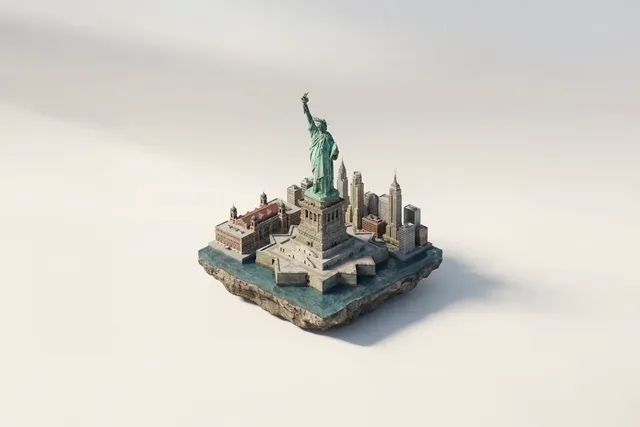
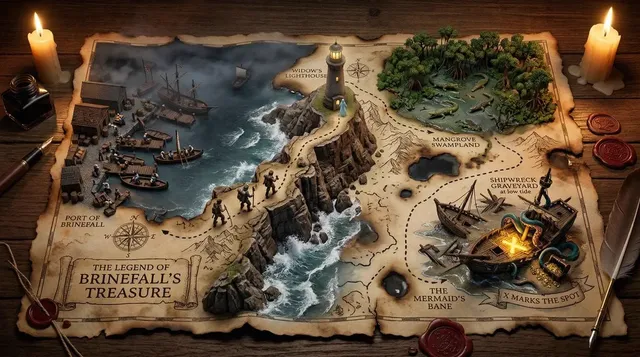
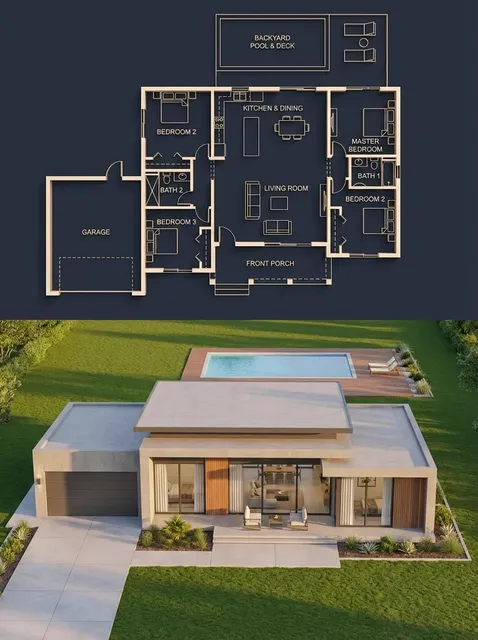
Text is the primary input method for this video generator
This text-to-video tool generates video from written descriptions. You describe the scene, subjects, lighting, and motion in plain text, and the generator creates a video clip based on your prompt. Image, audio, or voice input methods are not currently supported. Text input gives you precise control over the generated output through natural language.
AI Video Generator Input Types Besides Text
Detailed scene from text
Input
A tropical beach at midday with crystal clear water, white sand, palm trees swaying, people snorkelling in the distance, bright sunshine creating sparkling water reflections.
Expected output
A vibrant beach scene generated entirely from the text description with consistent lighting and motion.
Action sequence from text
Input
A runner sprinting through a rain-soaked city street at dawn, puddles splashing, city lights fading as morning light appears, dynamic camera following alongside.
Expected output
An action-oriented scene with dynamic motion and atmospheric lighting described in the prompt.
Abstract concept from text
Input
Flowing liquid metal in deep blue and purple hues, swirling together on a black background, slow hypnotic movement, glossy reflections catching light.
Expected output
An abstract visual generated purely from the text description of colours, textures, and motion.
Understand available input methods for video generation and how text input works as the primary method.
Simple text input method
Describe any scene using natural language and the tool generates matching video output.
No special equipment needed
A standard text prompt is all that is required. No images, audio files, or hardware setup needed.
Precise control through writing
Every word in your prompt influences the generated output, giving you detailed creative control.
How It Works
1
Describe the desired scene and motion.
Describe the desired scene and motion.
2
Choose the available generation settings.
Choose the available generation settings.
3
Generate, review, and download a suitable result.
Generate, review, and download a suitable result.
Making the most of text input
Text is a powerful and flexible way to control video generation.
Input Constraints
- Use clear, descriptive language for the best output.
- Describe visual elements only — sound cannot be specified via text input.
- Avoid abstract or ambiguous phrasing that may confuse interpretation.
- Keep prompts focused on one primary scene or concept.
- Review outputs and refine your prompt wording as needed.
Practical Tips
- Use specific visual adjectives such as colours, textures, and lighting.
- Describe motion style: slow, fast, flowing, abrupt, or smooth.
- Mention the camera perspective: close-up, wide shot, aerial view.
- Generate short clips first to test how the prompt translates visually.
- Iterate by tweaking one element of the prompt at a time.
Privacy
- Do not upload personal or sensitive material unless you have permission to use it.
Usage Rights
- Confirm that you have the rights needed for the inputs and intended use of the result.
Prompt recipes
Copy a structure, then adjust the subject, lighting, camera, and output details for your own result.
Nature scene with weather motion
A dense forest at dawn, mist rolling through the trees, soft blue morning light, birds flying between branches, slow camera push forward.
Combines atmospheric elements with gentle motion and natural light that creates a cinematic nature scene.
Product showcase with camera motion
A sleek smartphone rotating slowly on a white surface, studio lighting with soft shadows, camera circling around the product, close-up detail shot.
Uses camera motion and lighting description to create a professional product presentation from text alone.
Urban scene with time and motion
A busy intersection in Tokyo at night, neon signs reflecting on wet pavement, people with umbrellas crossing the street, time-lapse motion, vibrant colors.
Describes setting, weather, lighting, and motion style to create an energetic urban scene with clear visual identity.
Abstract art with texture and color
Thick oil paint swirling on a canvas, rich reds and deep blues mixing slowly, textured brush strokes visible, soft studio lighting, macro perspective.
Uses texture, color, and motion description to generate abstract art from text with no image input needed.
Character action with environment
A person climbing a rocky cliff face at golden hour, chalk dust rising from their hands, wide shot showing the cliff and valley below, warm sunlight.
Combines character action, environment, lighting, and camera angle to create a dynamic outdoor scene from text description.
Best use cases
Match the workflow to the input you have and the result you need before opening the generator.
Concept visualization without filming
Input: Detailed text description of the scene, lighting, and motion
Result: A video clip that visualizes the concept for review before production
Tool: Text to Video with scene, lighting, and motion details
Social media content from ideas
Input: Scene description with mood, motion, and visual style
Result: A shareable video clip generated from the written concept
Tool: Text to Video with mood and style specified
Storyboard or animatic creation
Input: Shot description with camera angle, action, and timing
Result: A generated clip that illustrates the storyboard frame for planning
Tool: Text to Video with shot and camera details
Abstract or artistic content
Input: Color, texture, motion, and atmosphere description
Result: An abstract video clip generated from creative text description
Tool: Text to Video with color, texture, and motion specified
Limitations to know before generating
- The tool currently supports text input only; image, audio, or voice input methods are not available.
- Generated output quality depends on the clarity and specificity of your written description.
- Sound cannot be specified or generated through text input.
- Complex multi-scene narratives are better described as separate prompts rather than one long description.
Creative Suite: AI Video Generator & AI Image Generator Tools
Power up your creative workflow with our AI-driven tools. Generate stunning videos, create images, and apply custom adjustments - our AI Video Generator and AI Image Generator offer a complete solution for all your creative needs.
Strictly Prohibits Adult/NSFW Content








Pricing
Choose the credit package that works best for you.
No hidden fees • Cancel anytime • Unused credits roll over
Starter
Perfect for trying out AI creation.
Credits
200 credits / month
- Up to 20 videos per month
- Up to 100 images per month
$6.99/ month$9.9930% OFF
Billed monthly
First-time subscribers get 30% off their first month, then standard price
What's included
- Credits never expire
- Standard models
- HD, Watermark-Free Downloads
- Private Generation
- Faster Generation Speed
- Ad-free experience
Basic
Perfect for light creators.
Credits
500 credits / month
- Up to 50 videos per month
- Up to 250 images per month
$13.99/ month$19.9930% OFF
Billed monthly
First-time subscribers get 30% off their first month, then standard price
What's included
- Credits never expire
- Standard models
- HD, Watermark-Free Downloads
- Private Generation
- Faster Generation Speed
- Ad-free experience
Pro
PopularBest value for creators
Credits
1,200 credits / month
- Up to 120 videos per month
- Up to 600 images per month
$39.99/ month
Billed monthly
What's included
- Credits never expire
- All models + Early access to new models
- HD, Watermark-Free Downloads
- Private Generation
- Faster Generation Speed
- Ultra HD resolution
- Ad-free experience
Ultra
For video creators and power users.
Credits
5,000 credits / month
- Up to 500 videos per month
- Up to 2,500 images per month
$99.99/ month
Billed monthly
What's included
- Credits never expire
- All models + Early access to new models
- HD, Watermark-Free Downloads
- Private Generation
- Faster Generation Speed
- Ultra HD resolution
- Ad-free experience
Free
Standard models only — upgrade to unlock premium models.
Credits
10 free credits on signup
Questions? Contact us at support@domer.io
Ready to generate video from text?
Open the text-to-video tool, enter your scene description in the prompt field, and start creating.