
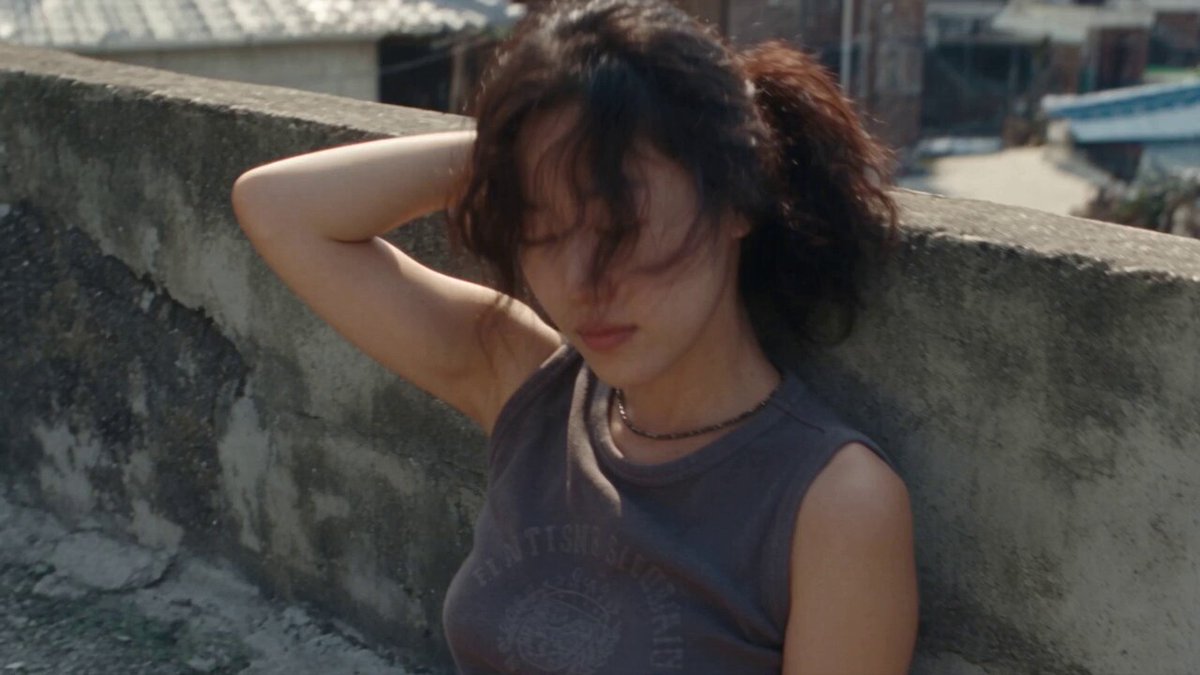
AI Video Generator Interview Scenes
Use ai video generator interview to create interview and conversation scene clips from text: describe camera angles, settings, and participant arrangements.
AI Video Generator
0/20000 characters
Cost:10
My videos
Loading...

How do I generate interview scene videos?
Describe the camera angle—like close-up, medium shot, or wide shot—the setting such as a cafe or studio, and the participant arrangement, then generate a clip to review and use in storyboards or demos.
AI Video Generator Interview Scenes
Two-person conversation
Input
Two people sitting across a small table in a bright modern cafe, natural light, medium two-shot, casual atmosphere
Expected output
A clip showing two people at a cafe table in a medium two-shot with bright natural lighting
Solo speaker
Input
A person speaking to camera from a home office, bookshelf background, soft key light, shallow depth of field
Expected output
A close-up clip of a speaker addressing the camera with a soft-focused bookshelf background
Panel discussion
Input
Three people seated on a stage in armchairs, warm stage lighting, wide shot, audience visible in foreground blur
Expected output
A wide-stage clip of three panelists in armchairs with warm lighting and blurred audience in the foreground
Generate video clips simulating interview or conversation scenes from text prompts
Visualize interview setups
Describe the camera angle, setting, and participant arrangement without hiring a venue or crew.
Test framing through text
Experiment with different camera positions and compositions by editing the prompt.
Storyboard conversation scenes
Generate concept clips to plan interview or dialogue sequences before production.
How It Works
1
Describe the scene
Describe the desired scene and motion.
2
Adjust settings
Choose the available generation settings.
3
Generate and review
Generate, review, and download a suitable result.
Interview scene tips
The camera angle and setting description shape the generated scene significantly.
Input Constraints
- Avoid describing specific real people, public figures, or celebrities.
- Keep descriptions focused on setting and camera position rather than dialogue content.
- Do not generate content that misrepresents or impersonates real individuals.
Practical Tips
- Describe the camera distance—close-up, medium shot, wide shot.
- Include the setting details—office, cafe, studio, stage.
- Mention lighting style—natural, studio, warm, dramatic.
Privacy
- Do not upload personal or sensitive material unless you have permission to use it.
Usage Rights
- Confirm that you have the rights needed for the inputs and intended use of the result.
Prompt recipes
Copy a structure, then adjust the subject, lighting, camera, and output details for your own result.
One-on-one interview close-up
A journalist and guest sitting across from each other at a wooden table, close-up on the guest, soft side lighting, neutral background
The close-up and side lighting create intimacy and focus on the guest's expression.
Casual podcast setup
Two people at a podcast table with microphones, medium two-shot, warm studio lighting, sound panels on the walls
The two-shot and sound panels establish the podcast context clearly.
Corporate interview wide shot
An executive sitting in a modern office with large windows, wide shot, natural light, desk and laptop visible
The wide shot and office setting convey professionalism and context.
Stage keynote address
A speaker standing at a podium on a dark stage, spotlight on the speaker, large screen behind showing slides, wide angle
The spotlight and wide angle capture the keynote atmosphere and audience perspective.
Round table discussion
Four people seated around a round table in a conference room, overhead camera angle, balanced lighting, collaborative mood
The overhead angle and round table emphasize collaboration and equal participation.
Best use cases
Match the workflow to the input you have and the result you need before opening the generator.
Pre-production storyboarding
Input: Camera angle and setting description with participant count
Result: Concept clip to plan interview shoot framing
Tool: AI video generator for fast visual exploration
Client pitch visualization
Input: Polished scene description with lighting and mood
Result: Clip showing proposed interview setup for approval
Tool: AI video generator with detailed visual prompts
Framing comparison
Input: Same scene with different camera distances or angles
Result: Multiple clips to compare composition options
Tool: AI video generator with consistent prompt structure
Educational demo creation
Input: Generic interview setup for teaching video composition
Result: Clip illustrating interview framing concepts
Tool: AI video generator with clear educational focus
Limitations to know before generating
- Generated clips are visual references for planning, not production-ready footage
- Participants in generated scenes are not real people and should not be represented as such
- Dialogue or audio is not generated; clips are visual only
- Camera movements may be limited; focus on static or simple motion prompts
- Clips should be reviewed to ensure they do not unintentionally resemble real individuals
Creative Suite: AI Video Generator & AI Image Generator Tools
Power up your creative workflow with our AI-driven tools. Generate stunning videos, create images, and apply custom adjustments - our AI Video Generator and AI Image Generator offer a complete solution for all your creative needs.
Strictly Prohibits Adult/NSFW Content








Pricing
Choose the credit package that works best for you.
No hidden fees • Cancel anytime • Unused credits roll over
Starter
Perfect for trying out AI creation.
Credits
200 credits / month
- Up to 20 videos per month
- Up to 100 images per month
$6.99/ month$9.9930% OFF
Billed monthly
First-time subscribers get 30% off their first month, then standard price
What's included
- Credits never expire
- Standard models
- HD, Watermark-Free Downloads
- Private Generation
- Faster Generation Speed
- Ad-free experience
Basic
Perfect for light creators.
Credits
500 credits / month
- Up to 50 videos per month
- Up to 250 images per month
$13.99/ month$19.9930% OFF
Billed monthly
First-time subscribers get 30% off their first month, then standard price
What's included
- Credits never expire
- Standard models
- HD, Watermark-Free Downloads
- Private Generation
- Faster Generation Speed
- Ad-free experience
Pro
PopularBest value for creators
Credits
1,200 credits / month
- Up to 120 videos per month
- Up to 600 images per month
$39.99/ month
Billed monthly
What's included
- Credits never expire
- All models + Early access to new models
- HD, Watermark-Free Downloads
- Private Generation
- Faster Generation Speed
- Ultra HD resolution
- Ad-free experience
Ultra
For video creators and power users.
Credits
5,000 credits / month
- Up to 500 videos per month
- Up to 2,500 images per month
$99.99/ month
Billed monthly
What's included
- Credits never expire
- All models + Early access to new models
- HD, Watermark-Free Downloads
- Private Generation
- Faster Generation Speed
- Ultra HD resolution
- Ad-free experience
Free
Standard models only — upgrade to unlock premium models.
Credits
10 free credits on signup
Questions? Contact us at support@domer.io
Set up your interview scene
Open the text-to-video tool, describe your interview setup, and generate a clip.