
AI Video Generator PC
Create video from text in your PC browser. No GPU needed — generation runs remotely. Describe, generate, review, download.
AI Video Generator
0/20000 characters
Cost:10
My videos
Loading...
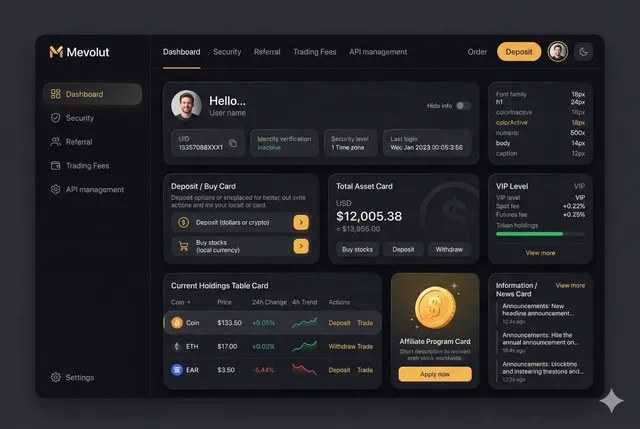
How do I use an AI video generator on PC?
Open the Text to Video tool in your PC browser (Chrome, Edge, or Firefox work well). Type a description of the scene, subject, motion, and lighting you want. Choose the available generation settings. Generate the video remotely and preview the result on your PC screen before downloading. No dedicated GPU or software installation is required.
AI Video Generator PC
Slow-motion water splash
Input
A single drop of water hitting a still surface in slow motion, ripples expanding outward, backlit with warm light
Expected output
A slow-motion clip of a water drop impact with spreading ripples and translucent lighting
Sci-fi corridor walkthrough
Input
Walking through a metallic spaceship corridor with pulsing blue lights, holographic displays on the walls
Expected output
A first-person corridor clip with sci-fi lighting and animated wall displays
Cooking demonstration clip
Input
A chef's hands chopping fresh herbs on a wooden cutting board, natural kitchen lighting, steam rising
Expected output
A close-up cooking scene with hands at work and steam drifting upward
Generate video clips from text prompts in a PC browser without installing software or requiring a GPU
PC browser ready
Works in Chrome, Edge, or Firefox on Windows — no special hardware required.
No GPU needed
Generation runs remotely — your PC just needs a browser.
Iterate with text
Change your prompt and regenerate until the scene matches your idea.
How It Works
1
Describe the scene
Describe the desired scene and motion.
2
Choose settings
Choose the available generation settings.
3
Generate and download
Generate, review, and download a suitable result.
Tips for PC users
A stable internet connection and modern browser are all you need.
Input Constraints
- An internet connection is required — generation happens remotely
- Older browsers may not support all features
- Close unnecessary tabs for smoother performance
Practical Tips
- Write specific visual descriptions instead of abstract concepts
- Add camera direction (close-up, wide shot, tracking) for more cinematic results
- Review the first result before adding more detail to your prompt
Privacy
- Do not upload personal or sensitive material unless you have permission to use it.
Usage Rights
- Confirm that you have the rights needed for the inputs and intended use of the result.
Prompt recipes
Copy a structure, then adjust the subject, lighting, camera, and output details for your own result.
Desktop wallpaper animation
Abstract geometric shapes rotating slowly in a dark void, glowing neon edges in cyan and purple, seamless loop motion, 16:9 widescreen format
Specifies abstract elements, loop behavior, color palette, and widescreen aspect ratio for PC desktop background or screensaver use.
Tutorial screen recording intro
A 3D animated logo spinning and settling into place on a gradient background, professional lighting, quick 5-second intro animation
Describes logo animation, background style, lighting, and short duration for tutorial video intros on YouTube or e-learning platforms.
Presentation background loop
Soft bokeh lights drifting slowly across a deep blue background, subtle elegant motion, horizontal 16:9 format for PowerPoint or Keynote
Details ambient motion, color scheme, and horizontal format for professional presentation backgrounds on PC.
Gaming stream overlay element
Animated energy particles swirling in a circular pattern, glowing green and black colors, transparent background effect, 10-second loop
Describes particle motion, gaming color scheme, transparent background, and loop for Twitch or YouTube gaming overlays.
Corporate video B-roll
A modern office interior with sunlight streaming through tall windows, subtle camera dolly forward, clean minimalist design, calm professional atmosphere
Details office setting, natural lighting, camera motion, and professional tone for corporate video production on PC editing systems.
Product demo placeholder
A rotating 3D box frame on a white background, smooth constant rotation, clean product mockup style, shadow underneath for depth
Specifies 3D object, rotation motion, minimal background, and depth cues for placeholder content in product demos or design mockups.
Best use cases
Match the workflow to the input you have and the result you need before opening the generator.
Desktop backgrounds and screensavers
Input: Abstract or ambient animations with loopable motion, widescreen aspect ratio, and calming or energetic visuals
Result: A seamless looping video for PC desktop wallpaper or screensaver use
Tool: Text to Video with loop keywords and 16:9 aspect ratio
Tutorial and e-learning video intros
Input: Logo animation or title sequence with quick motion, professional style, and short 3-5 second duration
Result: An intro animation for YouTube tutorials, online courses, or instructional videos edited on PC
Tool: Text to Video with short duration and logo/title animation descriptions
Presentation backgrounds
Input: Subtle ambient motion with professional colors, horizontal format, and elegant pacing for PowerPoint or Keynote
Result: A background video for business presentations or webinars displayed on PC screens
Tool: Text to Video with ambient and professional keywords in 16:9 format
Gaming stream overlays and elements
Input: Animated effects with gaming color schemes, transparent background style, and loopable motion
Result: An overlay element for Twitch or YouTube gaming streams produced and edited on PC
Tool: Text to Video with gaming and particle effect descriptions
Limitations to know before generating
- A stable internet connection is required for generation and preview — video is generated remotely and streamed to your PC browser
- While no dedicated GPU is needed on your PC, generation time depends on prompt complexity and server load, not your hardware
- Older browsers or outdated operating systems may have compatibility issues — keep your browser updated for best performance
- Multiple browser tabs or heavy PC workloads may affect preview smoothness but do not impact the actual generated video quality
- Larger PC monitors help you review detail and quality, but final output resolution depends on generation settings, not screen size
- Confirm you have the rights to depict any branded content or copyrighted elements in your prompt, especially for commercial desktop or streaming use
Creative Suite: AI Video Generator & AI Image Generator Tools
Power up your creative workflow with our AI-driven tools. Generate stunning videos, create images, and apply custom adjustments - our AI Video Generator and AI Image Generator offer a complete solution for all your creative needs.
Strictly Prohibits Adult/NSFW Content








Pricing
Choose the credit package that works best for you.
No hidden fees • Cancel anytime • Unused credits roll over
Starter
Perfect for trying out AI creation.
Credits
200 credits / month
- Up to 20 videos per month
- Up to 100 images per month
$6.99/ month$9.9930% OFF
Billed monthly
First-time subscribers get 30% off their first month, then standard price
What's included
- Credits never expire
- Standard models
- HD, Watermark-Free Downloads
- Private Generation
- Faster Generation Speed
- Ad-free experience
Basic
Perfect for light creators.
Credits
500 credits / month
- Up to 50 videos per month
- Up to 250 images per month
$13.99/ month$19.9930% OFF
Billed monthly
First-time subscribers get 30% off their first month, then standard price
What's included
- Credits never expire
- Standard models
- HD, Watermark-Free Downloads
- Private Generation
- Faster Generation Speed
- Ad-free experience
Pro
PopularBest value for creators
Credits
1,200 credits / month
- Up to 120 videos per month
- Up to 600 images per month
$39.99/ month
Billed monthly
What's included
- Credits never expire
- All models + Early access to new models
- HD, Watermark-Free Downloads
- Private Generation
- Faster Generation Speed
- Ultra HD resolution
- Ad-free experience
Ultra
For video creators and power users.
Credits
5,000 credits / month
- Up to 500 videos per month
- Up to 2,500 images per month
$99.99/ month
Billed monthly
What's included
- Credits never expire
- All models + Early access to new models
- HD, Watermark-Free Downloads
- Private Generation
- Faster Generation Speed
- Ultra HD resolution
- Ad-free experience
Free
Standard models only — upgrade to unlock premium models.
Credits
10 free credits on signup
Questions? Contact us at support@domer.io