
Create
AI Video Generator Software for Text to Video
Turn text prompts into video clips with AI video generator software: describe your scene, choose settings, and download the result—no editing skills needed.
AI Video Generator
0/20000 characters
Cost:10
My videos
Loading...

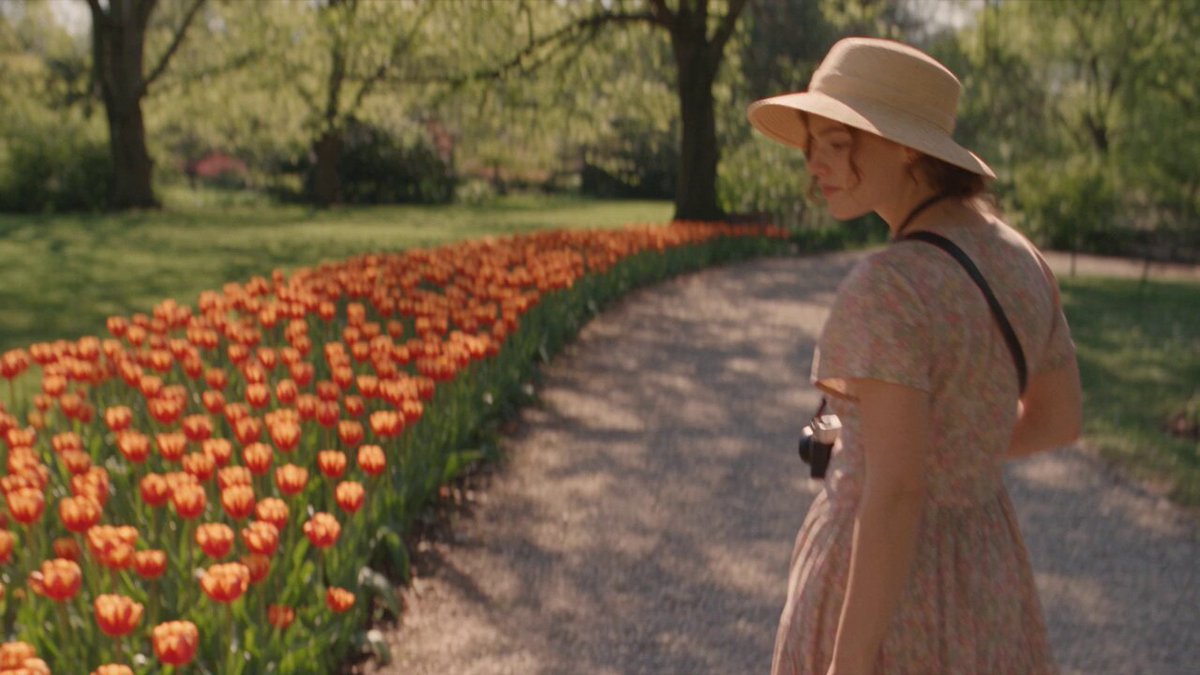
What is AI video generator software?
AI video generator software is a tool that converts text descriptions into video clips. You describe the scene, subject, lighting, and motion you want, then the software generates a video draft you can review and download—without filming or manual editing.
AI Video Generator Software for Text to Video
Marketing video concept
Input
A sleek modern office space with people collaborating at white tables, bright natural light, professional atmosphere
Expected output
A video clip showing a contemporary office environment with professional lighting and worker activity
Social media clip
Input
A flat lay of coffee and pastries on a wooden table, warm morning light, top-down camera angle, slow zoom
Expected output
A top-down social-media-style video clip of a coffee and pastry arrangement with warm lighting
Educational animation
Input
A blue DNA helix rotating slowly against a clean white background, labels appearing next to each section
Expected output
An educational-style video clip showing a rotating 3D DNA structure on a minimal background
Create video clips from text descriptions using browser-based AI video generator software
Skip complex editing
Describe scenes in text instead of learning video editing software, and get video output directly from your description.
Test concepts quickly
Visualize ideas by describing them in text rather than filming, making it faster to explore creative directions.
Produce content from text
Generate short-form video content from written ideas alone, useful for drafts, reference, or finished clips.
How It Works
1
Describe the scene
Describe the desired scene and motion.
2
Adjust settings
Choose the available generation settings.
3
Generate and review
Generate, review, and download a suitable result.
Getting started tips
Effective prompts lead to better video output.
Input Constraints
- Avoid references to specific brands, public figures, or copyrighted material
- Do not describe adult, harmful, or illegal scenarios
- Keep prompts focused on visible scene elements
Practical Tips
- Start with a clear subject and setting
- Add lighting and color details for visual quality
- Describe camera angle and movement for dynamic results
Privacy
- Do not upload personal or sensitive material unless you have permission to use it.
Usage Rights
- Confirm that you have the rights needed for the inputs and intended use of the result.
Prompt recipes
Copy a structure, then adjust the subject, lighting, camera, and output details for your own result.
Product demo scene
A smartphone rotating on a dark pedestal under spotlight, screen displaying colorful app interface, camera orbiting slowly, professional studio lighting.
Controlled rotation, spotlight, and orbiting camera create a polished product demo suitable for marketing or sales materials.
Corporate explainer visual
A 3D animated flowchart with connected boxes and arrows, data flowing between nodes, camera slowly zooming out, clean blue and white color scheme.
Abstract representation of processes with clear visual hierarchy works well for corporate presentations and explainer videos.
Educational concept
A cross-section of the Earth showing layers from core to crust, labels appearing one by one, slow rotation, educational style with soft lighting.
Sequential labeling and slow rotation help learners understand structure, ideal for educational or training content.
Social media flat lay
Top-down view of a desk with laptop, coffee, notebook, and succulent plant, camera static, warm afternoon sunlight, cozy aesthetic.
Top-down angle and warm lighting create an inviting, relatable scene popular on Instagram and Pinterest.
App interface walkthrough
A mobile app interface with a user tapping buttons, screens transitioning smoothly, camera focused on the phone screen, bright UI colors.
Clear focus on interface and smooth transitions demonstrate app flow, useful for feature announcements or tutorials.
Abstract brand intro for ai video generator software
Flowing ribbons of light in brand colors (blue and gold) twisting through space, soft glow, smooth continuous motion, dark background.
Abstract motion with brand colors creates a professional, modern intro without requiring specific imagery or licensing.
Best use cases
Match the workflow to the input you have and the result you need before opening the generator.
Product marketing video
Input: Product description, lighting setup, camera motion (orbit, zoom, or rotation)
Result: A polished product reveal or demo clip
Tool: Text-to-video with detailed product and lighting keywords
Corporate presentation visual
Input: Abstract concept (flowchart, network, process), professional color scheme, slow motion
Result: A clean visual that supports your presentation narrative
Tool: Text-to-video with abstract subject and corporate style keywords
Educational or training clip
Input: Concept with clear structure, labels or annotations, slow explanatory pacing
Result: An instructional clip that breaks down a concept visually
Tool: Text-to-video with educational framing and sequential motion
Social media content
Input: Relatable scene (workspace, flat lay), natural lighting, simple framing
Result: A shareable clip that fits your brand aesthetic
Tool: Text-to-video with lifestyle scene and natural lighting keywords
App or software demo
Input: Interface description, user actions, screen transitions, clear UI visibility
Result: A walkthrough clip that demonstrates app functionality
Tool: Text-to-video with interface-focused framing and interaction keywords
Limitations to know before generating
- Generated clips may not match your exact vision on the first try; expect to refine prompts and regenerate.
- Complex scenes with many elements may lack fine detail or visual coherence.
- The software works best for short clips; longer narratives may require stitching multiple generations together.
- You must review each result for accuracy and suitability before using it in projects.
- Usage rights depend on your inputs and the software's terms; confirm permissions before commercial use.
Creative Suite: AI Video Generator & AI Image Generator Tools
Power up your creative workflow with our AI-driven tools. Generate stunning videos, create images, and apply custom adjustments - our AI Video Generator and AI Image Generator offer a complete solution for all your creative needs.
Strictly Prohibits Adult/NSFW Content








Pricing
Choose the credit package that works best for you.
No hidden fees • Cancel anytime • Unused credits roll over
Starter
Perfect for trying out AI creation.
Credits
200 credits / month
- Up to 20 videos per month
- Up to 100 images per month
$6.99/ month$9.9930% OFF
Billed monthly
First-time subscribers get 30% off their first month, then standard price
What's included
- Credits never expire
- Standard models
- HD, Watermark-Free Downloads
- Private Generation
- Faster Generation Speed
- Ad-free experience
Basic
Perfect for light creators.
Credits
500 credits / month
- Up to 50 videos per month
- Up to 250 images per month
$13.99/ month$19.9930% OFF
Billed monthly
First-time subscribers get 30% off their first month, then standard price
What's included
- Credits never expire
- Standard models
- HD, Watermark-Free Downloads
- Private Generation
- Faster Generation Speed
- Ad-free experience
Pro
PopularBest value for creators
Credits
1,200 credits / month
- Up to 120 videos per month
- Up to 600 images per month
$39.99/ month
Billed monthly
What's included
- Credits never expire
- All models + Early access to new models
- HD, Watermark-Free Downloads
- Private Generation
- Faster Generation Speed
- Ultra HD resolution
- Ad-free experience
Ultra
For video creators and power users.
Credits
5,000 credits / month
- Up to 500 videos per month
- Up to 2,500 images per month
$99.99/ month
Billed monthly
What's included
- Credits never expire
- All models + Early access to new models
- HD, Watermark-Free Downloads
- Private Generation
- Faster Generation Speed
- Ultra HD resolution
- Ad-free experience
Free
Standard models only — upgrade to unlock premium models.
Credits
10 free credits on signup
Questions? Contact us at support@domer.io
Generate video from text description
Open the text-to-video tool, write your scene prompt, and produce a video clip that matches your creative brief.