

AI Video Generator Start And End Frame
Create videos with clear visual transitions. Describe the starting and ending frames, generate the clip, and review how the scene evolves.
AI Video Generator
0/20000 characters
Cost:10
My videos
Loading...
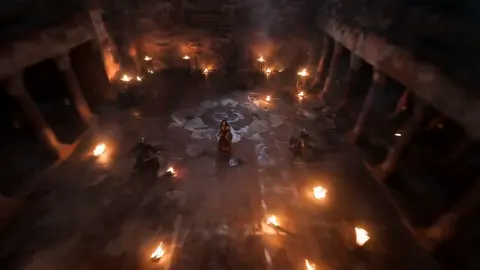
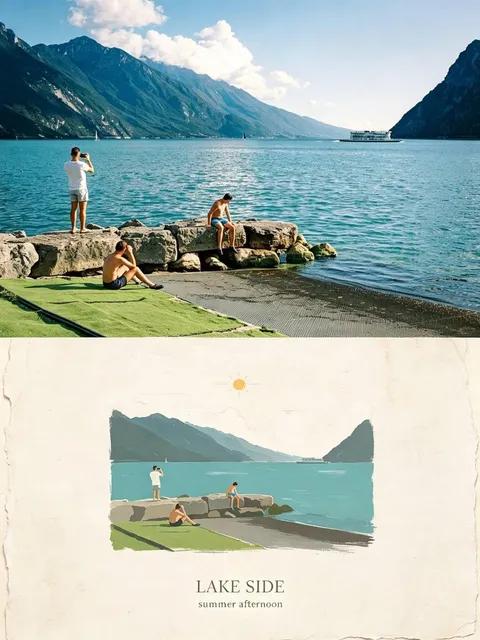
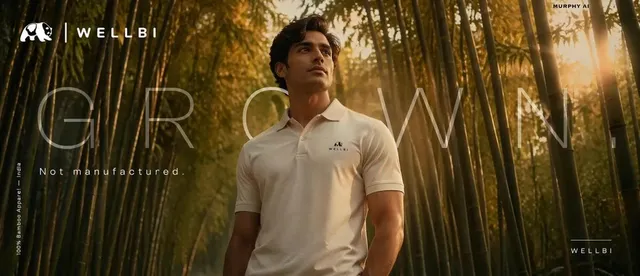
Can I control the start and end of an AI-generated video?
Yes, by describing both the opening and closing visuals in your text prompt. Write what the scene looks like at the beginning, how it changes, and what it looks like at the end. For example: 'Close-up of a candle being lit, the flame grows to illuminate a dark room.' The AI interprets your description to create a video with the visual arc you specified.
AI Video Generator Start And End Frame
Transition scene
Input
A wide shot of a city skyline at sunrise that transitions to a close-up of a window with a person looking out
Expected output
A video clip starting with a wide city skyline and smoothly transitioning to an interior close-up shot
Morph effect
Input
A close-up of a flower bud that gradually opens into full bloom over the duration of the clip
Expected output
A slow transformation clip from a closed bud to an open flower
Narrative bookend
Input
A person walking away from the camera into a foggy landscape, ending with the landscape empty and still
Expected output
A clip starting with a figure walking away and ending with a quiet, empty landscape
Generate videos with described opening and closing visuals
Structured visual storytelling
Describe the beginning and end of your clip to create videos with a clear visual narrative arc.
Transition guidance
Describe how the scene changes over time to guide the video's progression from the start frame to the end result.
Composition control
Specify both the opening composition and the final frame to create videos that match your storyboard intent.
How It Works
1
Describe start, transition, and end
Describe the desired scene and motion.
2
Choose generation settings
Choose the available generation settings.
3
Generate and review transition
Generate, review, and download a suitable result.
Tips for frame-aware prompts
Describe what changes from start to end.
Input Constraints
- Describe both the starting visual and the ending visual in one coherent prompt
- Use transition words like transitioning, morphing, or evolving
- Avoid abrupt changes that are hard to connect visually
- Keep the scene elements consistent between start and end for smoother transitions
Practical Tips
- Write the prompt as: start frame description + how it changes + end frame description
- Use motion words like zooming, pulling back, transitioning, or unfolding
- For gradual changes, describe the pace such as slowly or over the duration of the clip
- Generate a test clip first to see how the model interprets the transition path
Privacy
- Do not upload personal or sensitive material unless you have permission to use it.
Usage Rights
- Confirm that you have the rights needed for the inputs and intended use of the result.
Prompt recipes
Copy a structure, then adjust the subject, lighting, camera, and output details for your own result.
Day to night time progression
Mountain landscape at golden hour with warm sunlight on peaks, camera holds position as sky gradually darkens through dusk colors, ending in star-filled night sky with mountain silhouettes.
Shows time passage with static composition but dramatic lighting and sky change from start to end.
Seedling growth time-lapse
Close-up of soil with small green sprout emerging, time accelerates as seedling grows taller, leaves unfurl, ending as mature plant with multiple branches and full foliage.
Classic transformation sequence with clear start state, visible progression, and distinct end state.
Empty room to furnished space
Wide shot of bare white room with hardwood floor, camera stays fixed as furniture fades in piece by piece — couch, bookshelf, plants — ending as fully decorated cozy living room.
Uses static camera and gradual appearance of elements to show before/after transformation.
Fog clearing landscape reveal
Dense fog completely obscuring a forest valley, wind slowly pushes fog away revealing trees and river below, ending with clear sunny day and full landscape visible.
Creates dramatic reveal through gradual removal of visual obstruction from start to end.
Paint spreading on canvas
Blank white canvas filling frame, single drop of blue paint lands in center, paint spreads and swirls outward mixing with other colors, ending as complete abstract painting.
Shows creative process from empty beginning through active change to finished artistic end state.
Ice melting transition
Frozen winter pond covered in thick ice and snow, temperature rises as ice begins cracking and melting, water appearing, ending as spring pond with water surface reflecting trees.
Natural phase change provides clear visual difference between solid start and liquid end state.
Best use cases
Match the workflow to the input you have and the result you need before opening the generator.
Product transformation demo
Input: Before and after states with transition description
Result: Marketing clip showing product effect or assembly
Tool: Text to Video
Time-lapse style content
Input: Start condition and end condition with time passing
Result: Compressed time video for construction, nature, or process
Tool: Text to Video
Narrative scene transitions
Input: Story beat start and story beat end with emotional arc
Result: Cinematic transition for film or animation projects
Tool: Text to Video
Educational process visualization
Input: Initial state and final state with steps described
Result: Instructional video showing change or growth
Tool: Text to Video
Limitations to know before generating
- The tool interprets transitions from your text description — it does not accept separate start and end frame images.
- Abrupt or unrelated changes between start and end states may produce unexpected or incoherent transitions.
- Complex multi-stage transformations are difficult to control precisely in a focused prompt.
- The tool generates continuous motion based on your description, not exact keyframe interpolation.
- Character or object consistency during transformation depends on prompt clarity and may vary.
Creative Suite: AI Video Generator & AI Image Generator Tools
Power up your creative workflow with our AI-driven tools. Generate stunning videos, create images, and apply custom adjustments - our AI Video Generator and AI Image Generator offer a complete solution for all your creative needs.
Strictly Prohibits Adult/NSFW Content








Pricing
Choose the credit package that works best for you.
No hidden fees • Cancel anytime • Unused credits roll over
Starter
Perfect for trying out AI creation.
Credits
200 credits / month
- Up to 20 videos per month
- Up to 100 images per month
$6.99/ month$9.9930% OFF
Billed monthly
First-time subscribers get 30% off their first month, then standard price
What's included
- Credits never expire
- Standard models
- HD, Watermark-Free Downloads
- Private Generation
- Faster Generation Speed
- Ad-free experience
Basic
Perfect for light creators.
Credits
500 credits / month
- Up to 50 videos per month
- Up to 250 images per month
$13.99/ month$19.9930% OFF
Billed monthly
First-time subscribers get 30% off their first month, then standard price
What's included
- Credits never expire
- Standard models
- HD, Watermark-Free Downloads
- Private Generation
- Faster Generation Speed
- Ad-free experience
Pro
PopularBest value for creators
Credits
1,200 credits / month
- Up to 120 videos per month
- Up to 600 images per month
$39.99/ month
Billed monthly
What's included
- Credits never expire
- All models + Early access to new models
- HD, Watermark-Free Downloads
- Private Generation
- Faster Generation Speed
- Ultra HD resolution
- Ad-free experience
Ultra
For video creators and power users.
Credits
5,000 credits / month
- Up to 500 videos per month
- Up to 2,500 images per month
$99.99/ month
Billed monthly
What's included
- Credits never expire
- All models + Early access to new models
- HD, Watermark-Free Downloads
- Private Generation
- Faster Generation Speed
- Ultra HD resolution
- Ad-free experience
Free
Standard models only — upgrade to unlock premium models.
Credits
10 free credits on signup
Questions? Contact us at support@domer.io
Create structured videos
Open the text-to-video tool, describe your starting and ending visuals, and generate a clip with a clear visual arc.