

AI Video Generator Text
Generate video from written descriptions. Describe the scene, choose settings, review, and download a result that fits your use.
AI Video Generator
0/20000 characters
Cost:10
My videos
Loading...
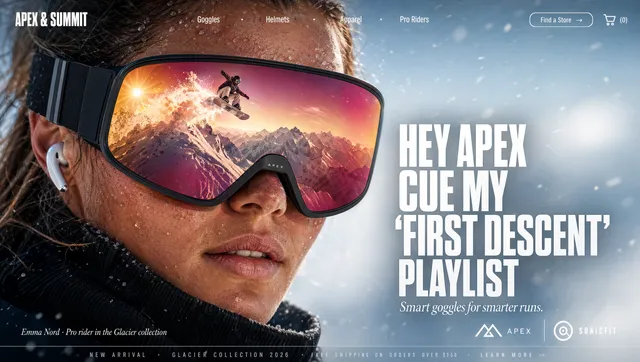
What is an AI video generator text tool?
An AI video generator text tool creates video clips from written descriptions. You provide text describing a scene, subject, lighting, and motion, then the tool interprets your description and generates a matching video clip. The output quality depends on how clearly you describe visual details and motion. Review each result to confirm it meets your needs before downloading.
AI Video Generator Text
Product showcase from description
Input
A black ceramic coffee mug sits on a wooden table next to an open notebook. Morning light comes through a window on the left. Steam rises from the mug. A fountain pen rests on the notebook.
Expected output
A generated video clip of a still-life desk scene with visible steam, warm side lighting, and subtle shadows.
Nature scene from prose
Input
A wide grassy field rolls toward a tree line at the base of distant mountains. White clouds move slowly across a bright blue sky. Wildflowers sway in a light breeze near the foreground.
Expected output
A generated landscape video with cloud motion, grass movement, and layered depth from foreground to mountains.
Interior scene from a script
Input
Inside a small bookstore, wooden shelves line the walls floor to ceiling. A cat sleeps on a windowsill in afternoon light. Dust floats in the warm sunlight. Quiet, still atmosphere.
Expected output
A generated interior scene with visible light beams, floating dust particles, and a calm bookstore atmosphere.
Generate video clips directly from written scene descriptions without filming or editing
Skip production entirely
Your text is the only input you need. No filming, lighting, or editing skills required.
Generate in seconds
Write, submit, and preview a video clip in the time it takes to describe the idea out loud.
Iterate by rewriting
Change the output by changing the input text. Try different scenes, settings, or angles instantly.
How It Works
1
Describe the scene
Describe the desired scene and motion.
2
Adjust the settings
Choose the available generation settings.
3
Generate and download
Generate, review, and download a suitable result.
Tips for writing good video prompts
Clear, focused text produces the most useful video outputs.
Input Constraints
- Keep each prompt to a single scene or concept
- Include visual details: lighting, colors, movement
- Avoid abstract concepts and focus on what the viewer sees
Practical Tips
- Write in present tense describing what is happening
- Include lighting direction or quality for better visuals
- Mention camera position if you have a specific angle in mind
- Generate multiple versions with small text changes to compare
Privacy
- Do not upload personal or sensitive material unless you have permission to use it.
Usage Rights
- Confirm that you have the rights needed for the inputs and intended use of the result.
Prompt recipes
Copy a structure, then adjust the subject, lighting, camera, and output details for your own result.
Morning routine lifestyle shot
A person pours orange juice into a glass on a kitchen counter, sunlight streaming through a window behind them, soft shadows on the counter, calm morning mood, 4 seconds.
Combines relatable activity with specific lighting and mood, creating an authentic lifestyle clip.
Urban street atmosphere
A narrow city alley at dusk, string lights hanging overhead, a bicycle leaning against a brick wall, a few pedestrians walking past, warm ambient glow, 5 seconds.
Builds urban scene with clear setting details, lighting mood, and subtle human activity.
Nature macro detail
A single dewdrop resting on a green leaf, morning sunlight refracting through the drop, soft focus background, gentle breeze moving the leaf, 3 seconds.
Focuses on one small subject with specific optical effect and natural motion for engaging close-up.
Workspace productivity vibe
A laptop open on a clean desk with a coffee cup and notebook beside it, soft lamp light from the right, person's hand typing on keyboard, organized modern office, 5 seconds.
Establishes productive work environment with human element and controlled lighting suitable for business content.
Cozy evening interior
A fireplace crackling with warm flames, a knit blanket draped over an armchair nearby, bookshelves visible in dim background, soft golden light filling the room, 6 seconds.
Creates comforting atmosphere with specific textures, light source, and ambient details for lifestyle or seasonal content.
Product unboxing moment
Hands opening a white cardboard box on a wooden table, tissue paper being lifted to reveal a product inside, natural daylight from above, minimalist setting, 4 seconds.
Captures unboxing action with clear hand movement and clean aesthetic for e-commerce or review content.
Best use cases
Match the workflow to the input you have and the result you need before opening the generator.
Social media content background
Input: Atmospheric scene description with specific lighting, mood, and subtle motion
Result: Ambient video clip for Instagram stories, TikTok backgrounds, or YouTube intros
Tool: Text to Video with lighting and mood emphasis in the prompt
Product marketing b-roll
Input: Product in context with lighting, setting, and product-focused action
Result: Short clip showing product use or environment for ads or landing pages
Tool: Text to Video with product placement and lighting details
Storyboard visualization
Input: Scene description with camera angle, subject positioning, and action sequence
Result: Draft video clip to evaluate pacing and composition before full production
Tool: Text to Video with camera perspective and motion keywords
Presentation visual supplement
Input: Concept illustration with clear subject, setting, and representative motion
Result: Background video for slides or speaker support in webinars or conferences
Tool: Text to Video with simple focused scene and minimal distractions
Limitations to know before generating
- Two to four sentences with visual details produce the best results. Single sentences may lack enough context for coherent clips.
- Scenes with clear subjects, identifiable settings, and one main action produce the most coherent results. Complex multi-subject scenes may not render as expected.
- Abstract concepts or vague descriptors often produce unexpected results. Focus on concrete visual elements you want the viewer to see.
- Generated clips are interpretations of your text, not exact reproductions. Review each result carefully before use.
- Lighting, color, and motion accuracy vary. Generate multiple versions and compare to find the best match for your needs.
Creative Suite: AI Video Generator & AI Image Generator Tools
Power up your creative workflow with our AI-driven tools. Generate stunning videos, create images, and apply custom adjustments - our AI Video Generator and AI Image Generator offer a complete solution for all your creative needs.
Strictly Prohibits Adult/NSFW Content








Pricing
Choose the credit package that works best for you.
No hidden fees • Cancel anytime • Unused credits roll over
Starter
Perfect for trying out AI creation.
Credits
200 credits / month
- Up to 20 videos per month
- Up to 100 images per month
$6.99/ month$9.9930% OFF
Billed monthly
First-time subscribers get 30% off their first month, then standard price
What's included
- Credits never expire
- Standard models
- HD, Watermark-Free Downloads
- Private Generation
- Faster Generation Speed
- Ad-free experience
Basic
Perfect for light creators.
Credits
500 credits / month
- Up to 50 videos per month
- Up to 250 images per month
$13.99/ month$19.9930% OFF
Billed monthly
First-time subscribers get 30% off their first month, then standard price
What's included
- Credits never expire
- Standard models
- HD, Watermark-Free Downloads
- Private Generation
- Faster Generation Speed
- Ad-free experience
Pro
PopularBest value for creators
Credits
1,200 credits / month
- Up to 120 videos per month
- Up to 600 images per month
$39.99/ month
Billed monthly
What's included
- Credits never expire
- All models + Early access to new models
- HD, Watermark-Free Downloads
- Private Generation
- Faster Generation Speed
- Ultra HD resolution
- Ad-free experience
Ultra
For video creators and power users.
Credits
5,000 credits / month
- Up to 500 videos per month
- Up to 2,500 images per month
$99.99/ month
Billed monthly
What's included
- Credits never expire
- All models + Early access to new models
- HD, Watermark-Free Downloads
- Private Generation
- Faster Generation Speed
- Ultra HD resolution
- Ad-free experience
Free
Standard models only — upgrade to unlock premium models.
Credits
10 free credits on signup
Questions? Contact us at support@domer.io
Turn your text into a video
Type a few sentences describing the scene you want. The AI video generator text creates a matching clip you can download and use.