

AI Video Generator Tools List
Explore AI video generator features: text prompts, generation settings, result preview, and download. A complete text-to-video workflow.
AI Video Generator
0/20000 characters
Cost:10
My videos
Loading...
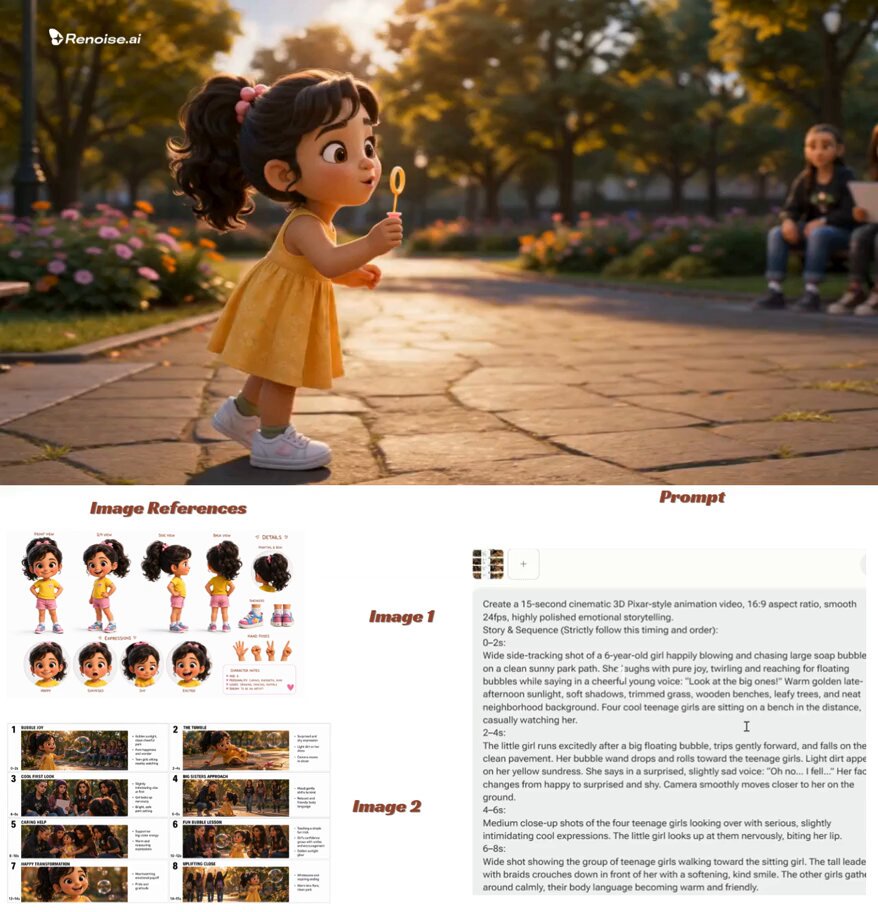

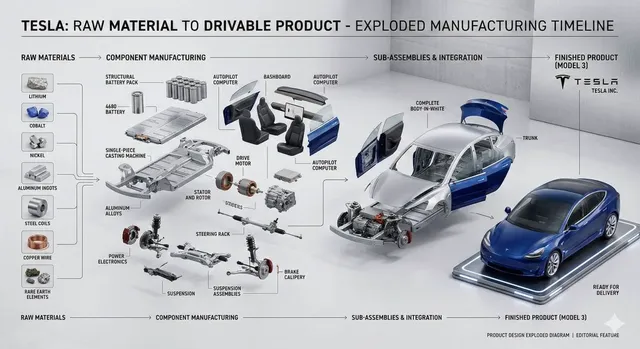
What features are in an AI video generator tools list?
An AI video generator tool includes a text prompt input for scene descriptions, generation settings to control duration and format, a preview area to review the result, and download functionality. The workflow connects these features: you describe what you want, choose settings, generate the video, preview it, and download if suitable. Together, these features form a complete text-to-video creation pipeline.
AI Video Generator Tools List
Prompt input feature
Input
A vibrant coral reef with tropical fish swimming, sunlight filtering through the water, and sea anemones swaying
Expected output
A generated video clip of an underwater reef scene with fish movement, light rays, and plant motion
Settings configuration
Input
Select available options for clip duration, aspect ratio, and generation quality before running
Expected output
The selected settings applied to the generation, influencing the output clip format and length
Review and download workflow
Input
After generation, preview the clip in the viewer and use the download option to save it
Expected output
The clip plays in the preview area and downloads when requested
Understand the features available in an AI video generation tool
Complete generation workflow
Input a prompt, adjust settings, review, and download from a single tool.
Customisable output
Generation settings let you control duration, format, and other available options.
Immediate preview
See the generated clip instantly and decide whether to download or regenerate.
How It Works
1
Describe the scene
Describe the desired scene and motion.
2
Configure settings
Choose the available generation settings.
3
Generate and review
Generate, review, and download a suitable result.
Making the most of available tools
Each feature in the workflow serves a specific purpose.
Input Constraints
- The prompt input accepts natural language scene descriptions
- Settings panel controls available generation parameters
- Preview area shows the result before download
Practical Tips
- Use the settings panel to match the output to your use case
- Review the clip in full before downloading
- Adjust one variable at a time to understand its effect
Privacy
- Do not upload personal or sensitive material unless you have permission to use it.
Usage Rights
- Confirm that you have the rights needed for the inputs and intended use of the result.
Prompt recipes
Copy a structure, then adjust the subject, lighting, camera, and output details for your own result.
Scene description for prompt input
A quiet library interior with tall bookshelves, warm reading lamps glowing, dust particles floating in afternoon sunlight streaming through windows
Demonstrates how to structure a prompt with setting, lighting, and atmospheric detail for the input field.
Testing duration settings
A 5-second clip of a candle flame flickering on a dark background, closeup shot, sharp focus on the flame
Shows how to write a prompt that pairs with short duration settings for quick tests.
Aspect ratio planning
Vertical shot of a waterfall cascading down mossy rocks, mist rising, lush green forest on both sides, morning light
Prompts can reference framing that matches vertical aspect ratio settings for social platforms.
Quality setting test
Extreme closeup of raindrops hitting a glass window, individual drops visible, soft focus on background trees, slow motion
Detail-heavy prompts benefit from higher quality settings to capture fine textures.
Preview workflow check
A pendulum swinging left to right in an old clock tower, golden afternoon light, mechanical gears visible in background
Repeating motion is easy to evaluate in the preview player before committing to download.
Best use cases
Match the workflow to the input you have and the result you need before opening the generator.
Feature exploration
Input: Simple test prompt to understand how each setting affects output
Result: Hands-on experience with prompt input, settings panel, and preview workflow
Tool: Text-to-video tool with all settings visible and adjustable
Format comparison
Input: Same prompt generated with different duration and aspect ratio settings
Result: Side-by-side comparison of how settings change the output
Tool: Text-to-video tool with multiple format presets
Quality testing
Input: Detail-rich prompt generated at different quality levels
Result: Understanding of quality tradeoffs for different use cases
Tool: Text-to-video tool with adjustable quality or resolution settings
Workflow learning
Input: Complete generation cycle from prompt to download
Result: Familiarity with each step of the text-to-video process
Tool: Full-featured text-to-video tool with clear UI for each step
Limitations to know before generating
- Available settings vary by tool and may not include all parameters mentioned in general guides.
- Preview playback quality may differ from the final downloaded video.
- Some settings combinations may increase generation time significantly.
- Not all tools offer the same level of control over output parameters.
- Feature availability is determined by the specific tool implementation.
- Download formats and compatibility depend on the tool's export options.
Creative Suite: AI Video Generator & AI Image Generator Tools
Power up your creative workflow with our AI-driven tools. Generate stunning videos, create images, and apply custom adjustments - our AI Video Generator and AI Image Generator offer a complete solution for all your creative needs.
Strictly Prohibits Adult/NSFW Content








Pricing
Choose the credit package that works best for you.
No hidden fees • Cancel anytime • Unused credits roll over
Starter
Perfect for trying out AI creation.
Credits
200 credits / month
- Up to 20 videos per month
- Up to 100 images per month
$6.99/ month$9.9930% OFF
Billed monthly
First-time subscribers get 30% off their first month, then standard price
What's included
- Credits never expire
- Standard models
- HD, Watermark-Free Downloads
- Private Generation
- Faster Generation Speed
- Ad-free experience
Basic
Perfect for light creators.
Credits
500 credits / month
- Up to 50 videos per month
- Up to 250 images per month
$13.99/ month$19.9930% OFF
Billed monthly
First-time subscribers get 30% off their first month, then standard price
What's included
- Credits never expire
- Standard models
- HD, Watermark-Free Downloads
- Private Generation
- Faster Generation Speed
- Ad-free experience
Pro
PopularBest value for creators
Credits
1,200 credits / month
- Up to 120 videos per month
- Up to 600 images per month
$39.99/ month
Billed monthly
What's included
- Credits never expire
- All models + Early access to new models
- HD, Watermark-Free Downloads
- Private Generation
- Faster Generation Speed
- Ultra HD resolution
- Ad-free experience
Ultra
For video creators and power users.
Credits
5,000 credits / month
- Up to 500 videos per month
- Up to 2,500 images per month
$99.99/ month
Billed monthly
What's included
- Credits never expire
- All models + Early access to new models
- HD, Watermark-Free Downloads
- Private Generation
- Faster Generation Speed
- Ultra HD resolution
- Ad-free experience
Free
Standard models only — upgrade to unlock premium models.
Credits
10 free credits on signup
Questions? Contact us at support@domer.io
See the features in action
Open the text-to-video tool and explore each part of the workflow.