
Create
AI Video Generator Veo-Style Text to Video
Looking for an AI video generator Veo workflow? Use text prompts to create video clips. Describe scenes, choose settings, and download results.
AI Video Generator
0/20000 characters
Cost:10
My videos
Loading...
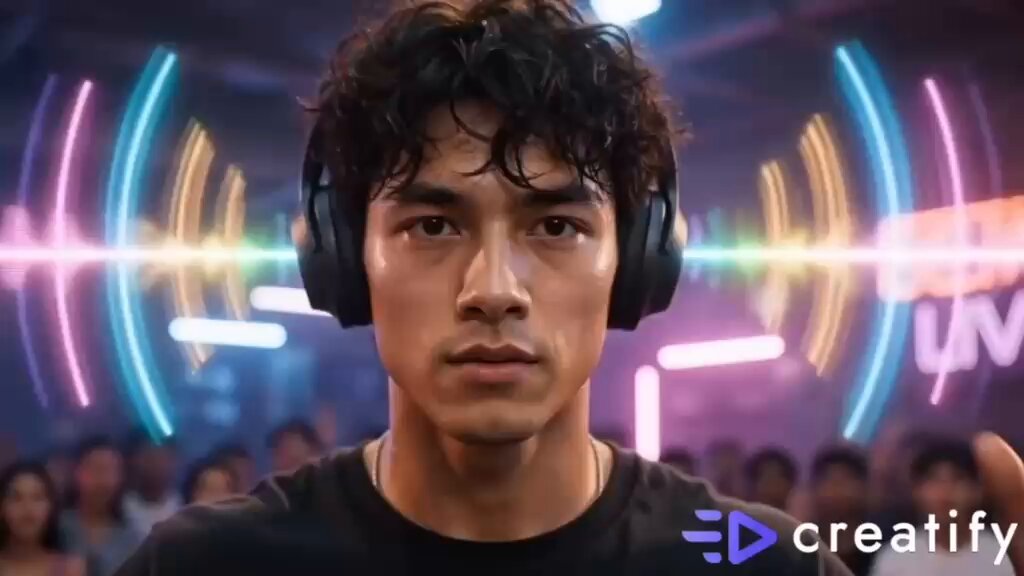
What is a Veo-style video generator?
A Veo-style video generator creates video clips from text descriptions. You write what you want to see, and the tool generates a matching video based on your prompt.
AI Video Generator Veo-Style Text to Video
Scene with specific lighting
Input
A vintage-style diner at night, neon signs in the window, two people at the counter, warm interior light spilling onto the street
Expected output
A cinematic video clip showing a nighttime diner scene with neon lighting and warm interior glow
Visual concept from brief
Input
A futuristic control room with holographic displays, people monitoring data on floating screens, blue ambient light
Expected output
A sci-fi video clip of a control room with holographic interfaces and blue ambient lighting
Atmospheric mood clip
Input
Fog rolling over a calm lake at dawn, silhouetted trees on the shore, soft grey-blue light, slow horizontal pan
Expected output
An atmospheric video clip of a foggy lake at dawn with soft colors and slow horizontal camera movement
Generate video clips from text prompts for visual content creation and concept testing
Produce clips from descriptions
Write what you want to see and generate video content from your text, eliminating the need to shoot footage.
Explore ideas without production
Test visual concepts and creative directions by describing scenes in text before investing in production resources.
Control scene elements
Guide lighting, composition, subject placement, and camera movement through descriptive language in your prompt.
How It Works
1
Describe the scene
Describe the desired scene and motion.
2
Adjust settings
Choose the available generation settings.
3
Generate and review
Generate, review, and download a suitable result.
Prompt guidance
Effective prompts produce better video results.
Input Constraints
- Avoid naming specific models, brands, or public figures
- Do not describe adult, violent, or prohibited content
- Keep descriptions focused on visual elements
Practical Tips
- Include the scene location and time of day
- Describe the color palette and lighting quality
- Mention camera perspective and movement
Privacy
- Do not upload personal or sensitive material unless you have permission to use it.
Usage Rights
- Confirm that you have the rights needed for the inputs and intended use of the result.
Prompt recipes
Copy a structure, then adjust the subject, lighting, camera, and output details for your own result.
Cinematic establishing shot
Wide shot of a coastal town at golden hour, waves crashing on rocks below, seagulls circling overhead, warm orange and purple sky, slow camera pan from left to right
Combines location, time, weather, wildlife, color palette, and camera movement to create a clear cinematic establishing shot with strong visual direction.
Tech product reveal
Close-up of a sleek silver laptop opening on a dark wooden desk, screen glowing softly, reflection visible on the polished surface, studio lighting from above
Describes product action, materials, lighting, and reflections to create a clean tech reveal suitable for marketing or demo content.
Fantasy environment concept
A stone bridge arching over a glowing river in a dark forest, bioluminescent plants along the banks, mist rising from the water, moonlight filtering through trees
Uses fantastical elements with clear visual cues like glow, mist, and light sources to build an imaginative scene with atmosphere and depth.
Urban documentary style
Handheld camera following a street vendor preparing food at a night market, colorful lights in the background, steam rising from the grill, people passing by out of focus
Specifies camera style, action, background activity, and depth of field to capture a documentary feel with human energy and context.
Abstract motion piece
Slow-motion explosion of colored powder against a black background, particles spreading outward in all directions, vibrant reds, yellows, and blues mixing in mid-air
Focuses on a single striking visual event with clear motion type, color choices, and background to create an eye-catching abstract clip.
Best use cases
Match the workflow to the input you have and the result you need before opening the generator.
Creative concept testing
Input: Detailed scene description with mood, lighting, and camera direction
Result: A draft video to evaluate visual direction before production investment
Tool: Text to Video
Social media content
Input: Short scene with clear subject and atmospheric details
Result: A video clip suitable for Instagram, TikTok, or YouTube Shorts
Tool: Text to Video
Marketing asset drafts
Input: Product or brand scene with lighting and composition notes
Result: A rough video draft to share with stakeholders or clients
Tool: Text to Video
Storyboard visualization
Input: Script beat or shot list entry described in visual terms
Result: A moving alternative to static storyboard frames
Tool: Text to Video
Limitations to know before generating
- Prompts with clear visual elements like location, lighting, colors, subjects, and camera motion tend to produce the best results. Vague or abstract prompts may yield generic output.
- Clip length depends on the tool's current generation capabilities. Review the output to see the specific duration and confirm it meets your needs.
- Generated videos are approximations. Complex scenes may require multiple prompt refinements to achieve the desired look and motion.
- You are responsible for confirming you have the rights for your input and the intended use of the output.
- Do not expect broadcast-quality results or precise control over every frame.
Creative Suite: AI Video Generator & AI Image Generator Tools
Power up your creative workflow with our AI-driven tools. Generate stunning videos, create images, and apply custom adjustments - our AI Video Generator and AI Image Generator offer a complete solution for all your creative needs.
Strictly Prohibits Adult/NSFW Content








Pricing
Choose the credit package that works best for you.
No hidden fees • Cancel anytime • Unused credits roll over
Starter
Perfect for trying out AI creation.
Credits
200 credits / month
- Up to 20 videos per month
- Up to 100 images per month
$6.99/ month$9.9930% OFF
Billed monthly
First-time subscribers get 30% off their first month, then standard price
What's included
- Credits never expire
- Standard models
- HD, Watermark-Free Downloads
- Private Generation
- Faster Generation Speed
- Ad-free experience
Basic
Perfect for light creators.
Credits
500 credits / month
- Up to 50 videos per month
- Up to 250 images per month
$13.99/ month$19.9930% OFF
Billed monthly
First-time subscribers get 30% off their first month, then standard price
What's included
- Credits never expire
- Standard models
- HD, Watermark-Free Downloads
- Private Generation
- Faster Generation Speed
- Ad-free experience
Pro
PopularBest value for creators
Credits
1,200 credits / month
- Up to 120 videos per month
- Up to 600 images per month
$39.99/ month
Billed monthly
What's included
- Credits never expire
- All models + Early access to new models
- HD, Watermark-Free Downloads
- Private Generation
- Faster Generation Speed
- Ultra HD resolution
- Ad-free experience
Ultra
For video creators and power users.
Credits
5,000 credits / month
- Up to 500 videos per month
- Up to 2,500 images per month
$99.99/ month
Billed monthly
What's included
- Credits never expire
- All models + Early access to new models
- HD, Watermark-Free Downloads
- Private Generation
- Faster Generation Speed
- Ultra HD resolution
- Ad-free experience
Free
Standard models only — upgrade to unlock premium models.
Credits
10 free credits on signup
Questions? Contact us at support@domer.io
Generate video from your prompt
Open the text-to-video tool, describe your scene, and create a video clip that matches your creative direction.