
AI Video Generator Virbo Alternative
Describe a presenter, setting, and scene to generate professional speaker-style video clips without filming or renting a studio.
AI Video Generator
0/20000 characters
Cost:10
My videos
Loading...
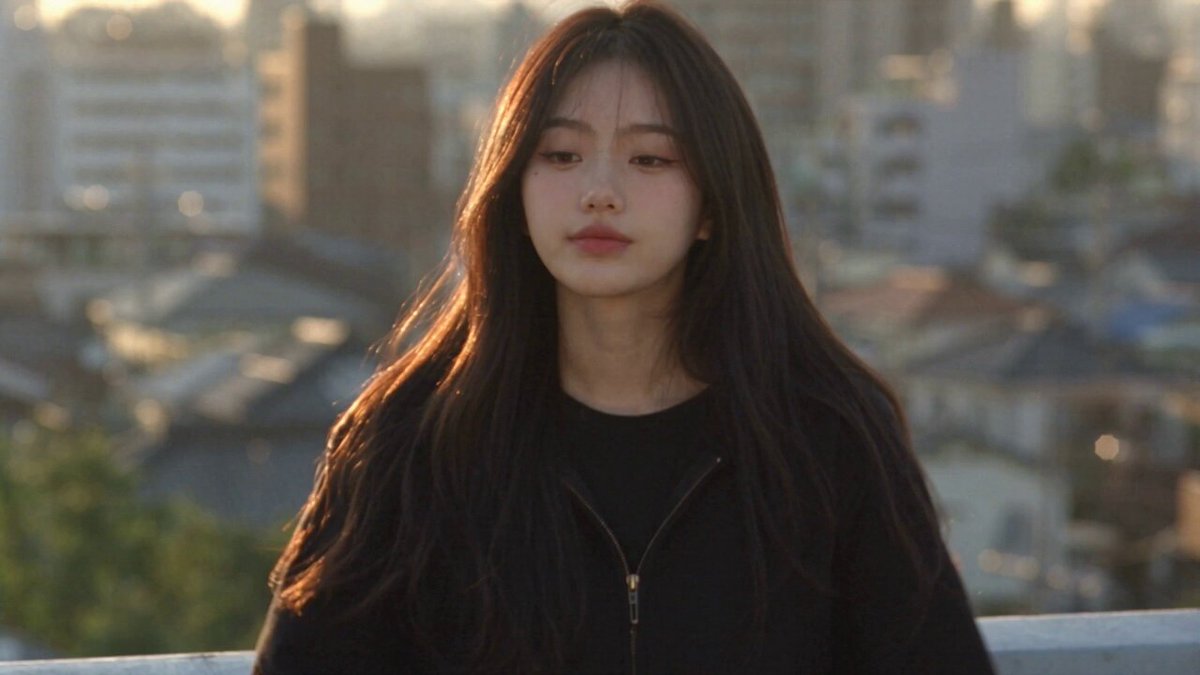
What is an AI video generator like Virbo?
An AI video generator creates presenter-style video clips from text descriptions. You describe the speaker's appearance, the setting (studio, office, classroom), and the presentation scenario, then generate a video clip showing that scene without filming a live presenter or building a physical set.
AI Video Generator Virbo Alternative
Whiteboard explanation
Input
A presenter explaining a concept at a whiteboard in a modern office with natural light and plants
Expected output
A clip of a speaker at a whiteboard making gestures, with a bright office environment and subtle camera movement
News studio anchor
Input
A news anchor reading a headline in a professional studio with a digital screen behind them displaying graphs
Expected output
A broadcast-style clip of a presenter at a desk with a professional news studio backdrop and screen graphics
Classroom teacher
Input
A teacher delivering a lesson in front of a chalkboard in a classroom with student desks and afternoon light
Expected output
An educational clip of an instructor at a chalkboard in a traditional classroom setting with warm lighting
Create presenter-style video clips showing speakers in studio or classroom settings
Generate presenter-style content
Describe a speaking scene and see it rendered without recording a live presenter or renting a studio.
Visualise different settings
Change the studio, classroom, or office environment through your text description.
Experiment with presentation styles
Test different presenter scenarios by adjusting the setting, attire, and camera angle in your prompt.
How It Works
1
Describe the scene
Describe the desired scene and motion.
2
Choose settings
Choose the available generation settings.
3
Generate and review
Generate, review, and download a suitable result.
Tips for presenter scene prompts
Describe the presenter's appearance, the setting, and the type of presentation.
Input Constraints
- Do not claim the tool generates realistic lip-sync or speech
- Avoid using names of real TV shows, networks, or public figures
- Keep the scene focused on one presenter for clarity
Practical Tips
- Describe the presenter's attire and posture
- Set the environment: studio, office, classroom, or stage
- Mention props like whiteboard, screen, or podium
- Describe the camera angle: wide, medium, or close-up
- Add lighting details for studio or natural feel
Privacy
- Do not upload personal or sensitive material unless you have permission to use it.
Usage Rights
- Confirm that you have the rights needed for the inputs and intended use of the result.
Prompt recipes
Copy a structure, then adjust the subject, lighting, camera, and output details for your own result.
Corporate training presenter
A professional trainer in business casual attire presenting in a modern office with glass walls and daylight, standing beside a flip chart with marker in hand, medium shot, confident posture
Combines professional setting, clear presenter action, and appropriate framing for corporate training content
Educational explainer
A teacher in casual clothing pointing to a labeled diagram on a whiteboard in a bright classroom, student desks visible in background, wide shot with warm afternoon light
Creates an authentic classroom environment with clear teaching action and educational props
Tech review host
A tech reviewer in a modern studio with LED panels and desk setup, holding a smartphone, close-up shot with colorful RGB backlighting and professional camera angle
Establishes a contemporary tech content aesthetic with product focus and professional studio lighting
Conference keynote speaker
A speaker in formal business attire on a stage with presentation screen behind them showing slide title, podium with laptop visible, wide stage shot with auditorium lighting
Captures professional conference presentation setup with appropriate staging and equipment
Cooking show host
A chef in white uniform at a kitchen counter with ingredients and cookware, standing in front of a tiled backsplash, medium shot with warm kitchen lighting
Provides specific culinary setting with clear subject role and appropriate kitchen environment details
Best use cases
Match the workflow to the input you have and the result you need before opening the generator.
Training video production
Input: Professional trainer in business setting with training materials
Result: Corporate-style presenter clip suitable for employee onboarding or skill training
Tool: Text to video with detailed setting and presenter description
Educational content creation
Input: Teacher or instructor with classroom props and educational setting
Result: Classroom-style teaching clip with authentic educational atmosphere
Tool: Text to video with focus on teaching action and classroom environment
Social media presenter clips
Input: Host in modern studio with branded background and camera-facing position
Result: Short presenter clip optimized for social platform formats
Tool: Text to video with vertical or square framing description
Product review content
Input: Reviewer in tech studio holding or demonstrating product
Result: Professional product-focused presenter clip with clear product visibility
Tool: Text to video with product and reviewer interaction details
Limitations to know before generating
- Generated clips show presenter scenes but may not include perfectly synchronized speech or lip movement
- Specific facial features, body types, or exact presenter appearances cannot be guaranteed to match real individuals
- Complex multi-presenter scenes or presenter interactions may not generate clearly
- Studio equipment, screens, or props shown in the scene are visual elements only and may not display specific readable content
- Review each clip to confirm it matches your quality and appropriateness standards before using in professional projects
Creative Suite: AI Video Generator & AI Image Generator Tools
Power up your creative workflow with our AI-driven tools. Generate stunning videos, create images, and apply custom adjustments - our AI Video Generator and AI Image Generator offer a complete solution for all your creative needs.
Strictly Prohibits Adult/NSFW Content








Pricing
Choose the credit package that works best for you.
No hidden fees • Cancel anytime • Unused credits roll over
Starter
Perfect for trying out AI creation.
Credits
200 credits / month
- Up to 20 videos per month
- Up to 100 images per month
$6.99/ month$9.9930% OFF
Billed monthly
First-time subscribers get 30% off their first month, then standard price
What's included
- Credits never expire
- Standard models
- HD, Watermark-Free Downloads
- Private Generation
- Faster Generation Speed
- Ad-free experience
Basic
Perfect for light creators.
Credits
500 credits / month
- Up to 50 videos per month
- Up to 250 images per month
$13.99/ month$19.9930% OFF
Billed monthly
First-time subscribers get 30% off their first month, then standard price
What's included
- Credits never expire
- Standard models
- HD, Watermark-Free Downloads
- Private Generation
- Faster Generation Speed
- Ad-free experience
Pro
PopularBest value for creators
Credits
1,200 credits / month
- Up to 120 videos per month
- Up to 600 images per month
$39.99/ month
Billed monthly
What's included
- Credits never expire
- All models + Early access to new models
- HD, Watermark-Free Downloads
- Private Generation
- Faster Generation Speed
- Ultra HD resolution
- Ad-free experience
Ultra
For video creators and power users.
Credits
5,000 credits / month
- Up to 500 videos per month
- Up to 2,500 images per month
$99.99/ month
Billed monthly
What's included
- Credits never expire
- All models + Early access to new models
- HD, Watermark-Free Downloads
- Private Generation
- Faster Generation Speed
- Ultra HD resolution
- Ad-free experience
Free
Standard models only — upgrade to unlock premium models.
Credits
10 free credits on signup
Questions? Contact us at support@domer.io
Create a presenter scene
Open the text-to-video tool and describe a presenter and setting for your video clip.