
AI Video Generator With Images
Create videos from visual ideas. Describe image composition, lighting, colors, and motion in text, and the tool generates a matching video clip.
AI Video Generator
0/20000 characters
Cost:10
My videos
Loading...
Generate video from image-like descriptions
An AI video generator with images creates video clips from text descriptions that capture visual concepts. Describe the subject, composition, lighting, color palette, and camera motion as if you were describing an image, and the tool generates a video based on your words. The tool does not accept image uploads; all input is text-based.
AI Video Generator With Images
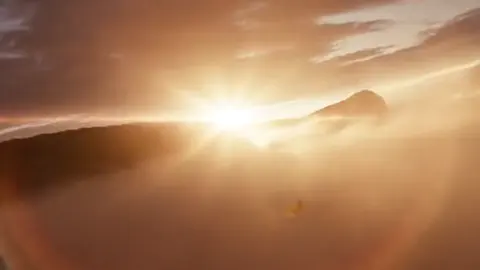
Photo to motion landscape
Input
A serene mountain lake at sunrise, mirror-like reflection of snow-capped peaks, a small rowboat near the shore, mist rising from the water.
Expected output
A landscape video clip showing a mountain lake at sunrise with reflections, mist, and a rowboat.
Portrait to animated scene
Input
A person sitting at a café table by a window, warm afternoon light streaming in, coffee cup on the table, gentle breeze moving the curtains.
Expected output
A café scene video with a seated person, natural window lighting, and subtle motion from curtains.
Product photo to showcase video
Input
A leather wallet lying open on a wooden table, credit cards and coins visible inside, a dried flower arrangement beside it, soft warm lighting.
Expected output
A product video showing an open leather wallet on a wooden table with warm ambient lighting and decorative details.
Generate video content from detailed text descriptions of visual concepts or image-like scenes
Bring still visual ideas to life
Describe an image composition you have in mind and get a moving version without needing to create the still first.
Prototype motion concepts quickly
Experiment with different visual styles and compositions by changing the description and generating new results.
Match brand visual references
Describe the style, lighting, and color palette of existing brand imagery to maintain consistency in video content.
How It Works
1
Describe the scene
Describe the desired scene and motion.
2
Choose settings
Choose the available generation settings.
3
Generate and download
Generate, review, and download a suitable result.
Describing image references in text
Focus on composition, lighting, subject placement, and color palette to recreate a photo-like visual as a video.
Input Constraints
- Generated results are interpretations based on text, not exact reproductions of any existing image
- Do not claim the output is based on a specific photograph or artwork
- Avoid describing copyrighted or trademarked imagery
Practical Tips
- Describe the framing: close-up, wide shot, portrait orientation, or landscape
- Include lighting details: golden hour, studio lighting, overcast, or dramatic shadows
- Mention the color palette to guide the visual mood of the result
Privacy
- Do not upload personal or sensitive material unless you have permission to use it.
Usage Rights
- Confirm that you have the rights needed for the inputs and intended use of the result.
Prompt recipes
Copy a structure, then adjust the subject, lighting, camera, and output details for your own result.
Lifestyle product scene
A ceramic coffee mug on a rustic wooden table, morning sunlight streaming through a nearby window, steam rising from the coffee, a folded newspaper and reading glasses beside the mug, cozy warm tones
Combines product focus, natural lighting, atmospheric detail, and supporting objects to create a lifestyle product scene that feels lived-in.
Fashion lookbook shot
A model standing in a minimalist white studio, wearing a flowing pastel dress, soft diffused lighting from above, slight breeze causing the fabric to move gently, direct eye contact with camera
Describes wardrobe, studio setting, lighting quality, subtle motion, and gaze direction to replicate a fashion lookbook photograph.
Nature macro shot
Extreme close-up of a dewdrop on a green leaf, morning light refracting through the water droplet, soft blurred background, shallow depth of field, gentle leaf sway
Specifies macro framing, light interaction, focus depth, and minimal motion to create a nature detail shot.
Architectural interior
A bright modern living room with floor-to-ceiling windows, natural daylight filling the space, clean white walls, a single green plant in the corner, slow camera dolly from entrance to window
Uses interior layout, natural lighting, color palette, focal object, and camera motion to replicate an architectural photography shot.
Food photography setup
Overhead shot of a wooden cutting board with sliced sourdough bread, olive oil in a small ceramic dish, fresh herbs scattered around, natural window light from the left casting soft shadows
Describes food arrangement, props, camera angle, lighting source, and shadow detail for a styled food photograph.
Best use cases
Match the workflow to the input you have and the result you need before opening the generator.
Product showcase video
Input: Product with setting, lighting, and supporting objects described
Result: A lifestyle or studio product video with natural or controlled lighting
Tool: Text to Video with product-focused composition and lighting detail
Fashion or portrait video
Input: Model or subject with wardrobe, setting, lighting, and pose
Result: A portrait-style video with subtle motion and fashion framing
Tool: Text to Video with fashion composition and lighting keywords
Nature or detail shot
Input: Close-up subject with lighting interaction and background blur
Result: A macro or detail video with shallow focus and gentle motion
Tool: Text to Video with macro framing and depth-of-field terms
Architectural or interior scene
Input: Space layout with natural light, camera motion, and focal objects
Result: An interior video with camera movement and natural lighting
Tool: Text to Video with interior composition and camera motion
Limitations to know before generating
- This tool works from text descriptions only. You cannot upload an image file as input.
- Results are interpretations of your description, not exact reproductions of existing photographs or artwork.
- The level of visual match depends on the detail and clarity of your text. Vague prompts produce less predictable results.
- Colors, lighting, and camera angles are interpreted by the model. Experiment with wording to refine the output.
- Do not describe copyrighted, trademarked, or brand-specific imagery unless you have the rights to reference it.
Creative Suite: AI Video Generator & AI Image Generator Tools
Power up your creative workflow with our AI-driven tools. Generate stunning videos, create images, and apply custom adjustments - our AI Video Generator and AI Image Generator offer a complete solution for all your creative needs.
Strictly Prohibits Adult/NSFW Content








Pricing
Choose the credit package that works best for you.
No hidden fees • Cancel anytime • Unused credits roll over
Starter
Perfect for trying out AI creation.
Credits
200 credits / month
- Up to 20 videos per month
- Up to 100 images per month
$6.99/ month$9.9930% OFF
Billed monthly
First-time subscribers get 30% off their first month, then standard price
What's included
- Credits never expire
- Standard models
- HD, Watermark-Free Downloads
- Private Generation
- Faster Generation Speed
- Ad-free experience
Basic
Perfect for light creators.
Credits
500 credits / month
- Up to 50 videos per month
- Up to 250 images per month
$13.99/ month$19.9930% OFF
Billed monthly
First-time subscribers get 30% off their first month, then standard price
What's included
- Credits never expire
- Standard models
- HD, Watermark-Free Downloads
- Private Generation
- Faster Generation Speed
- Ad-free experience
Pro
PopularBest value for creators
Credits
1,200 credits / month
- Up to 120 videos per month
- Up to 600 images per month
$39.99/ month
Billed monthly
What's included
- Credits never expire
- All models + Early access to new models
- HD, Watermark-Free Downloads
- Private Generation
- Faster Generation Speed
- Ultra HD resolution
- Ad-free experience
Ultra
For video creators and power users.
Credits
5,000 credits / month
- Up to 500 videos per month
- Up to 2,500 images per month
$99.99/ month
Billed monthly
What's included
- Credits never expire
- All models + Early access to new models
- HD, Watermark-Free Downloads
- Private Generation
- Faster Generation Speed
- Ultra HD resolution
- Ad-free experience
Free
Standard models only — upgrade to unlock premium models.
Credits
10 free credits on signup
Questions? Contact us at support@domer.io
Turn your visual idea into video
Open the text-to-video generator, describe the image you envision, and see it come to life as a short clip.