

AI Video Generator with Photos
Create video clips with photographic framing and lighting. Describe your scene using photo terms, choose settings, and review the output.
AI Video Generator
0/20000 characters
Cost:10
My videos
Loading...
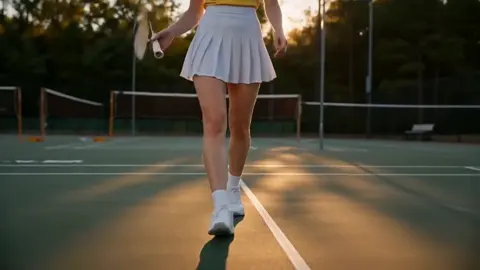

What is an AI video generator with photos?
It is a text-to-video tool that generates clips with photographic composition, lighting, and aesthetic qualities. You describe a scene using photography terminology—depth of field, aperture, golden hour, framing—and the tool interprets your prompt to create video with a photo-like visual style. This works from text descriptions only, not uploaded images.
AI Video Generator with Photos
Photorealistic portrait
Input
A photorealistic portrait of a woman in a flower garden, soft natural lighting, shallow depth of field, gentle wind moving her hair
Expected output
A portrait-style clip with a person in a garden, soft focus background, natural window-style lighting, and subtle hair movement
Product photography scene
Input
A leather wallet resting on a marble surface next to a coffee cup, studio lighting, clean composition
Expected output
A product photography-style scene with a wallet displayed on marble, directional studio light, and minimalist arrangement
Landscape photograph effect
Input
A classic landscape composition with rolling green hills, a winding river, dramatic cloud shadows moving across the land
Expected output
A landscape video with photographic framing, moving cloud shadows traversing hills, and a shining river through the valley
Generate video clips with photographic composition and lighting from text descriptions
Create photo-style moving images
Generate video clips with photographic composition, lighting, and framing from text descriptions.
Preview motion in photographic scenes
See how a still photographic concept would look with added motion before investing in a full production.
Match camera-style aesthetics
Describe scenes using photographic terminology to create video with intentional framing and visual depth.
How It Works
1
Describe the scene
Describe the desired scene and motion.
2
Choose settings
Choose the available generation settings.
3
Generate and review
Generate, review, and download a suitable result.
Describing photo-style prompts
Tips for generating video with photographic composition and lighting.
Input Constraints
- Describe scenes as if composing a photograph
- Do not request specific real people or existing photographs
- Avoid brand names, trademarks, or copyrighted imagery
- Do not create content that could misrepresent people or products
- Review the final composition and motion for visual quality
Practical Tips
- Use photography terms like depth of field, composition, and framing
- Describe lighting setups: soft window light, studio strobe, golden hour
- Mention lens effects if relevant, like shallow focus or wide angle
- Keep the main subject still and add subtle background motion
Privacy
- Do not upload personal or sensitive material unless you have permission to use it.
Usage Rights
- Confirm that you have the rights needed for the inputs and intended use of the result.
Prompt recipes
Copy a structure, then adjust the subject, lighting, camera, and output details for your own result.
Golden hour portrait
A close-up portrait of a person in a field at golden hour, shot with a 50mm lens, shallow depth of field blurring the background, warm sunlight from behind creating a rim light on their hair
Uses specific lens and lighting terms familiar to photographers to create a cinematic portrait with intentional bokeh and backlighting.
Product shot with studio lighting
A high-end watch on a black reflective surface, key light from 45 degrees, fill light softening shadows, clean white background, slow rotating turntable motion
Mimics professional product photography with controlled studio lighting setup and minimal motion to showcase the product clearly.
Street photography aesthetic
A bustling city crosswalk at dusk, shot from a low angle with a wide lens, motion blur on passing pedestrians, neon signs sharp in the background, high contrast shadows
Captures the documentary feel of street photography with motion blur, camera angle, and contrast that evoke a specific visual genre.
Macro nature photography
Extreme close-up of a dewdrop on a leaf, soft morning light diffused through mist, shallow depth of field with only the drop in focus, water slowly rolling down the leaf
Uses macro photography principles—extreme close-up, shallow focus, natural diffused light—plus slow motion to create a meditative nature scene.
Architectural photography with movement
A modern glass skyscraper shot from ground level looking up, symmetrical composition, clouds drifting across the reflective surface, deep blue sky, late afternoon light
Applies architectural photography techniques—symmetry, leading lines, upward angle—with natural cloud motion to add life to a static building shot.
Best use cases
Match the workflow to the input you have and the result you need before opening the generator.
Social media content with photographic polish
Input: Scene description using photography terms like golden hour, bokeh, or leading lines
Result: A video clip with the aesthetic quality of professional photography for Instagram or TikTok
Tool: Text to Video
Product marketing with studio lighting
Input: Product description with specific studio lighting setup and clean composition
Result: A polished product video suitable for e-commerce or advertising
Tool: Text to Video
Portfolio work for photographers transitioning to video
Input: Scene description matching photographic style—portrait, landscape, street, macro—with subtle motion
Result: Video clips that demonstrate photography skills in motion format
Tool: Text to Video
Concept visualization with specific camera aesthetics
Input: Scene with defined lens type, aperture, lighting angle, and composition rules
Result: A video reference that matches the intended photographic style for a project
Tool: Text to Video
Limitations to know before generating
- The tool interprets photographic terms but does not replicate specific camera equipment or lens characteristics exactly.
- Subtle photographic effects like precise bokeh shape or lens flare behavior may vary from real camera results.
- Generated video is based on text descriptions; uploading reference photos is not supported.
- Complex lighting setups with multiple light sources may be challenging to render consistently.
- Review each clip for photographic quality and coherence before using it in professional or commercial contexts.
Creative Suite: AI Video Generator & AI Image Generator Tools
Power up your creative workflow with our AI-driven tools. Generate stunning videos, create images, and apply custom adjustments - our AI Video Generator and AI Image Generator offer a complete solution for all your creative needs.
Strictly Prohibits Adult/NSFW Content








Pricing
Choose the credit package that works best for you.
No hidden fees • Cancel anytime • Unused credits roll over
Starter
Perfect for trying out AI creation.
Credits
200 credits / month
- Up to 20 videos per month
- Up to 100 images per month
$6.99/ month$9.9930% OFF
Billed monthly
First-time subscribers get 30% off their first month, then standard price
What's included
- Credits never expire
- Standard models
- HD, Watermark-Free Downloads
- Private Generation
- Faster Generation Speed
- Ad-free experience
Basic
Perfect for light creators.
Credits
500 credits / month
- Up to 50 videos per month
- Up to 250 images per month
$13.99/ month$19.9930% OFF
Billed monthly
First-time subscribers get 30% off their first month, then standard price
What's included
- Credits never expire
- Standard models
- HD, Watermark-Free Downloads
- Private Generation
- Faster Generation Speed
- Ad-free experience
Pro
PopularBest value for creators
Credits
1,200 credits / month
- Up to 120 videos per month
- Up to 600 images per month
$39.99/ month
Billed monthly
What's included
- Credits never expire
- All models + Early access to new models
- HD, Watermark-Free Downloads
- Private Generation
- Faster Generation Speed
- Ultra HD resolution
- Ad-free experience
Ultra
For video creators and power users.
Credits
5,000 credits / month
- Up to 500 videos per month
- Up to 2,500 images per month
$99.99/ month
Billed monthly
What's included
- Credits never expire
- All models + Early access to new models
- HD, Watermark-Free Downloads
- Private Generation
- Faster Generation Speed
- Ultra HD resolution
- Ad-free experience
Free
Standard models only — upgrade to unlock premium models.
Credits
10 free credits on signup
Questions? Contact us at support@domer.io
Create a photo-style video
Open the text-to-video tool and describe a scene with photographic composition.