

Ask AI Video Generator
Turn questions into short visual clips. Describe the scene that answers your question and generate an explanatory video.
AI Video Generator
0/20000 characters
Cost:10
My videos
Loading...

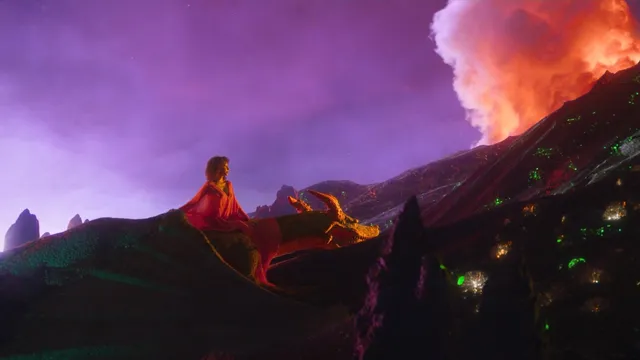

What is an ask AI video generator?
An ask AI video generator creates short video clips from descriptive questions or scene requests. You write what you want to see explained visually, and the tool generates a video that illustrates the concept, process, or scene you described.
Ask AI Video Generator
Explain a scientific concept
Input
Show me how a seed germinates underground, with roots growing down and a sprout pushing up through the soil.
Expected output
A short animated clip of cross-section soil with a seed swelling, root emerging, and a green sprout breaking the surface.
Visualise a product feature
Input
A quick demo of a mobile app's new dark mode settings panel sliding up from the bottom of the screen.
Expected output
A generated video showing a phone screen with a settings panel smoothly sliding upward with dark mode toggles.
Illustrate a step-by-step process
Input
Three steps for assembling a standing desk: unpack the box, attach the legs to the frame, then secure the desktop on top.
Expected output
A sequence showing three clean cuts of a desk being unpacked, legs being attached, and the desktop being placed.
Create short explanatory video clips from written questions or scene requests.
Visual answers from text
Turn any question or request into a short generated video instead of writing out a long explanation.
No filming required
Describe the scene you need and let the tool generate it, skipping the need for cameras, actors, or editing.
Iterate quickly on concepts
Refine your prompt and regenerate to adjust the visual until it matches the explanation you have in mind.
How It Works
1
Describe the desired scene and motion.
Describe the desired scene and motion.
2
Choose the available generation settings.
Choose the available generation settings.
3
Generate, review, and download a suitable result.
Generate, review, and download a suitable result.
Tips for clear ask-style prompts
Write your question or request as a visual scene instruction.
Input Constraints
- Keep the scene description focused on one core action or concept.
- Avoid multiple simultaneous events that could confuse the generation.
- Specify the visual style if you need consistency with existing content.
Practical Tips
- Start with a short, concrete action: 'Show me how X works'.
- Include the environment or setting to give the scene context.
- Mention camera perspective if it matters: close-up, wide shot, overhead.
Privacy
- Do not upload personal or sensitive material unless you have permission to use it.
Usage Rights
- Confirm that you have the rights needed for the inputs and intended use of the result.
Prompt recipes
Copy a structure, then adjust the subject, lighting, camera, and output details for your own result.
How photosynthesis works in a leaf
Cross-section view of a green leaf in sunlight, water molecules traveling up through the stem, chloroplasts glowing inside leaf cells, carbon dioxide entering through pores, oxygen bubbles being released, labels appearing for each step
Breaks a scientific process into visible steps with clear spatial orientation and progressive labeling for educational clarity.
How a zipper mechanism operates
Extreme close-up of a zipper closing in slow motion, metal teeth interlocking one by one, the zipper pull sliding upward, side view showing how the wedge shape forces teeth together, arrows indicating direction of force
Uses close framing and slow motion to reveal a familiar mechanism in detail with directional cues for understanding.
Explaining cloud formation sequence
Time-lapse style scene starting with warm ocean water evaporating into air, water vapor rising and cooling as it gains altitude, vapor condensing into tiny droplets forming a visible cloud, cloud growing larger and darker
Shows cause-and-effect progression through visual transformation over time with clear environmental context.
How a QR code is scanned
A smartphone camera approaching a QR code on a poster, camera focusing on the code, grid overlay appearing on screen analyzing the pattern, data stream flowing from code into the phone, app opening with decoded information
Visualizes an invisible digital process through on-screen graphics and step-by-step action from physical to digital.
Demonstrating bread dough rising
Side view of bread dough in a glass bowl, yeast bubbles forming inside the dough, dough slowly expanding upward, time indicators showing 30 minutes passing, final shot showing doubled size with visible air pockets
Makes a slow process visible through transparent container, time compression, and internal detail that explains the change.
Best use cases
Match the workflow to the input you have and the result you need before opening the generator.
Educational explainer videos
Input: Step-by-step description of a process or concept with clear progression
Result: Visual explanation suitable for lessons, tutorials, or educational content
Tool: Text to Video
Product feature demonstrations
Input: Clear description of product interface or feature with specific actions
Result: Demo video showing how a feature works or how to use a product
Tool: Text to Video
Process documentation
Input: Sequential description of a procedure from start to finish
Result: Visual guide for training, onboarding, or standard operating procedures
Tool: Text to Video
Concept visualization for pitches
Input: Abstract idea described through concrete visual metaphor or scenario
Result: Video that makes an intangible concept tangible for presentations
Tool: Text to Video
Limitations to know before generating
- Generated videos interpret your question as a visual scene description and may not answer factual questions directly
- Complex multi-step explanations may need to be broken into separate shorter prompts
- The tool creates visual representations but does not verify factual accuracy of the content
- Technical diagrams or precise measurements are approximated rather than drawn to scale
- Results should be reviewed by subject matter experts before use in educational or professional contexts
Creative Suite: AI Video Generator & AI Image Generator Tools
Power up your creative workflow with our AI-driven tools. Generate stunning videos, create images, and apply custom adjustments - our AI Video Generator and AI Image Generator offer a complete solution for all your creative needs.
Strictly Prohibits Adult/NSFW Content








Pricing
Choose the credit package that works best for you.
No hidden fees • Cancel anytime • Unused credits roll over
Starter
Perfect for trying out AI creation.
Credits
200 credits / month
- Up to 20 videos per month
- Up to 100 images per month
$6.99/ month$9.9930% OFF
Billed monthly
First-time subscribers get 30% off their first month, then standard price
What's included
- Credits never expire
- Standard models
- HD, Watermark-Free Downloads
- Private Generation
- Faster Generation Speed
- Ad-free experience
Basic
Perfect for light creators.
Credits
500 credits / month
- Up to 50 videos per month
- Up to 250 images per month
$13.99/ month$19.9930% OFF
Billed monthly
First-time subscribers get 30% off their first month, then standard price
What's included
- Credits never expire
- Standard models
- HD, Watermark-Free Downloads
- Private Generation
- Faster Generation Speed
- Ad-free experience
Pro
PopularBest value for creators
Credits
1,200 credits / month
- Up to 120 videos per month
- Up to 600 images per month
$39.99/ month
Billed monthly
What's included
- Credits never expire
- All models + Early access to new models
- HD, Watermark-Free Downloads
- Private Generation
- Faster Generation Speed
- Ultra HD resolution
- Ad-free experience
Ultra
For video creators and power users.
Credits
5,000 credits / month
- Up to 500 videos per month
- Up to 2,500 images per month
$99.99/ month
Billed monthly
What's included
- Credits never expire
- All models + Early access to new models
- HD, Watermark-Free Downloads
- Private Generation
- Faster Generation Speed
- Ultra HD resolution
- Ad-free experience
Free
Standard models only — upgrade to unlock premium models.
Credits
10 free credits on signup
Questions? Contact us at support@domer.io
Turn your next question into a video
Open the text-to-video tool, describe the scene you need, and generate a short clip that answers or illustrates your request.