

At Video Generator Tool
Generate video clips from text descriptions. Write what you want to see, choose settings, and download your result.
AI Video Generator
0/20000 characters
Cost:10
My videos
Loading...
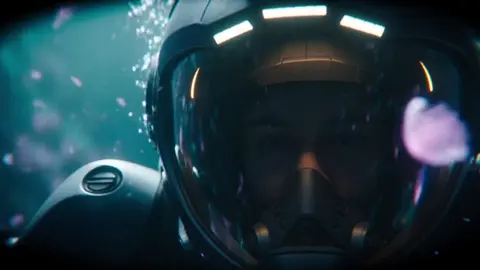
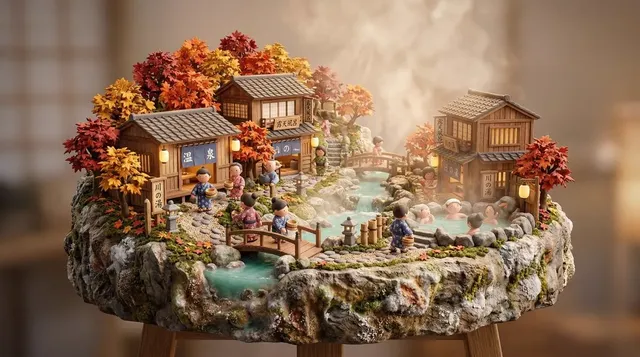

What is an at video generator?
An at video generator is a text-to-video tool that creates clips from written scene descriptions. You type what you want to see, choose generation settings, and the tool produces a video based on your input.
At Video Generator Tool
Snowfall scene
Input
Snow falling gently in a quiet forest. Pine trees are covered in white. A rabbit hops across the snow leaving small tracks. The snow continues falling softly.
Expected output
A video of a snowy forest with falling snow, a hopping rabbit, and visible tracks.
Train passing
Input
A vintage steam train crossing a stone bridge over a river. Smoke billows from the chimney. The train moves from left to right. The river flows steadily below.
Expected output
A video of a steam train crossing a bridge with billowing smoke and a flowing river.
Bees on flowers
Input
A close-up of purple lavender flowers in a field. A bee lands on one flower, collects pollen, and flies to the next. The flowers sway in a light breeze.
Expected output
A video of bees moving between lavender flowers with swaying stems.
Create video clips from written scene descriptions using an online tool.
Simple text input
Type what you want to see and the tool generates a video directly from your description.
No additional media required
Start with just text. No images, audio, or footage needed.
Quick visual exploration
Try different text prompts to explore scene variations in minutes.
How It Works
1
Type your scene description
Describe the desired scene and motion.
2
Choose the settings
Choose the available generation settings.
3
Review and download
Generate, review, and download a suitable result.
Getting started with text-to-video
A simple process from text to video.
Input Constraints
- Write a description of what you want to see.
- Include how things should move in the scene.
- Focus on one scene per generation.
Practical Tips
- Start simple: one subject, one action.
- Add more detail after you see the first result.
- Experiment with different settings to see how they change the output.
Privacy
- Do not upload personal or sensitive material unless you have permission to use it.
Usage Rights
- Confirm that you have the rights needed for the inputs and intended use of the result.
Prompt recipes
Copy a structure, then adjust the subject, lighting, camera, and output details for your own result.
Morning kitchen routine
A sunlit kitchen counter, steam rising from a kettle on the stove, a hand pouring hot water into a ceramic mug, tea bag steeping, morning light streaming through the window, peaceful domestic scene
Combines setting, lighting, simple action sequence, and atmosphere for a relatable everyday moment.
Desert sunset landscape
Wide view of a desert landscape at sunset, golden sand dunes stretching to the horizon, long shadows from cacti, sky transitioning from orange to deep purple, slow camera pan from left to right
Describes environment, time of day, color progression, foreground elements, and camera movement for cinematic landscape.
Garden butterfly encounter
A butterfly with orange and black wings landing on a pink rose in a garden, wings slowly opening and closing, bee buzzing past in the background, soft breeze moving flower petals, bright midday sun
Focuses on close natural interaction with specific colors, motion details, and supporting background elements.
Bookshelf detail shot
Close view of a wooden bookshelf, a hand reaching in to pull out an old leather-bound book, dust particles visible in a beam of afternoon light, spines of other books visible in soft focus
Uses intimate framing, simple hand action, lighting detail, and depth of field description for atmospheric detail.
Raindrop on window
A single raindrop sliding down a window pane, blurred city lights visible through the glass in the background, more raindrops appearing and racing down, evening city glow creating bokeh effect
Focuses on small foreground detail with specific motion and atmospheric background blur for visual depth.
Best use cases
Match the workflow to the input you have and the result you need before opening the generator.
Quick visual concepts
Input: Short description of a single subject with clear action
Result: Fast video output for idea validation or mood exploration
Tool: Text to Video
Social media clips
Input: Engaging scene description with clear visual hook
Result: Short video suitable for Instagram, TikTok, or Twitter posts
Tool: Text to Video
Background video for websites
Input: Looping scene with gentle motion and neutral colors
Result: Ambient background video for landing pages or headers
Tool: Text to Video
Video prototyping
Input: Scene description matching desired video project style
Result: Quick prototype to test visual direction before production
Tool: Text to Video
Limitations to know before generating
- Generated videos are based on your text description and may not match your mental image exactly
- Simple, focused scenes tend to produce more consistent results than complex multi-element descriptions
- Lighting and weather effects described in text are interpreted rather than precisely controlled
- Output quality depends on how clearly and specifically you describe the scene and motion
- Results should be reviewed before use in professional or client projects
Creative Suite: AI Video Generator & AI Image Generator Tools
Power up your creative workflow with our AI-driven tools. Generate stunning videos, create images, and apply custom adjustments - our AI Video Generator and AI Image Generator offer a complete solution for all your creative needs.
Strictly Prohibits Adult/NSFW Content








Pricing
Choose the credit package that works best for you.
No hidden fees • Cancel anytime • Unused credits roll over
Starter
Perfect for trying out AI creation.
Credits
200 credits / month
- Up to 20 videos per month
- Up to 100 images per month
$6.99/ month$9.9930% OFF
Billed monthly
First-time subscribers get 30% off their first month, then standard price
What's included
- Credits never expire
- Standard models
- HD, Watermark-Free Downloads
- Private Generation
- Faster Generation Speed
- Ad-free experience
Basic
Perfect for light creators.
Credits
500 credits / month
- Up to 50 videos per month
- Up to 250 images per month
$13.99/ month$19.9930% OFF
Billed monthly
First-time subscribers get 30% off their first month, then standard price
What's included
- Credits never expire
- Standard models
- HD, Watermark-Free Downloads
- Private Generation
- Faster Generation Speed
- Ad-free experience
Pro
PopularBest value for creators
Credits
1,200 credits / month
- Up to 120 videos per month
- Up to 600 images per month
$39.99/ month
Billed monthly
What's included
- Credits never expire
- All models + Early access to new models
- HD, Watermark-Free Downloads
- Private Generation
- Faster Generation Speed
- Ultra HD resolution
- Ad-free experience
Ultra
For video creators and power users.
Credits
5,000 credits / month
- Up to 500 videos per month
- Up to 2,500 images per month
$99.99/ month
Billed monthly
What's included
- Credits never expire
- All models + Early access to new models
- HD, Watermark-Free Downloads
- Private Generation
- Faster Generation Speed
- Ultra HD resolution
- Ad-free experience
Free
Standard models only — upgrade to unlock premium models.
Credits
10 free credits on signup
Questions? Contact us at support@domer.io
Generate video from your description
Open the text-to-video tool, type a scene, and create a clip in moments.