

Downloadable AI Video Generator
Generate video clips from text and download them. Describe scenes, review results, and save videos for offline use or further editing.
AI Video Generator
0/20000 characters
Cost:10
My videos
Loading...

What is a downloadable AI video generator?
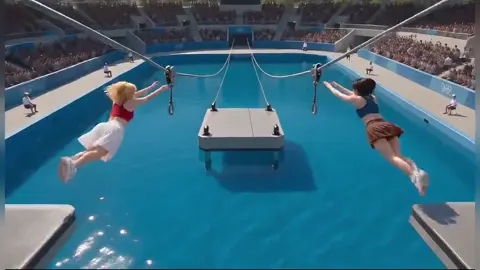
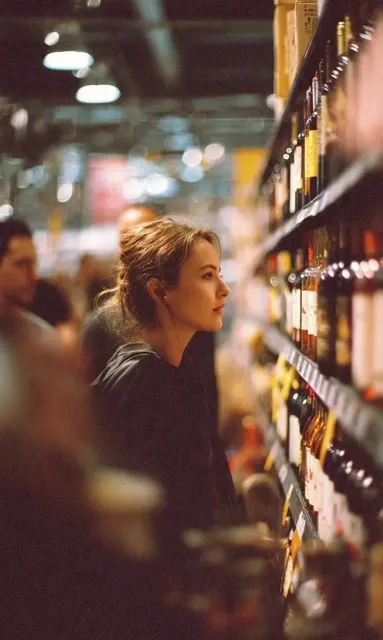
A downloadable AI video generator creates video clips from written descriptions and allows you to save them locally. You describe a product demo, a beach scene, or a cooking moment, review the result, and download the video for presentations, social media, or further editing.
Downloadable AI Video Generator
Product demonstration clip
Input
A close-up shot of a smartphone on a desk, screen showing an app interface, a hand tapping the screen, smooth lighting from above.
Expected output
A generated video of a phone being operated on a desk with visible screen interaction and professional lighting.
Background video loop
Input
Gentle waves rolling onto a sandy beach at sunset, warm orange and pink sky, palm trees swaying slightly in the breeze, steady rhythm.
Expected output
A beach scene with animated water motion, swaying palm fronds, and a slow sunset sky suitable for a background loop.
Social media clip
Input
A person in a bright kitchen pulling a fresh tray of cookies out of an oven, steam rising, natural daylight from a window, cheerful atmosphere.
Expected output
A short cooking scene with motion in the tray movement, steam animation, and warm kitchen lighting.
Generate video clips from text prompts and download them for offline storage, editing, or distribution.
Save generated videos locally
Review the generated video and download it for offline storage, presentations, or further editing.
Text-driven video creation
No camera, footage libraries, or editing timeline needed. Describe the scene you want and generate a matching video clip.
One scene at a time
Focus on a single visual concept per generation for clearer results. Adjust your prompt and regenerate as needed.
How It Works
1
Describe the scene
Describe the desired scene and motion.
2
Choose settings
Choose the available generation settings.
3
Generate and download
Generate, review, and download a suitable result.
Getting clips ready for use
Write prompts that describe a complete, static-to-motion scene for the best downloadable result.
Input Constraints
- The tool generates video from a text prompt.
- Download options are available after generation and review.
- Results depend on the clarity of your description.
Practical Tips
- Describe the scene as if setting up a single shot — location, subjects, lighting, and motion.
- Specify the mood or tone to guide the visual style.
- Review the generated clip before downloading to confirm it matches your needs.
- Regenerate with a refined prompt if the result needs adjustment.
Privacy
- Do not upload personal or sensitive material unless you have permission to use it.
Usage Rights
- Confirm that you have the rights needed for the inputs and intended use of the result.
Prompt recipes
Copy a structure, then adjust the subject, lighting, camera, and output details for your own result.
Product Close-Up
A sleek white wireless earbud rotating slowly on a black surface, soft top-down lighting, reflections visible on the case, clean minimalist framing.
Combines product focus, controlled motion, professional lighting, and simple backdrop for a downloadable commercial-style clip.
Beach Sunset Loop
Ocean waves rolling onto wet sand at golden hour, warm amber light, palm fronds swaying gently at the edge of the frame, slow rhythmic motion.
Layers natural motion, time-of-day lighting, and edge detail to create a loopable background video.
Kitchen Action Shot
A hand pouring coffee from a French press into a white mug on a wooden table, morning sunlight streaming through a nearby window, shallow depth of field.
Describes a relatable action with specific lighting, framing, and focus to produce a warm, shareable clip.
Urban Time-Lapse Style
A busy pedestrian crossing viewed from above, people walking in multiple directions, late afternoon shadows, fast-motion effect.
Specifies camera angle, motion speed, and lighting to mimic a time-lapse without needing real extended recording.
Cozy Fireplace Scene
A crackling fireplace with orange flames, a book and mug of tea on a low table in the foreground, warm interior lighting, calm ambient mood.
Combines foreground objects, active fire motion, and mood cues for a downloadable atmospheric clip.
Best use cases
Match the workflow to the input you have and the result you need before opening the generator.
Presentation backgrounds or intros
Input: Calm or professional scenes with subtle motion and consistent lighting
Result: Downloadable loops or intro clips to layer behind slides
Tool: Text to Video with stable framing and soft motion
Social media posts or stories
Input: Short, relatable action scenes with clear subjects and mood
Result: Eye-catching clips ready to upload or edit further
Tool: Text to Video with action-focused prompts and lighting details
Product demos or explainer videos
Input: Product-focused prompts with controlled motion and professional lighting
Result: Clean downloadable clips to integrate into product videos
Tool: Text to Video with close-up framing and lighting notes
Offline editing or archival storage
Input: Any scene description suitable for later compositing or reuse
Result: Downloaded video files in standard formats for editing software
Tool: Text to Video with clear scene structure and review before download
Limitations to know before generating
- Download quality and format depend on the generation settings available.
- Complex multi-subject scenes may require refinement and multiple attempts.
- Human review is needed to confirm the clip matches your intent before downloading.
- Generated videos are short; extended content requires multiple prompts.
- File size and resolution vary based on the tool's output configuration.
Creative Suite: AI Video Generator & AI Image Generator Tools
Power up your creative workflow with our AI-driven tools. Generate stunning videos, create images, and apply custom adjustments - our AI Video Generator and AI Image Generator offer a complete solution for all your creative needs.
Strictly Prohibits Adult/NSFW Content








Pricing
Choose the credit package that works best for you.
No hidden fees • Cancel anytime • Unused credits roll over
Starter
Perfect for trying out AI creation.
Credits
200 credits / month
- Up to 20 videos per month
- Up to 100 images per month
$6.99/ month$9.9930% OFF
Billed monthly
First-time subscribers get 30% off their first month, then standard price
What's included
- Credits never expire
- Standard models
- HD, Watermark-Free Downloads
- Private Generation
- Faster Generation Speed
- Ad-free experience
Basic
Perfect for light creators.
Credits
500 credits / month
- Up to 50 videos per month
- Up to 250 images per month
$13.99/ month$19.9930% OFF
Billed monthly
First-time subscribers get 30% off their first month, then standard price
What's included
- Credits never expire
- Standard models
- HD, Watermark-Free Downloads
- Private Generation
- Faster Generation Speed
- Ad-free experience
Pro
PopularBest value for creators
Credits
1,200 credits / month
- Up to 120 videos per month
- Up to 600 images per month
$39.99/ month
Billed monthly
What's included
- Credits never expire
- All models + Early access to new models
- HD, Watermark-Free Downloads
- Private Generation
- Faster Generation Speed
- Ultra HD resolution
- Ad-free experience
Ultra
For video creators and power users.
Credits
5,000 credits / month
- Up to 500 videos per month
- Up to 2,500 images per month
$99.99/ month
Billed monthly
What's included
- Credits never expire
- All models + Early access to new models
- HD, Watermark-Free Downloads
- Private Generation
- Faster Generation Speed
- Ultra HD resolution
- Ad-free experience
Free
Standard models only — upgrade to unlock premium models.
Credits
10 free credits on signup
Questions? Contact us at support@domer.io
Generate and download your video
Describe a scene in text, generate a video, review it, and download the result. Open the text-to-video tool to start.