
Create
Fluxnote AI Video Generator: Notes to Video
Transform written notes into video with the Fluxnote AI video generator. Describe your scene from notes, choose settings, and generate clips to review.
AI Video Generator
0/20000 characters
Cost:10
My videos
Loading...
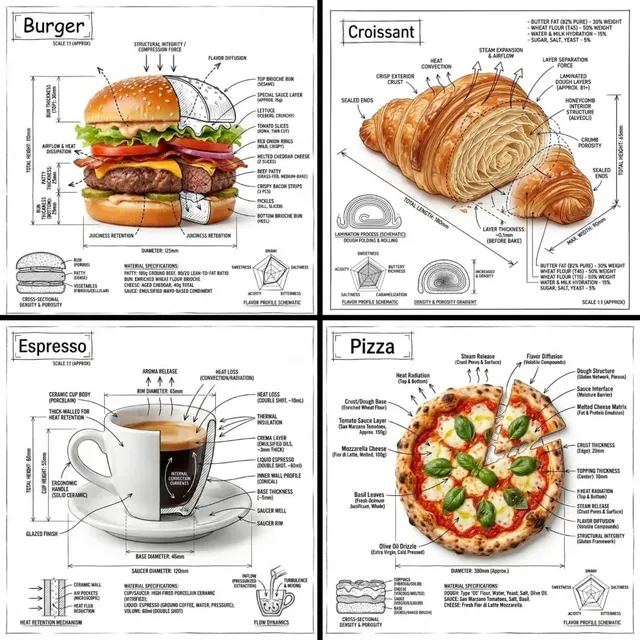
What is the Fluxnote AI video generator?
The Fluxnote AI video generator is a text-to-video tool for turning written notes and descriptions into video clips. You describe the scene from your notes, choose generation settings, then review and download the resulting clip.
Fluxnote AI Video Generator: Notes to Video
Meeting concept visualization
Input
A flowchart-style animation showing three connected nodes labeled idea, build, launch, with glowing connection lines between them.
Expected output
An animated flowchart with three labeled nodes connected by glowing lines.
Process summary clip
Input
A step-by-step visual of ingredients being added to a mixing bowl in sequence: flour, eggs, milk, each ingredient glowing briefly as it lands.
Expected output
A cooking process video showing ingredients added to a bowl in sequence with subtle highlights.
Creative brief mood video
Input
A moody urban rooftop at twilight with string lights, a small table with a notebook and coffee cup, distant city skyline.
Expected output
A twilight rooftop scene with string lights, a notebook, and a distant city skyline.
Turn written notes or text descriptions into video clips using a text-to-video tool.
Notes become visuals
Transform written descriptions and notes into video clips without filming or animation skills.
Quick drafts
Create rough visual drafts from text to communicate ideas before committing to full production.
Iterate on descriptions
Refine your written notes and regenerate to explore different visual interpretations of the same idea.
How It Works
1
Describe the scene
Describe the desired scene and motion.
2
Choose settings
Choose the available generation settings.
3
Generate and review
Generate, review, and download a suitable result.
Tips for note-based prompts
Write prompts as you would describe a scene to someone, focusing on what the viewer should see.
Input Constraints
- Describe the key visual elements in order of importance.
- Include spatial relationships between objects.
- Specify the type of motion or camera movement.
- Keep the scene focused on one central idea.
Practical Tips
- Read your note aloud to check if it describes a clear visual scene.
- Add details about lighting and color to set the mood.
- Review the first output to see which parts of your note translated well.
Privacy
- Do not upload personal or sensitive material unless you have permission to use it.
Usage Rights
- Confirm that you have the rights needed for the inputs and intended use of the result.
Prompt recipes
Copy a structure, then adjust the subject, lighting, camera, and output details for your own result.
Workflow diagram animation
A simple workflow diagram with three boxes labeled start, process, finish, connected by arrows, each box glowing as the flow reaches it, clean white background.
Diagram-style prompts with clear labels and sequential animation create useful visual explanations from note outlines.
Brainstorm concept scene
A desk with scattered sticky notes, a hand reaching in to move one note, warm desk lamp lighting, overhead camera view.
Brainstorm scenes with hands-on action and clear objects translate written meeting notes into relatable visuals.
Timeline visualization
A horizontal timeline with three milestone markers labeled Q1, Q2, Q3, a glowing line progressing from left to right, minimal design.
Timeline prompts with clear labels and progressive motion turn project notes into visual progress summaries.
Mood board scene
A table with a mood board, fabric swatches, color cards, and a tablet showing design sketches, soft natural light from a window.
Mood board scenes with multiple small objects visually communicate design notes and creative direction.
Note-to-scene interpretation
A quiet coffee shop corner with a laptop open on a table, a person typing, soft jazz music implied by ambient warm lighting and cozy atmosphere.
Atmospheric scenes described from notes translate abstract ideas like focus or creativity into visual mood.
Best use cases
Match the workflow to the input you have and the result you need before opening the generator.
Pitch deck visuals
Input: Concept or workflow notes with clear steps or relationships between elements
Result: A visual clip that communicates your idea more effectively than text slides
Tool: Text-to-video generator with diagram and label support
Creative brief mood video
Input: Descriptive notes about atmosphere, setting, and mood with lighting and color details
Result: A mood clip that sets the tone for a creative project or campaign
Tool: Text-to-video generator with atmospheric and lighting controls
Process explanation clips
Input: Step-by-step notes describing a sequence of actions or stages
Result: A visual walkthrough showing the process in action
Tool: Text-to-video generator with sequential motion support
Brainstorm documentation
Input: Notes describing a brainstorming scene with objects, actions, and spatial layout
Result: A visual record of the brainstorm session that communicates the process
Tool: Text-to-video generator with scene composition and object support
Limitations to know before generating
- Notes written for reading may not translate directly into clear visual scenes. Review your note as a visual description before generating.
- Text labels, specific fonts, or precise diagrams may not render exactly as written. The tool interprets notes as visual scenes, not text layout.
- Complex multi-step notes may produce better results if broken into separate prompts, one per visual idea.
- Generated clips are visual interpretations of your notes, not literal renderings. Review the output and refine the prompt if the interpretation misses your intent.
Creative Suite: AI Video Generator & AI Image Generator Tools
Power up your creative workflow with our AI-driven tools. Generate stunning videos, create images, and apply custom adjustments - our AI Video Generator and AI Image Generator offer a complete solution for all your creative needs.
Strictly Prohibits Adult/NSFW Content








Pricing
Choose the credit package that works best for you.
No hidden fees • Cancel anytime • Unused credits roll over
Starter
Perfect for trying out AI creation.
Credits
200 credits / month
- Up to 20 videos per month
- Up to 100 images per month
$6.99/ month$9.9930% OFF
Billed monthly
First-time subscribers get 30% off their first month, then standard price
What's included
- Credits never expire
- Standard models
- HD, Watermark-Free Downloads
- Private Generation
- Faster Generation Speed
- Ad-free experience
Basic
Perfect for light creators.
Credits
500 credits / month
- Up to 50 videos per month
- Up to 250 images per month
$13.99/ month$19.9930% OFF
Billed monthly
First-time subscribers get 30% off their first month, then standard price
What's included
- Credits never expire
- Standard models
- HD, Watermark-Free Downloads
- Private Generation
- Faster Generation Speed
- Ad-free experience
Pro
PopularBest value for creators
Credits
1,200 credits / month
- Up to 120 videos per month
- Up to 600 images per month
$39.99/ month
Billed monthly
What's included
- Credits never expire
- All models + Early access to new models
- HD, Watermark-Free Downloads
- Private Generation
- Faster Generation Speed
- Ultra HD resolution
- Ad-free experience
Ultra
For video creators and power users.
Credits
5,000 credits / month
- Up to 500 videos per month
- Up to 2,500 images per month
$99.99/ month
Billed monthly
What's included
- Credits never expire
- All models + Early access to new models
- HD, Watermark-Free Downloads
- Private Generation
- Faster Generation Speed
- Ultra HD resolution
- Ad-free experience
Free
Standard models only — upgrade to unlock premium models.
Credits
10 free credits on signup
Questions? Contact us at support@domer.io
Turn your notes into video
Open the text-to-video tool, describe the scene from your notes, and generate a visual clip to review.