
Genspark AI Video Generator
Create video clips from text descriptions using a genspark ai video generator. Describe your scene, choose settings, and download the result.
AI Video Generator
0/20000 characters
Cost:10
My videos
Loading...

What is a genspark AI video generator?
A genspark AI video generator is a text-to-video tool that creates short video clips from your written description. You describe the scene, motion, lighting, and camera work, then the tool generates a video for you to review and download.
Genspark AI Video Generator
Beach at sunrise
Input
A calm beach scene with gentle waves rolling onto white sand, the sky colored in shades of orange and pink, seabirds gliding in the distance.
Expected output
A short video of a beach at sunrise with moving water and a warm sky.
Neon city night
Input
A futuristic city street at night, neon signs reflecting on wet pavement, a single person walking under an awning, light rain falling.
Expected output
A short video of a rainy neon-lit street with reflections and pedestrian movement.
Kitchen prep
Input
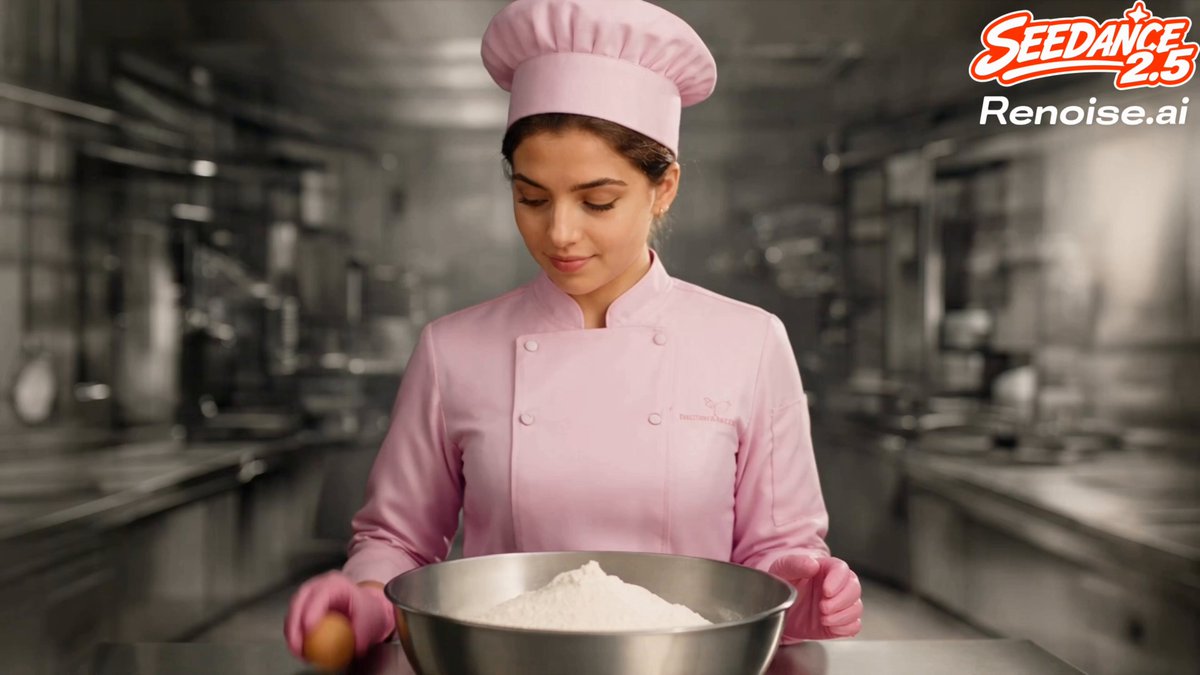
A bright kitchen counter with flour dust floating in streams of sunlight, hands kneading dough on a wooden surface, soft steam rising.
Expected output
A short video of a kitchen scene with hands working dough and sunlit flour particles.
Generate short video clips from text descriptions of scenes and motion for visual content projects.
Write instead of film
Produce short video clips from text without cameras or editing software.
Adjust scenes on the fly
Change the description and regenerate to explore different visual directions.
Visual previews from ideas
See a rough visual version of a described scene before committing to production.
How It Works
1
Describe the scene
Describe the desired scene and motion.
2
Adjust settings
Choose the available generation settings.
3
Generate and download
Generate, review, and download a suitable result.
Writing prompts that work
Clear, specific descriptions produce the most useful video output.
Input Constraints
- Describe a single scene per prompt for best coherence.
- Include both visual elements and motion details.
- Avoid time-based instructions like timestamps or frame counts.
Practical Tips
- Start with the setting, then add the subject, then describe the motion.
- Use words that suggest movement: drifting, flowing, sweeping, rising.
- Specify lighting conditions like golden hour, neon, or overcast.
- Keep the prompt under four sentences for better results.
Privacy
- Do not upload personal or sensitive material unless you have permission to use it.
Usage Rights
- Confirm that you have the rights needed for the inputs and intended use of the result.
Prompt recipes
Copy a structure, then adjust the subject, lighting, camera, and output details for your own result.
Morning coffee moment
A white ceramic mug on a wooden table with steam rising, morning light streaming through a nearby window, a hand reaching to pick up the mug, warm cozy atmosphere.
Combines product focus, natural lighting, human interaction, and mood, which creates a lifestyle clip suitable for social media or marketing.
Coastal sunset cinematic
Wide shot of ocean waves crashing on rocky cliffs at sunset, orange and purple sky reflecting on wet rocks, seabirds circling above, slow camera pan right.
Describes the location, lighting condition, atmospheric elements, and camera motion, which produces a cinematic nature scene with clear composition.
Urban commute snapshot
A busy train station platform at rush hour, people walking quickly past the camera, arrival board flickering in the background, overhead fluorescent lighting, handheld camera feel.
Specifies the setting, human activity, background details, and camera style, which creates a documentary-style urban clip with energy and motion.
Abstract particle flow
Glowing blue particles floating upward against a black background, trails of light fading behind each particle, slow hypnotic motion, no camera movement.
Focuses on one visual element with clear motion direction, lighting effect, and pacing, which generates a clean abstract video suitable for backgrounds.
Product showcase spin
A sleek wireless earbud case on a white circular platform, platform slowly rotating 360 degrees, soft studio lighting from above, clean shadows, close-up shot.
Describes the product, motion type, lighting setup, and camera distance, which produces a professional product video with clear visual focus.
Rainy window atmosphere
Raindrops sliding down a window pane, blurred city lights bokeh in the background, single droplet race down the glass, moody blue-gray color tone, static camera.
Combines weather elements, background treatment, specific motion focus, and color mood, which creates an atmospheric clip with emotional tone.
Best use cases
Match the workflow to the input you have and the result you need before opening the generator.
Social media content
Input: A short scene with a clear focal point and natural motion
Result: A 5-10 second clip optimized for posts, stories, or reels
Tool: Text to Video with concise prompts and strong visual hooks
Website hero video
Input: An ambient scene with continuous subtle motion and professional feel
Result: A loopable background video that enhances the page without distracting from content
Tool: Text to Video with ambient motion and seamless visual flow
Concept visualization
Input: A description of an idea, mood, or setting you want to preview
Result: A rough video that helps stakeholders visualize the direction before production
Tool: Text to Video with mood, color, and atmosphere descriptions
B-roll footage
Input: A supplementary scene that supports your main content
Result: A short clip that adds visual variety to your video project
Tool: Text to Video with specific scene and camera motion descriptions
Limitations to know before generating
- Specific prompts with concrete visual details produce better results than generic descriptions.
- Complex multi-subject scenes are more challenging for the generator to render coherently.
- Camera work and lighting may not match professional cinematography standards without multiple generation attempts.
- Review every clip for motion smoothness, visual artifacts, and color accuracy before using in client projects.
- The tool works best for short clips; longer sequences require multiple prompts and manual editing to assemble.
Creative Suite: AI Video Generator & AI Image Generator Tools
Power up your creative workflow with our AI-driven tools. Generate stunning videos, create images, and apply custom adjustments - our AI Video Generator and AI Image Generator offer a complete solution for all your creative needs.
Strictly Prohibits Adult/NSFW Content








Pricing
Choose the credit package that works best for you.
No hidden fees • Cancel anytime • Unused credits roll over
Starter
Perfect for trying out AI creation.
Credits
200 credits / month
- Up to 20 videos per month
- Up to 100 images per month
$6.99/ month$9.9930% OFF
Billed monthly
First-time subscribers get 30% off their first month, then standard price
What's included
- Credits never expire
- Standard models
- HD, Watermark-Free Downloads
- Private Generation
- Faster Generation Speed
- Ad-free experience
Basic
Perfect for light creators.
Credits
500 credits / month
- Up to 50 videos per month
- Up to 250 images per month
$13.99/ month$19.9930% OFF
Billed monthly
First-time subscribers get 30% off their first month, then standard price
What's included
- Credits never expire
- Standard models
- HD, Watermark-Free Downloads
- Private Generation
- Faster Generation Speed
- Ad-free experience
Pro
PopularBest value for creators
Credits
1,200 credits / month
- Up to 120 videos per month
- Up to 600 images per month
$39.99/ month
Billed monthly
What's included
- Credits never expire
- All models + Early access to new models
- HD, Watermark-Free Downloads
- Private Generation
- Faster Generation Speed
- Ultra HD resolution
- Ad-free experience
Ultra
For video creators and power users.
Credits
5,000 credits / month
- Up to 500 videos per month
- Up to 2,500 images per month
$99.99/ month
Billed monthly
What's included
- Credits never expire
- All models + Early access to new models
- HD, Watermark-Free Downloads
- Private Generation
- Faster Generation Speed
- Ultra HD resolution
- Ad-free experience
Free
Standard models only — upgrade to unlock premium models.
Credits
10 free credits on signup
Questions? Contact us at support@domer.io
Turn your ideas into video
Open the text-to-video tool, type your scene description, and generate a short clip instantly.