
Create
Hailuo AI Video Generator Resolution
Generate video clips with attention to visual detail. Describe the scene, lighting, and texture for clearer results.
AI Video Generator
0/20000 characters
Cost:10
My videos
Loading...
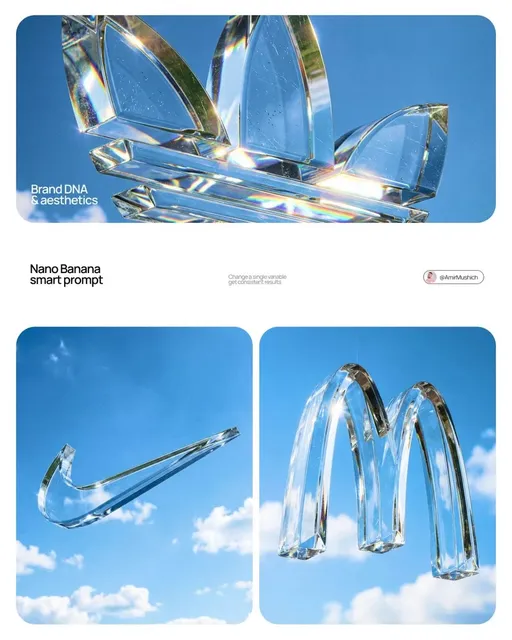
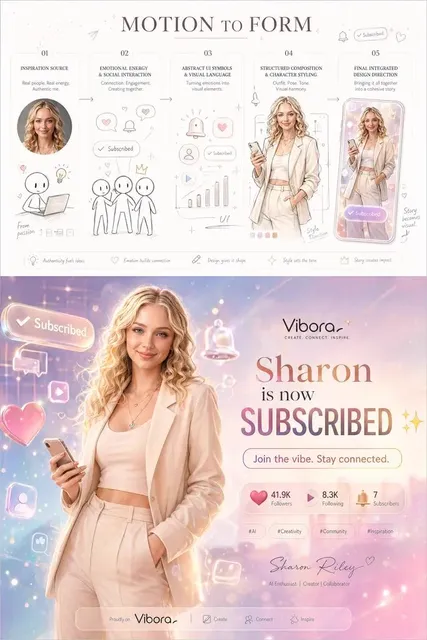
How does resolution affect generated video?
Resolution refers to the visual clarity and detail level in the generated video. You can influence the level of detail by describing texture, lighting, focus, and atmosphere in your prompt. Wide landscape shots, closeup macro scenes, and sharp or soft visual treatments all depend on how you write your scene description.
Hailuo AI Video Generator Resolution
Mountain Landscape
Input
A high-resolution view of snow-capped mountains at sunrise, clouds moving slowly through the valleys, pine trees in the foreground, crisp air visuals.
Expected output
A clear mountain landscape with snow caps, cloud movement, and detailed foreground trees.
Product Closeup
Input
A macro view of a leather wallet being opened, stitching visible, warm sunlight on the surface, slow pull focus from front to back.
Expected output
A closeup product video showing leather texture, stitching detail, and a smooth focus pull.
Character Portrait
Input
A closeup of a person's face in soft natural light, eyes blinking slowly, slight smile, shallow depth of field with blurred background.
Expected output
A detailed portrait with soft lighting, subtle facial movement, and background blur.
Generate video clips from text prompts with attention to visual clarity and scene detail.
Describe Visual Detail
Include texture, lighting, and depth cues in your prompt to guide the level of detail in the output.
Scene Versatility
Generate both wide landscapes and closeup macro scenes by adjusting the framing in your description.
Controlled Output
Use specific visual terms — sharp, soft, warm, crisp — to influence the look of the generated video.
How It Works
1
Describe the scene
Describe the desired scene and motion.
2
Choose settings
Choose the available generation settings.
3
Generate and download
Generate, review, and download a suitable result.
Tips for better results
A few things to keep in mind when writing your prompt.
Input Constraints
- Keep prompts focused on one main scene rather than jumping between locations.
- Mention lighting, camera motion, and mood for more cinematic results.
- Avoid specifying exact durations or frame counts — the tool handles timing.
Practical Tips
- Start with a short scene and expand the prompt after seeing the first result.
- Use comparative language like 'wider shot' or 'closer angle' in follow-up prompts.
- Review the output carefully before sharing or repurposing it.
Privacy
- Do not upload personal or sensitive material unless you have permission to use it.
Usage Rights
- Confirm that you have the rights needed for the inputs and intended use of the result.
Prompt recipes
Copy a structure, then adjust the subject, lighting, camera, and output details for your own result.
Wide landscape with detail
A snow-capped mountain range at sunrise, clouds drifting through valleys, pine trees in the foreground with visible needles, crisp morning light, high clarity.
Names the scene type, time, weather, foreground detail, lighting, and desired visual quality. The generator can produce a clear landscape.
Macro product texture
Extreme closeup of a leather wallet opening, visible stitching and grain, warm sunlight on the surface, slow focus pull from front edge to back.
Specifies the framing, material detail, lighting, and camera motion. The generator can focus on texture and depth.
Portrait with shallow depth
Closeup of a person's face in soft natural window light, eyes blinking slowly, slight smile, shallow depth of field, blurred background.
Describes the framing, lighting, facial motion, depth treatment, and background. The generator can produce a detailed portrait.
Urban detail shot
Rain drops on a window pane with a blurred city street visible behind, reflections of neon signs, shallow focus, evening light, cinematic mood.
Combines foreground detail, background context, depth treatment, lighting, and mood. The generator can create a layered urban scene.
Nature closeup
Macro view of a dewdrop on a leaf, morning sunlight refracting through the water, fine leaf veins visible, soft focus background, peaceful atmosphere.
Names the subject, lighting detail, texture, depth treatment, and mood. The generator can focus on small-scale natural detail.
Best use cases
Match the workflow to the input you have and the result you need before opening the generator.
High-detail landscape
Input: Wide scene with specific foreground and background elements
Result: Landscape video with clear detail throughout
Tool: Text to Video
Product closeup
Input: Macro description with texture, lighting, and material detail
Result: Product video showing fine detail and depth
Tool: Text to Video
Character portrait
Input: Closeup with lighting, expression, and depth cues
Result: Portrait video with facial detail and background blur
Tool: Text to Video
Cinematic mood shot
Input: Scene with lighting, depth, and atmospheric detail
Result: Cinematic video with layered visual depth
Tool: Text to Video
Limitations to know before generating
- Output resolution depends on the tool's current capabilities. Descriptive prompts guide visual quality but do not control exact pixel dimensions.
- Generated clips may not match your description exactly. Review and adjust the prompt if needed.
- Complex scenes with many layers of detail may produce unpredictable results.
- You are responsible for ensuring the generated content does not infringe on existing rights or permissions.
- Review generated clips carefully before using them in public or commercial projects.
Creative Suite: AI Video Generator & AI Image Generator Tools
Power up your creative workflow with our AI-driven tools. Generate stunning videos, create images, and apply custom adjustments - our AI Video Generator and AI Image Generator offer a complete solution for all your creative needs.
Strictly Prohibits Adult/NSFW Content








Pricing
Choose the credit package that works best for you.
No hidden fees • Cancel anytime • Unused credits roll over
Starter
Perfect for trying out AI creation.
Credits
200 credits / month
- Up to 20 videos per month
- Up to 100 images per month
$6.99/ month$9.9930% OFF
Billed monthly
First-time subscribers get 30% off their first month, then standard price
What's included
- Credits never expire
- Standard models
- HD, Watermark-Free Downloads
- Private Generation
- Faster Generation Speed
- Ad-free experience
Basic
Perfect for light creators.
Credits
500 credits / month
- Up to 50 videos per month
- Up to 250 images per month
$13.99/ month$19.9930% OFF
Billed monthly
First-time subscribers get 30% off their first month, then standard price
What's included
- Credits never expire
- Standard models
- HD, Watermark-Free Downloads
- Private Generation
- Faster Generation Speed
- Ad-free experience
Pro
PopularBest value for creators
Credits
1,200 credits / month
- Up to 120 videos per month
- Up to 600 images per month
$39.99/ month
Billed monthly
What's included
- Credits never expire
- All models + Early access to new models
- HD, Watermark-Free Downloads
- Private Generation
- Faster Generation Speed
- Ultra HD resolution
- Ad-free experience
Ultra
For video creators and power users.
Credits
5,000 credits / month
- Up to 500 videos per month
- Up to 2,500 images per month
$99.99/ month
Billed monthly
What's included
- Credits never expire
- All models + Early access to new models
- HD, Watermark-Free Downloads
- Private Generation
- Faster Generation Speed
- Ultra HD resolution
- Ad-free experience
Free
Standard models only — upgrade to unlock premium models.
Credits
10 free credits on signup
Questions? Contact us at support@domer.io
Create with a hailuo AI video generator
Describe your scene with detail and clarity. Open the text-to-video tool to generate a video.