

Highly Detailed Text to Video AI Generator
Use highly detailed text to video ai generator to turn precise scene descriptions into video clips. Describe the subject, setting, lighting, and motion for.
AI Video Generator
0/20000 characters
Cost:10
My videos
Loading...
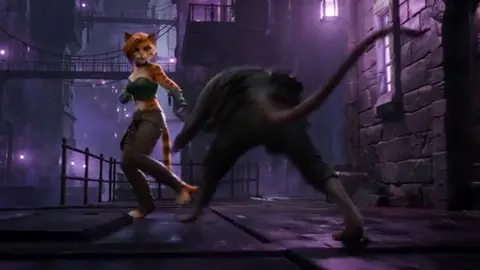
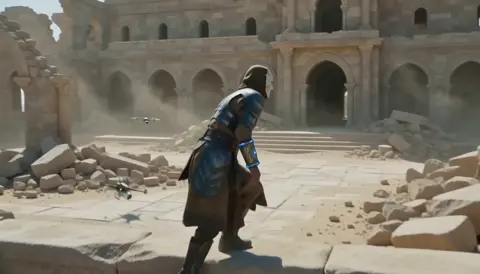

What is a highly detailed text to video ai generator?
A highly detailed text to video ai generator turns precise written descriptions into video clips. You describe the scene, subject, lighting, and camera motion, choose settings, and generate a detailed result you can review before downloading.
Highly Detailed Text to Video AI Generator
A misty forest at sunrise
Input
A misty pine forest at sunrise, camera slowly pushing forward between the trees, soft light breaking through the canopy, birds lifting off in the distance
Expected output
A short clip where the camera glides forward through the forest with morning light and gentle motion.
A product close-up
Input
A ceramic coffee mug on a wooden table, camera orbiting slowly around it, warm side lighting, steam rising from the cup
Expected output
A clip showing the mug from a slow orbit with warm lighting and subtle steam movement.
A city night drive
Input
A car driving through a rainy city street at night, neon reflections on wet asphalt, camera following low behind the vehicle
Expected output
A clip of the night drive with neon reflections and steady following motion.
Turn detailed text descriptions into video clips you can review and download
Clear prompt control
Describe exactly what you want to see, and the generator has a specific scene and motion to work from.
Review before download
Each result can be checked for scene fit and motion, so you can decide whether it is usable.
Start from text alone
You only need a written description to begin; no footage or source files are required.
How It Works
1
Describe the scene
Describe the desired scene and motion.
2
Choose settings
Choose the available generation settings.
3
Generate and review
Generate, review, and download a suitable result.
Writing a detailed prompt
The more specific your prompt is, the clearer the direction for the generated scene.
Input Constraints
- Describe the setting, subject, and camera motion you want.
- Keep scene details consistent within one prompt.
- Review the clip for motion and detail before using it.
Practical Tips
- Mention lighting, camera angle, and pacing if they matter to the scene.
- Break complex scenes into clear visual elements.
- If a result misses the mark, adjust the prompt and generate again.
Privacy
- Do not upload personal or sensitive material unless you have permission to use it.
Usage Rights
- Confirm that you have the rights needed for the inputs and intended use of the result.
Prompt recipes
Copy a structure, then adjust the subject, lighting, camera, and output details for your own result.
Morning coffee ritual
A hand pouring fresh coffee into a white mug on a kitchen counter, steam rising, warm morning sunlight from a nearby window, camera static close-up
Describes the action, setting, lighting, visual details, and camera position for a warm, detailed morning scene.
Mountain hiking trail
A winding trail through green mountains, hiker visible in the distance, camera slowly panning right, soft afternoon light casting shadows on the path
Names the environment, subject, camera motion, and lighting for a scenic outdoor clip.
Workspace focus moment
A laptop open on a wooden desk, person typing, desk lamp glowing softly, window with blurred city lights in background, camera slow zoom in on hands
Lists objects, subject action, lighting sources, background, and camera motion for a focused work scene.
Rain on a window
Close-up of raindrops running down a glass window, blurred city lights outside, one drop catching the light, slow vertical camera tilt
Focuses on subject, background, lighting highlight, and camera motion for a detailed intimate scene.
Night street walk
A person walking down a rainy city street at night, neon signs reflecting on wet pavement, camera following from behind, slow steady pace
Describes subject, weather, lighting, reflections, camera position, and motion for a cinematic urban clip.
Best use cases
Match the workflow to the input you have and the result you need before opening the generator.
Creative project or film draft
Input: Detailed scene description with lighting, camera motion, and atmospheric details
Result: A polished draft clip for storyboarding, creative exploration, or client review
Tool: Text-to-video with precise, detailed prompts
Product or object showcase
Input: Close-up description with specific lighting, surface detail, and camera orbit or zoom
Result: A focused product clip with clear detail and controlled motion
Tool: Text-to-video with object-focused prompts
Atmospheric background footage
Input: Environmental scene with lighting, weather, and smooth camera motion
Result: A mood-rich background clip for overlays or editorial use
Tool: Text-to-video with detailed environmental prompts
Limitations to know before generating
- Output quality depends on prompt specificity; vague descriptions produce less detailed results.
- Complex multi-subject scenes may not render all elements with precise timing or composition.
- Generated clips vary between runs; iterate on the prompt if the first result misses the mark.
- Review each clip for motion and visual coherence before using it.
- Rights and permissions for inputs and intended use are your responsibility.
Creative Suite: AI Video Generator & AI Image Generator Tools
Power up your creative workflow with our AI-driven tools. Generate stunning videos, create images, and apply custom adjustments - our AI Video Generator and AI Image Generator offer a complete solution for all your creative needs.
Strictly Prohibits Adult/NSFW Content








Pricing
Choose the credit package that works best for you.
No hidden fees • Cancel anytime • Unused credits roll over
Starter
Perfect for trying out AI creation.
Credits
200 credits / month
- Up to 20 videos per month
- Up to 100 images per month
$6.99/ month$9.9930% OFF
Billed monthly
First-time subscribers get 30% off their first month, then standard price
What's included
- Credits never expire
- Standard models
- HD, Watermark-Free Downloads
- Private Generation
- Faster Generation Speed
- Ad-free experience
Basic
Perfect for light creators.
Credits
500 credits / month
- Up to 50 videos per month
- Up to 250 images per month
$13.99/ month$19.9930% OFF
Billed monthly
First-time subscribers get 30% off their first month, then standard price
What's included
- Credits never expire
- Standard models
- HD, Watermark-Free Downloads
- Private Generation
- Faster Generation Speed
- Ad-free experience
Pro
PopularBest value for creators
Credits
1,200 credits / month
- Up to 120 videos per month
- Up to 600 images per month
$39.99/ month
Billed monthly
What's included
- Credits never expire
- All models + Early access to new models
- HD, Watermark-Free Downloads
- Private Generation
- Faster Generation Speed
- Ultra HD resolution
- Ad-free experience
Ultra
For video creators and power users.
Credits
5,000 credits / month
- Up to 500 videos per month
- Up to 2,500 images per month
$99.99/ month
Billed monthly
What's included
- Credits never expire
- All models + Early access to new models
- HD, Watermark-Free Downloads
- Private Generation
- Faster Generation Speed
- Ultra HD resolution
- Ad-free experience
Free
Standard models only — upgrade to unlock premium models.
Credits
10 free credits on signup
Questions? Contact us at support@domer.io
Describe a scene and generate a video
Open the text to video generator and write the scene and motion you want to see.