
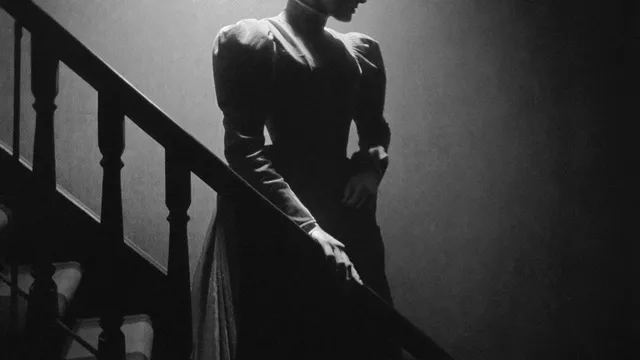
AI Image Generator High School Yearbook
Generate yearbook images from text: describe senior portraits, club photos, or event shots, then review and download for layout.
AI Image Generator
0/20000 characters
My images
Loading...
Can I create high school yearbook images with AI?
Yes, by describing the portrait, group shot, or event scene you need. Review each generated image for likeness, tone, and consistency before using it in a yearbook page. Keep the same style and setting keywords across prompts to maintain visual cohesion throughout the publication.
AI Image Generator High School Yearbook
Senior portrait with school colors
Input
A warm senior portrait of a smiling student in a navy blazer, soft studio light, neutral gray backdrop
Expected output
A polished portrait-style image with even lighting and a clean backdrop, suitable for a yearbook page
Club group photo
Input
A robotics club group photo, ten students in matching team shirts, standing in two rows in a bright classroom
Expected output
A group photo layout with consistent framing and natural expressions, ready to review for the club page
Candid event shot
Input
A candid shot of students cheering in the stands at a homecoming game, late afternoon light, confetti in the air
Expected output
A lively event image with motion and atmosphere that can be used as a page accent or divider
Create yearbook-style images such as senior portraits, club group shots, and candid event photos from text prompts
Match the yearbook style
Describe a consistent backdrop, wardrobe, or color scheme and reuse it across portrait and event prompts so pages feel unified.
Draft pages before photos arrive
Generate placeholder portraits and group scenes to test layouts while real photography is still being collected.
Cover scenes without a second shoot
Create event and club images you missed on photo day by describing the moment you need.
How It Works
1
Describe the image
Describe the desired image.
2
Choose settings
Choose the available generation settings.
3
Generate and download
Generate, review, and download a suitable result.
Yearbook image prompts that work
Keep prompts concrete about subject, setting, and mood so the results fit a school publication.
Input Constraints
- Use only photos or prompts you are allowed to use
- Avoid including real student names or personal details in prompts
- Check the likeness and tone before publishing a page
- Keep the style consistent across related pages
Practical Tips
- Name the backdrop, lighting, and wardrobe in every prompt
- Describe a specific pose or activity instead of a vague mood
- Use the same style keywords across a set of portraits
- Preview a small batch before committing to a layout
Privacy
- Do not upload personal or sensitive material unless you have permission to use it.
Usage Rights
- Confirm that you have the rights needed for the inputs and intended use of the result.
Prompt recipes
Copy a structure, then adjust the subject, lighting, camera, and output details for your own result.
Classic senior portrait
A professional senior portrait of a smiling student in a burgundy and white letterman jacket, neutral beige studio background, soft diffused lighting from the front, direct gaze.
School colors, classic wardrobe, and studio lighting create a timeless yearbook portrait with consistent style across the senior section.
Drama club group shot
A group photo of eight drama club members on a school auditorium stage, wearing black shirts, arranged in two rows, stage lights from above, warm theatrical atmosphere.
Named location, matching wardrobe, and theatrical lighting deliver a cohesive club page image with recognizable setting.
Varsity team action shot
A candid action shot of the varsity soccer team celebrating a goal on a grass field, jerseys in royal blue and gold, late afternoon sunlight, motion and energy.
Team colors, recognizable setting, and action mood create a dynamic sports page image that captures school spirit.
Prom night candid
A candid group photo of four students in formal gowns and tuxedos, standing in front of a balloon arch, soft indoor lighting, smiling and laughing together.
Formal attire, event decor, and natural expressions deliver a memorable prom page image with festive atmosphere.
Graduation ceremony moment
A wide shot of students in navy caps and gowns tossing their caps in the air, outdoor stadium setting, bright daylight, joyful celebration.
Iconic graduation moment, recognizable attire, and celebratory mood create a fitting closing image for the yearbook.
Best use cases
Match the workflow to the input you have and the result you need before opening the generator.
Senior portrait page
Input: Consistent studio setting, school colors in wardrobe, same lighting and backdrop across all portraits
Result: Uniform set of polished portraits for senior section
Tool: AI Image Generator with 2:3 or 4:5 aspect ratio and reused prompt template
Club and organization photos
Input: Group arrangement, matching club attire, recognizable school setting
Result: Cohesive group shot for club page layout
Tool: AI Image Generator with 4:3 or 16:9 aspect ratio
Candid event photography
Input: Action or emotion, natural lighting, recognizable school event context
Result: Lively candid image for event pages or dividers
Tool: AI Image Generator with varied aspect ratios depending on page design
Layout placeholder or concept draft
Input: General yearbook style description without specific student details
Result: Visual placeholder for testing page layouts before real photos arrive
Tool: AI Image Generator with quick iteration and low-detail prompts
Limitations to know before generating
- Generated yearbook images are artistic interpretations, not photographs of real students—review for likeness and appropriateness.
- Consistency between portraits requires identical prompt structure, settings, and style keywords across all generations.
- Group photos may show varying facial features or proportions; review each image individually before publication.
- Do not include real student names or personal details in prompts; use general descriptions only.
- Confirm you have rights and permissions to use the generated images in a published yearbook before printing.
Creative Suite: AI Video Generator & AI Image Generator Tools
Power up your creative workflow with our AI-driven tools. Generate stunning videos, create images, and apply custom adjustments - our AI Video Generator and AI Image Generator offer a complete solution for all your creative needs.
Strictly Prohibits Adult/NSFW Content








Pricing
Choose the credit package that works best for you.
No hidden fees • Cancel anytime • Unused credits roll over
Starter
Perfect for trying out AI creation.
Credits
200 credits / month
- Up to 20 videos per month
- Up to 100 images per month
$6.99/ month$9.9930% OFF
Billed monthly
First-time subscribers get 30% off their first month, then standard price
What's included
- Credits never expire
- Standard models
- HD, Watermark-Free Downloads
- Private Generation
- Faster Generation Speed
- Ad-free experience
Basic
Perfect for light creators.
Credits
500 credits / month
- Up to 50 videos per month
- Up to 250 images per month
$13.99/ month$19.9930% OFF
Billed monthly
First-time subscribers get 30% off their first month, then standard price
What's included
- Credits never expire
- Standard models
- HD, Watermark-Free Downloads
- Private Generation
- Faster Generation Speed
- Ad-free experience
Pro
PopularBest value for creators
Credits
1,200 credits / month
- Up to 120 videos per month
- Up to 600 images per month
$39.99/ month
Billed monthly
What's included
- Credits never expire
- All models + Early access to new models
- HD, Watermark-Free Downloads
- Private Generation
- Faster Generation Speed
- Ultra HD resolution
- Ad-free experience
Ultra
For video creators and power users.
Credits
5,000 credits / month
- Up to 500 videos per month
- Up to 2,500 images per month
$99.99/ month
Billed monthly
What's included
- Credits never expire
- All models + Early access to new models
- HD, Watermark-Free Downloads
- Private Generation
- Faster Generation Speed
- Ultra HD resolution
- Ad-free experience
Free
Standard models only — upgrade to unlock premium models.
Credits
10 free credits on signup
Questions? Contact us at support@domer.io
Start with one yearbook page
Describe the first portrait or event shot you need and open the generator to see a reviewable image.