

AI Image Generator Photo to Image Style
Generate new visuals matching a photo's aesthetic. Describe lighting, color, texture, and mood to produce images that share a photographic look.
AI Image Generator
0/20000 characters
My images
Loading...
What is photo to image generation?
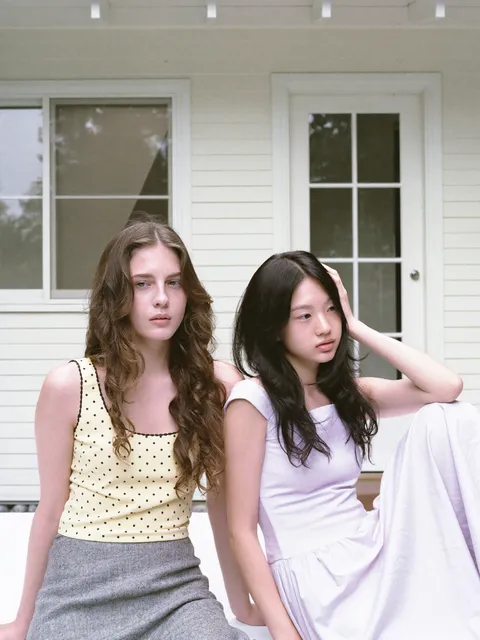
Photo to image generation creates new images that match the aesthetic of a reference photograph. You describe the photographic characteristics—lighting direction, color treatment, depth of field, texture, and mood—and the tool generates a new image with that same look. This is useful for building cohesive visual libraries or extending a photography style to new subjects.
AI Image Generator Photo to Image Style
Style-matched scene generation
Input
An autumn forest trail scene inspired by a nature photograph, golden leaves on the ground, warm sunlight streaming through trees, same earthy colour palette, atmospheric mist
Expected output
An autumn forest trail with golden leaves, warm sunlight, misty atmosphere, and earthy colour tones matching a nature photo aesthetic
Cohesive visual series
Input
A street café in Paris with wrought iron tables, striped awning, people sitting outside, soft overcast light, same photographic realism and everyday scene style as a documentary photo series
Expected output
A realistic street café scene with a striped awning, wrought iron furniture, and soft overcast light
Photographic mood companion
Input
A still life of fresh fruit on a weathered wooden table, natural side lighting, painterly quality with soft shadows, matching the warm and textured look of editorial food photography
Expected output
A still life with fruit on wood, natural side lighting, and the warm editorial food photography aesthetic
Generate new images that capture the look and feel of a reference photograph using text descriptions
Extend photo aesthetics
Create new images that maintain the visual language of your existing photography collection.
Unified visual libraries
Build a cohesive set of images where generated and photographed content share the same look and feel.
Creative inspiration
Use the characteristics of real photographs as a creative springboard for new visual directions.
How It Works
1
Describe the desired image.
Describe the desired image.
2
Choose the available generation settings.
Choose the available generation settings.
3
Generate, review, and download a suitable result.
Generate, review, and download a suitable result.
Tips for photo-to-image prompting
Translate photographic qualities into effective text descriptions for consistent results.
Input Constraints
- Describe the photographic characteristics: lighting, depth of field, colour treatment, grain
- Do not upload photos to the tool—the input method is text description only
- Include enough stylistic detail to guide the generation toward your intended aesthetic
Practical Tips
- Reference photographic terms: 'shallow depth of field', 'golden hour light', 'high contrast black and white'
- Describe the mood: 'candid moment', 'posed studio portrait', 'documentary street photography'
- Note the colour treatment: 'desaturated with warm tones', 'vibrant and saturated', 'cool blue tint'
Privacy
- Do not upload personal or sensitive material unless you have permission to use it.
Usage Rights
- Confirm that you have the rights needed for the inputs and intended use of the result.
Prompt recipes
Copy a structure, then adjust the subject, lighting, camera, and output details for your own result.
Moody Portrait Series
A close-up portrait with dramatic side lighting, dark background, desaturated colour with warm skin tones, shallow depth of field, cinematic mood, matching a dramatic editorial portrait style
Specific lighting, colour treatment, and cinematic keywords create a consistent mood suitable for building a portrait series.
Bright Lifestyle Photography
A woman holding a coffee cup by a window, bright natural light, soft shadows, airy and clean aesthetic, slightly overexposed whites, matching a minimalist lifestyle photography style
Bright lighting, clean aesthetic, and overexposed whites create the look of popular minimalist lifestyle photography.
Film Photography Aesthetic
A street scene with visible film grain, slightly faded colours, warm yellow cast, natural imperfections, 35mm film photography aesthetic, nostalgic mood
Film grain, faded colours, and warm cast replicate the distinct look of analog film photography.
Documentary Travel Photography
A bustling market scene with natural lighting, candid people in motion, rich saturated colours, documentary photography style, authentic and unposed
Candid framing, natural lighting, and documentary keywords create an authentic travel photography aesthetic.
Product Photography Consistency
A ceramic vase on a neutral grey backdrop, soft diffused studio lighting from above, clean white background fading to grey at the edges, commercial product photography style
Consistent studio lighting and neutral background create a cohesive product photography look suitable for catalogs or e-commerce.
Black and White Fine Art
A landscape with rolling hills and a lone tree, high contrast black and white, dramatic clouds, fine art photography style, deep blacks and bright whites, Ansel Adams-inspired
High contrast and fine art framing create a classic black and white landscape with timeless appeal.
Best use cases
Match the workflow to the input you have and the result you need before opening the generator.
Cohesive social media feed
Input: Consistent colour palette, lighting style, and mood across multiple prompts
Result: A series of images with unified photographic aesthetic for a cohesive feed
Tool: Text to Image
Editorial or magazine content
Input: Specific photographic style with lighting, composition, and colour treatment keywords
Result: Images matching an editorial photography style suitable for articles or features
Tool: Text to Image
Brand visual consistency
Input: Detailed description of brand photography style including lighting, mood, and colour
Result: New images that match existing brand photography aesthetic
Tool: Text to Image
Portfolio or lookbook extension
Input: Photographic characteristics of an existing portfolio with new subject matter
Result: Additional images that extend a photography portfolio with consistent style
Tool: Text to Image
Limitations to know before generating
- Achieving exact photographic style match requires very detailed descriptions
- Colour accuracy and consistency across multiple images may vary
- Subtle photographic characteristics like film grain or lens aberrations may not render consistently
- This is not a photo upload tool—you must describe the reference style in text
- Lighting and depth of field effects may require multiple generation attempts to match a reference
Creative Suite: AI Video Generator & AI Image Generator Tools
Power up your creative workflow with our AI-driven tools. Generate stunning videos, create images, and apply custom adjustments - our AI Video Generator and AI Image Generator offer a complete solution for all your creative needs.
Strictly Prohibits Adult/NSFW Content








Pricing
Choose the credit package that works best for you.
No hidden fees • Cancel anytime • Unused credits roll over
Starter
Perfect for trying out AI creation.
Credits
200 credits / month
- Up to 20 videos per month
- Up to 100 images per month
$6.99/ month$9.9930% OFF
Billed monthly
First-time subscribers get 30% off their first month, then standard price
What's included
- Credits never expire
- Standard models
- HD, Watermark-Free Downloads
- Private Generation
- Faster Generation Speed
- Ad-free experience
Basic
Perfect for light creators.
Credits
500 credits / month
- Up to 50 videos per month
- Up to 250 images per month
$13.99/ month$19.9930% OFF
Billed monthly
First-time subscribers get 30% off their first month, then standard price
What's included
- Credits never expire
- Standard models
- HD, Watermark-Free Downloads
- Private Generation
- Faster Generation Speed
- Ad-free experience
Pro
PopularBest value for creators
Credits
1,200 credits / month
- Up to 120 videos per month
- Up to 600 images per month
$39.99/ month
Billed monthly
What's included
- Credits never expire
- All models + Early access to new models
- HD, Watermark-Free Downloads
- Private Generation
- Faster Generation Speed
- Ultra HD resolution
- Ad-free experience
Ultra
For video creators and power users.
Credits
5,000 credits / month
- Up to 500 videos per month
- Up to 2,500 images per month
$99.99/ month
Billed monthly
What's included
- Credits never expire
- All models + Early access to new models
- HD, Watermark-Free Downloads
- Private Generation
- Faster Generation Speed
- Ultra HD resolution
- Ad-free experience
Free
Standard models only — upgrade to unlock premium models.
Credits
10 free credits on signup
Questions? Contact us at support@domer.io
Generate photo-inspired images
Open the text-to-image tool, describe your photographic reference, and create matching visuals.