
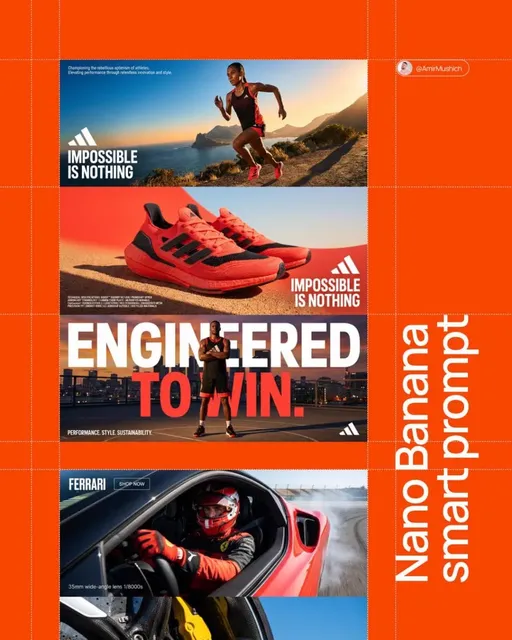
AI Cover Video Generator
Create motion cover videos from text. Describe your scene, camera movement, and effects—then generate, review, and download.
AI Video Generator
0/20000 characters
Cost:10
My videos
Loading...
What is an AI cover video generator?
An AI cover video generator creates motion-based cover videos from text descriptions. Describe the visual scene, camera movement, and atmospheric effects—such as a book cover with fog rolling in, a brand logo with rotating elements, or a music album with neon city lights—and the tool generates a video. It helps creators produce cover-style visuals for channels, albums, books, or presentations without filming or animation software.
AI Cover Video Generator
Book cover animation
Input
A dark fantasy book cover with a castle on a cliff, slow camera pan from left to right, fog rolling in from the bottom edge.
Expected output
A motion video with the described scene, slow horizontal pan, and fog effect layered over the background.
Music album cover video
Input
Neon-lit city skyline at night, purple and pink gradients, gentle zoom into a single glowing window, subtle particle effects floating upward.
Expected output
A video showing the cityscape with the described zoom and particle motion.
Brand channel cover
Input
Clean white background with bold brand name centered, a rotating 3D icon to the left, warm ambient light pulsing slowly across the frame.
Expected output
A cover-style video with the text, rotating icon, and soft light animation as described.
Generate motion-based cover videos from text descriptions for promotional and branding use
No production pipeline needed
Go from idea to motion cover in one step. Write the scene and motion in a single text prompt.
Specific visual mood
Describe exactly the atmosphere, lighting, and movement you want instead of searching through stock footage.
Quick iteration
Tweak the prompt and regenerate until the cover matches the tone and pacing of your project.
How It Works
1
Describe the scene and motion
Describe the desired scene and motion.
2
Choose generation settings
Choose the available generation settings.
3
Generate and review
Generate, review, and download a suitable result.
Tips for cover video prompts
Focus on composition and movement to get usable cover-style output.
Input Constraints
- Describe foreground and background elements separately for depth.
- Specify camera movement direction (pan, zoom, tilt).
- Keep the input focused on one visual concept per generation.
Practical Tips
- Start with the static composition first, then add motion keywords.
- Mention light sources and color temperatures for consistent mood.
- Use architectural or landscape terms when describing backgrounds.
- Avoid adding multiple scene changes in a focused prompt.
Privacy
- Do not upload personal or sensitive material unless you have permission to use it.
Usage Rights
- Confirm that you have the rights needed for the inputs and intended use of the result.
Prompt recipes
Copy a structure, then adjust the subject, lighting, camera, and output details for your own result.
Podcast cover loop
Minimalist cover with a vintage microphone centered on a dark teal background, soft spotlight from above, gentle rotation of the microphone.
A centered subject with slow rotation keeps the viewer's attention without overwhelming the podcast title overlay.
YouTube channel banner
Wide shot of a creative workspace with scattered art supplies, camera slowly panning right to left, warm afternoon light streaming through a window.
Panning motion adds energy to a static image, and natural light creates an inviting, authentic feel.
E-book cover teaser
A mysterious forest path shrouded in mist, camera slowly pushing forward down the path, faint glowing lights visible deeper in the trees.
Forward camera motion creates intrigue and pulls the viewer into the narrative, perfect for mystery or fantasy genres.
Music single artwork
Abstract liquid metallic surface reflecting pink and gold light, slow ripples spreading outward, soft ambient glow around the edges.
Liquid motion and metallic reflections feel premium and modern, matching contemporary music aesthetics.
Corporate report cover
Clean white background with a geometric grid pattern fading in, subtle blue accent lines tracing from left to right, professional and minimal.
Geometric motion conveys structure and professionalism, and subtle animation keeps it engaging without feeling flashy.
Online course intro banner
Overhead view of an open notebook with a pen beside it, camera slowly zooming in on handwritten chapter titles, warm desk lamp lighting.
Handwritten elements feel personal and approachable, and zooming in suggests focus and learning.
Best use cases
Match the workflow to the input you have and the result you need before opening the generator.
YouTube or podcast channel cover
Input: Describe a centered subject or brand element, loopable motion, and brand-appropriate lighting
Result: A seamless motion cover that represents your channel's tone and brand identity
Tool: Text to Video
E-book or audiobook promotional video
Input: Describe genre-appropriate imagery, atmospheric lighting, and motion that builds intrigue
Result: A teaser video that conveys the book's mood and can be shared on social media
Tool: Text to Video
Music album or single artwork animation
Input: Describe abstract or symbolic visuals, color palette, and smooth motion that matches the music vibe
Result: An animated cover that can be used on streaming platforms or promotional posts
Tool: Text to Video
Corporate presentation title slide
Input: Describe clean, minimal design, subtle motion, and corporate color scheme
Result: A professional animated title slide that sets the tone for the presentation
Tool: Text to Video
Limitations to know before generating
- The tool generates video from text descriptions only; it does not animate existing static cover images
- Text overlays, titles, or logos must be added in post-production using video editing software
- Complex cover designs with multiple animated elements may require splitting into separate prompts and layering
- Generated motion is based on your description; precise timing and easing may require manual adjustment
- Review the final video in the context of your platform to ensure it meets aspect ratio and loop requirements
Creative Suite: AI Video Generator & AI Image Generator Tools
Power up your creative workflow with our AI-driven tools. Generate stunning videos, create images, and apply custom adjustments - our AI Video Generator and AI Image Generator offer a complete solution for all your creative needs.
Strictly Prohibits Adult/NSFW Content








Pricing
Choose the credit package that works best for you.
No hidden fees • Cancel anytime • Unused credits roll over
Starter
Perfect for trying out AI creation.
Credits
200 credits / month
- Up to 20 videos per month
- Up to 100 images per month
$6.99/ month$9.9930% OFF
Billed monthly
First-time subscribers get 30% off their first month, then standard price
What's included
- Credits never expire
- Standard models
- HD, Watermark-Free Downloads
- Private Generation
- Faster Generation Speed
- Ad-free experience
Basic
Perfect for light creators.
Credits
500 credits / month
- Up to 50 videos per month
- Up to 250 images per month
$13.99/ month$19.9930% OFF
Billed monthly
First-time subscribers get 30% off their first month, then standard price
What's included
- Credits never expire
- Standard models
- HD, Watermark-Free Downloads
- Private Generation
- Faster Generation Speed
- Ad-free experience
Pro
PopularBest value for creators
Credits
1,200 credits / month
- Up to 120 videos per month
- Up to 600 images per month
$39.99/ month
Billed monthly
What's included
- Credits never expire
- All models + Early access to new models
- HD, Watermark-Free Downloads
- Private Generation
- Faster Generation Speed
- Ultra HD resolution
- Ad-free experience
Ultra
For video creators and power users.
Credits
5,000 credits / month
- Up to 500 videos per month
- Up to 2,500 images per month
$99.99/ month
Billed monthly
What's included
- Credits never expire
- All models + Early access to new models
- HD, Watermark-Free Downloads
- Private Generation
- Faster Generation Speed
- Ultra HD resolution
- Ad-free experience
Free
Standard models only — upgrade to unlock premium models.
Credits
10 free credits on signup
Questions? Contact us at support@domer.io
Create your cover video now
Describe the cover scene and motion you need, then let the text-to-video tool generate it in one pass.