
Create
AI Video Generator Based on Script
Turn script descriptions into video. Extract visual moments from your screenplay or narrative and generate clips to preview story scenes.
AI Video Generator
0/20000 characters
Cost:10
My videos
Loading...
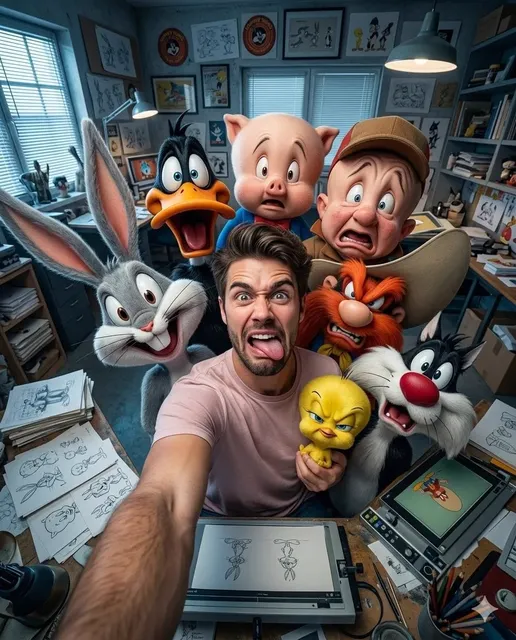
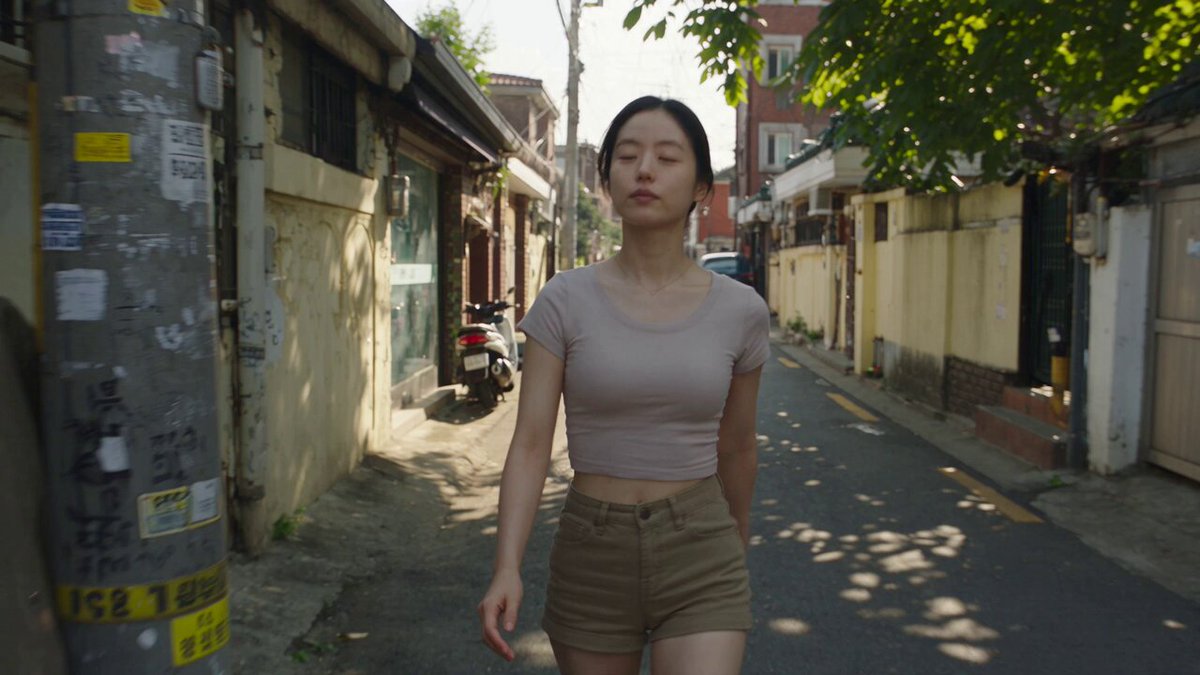
How do you generate video from a script?
Extract the most visual descriptive passages from your script and use them as text prompts. The tool generates video clips from focused scene descriptions—not full scripts. Write prompts that capture key visual elements: setting, character positions, lighting, and action. Generate separate clips for each important visual moment in your story.
AI Video Generator Based on Script
Opening scene from a script
Input
A foggy cemetery at dawn. A lone figure in a dark coat walks between gravestones as crows take flight from a bare tree.
Expected output
A moody video of a foggy cemetery at dawn with a figure walking and crows flying
Character introduction
Input
A woman in a red dress steps out of a vintage car at a seaside hotel. She adjusts her sunglasses and looks up at the building.
Expected output
A scene showing a woman in a red dress exiting a vintage car at a hotel entrance with seaside lighting
Action sequence from a story
Input
A cyclist races down a narrow mountain road. Dust kicks up behind as they lean into each sharp turn with determination.
Expected output
An action video of a cyclist descending a mountain road with dust, sharp turns, and dynamic movement
Generate video clips from written script descriptions to visualize narrative scenes, storyboard key moments, and preview story concepts
Script-to-video workflow
Take descriptive sections from your script and turn them into visual video clips.
Visualize written narratives
See your story come to life by generating video from the descriptive passages in your script.
Storyboard alternative
Generate video clips of key script moments as a visual reference without storyboard artists.
How It Works
1
Describe the scene
Describe the desired scene and motion.
2
Choose settings
Choose the available generation settings.
3
Generate and review
Generate, review, and download a suitable result.
Tips for script-based prompts
Extract the most visual moments from your script as standalone scene descriptions.
Input Constraints
- Use descriptive passages from your script as prompts
- Focus on what is seen and heard, not dialogue
- Keep each prompt focused on one scene or moment
Practical Tips
- Identify key visual moments in your script and describe them as standalone scenes
- Include setting, character positions, lighting, and action
- Use present tense for consistent visual descriptions
- Try different versions of the same scene to explore visual options
Privacy
- Do not upload personal or sensitive material unless you have permission to use it.
Usage Rights
- Confirm that you have the rights needed for the inputs and intended use of the result.
Prompt recipes
Copy a structure, then adjust the subject, lighting, camera, and output details for your own result.
Script opening scene
EXT. FOREST CLEARING - DUSK. Two figures stand facing each other in tall grass. The sun sets behind distant mountains, casting long shadows. One figure extends a hand.
Uses screenplay-style formatting translated to visual description with setting, characters, lighting, and action
Interior character moment
INT. KITCHEN - MORNING. A woman sits at a table staring at an empty chair across from her. Soft morning light streams through a window. Coffee steam rises from her mug.
Captures emotional subtext through visual elements: empty chair, lighting mood, and small details
Chase sequence beat
EXT. ALLEY - NIGHT. A figure sprints through a narrow alley, knocking over trash cans. Neon signs cast colored light. Camera follows close behind.
Describes action, environment obstacles, lighting mood, and camera perspective for dynamic sequence
Transition scene
A door slowly opens revealing bright light beyond. Silhouette of a person steps through from darkness into brightness. Moment of hesitation at the threshold.
Focuses on a symbolic visual transition that can connect two script scenes
Climactic confrontation
Two characters face each other on a rooftop at night. City lights glow in the background. Wind whips their clothing. Tension in their stances.
Establishes dramatic setting, character positioning, atmospheric details, and emotional tone
Best use cases
Match the workflow to the input you have and the result you need before opening the generator.
Screenwriter pitching a story concept
Input: Key emotional or visual beats from the script with clear setting and atmosphere
Result: Preview clips that communicate story tone and visual style to producers
Tool: Text-to-video with screenplay-style scene descriptions
Director pre-visualizing scenes
Input: Specific shots with camera angles, character blocking, and lighting described
Result: Rough animatics to test shot composition and sequence pacing
Tool: Text-to-video with framing and camera movement keywords
Film student creating a proof of concept
Input: Opening and climactic scenes that showcase narrative style and visual approach
Result: Draft video clips to demonstrate project vision for funding or crew recruitment
Tool: Text-to-video with detailed scene and mood keywords
Author visualizing a novel adaptation
Input: Descriptive narrative passages converted to present-tense visual scenes
Result: Video references showing how prose translates to screen
Tool: Text-to-video with narrative description converted to scene format
Limitations to know before generating
- The tool works best with visual scene descriptions, not dialogue or internal monologue
- Full scripts are too long—extract and convert key visual moments into individual prompts
- Character likenesses and specific actor portrayals cannot be guaranteed from text
- Generated clips are concept previews, not production-ready footage
Creative Suite: AI Video Generator & AI Image Generator Tools
Power up your creative workflow with our AI-driven tools. Generate stunning videos, create images, and apply custom adjustments - our AI Video Generator and AI Image Generator offer a complete solution for all your creative needs.
Strictly Prohibits Adult/NSFW Content








Pricing
Choose the credit package that works best for you.
No hidden fees • Cancel anytime • Unused credits roll over
Starter
Perfect for trying out AI creation.
Credits
200 credits / month
- Up to 20 videos per month
- Up to 100 images per month
$6.99/ month$9.9930% OFF
Billed monthly
First-time subscribers get 30% off their first month, then standard price
What's included
- Credits never expire
- Standard models
- HD, Watermark-Free Downloads
- Private Generation
- Faster Generation Speed
- Ad-free experience
Basic
Perfect for light creators.
Credits
500 credits / month
- Up to 50 videos per month
- Up to 250 images per month
$13.99/ month$19.9930% OFF
Billed monthly
First-time subscribers get 30% off their first month, then standard price
What's included
- Credits never expire
- Standard models
- HD, Watermark-Free Downloads
- Private Generation
- Faster Generation Speed
- Ad-free experience
Pro
PopularBest value for creators
Credits
1,200 credits / month
- Up to 120 videos per month
- Up to 600 images per month
$39.99/ month
Billed monthly
What's included
- Credits never expire
- All models + Early access to new models
- HD, Watermark-Free Downloads
- Private Generation
- Faster Generation Speed
- Ultra HD resolution
- Ad-free experience
Ultra
For video creators and power users.
Credits
5,000 credits / month
- Up to 500 videos per month
- Up to 2,500 images per month
$99.99/ month
Billed monthly
What's included
- Credits never expire
- All models + Early access to new models
- HD, Watermark-Free Downloads
- Private Generation
- Faster Generation Speed
- Ultra HD resolution
- Ad-free experience
Free
Standard models only — upgrade to unlock premium models.
Credits
10 free credits on signup
Questions? Contact us at support@domer.io
Turn your script into visuals
Open the text-to-video tool, describe a scene from your script, and generate the matching clip.