
ai video generator create studio guide
Turn ideas into studio motion from text. Describe scenes, adjust settings, and generate video without cameras, actors, or editing software.
AI Video Generator
0/20000 characters
Cost:10
My videos
Loading...

What is an AI video generator for studio creation?
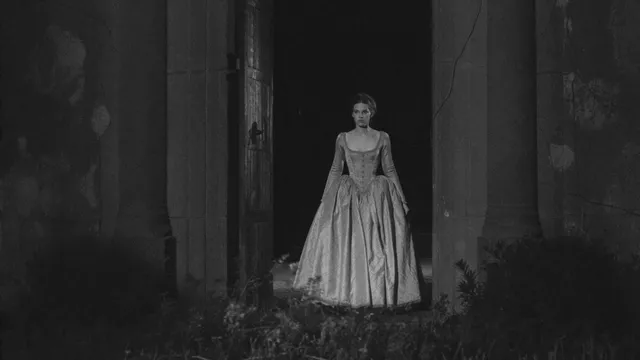
An AI video generator for studio creation converts written scene descriptions into polished video clips. Describe lighting, framing, subject, and motion in text, then generate and review the result. Use it to prototype video concepts, visualize pitches, or produce clips without physical production.
ai video generator create studio guide
Short product demo
Input
A person demonstrating how a new kitchen gadget works, with close-up shots of the tool in action and a satisfied smile at the end.
Expected output
A short video clip showing a product demonstration with smooth motion and clear action
Nature scene
Input
Sunlight streaming through tall pine trees, camera slowly panning upward to reveal a clear blue sky with birds circling above.
Expected output
A landscape video with gentle camera movement and natural lighting
Character moment
Input
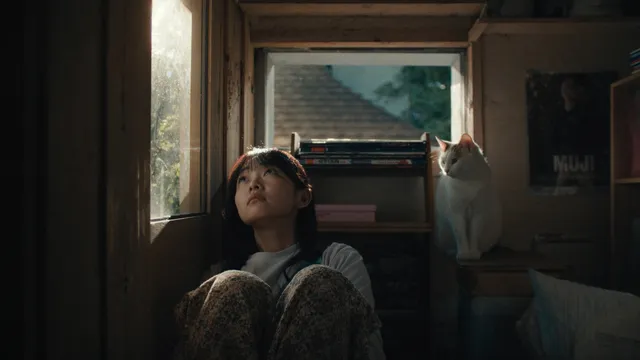
A character sitting at a desk, looking out a rain-streaked window, then turning back to type thoughtfully on a keyboard.
Expected output
A character-driven scene with subtle emotional cues and consistent motion
Generate studio-quality video clips from text prompts without cameras, actors, or editing software
Skip production complexity
Go from idea to video clip without cameras, actors, or editing software.
Iterate visually from text
Change the scene, mood, or action by editing your prompt instead of reshooting.
Consistent visual output
Keep the same character, setting, and style across multiple generations from one description.
How It Works
1
Describe the scene
Describe the desired scene and motion.
2
Adjust the settings
Choose the available generation settings.
3
Generate and review
Generate, review, and download a suitable result.
Tips for better video descriptions
Small details in your prompt make a big difference in the generated clip.
Input Constraints
- Keep descriptions focused on visible action and setting.
- Avoid abstract concepts that are hard to render visually.
- Describe motion direction, speed, and character positioning.
Practical Tips
- Start with the main subject and its surroundings.
- Add lighting cues such as 'morning light' or 'dim room'.
- Describe transitions between actions for smoother motion.
Privacy
- Do not upload personal or sensitive material unless you have permission to use it.
Usage Rights
- Confirm that you have the rights needed for the inputs and intended use of the result.
Prompt recipes
Copy a structure, then adjust the subject, lighting, camera, and output details for your own result.
Talking-head testimonial
Person sitting in a bright, modern office with soft window light from the left, looking directly at camera, speaking confidently with natural hand gestures, neutral background with blurred bookshelf
Combines direct eye contact, natural lighting, and environmental context to create a credible and engaging testimonial-style clip.
Product unboxing moment
Overhead view of hands carefully opening a branded box on a clean white table, lifting out a sleek device, slow reveal with focus on product details, warm studio lighting
Overhead angle and slow motion draw attention to the product reveal, and clean lighting keeps the focus on the unboxing action.
Workspace time-lapse feel
Desk surface with laptop, coffee cup, and notebook, sunlight moving across the desk as time passes, shadows shifting from left to right, papers gradually accumulate beside the laptop
Simulates the passage of time through lighting and object changes, creating a time-lapse effect without requiring real-time filming.
Dramatic product spotlight
Dark studio with a single spotlight illuminating a watch on a rotating pedestal, slow 360-degree rotation, light catching the watch face and metal band, subtle shadow on the floor
High contrast and controlled rotation emphasize product details and luxury positioning, ideal for premium product marketing.
Cooking process shot
Close-up of hands chopping fresh vegetables on a wooden cutting board, knife moving rhythmically, ingredients pushed aside into a neat pile, natural kitchen lighting from window
Focuses on the tactile process and rhythm of cooking, with natural lighting and close framing that feels authentic and instructional.
Interview setup
Two people seated facing each other in comfortable chairs, soft fill light from the front, interviewer gesturing while speaking, interviewee nodding and responding, neutral living room background
Establishes clear roles and natural conversation dynamics, with balanced lighting and framing suitable for interviews or dialogue scenes.
Best use cases
Match the workflow to the input you have and the result you need before opening the generator.
Marketing video draft
Input: Product demo or testimonial scene with clear subject, action, and professional lighting
Result: Polished-looking clip ready for pitch decks or social proof concepts
Tool: Text to Video
Social media teaser
Input: Short, visually striking scene with strong lighting contrast or dynamic motion
Result: Eye-catching clip suitable for Instagram, TikTok, or YouTube shorts
Tool: Text to Video
Video pitch storyboard
Input: Narrative or character moment with emotional cues and setting details
Result: Scene draft that communicates mood and pacing for creative approvals
Tool: Text to Video
Training or tutorial segment
Input: Step-by-step process shot with hands, tools, or objects, clear framing and motion
Result: Instructional clip showing a task in progress
Tool: Text to Video
Limitations to know before generating
- Studio quality refers to visual polish; generated video does not replace professional filming for high-stakes commercial work
- Prompt detail directly affects result quality; vague descriptions yield generic or inconsistent output
- Complex scenes with multiple characters or intricate interactions may not render clearly
- Review every clip for visual artifacts, consistency, and suitability before using in published work
Creative Suite: AI Video Generator & AI Image Generator Tools
Power up your creative workflow with our AI-driven tools. Generate stunning videos, create images, and apply custom adjustments - our AI Video Generator and AI Image Generator offer a complete solution for all your creative needs.
Strictly Prohibits Adult/NSFW Content








Pricing
Choose the credit package that works best for you.
No hidden fees • Cancel anytime • Unused credits roll over
Starter
Perfect for trying out AI creation.
Credits
200 credits / month
- Up to 20 videos per month
- Up to 100 images per month
$6.99/ month$9.9930% OFF
Billed monthly
First-time subscribers get 30% off their first month, then standard price
What's included
- Credits never expire
- Standard models
- HD, Watermark-Free Downloads
- Private Generation
- Faster Generation Speed
- Ad-free experience
Basic
Perfect for light creators.
Credits
500 credits / month
- Up to 50 videos per month
- Up to 250 images per month
$13.99/ month$19.9930% OFF
Billed monthly
First-time subscribers get 30% off their first month, then standard price
What's included
- Credits never expire
- Standard models
- HD, Watermark-Free Downloads
- Private Generation
- Faster Generation Speed
- Ad-free experience
Pro
PopularBest value for creators
Credits
1,200 credits / month
- Up to 120 videos per month
- Up to 600 images per month
$39.99/ month
Billed monthly
What's included
- Credits never expire
- All models + Early access to new models
- HD, Watermark-Free Downloads
- Private Generation
- Faster Generation Speed
- Ultra HD resolution
- Ad-free experience
Ultra
For video creators and power users.
Credits
5,000 credits / month
- Up to 500 videos per month
- Up to 2,500 images per month
$99.99/ month
Billed monthly
What's included
- Credits never expire
- All models + Early access to new models
- HD, Watermark-Free Downloads
- Private Generation
- Faster Generation Speed
- Ultra HD resolution
- Ad-free experience
Free
Standard models only — upgrade to unlock premium models.
Credits
10 free credits on signup
Questions? Contact us at support@domer.io
Create a studio video now
Describe your scene, choose your settings, and generate a studio-style clip in minutes.