

AI Video Generator Podcast Visuals
Generate video intros, backgrounds, and promo clips for your podcast. Describe the scene and motion, choose settings, and download the result.
AI Video Generator
0/20000 characters
Cost:10
My videos
Loading...

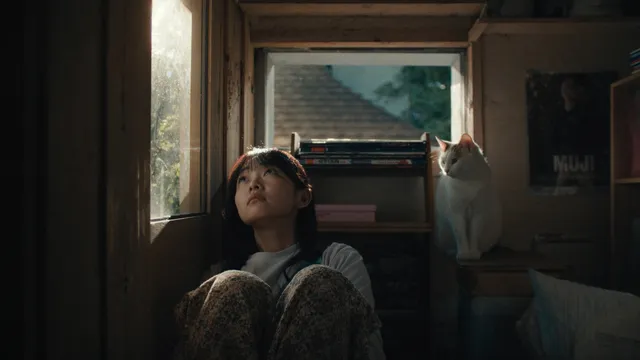
How do I use an AI video generator for podcast content?
An AI video generator turns text descriptions into video clips for podcast intros, episode backgrounds, and social promo. You describe the visual scene, mood, and motion — such as sound waves, studio shots, or topic-related imagery — then generate and review the clip before downloading it for your podcast platform.
AI Video Generator Podcast Visuals
Podcast episode intro
Input
A dynamic abstract scene with sound wave visualizations pulsing in the background, a centered space reserved for the podcast logo, smooth color transitions from deep blue to teal.
Expected output
A modern podcast intro sequence with animated visuals and a clean space for branding elements.
Topic-specific background visual
Input
A space-themed backdrop with swirling nebula colors, distant stars twinkling, and a soft gradient from deep purple to dark blue, steady slow rotation.
Expected output
An atmospheric space scene suitable as a visual backdrop during a space-themed episode segment.
Episode promo for social media
Input
A bright studio scene with microphone on a desk, headphones hanging nearby, recording equipment in soft focus background, warm amber lighting, gentle slow zoom.
Expected output
A cozy podcast studio scene with warm tones, suitable for a social media episode announcement clip.
Create video intros, episode backgrounds, and promo clips for podcast distribution and promotion
Podcast visual assets
Generate intros, background visuals, and transitions for video distribution platforms.
Episode promotion clips
Create short promotional footage for new episodes that matches the episode topic visually.
Consistent visual identity
Maintain a coherent visual style across episodes by reusing similar scene descriptions.
How It Works
1
Describe the desired scene and motion
Describe the desired scene and motion.
2
Choose the available generation settings
Choose the available generation settings.
3
Generate, review, and download a suitable result
Generate, review, and download a suitable result.
Tips for podcast video prompts
Match the visual scene to the episode topic for coherent podcast content.
Input Constraints
- Describe scenes you have permission to reference.
- Avoid including real podcast branding or logos in the scene description.
- Keep motion subtle for background visuals so they do not distract from the audio.
Practical Tips
- For intro scenes, describe abstract or branded visuals that set the podcast tone.
- For episode-specific scenes, describe visuals that relate to the discussion topic.
- For promotional clips, describe welcoming studio scenes or episode-related imagery.
Privacy
- Do not upload personal or sensitive material unless you have permission to use it.
Usage Rights
- Confirm that you have the rights needed for the inputs and intended use of the result.
Prompt recipes
Copy a structure, then adjust the subject, lighting, camera, and output details for your own result.
Animated soundwave intro
A dark gradient background fading from black to deep purple. Three horizontal soundwave bars pulse in sync across the center. Small particles drift upward slowly. Reserve the top third of the frame for a logo or title overlay.
Soundwave visuals immediately signal audio content, and the reserved space keeps branding flexible.
Studio warmth promo
A close shot of a podcast microphone on a wooden desk. Warm afternoon light streams in from the left. Headphones rest beside the mic. Camera slowly pushes in while soft bokeh lights glow in the background.
Warm studio imagery builds an inviting, personal mood perfect for social media teasers.
Topic-driven background loop
An open book rests on a library table. Pages turn slowly in soft golden light. Blurred bookshelves fill the background. Camera holds steady for a loopable clip.
Topic-specific visuals — here, reading or literature — reinforce episode themes without words.
Tech podcast scene
A dark desk with a glowing laptop screen, RGB keyboard lights cycling through colors, and a standing microphone in the foreground. Overhead view, subtle screen flicker.
Tech imagery appeals to tech podcast audiences and creates a modern, energetic vibe.
Nature conversation backdrop
Morning mist drifts through a forest clearing. Sunlight filters between tall trees. Birds fly across the frame occasionally. Camera pans slowly right, loopable motion.
Calm nature visuals work well for reflective or wellness podcasts and loop seamlessly.
Abstract episode transition
Geometric shapes — circles, triangles, hexagons — float and rotate slowly on a gradient background shifting from teal to orange. Soft glow around each shape. No abrupt motion.
Abstract transitions fit any podcast genre and maintain visual interest without competing with audio.
Best use cases
Match the workflow to the input you have and the result you need before opening the generator.
YouTube podcast video intro
Input: Soundwave animation or abstract branding scene with space for logo overlay
Result: A 5-10 second animated intro that sets the tone before the episode starts
Tool: AI video generator with abstract or soundwave motion prompts
Instagram story episode teaser
Input: Vertical studio shot or topic-related scene with warm lighting and slow motion
Result: A short vertical clip that teases the episode theme in a feed-friendly format
Tool: AI video generator with vertical framing and gentle camera movement
Looping background for audio-only platform video upload
Input: Subtle ambient scene with seamless loopable motion like drifting fog or slow rotation
Result: A long loopable background that plays behind static or animated waveforms
Tool: AI video generator with loopable motion and minimal distraction
Twitter promo clip for new episode
Input: Eye-catching studio or topic scene with recognizable podcast elements
Result: A square or horizontal clip under 30 seconds that stops scrollers and communicates podcast identity
Tool: AI video generator with square or horizontal aspect ratio and quick visual hooks
Limitations to know before generating
- The generator creates video from your text description; it does not automatically match your podcast branding or logo.
- You must describe the visual scene yourself; the tool does not analyze your podcast content or suggest imagery.
- Loopable clips depend on your prompt describing seamless motion; not all generated clips will loop smoothly without adjustment.
- You are responsible for confirming rights to any real locations, people, or branded elements you describe.
- Generated clips work as visual backgrounds or promo assets; they do not include audio, captions, or text overlays.
Creative Suite: AI Video Generator & AI Image Generator Tools
Power up your creative workflow with our AI-driven tools. Generate stunning videos, create images, and apply custom adjustments - our AI Video Generator and AI Image Generator offer a complete solution for all your creative needs.
Strictly Prohibits Adult/NSFW Content








Pricing
Choose the credit package that works best for you.
No hidden fees • Cancel anytime • Unused credits roll over
Starter
Perfect for trying out AI creation.
Credits
200 credits / month
- Up to 20 videos per month
- Up to 100 images per month
$6.99/ month$9.9930% OFF
Billed monthly
First-time subscribers get 30% off their first month, then standard price
What's included
- Credits never expire
- Standard models
- HD, Watermark-Free Downloads
- Private Generation
- Faster Generation Speed
- Ad-free experience
Basic
Perfect for light creators.
Credits
500 credits / month
- Up to 50 videos per month
- Up to 250 images per month
$13.99/ month$19.9930% OFF
Billed monthly
First-time subscribers get 30% off their first month, then standard price
What's included
- Credits never expire
- Standard models
- HD, Watermark-Free Downloads
- Private Generation
- Faster Generation Speed
- Ad-free experience
Pro
PopularBest value for creators
Credits
1,200 credits / month
- Up to 120 videos per month
- Up to 600 images per month
$39.99/ month
Billed monthly
What's included
- Credits never expire
- All models + Early access to new models
- HD, Watermark-Free Downloads
- Private Generation
- Faster Generation Speed
- Ultra HD resolution
- Ad-free experience
Ultra
For video creators and power users.
Credits
5,000 credits / month
- Up to 500 videos per month
- Up to 2,500 images per month
$99.99/ month
Billed monthly
What's included
- Credits never expire
- All models + Early access to new models
- HD, Watermark-Free Downloads
- Private Generation
- Faster Generation Speed
- Ultra HD resolution
- Ad-free experience
Free
Standard models only — upgrade to unlock premium models.
Credits
10 free credits on signup
Questions? Contact us at support@domer.io
Create podcast video content
Describe the podcast visual you need, from intros to topic-specific backgrounds, and generate it.