
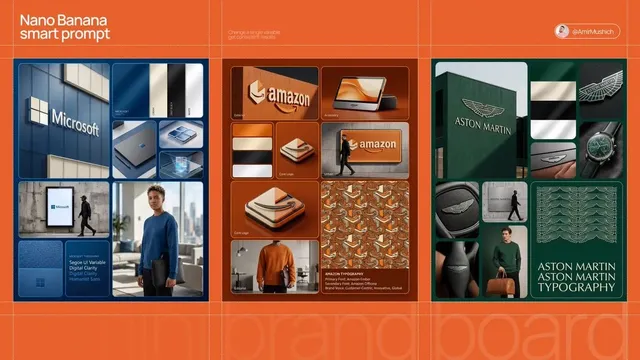
AI Video Generator UI Design Trends 2025
Describe UI design trends and generate video clips showing interface styles, motion, and visual concepts. Review and iterate before sharing.
AI Video Generator
0/20000 characters
Cost:10
My videos
Loading...
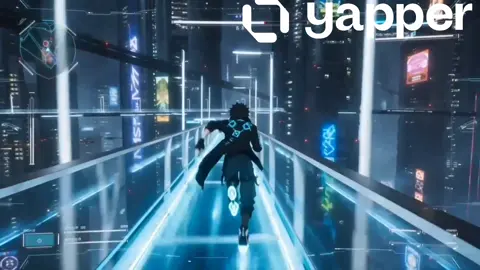
Can I generate videos for UI design trends?
Describe an interface style, trend, or visual concept in a text prompt, then generate a video clip. Use the result as a visual reference for presentations, mood boards, or team discussions.
AI Video Generator UI Design Trends 2025
Describe a UI mockup
Input
A modern dashboard UI with glassmorphism panels, floating elements, dark mode, smooth micro-interactions, camera orbiting around the interface
Expected output
A short clip showing a floating UI mockup with the described glassmorphism style and motion; review before presenting.
Show hover interactions
Input
A button that pulses with a gradient glow, card elements that tilt on hover, smooth page transitions between screens
Expected output
A rendered clip demonstrating the hover effects and transitions as described; check motion smoothness and timing.
Change the color theme
Input
Same dashboard but switch to light mode with pastel gradients, softer shadows, and minimalist icon animations
Expected output
An updated clip showing the dashboard in light mode with the new color palette; verify visual consistency.
Generate video clips showing UI design trends and interface concepts
Describe any scene
Type a text description of the visual and motion you want, and the tool generates a matching video clip.
Iterate quickly
Change one detail in your prompt and generate a new version instead of re-shooting or re-animating from scratch.
Review before use
Preview each generated result, then decide whether to refine the prompt or download the clip.
How It Works
1
Describe the scene
Describe the desired scene and motion.
2
Choose settings
Choose the available generation settings.
3
Generate and review
Generate, review, and download a suitable result.
Tips for better results
Clear, detailed prompts produce more accurate videos.
Input Constraints
- Describe both the visual scene and the type of motion
- Keep prompts focused on one coherent scene per generation
- Avoid vague terms like nice or cool — use specific descriptors
- Only describe material you have permission to use
Practical Tips
- Start with the subject, then add setting, then motion
- Include lighting details for more atmospheric results
- Mention camera movement if you want a dynamic shot
- Review the output and refine your prompt if needed
Privacy
- Do not upload personal or sensitive material unless you have permission to use it.
Usage Rights
- Confirm that you have the rights needed for the inputs and intended use of the result.
Prompt recipes
Copy a structure, then adjust the subject, lighting, camera, and output details for your own result.
Glassmorphism dashboard in dark mode
A modern dashboard UI with frosted glass panels, blurred background, floating card elements, dark blue gradient background, smooth micro-interactions, camera slowly orbiting the interface
Combines specific trend (glassmorphism), color scheme (dark mode), visual details (frosted glass, floating cards), and camera motion for a complete 2025 UI trend showcase.
Brutalist web design with bold typography
A brutalist website layout with large black sans-serif type, high-contrast black and white color scheme, raw HTML-style borders, grid-based layout, static camera
Describes a distinct 2025 design trend (brutalism) with specific visual cues (bold type, high contrast, raw borders) for clear trend representation.
Neumorphism interface with soft shadows
A mobile app interface in neumorphic style with soft embossed buttons, subtle shadows, pastel gray background, gentle button press animations, close-up camera view
Highlights neumorphism trend with characteristic visual elements (emboss, soft shadows, pastels) and interaction cues (button press).
AI-powered interface with generative elements
A web app interface with AI-generated image thumbnails appearing in a grid, glowing blue accent colors, modern sans-serif type, loading animations with particle effects
Represents AI integration trend in 2025 UI with generative content, modern aesthetics, and dynamic loading states.
Minimalist mobile UI with gesture interactions
A minimal mobile interface with large whitespace, simple black icons, smooth swipe gestures between screens, clean transitions, light mode, close-up view
Showcases minimalism and gesture-first design trends with clear interaction cues and visual simplicity.
3D immersive UI with depth and parallax
A web interface with 3D floating elements, parallax scrolling effect, depth layers moving at different speeds, vibrant gradient backgrounds, smooth camera motion following scroll
Represents 3D and immersive UI trends with depth cues, parallax motion, and dynamic camera work for a next-gen feel.
Best use cases
Match the workflow to the input you have and the result you need before opening the generator.
Trend research and mood boards
Input: UI trend name with visual style descriptors and color palette
Result: A reference clip showing the trend visually; use for mood boards or presentations
Tool: Text-to-video with trend-specific keywords and style cues
Client pitch or design proposal
Input: Proposed UI concept with motion, colors, and layout details
Result: A visual draft showing the design direction; review before presenting to clients
Tool: Text-to-video with detailed scene and motion description
Team discussion and feedback
Input: UI concept with interaction cues and visual variations
Result: Multiple clips showing design variations; use for team critique sessions
Tool: Text-to-video with iterative prompting for variations
Social media content for designers
Input: Eye-catching UI trend with bold visuals and smooth motion
Result: A shareable trend clip for Instagram, LinkedIn, or TikTok; check pacing and quality
Tool: Text-to-video with concise scene and dynamic motion
Limitations to know before generating
- Generated clips are visual interpretations of trends, not definitive design standards; use as inspiration, not specification.
- Complex UI interactions or multi-step flows may not render clearly; focus on single trends or concepts per prompt.
- The tool does not access real design files or trend databases; describe every visual and motion detail in the prompt.
- Output quality depends on prompt specificity; vague trend names may produce generic results.
- Rights to UI concepts and design trends are your responsibility; avoid describing proprietary or branded designs without permission.
Creative Suite: AI Video Generator & AI Image Generator Tools
Power up your creative workflow with our AI-driven tools. Generate stunning videos, create images, and apply custom adjustments - our AI Video Generator and AI Image Generator offer a complete solution for all your creative needs.
Strictly Prohibits Adult/NSFW Content








Pricing
Choose the credit package that works best for you.
No hidden fees • Cancel anytime • Unused credits roll over
Starter
Perfect for trying out AI creation.
Credits
200 credits / month
- Up to 20 videos per month
- Up to 100 images per month
$6.99/ month$9.9930% OFF
Billed monthly
First-time subscribers get 30% off their first month, then standard price
What's included
- Credits never expire
- Standard models
- HD, Watermark-Free Downloads
- Private Generation
- Faster Generation Speed
- Ad-free experience
Basic
Perfect for light creators.
Credits
500 credits / month
- Up to 50 videos per month
- Up to 250 images per month
$13.99/ month$19.9930% OFF
Billed monthly
First-time subscribers get 30% off their first month, then standard price
What's included
- Credits never expire
- Standard models
- HD, Watermark-Free Downloads
- Private Generation
- Faster Generation Speed
- Ad-free experience
Pro
PopularBest value for creators
Credits
1,200 credits / month
- Up to 120 videos per month
- Up to 600 images per month
$39.99/ month
Billed monthly
What's included
- Credits never expire
- All models + Early access to new models
- HD, Watermark-Free Downloads
- Private Generation
- Faster Generation Speed
- Ultra HD resolution
- Ad-free experience
Ultra
For video creators and power users.
Credits
5,000 credits / month
- Up to 500 videos per month
- Up to 2,500 images per month
$99.99/ month
Billed monthly
What's included
- Credits never expire
- All models + Early access to new models
- HD, Watermark-Free Downloads
- Private Generation
- Faster Generation Speed
- Ultra HD resolution
- Ad-free experience
Free
Standard models only — upgrade to unlock premium models.
Credits
10 free credits on signup
Questions? Contact us at support@domer.io
Try the text-to-video tool
Describe a scene, pick your settings, and generate a video clip from your words.