
Create
ai video generator use cases for quick clips
Use ai video generator use cases to social teasers, product previews, storyboard drafts. Describe a scene in text, choose settings, then review the short clip.
AI Video Generator
0/20000 characters
Cost:10
My videos
Loading...

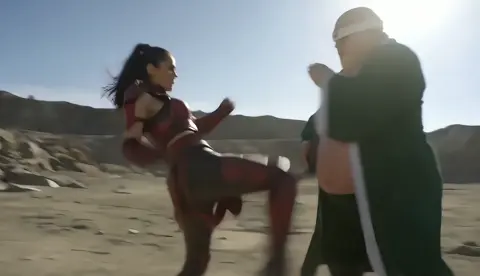
What are common AI video generator use cases?
Generate short clips for social media teasers, product previews, storyboard concept drafts, and presentation B-roll. Describe the scene and motion in text, choose the available settings, generate, then review before downloading. Common uses: test content ideas quickly, visualize storyboard beats before production, create placeholder footage for rough edits, and produce short-form content for social platforms.
ai video generator use cases for quick clips
Product launch teaser
Input
A 10-second teaser for a new coffee brand: a cup of latte being poured in warm morning light, steam rising, camera slowly pushing in
Expected output
A short clip of the pour with soft light and gentle camera movement, ready to review for pacing
Storyboard concept beat
Input
An animated storyboard beat of a character walking through a rainy street at night, neon reflections on the pavement, slow dolly follow
Expected output
A concept clip showing the walk with rain and neon reflections, useful for checking mood before production
Event recap opener
Input
A montage-style opener for a small conference: audience clapping, stage lights sweeping, quick cuts implied by motion
Expected output
A short montage-style clip with sweeping stage light and clapping motion, suitable as an opener draft
Understand practical applications for generating video clips from text prompts
See ideas move
Turn a written scene description into a moving clip so you can judge pacing, mood, and framing before committing to full production.
Draft faster
Generate several short versions from different prompts and compare them side by side without filming or editing first.
Review before you commit
Each result is a draft to check for motion quality and prompt adherence, then download only what you plan to use.
How It Works
1
Describe the scene
Describe the desired scene and motion.
2
Choose settings
Choose the available generation settings.
3
Generate and review
Generate, review, and download a suitable result.
Practical tips for your prompt
Keep each prompt focused on one scene so the result is easier to review.
Input Constraints
- Keep prompts to a single scene with clear subject and motion
- Avoid including specific brand logos or copyrighted characters
- Check that any people or places shown are ones you may use
- Treat every result as a draft to review before publishing
Practical Tips
- Start with the subject, then the setting, then the motion
- Mention camera movement such as slow push-in or dolly follow
- Keep the prompt to one or two sentences for a cleaner result
- Regenerate with a small wording change if the first clip misses
Privacy
- Do not upload personal or sensitive material unless you have permission to use it.
Usage Rights
- Confirm that you have the rights needed for the inputs and intended use of the result.
Prompt recipes
Copy a structure, then adjust the subject, lighting, camera, and output details for your own result.
Instagram Reel hook
Close-up of a hand opening a small gift box, camera tilting down to reveal the product inside, soft natural window light, slow-motion reveal
Focused action, reveal moment, slow-motion emphasis, and natural light create an engaging social media hook.
YouTube explainer B-roll
A workspace desk from above, hands arranging tools and materials methodically, camera slowly zooming out to show full layout
Overhead angle, methodical activity, and zoom-out progression provide versatile B-roll for tutorial voiceovers.
TikTok transformation teaser
Split screen showing before-and-after home office setup, left side cluttered and dim, right side organized and bright, smooth transition between the two
Clear visual contrast, split-screen format, and smooth transition match TikTok transformation content style.
Website hero video background
Abstract flowing shapes in brand colors drifting across screen, subtle gradient shifts, smooth looping motion, no sharp cuts
Abstract motion, brand color focus, loop-ready pacing work as non-distracting website background.
LinkedIn post visual hook
A professional setting with person writing on a whiteboard, camera slowly pushing in on key diagram, office environment visible in background
Professional context, focused diagram reveal, and office setting align with LinkedIn content expectations.
Kickstarter campaign teaser
Product prototype on clean white surface, camera orbiting slowly around it, dramatic side lighting highlighting design details, smooth rotation
Product focus, orbiting camera, dramatic lighting, and smooth motion create high-quality crowdfunding teaser.
Best use cases
Match the workflow to the input you have and the result you need before opening the generator.
Social media content testing
Input: Short scene with visual hook and clear subject, 5-15 seconds
Result: Draft clip for A/B testing visual styles before investing in full production
Tool: AI Video Generator
Storyboard visualization
Input: Scene description with character position, action, setting, and camera movement
Result: Concept clip showing framing and motion for director or client review
Tool: AI Video Generator
Placeholder for rough edit
Input: Scene matching your timeline needs with approximate pacing and mood
Result: Temporary clip to fill timeline gaps while planning actual shoot
Tool: AI Video Generator
Pitch deck video element
Input: Product or concept visualization with clean framing and professional look
Result: Short demo clip to embed in investor or client presentation
Tool: AI Video Generator
Email campaign video thumbnail
Input: Eye-catching scene with clear subject and minimal motion
Result: Short looping clip for email header or thumbnail to increase engagement
Tool: AI Video Generator
Limitations to know before generating
- Generated clips are drafts for review, not guaranteed final-quality assets
- Short clips work best; complex narratives may need separate prompts and manual editing
- The generator interprets your description but may not match every detail exactly
- Results depend on prompt clarity; vague descriptions produce less predictable clips
- You are responsible for confirming rights to depict subjects, brands, or scenarios in generated content
Creative Suite: AI Video Generator & AI Image Generator Tools
Power up your creative workflow with our AI-driven tools. Generate stunning videos, create images, and apply custom adjustments - our AI Video Generator and AI Image Generator offer a complete solution for all your creative needs.
Strictly Prohibits Adult/NSFW Content








Pricing
Choose the credit package that works best for you.
No hidden fees • Cancel anytime • Unused credits roll over
Starter
Perfect for trying out AI creation.
Credits
200 credits / month
- Up to 20 videos per month
- Up to 100 images per month
$6.99/ month$9.9930% OFF
Billed monthly
First-time subscribers get 30% off their first month, then standard price
What's included
- Credits never expire
- Standard models
- HD, Watermark-Free Downloads
- Private Generation
- Faster Generation Speed
- Ad-free experience
Basic
Perfect for light creators.
Credits
500 credits / month
- Up to 50 videos per month
- Up to 250 images per month
$13.99/ month$19.9930% OFF
Billed monthly
First-time subscribers get 30% off their first month, then standard price
What's included
- Credits never expire
- Standard models
- HD, Watermark-Free Downloads
- Private Generation
- Faster Generation Speed
- Ad-free experience
Pro
PopularBest value for creators
Credits
1,200 credits / month
- Up to 120 videos per month
- Up to 600 images per month
$39.99/ month
Billed monthly
What's included
- Credits never expire
- All models + Early access to new models
- HD, Watermark-Free Downloads
- Private Generation
- Faster Generation Speed
- Ultra HD resolution
- Ad-free experience
Ultra
For video creators and power users.
Credits
5,000 credits / month
- Up to 500 videos per month
- Up to 2,500 images per month
$99.99/ month
Billed monthly
What's included
- Credits never expire
- All models + Early access to new models
- HD, Watermark-Free Downloads
- Private Generation
- Faster Generation Speed
- Ultra HD resolution
- Ad-free experience
Free
Standard models only — upgrade to unlock premium models.
Credits
10 free credits on signup
Questions? Contact us at support@domer.io
Turn your next idea into a clip
Describe a scene you want to see in motion and use the text-to-video tool to generate, review, and download a draft.