New
Loading...
Power up your creative workflow with our AI-driven tools. Generate stunning videos, create images, and apply custom adjustments - our AI Video Generator and AI Image Generator offer a complete solution for all your creative needs.
MiniMax H3 turns a prompt, a pair of frames, or a set of references into cinematic video up to 2K — with sound generated alongside the picture. Direct characters, products, camera, and style in one brief.
Three native modes: text-to-video, image-to-video with first and last frames, and reference-to-video combining up to 9 images and 3 video clips.
MiniMax H3 keeps characters, products, and on-screen text recognizable from shot to shot, and generates audio in the same pass — motion, ambience, and voice feel like one edit, not a dubbing step.
Give every reference a job — a still for identity, a clip for motion, a prompt for pacing — then render in 768P or full 2K.
Try MiniMax H3 FreeRender at 768P for quick takes or 2K for delivery, with audio generated in the same pass as the picture. Dialogue, ambience, and motion land together, so clips feel finished straight out of the model.
Assign each asset a role: a portrait locks the character, a product shot locks the look, a clip sets the motion and camera. H3 carries every reference into one coherent scene — and follows instructions to swap subjects, restyle shots, or transfer motion.
Set where the shot starts and where it ends. Upload one frame or both, and H3 fills in the path between them — ideal for animated posters, product reveals, and transitions with a fixed beginning and end.
A focused four-step workflow, from concept to a finished 2K render.
Describe the scene, action, camera, and pacing. H3 follows detailed, shot-by-shot briefs up to 7,000 characters and renders on-screen text and labels cleanly.
Upload a first or last frame for image-to-video, or combine up to 9 images and 3 video clips in reference mode. Say what each one controls so the model never has to guess.
Pick an aspect ratio, any duration from 4 to 15 seconds, and 768P or 2K resolution for your target platform.
Review the motion, audio, and consistency, then refine the prompt or swap a reference and regenerate — without rebuilding the whole brief.
Built for high-resolution, reference-driven video with sound.
768P for fast iteration, 2K for final cuts — no upscaler needed.
Sound is generated with the picture, not bolted on afterward.
Pick the exact duration the shot needs, in one-second steps.
Direct exactly where a shot begins and ends in image-to-video mode.
References hold identity, packaging, and style steady across shots.
Clean on-screen text, signage, and typography for product and UI work.
Professional AI video creation with MiniMax H3 across roles.
Block shots between fixed first and last frames, and pitch coverage before a shoot.
Keep packaging, colors, and typography on-brand across every campaign cut.
Animate interface flows while real layouts, labels, and controls stay readable.
Prototype characters, environments, and stylized anime-inspired motion.
Turn product stills into polished 2K showcases for stores, ads, and social.
Produce vertical shorts and recurring series with a locked look, episode after episode.
Professional controls for detailed, consistent video.
Up to 9 images and 3 clips per generation, each with a stated role in the brief.
Identity holds across multi-shot, reference-driven work.
Swap subjects, restyle scenes, or transfer motion while the rest of the frame stays put.
Describe camera moves, action logic, and pacing directly in the prompt.
Clean edges, textures, and materials at high resolution.
From 21:9 cinematic to 9:16 vertical, matched to every platform.
How professionals use MiniMax H3 for reference-driven, audiovisual video.
The first and last frame control is the feature I didn't know I needed. I storyboard two stills and H3 gives me the shot in between.
Victor Alvarez
Commercial Director
Nine reference images means our product, packaging, and model all stay locked. The 2K output goes straight into campaign cuts.
Hannah Weiss
E-commerce Marketer
The audio comes out attached to the picture. Our social cuts used to need a separate sound pass; now the first draft already has ambience and rhythm.
Amara Diallo
Advertising Producer
Reference-to-video finally works the way I think. I feed it stills and a clip of the performance I want, and the scene comes back consistent.
Ryo Tanaka
Short-Film Creator
On-screen typography and UI labels survive the render. I can storyboard interface demos without a compositing step.
Felix Brandt
Motion Designer
I keep a folder of reference images for my series look. Drop them in with each prompt and every episode stays on brand.
Sofia Marino
Content Creator
Choose the credit package that works best for you.
No hidden fees • Cancel anytime • Unused credits roll over
Perfect for trying out AI creation.
Credits
200 credits / month
Billed monthly
First-time subscribers get 30% off their first month, then standard price
What's included
Perfect for light creators.
Credits
500 credits / month
Billed monthly
First-time subscribers get 30% off their first month, then standard price
What's included
Best value for creators
Credits
1,200 credits / month
Billed monthly
What's included
For video creators and power users.
Credits
5,000 credits / month
Billed monthly
What's included
Standard models only — upgrade to unlock premium models.
Credits
10 free credits on signup
Questions? Contact us at support@domer.io
Everything you need to know about creating AI videos with MiniMax H3 (Hailuo 03) on Domer AI.
Turn prompts, frames, and references into 2K video with sound — consistent characters, products, and motion in every clip.
Real videos made with MiniMax H3. Open one on this page, tweak the prompt, and make it yours.

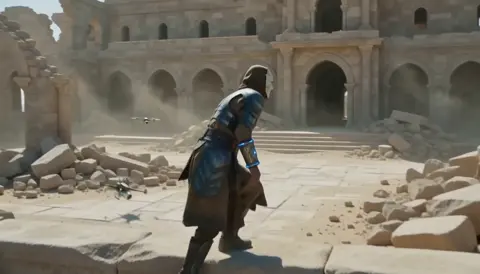
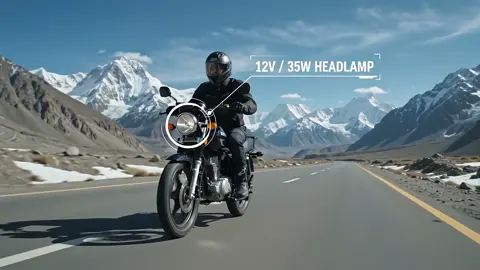
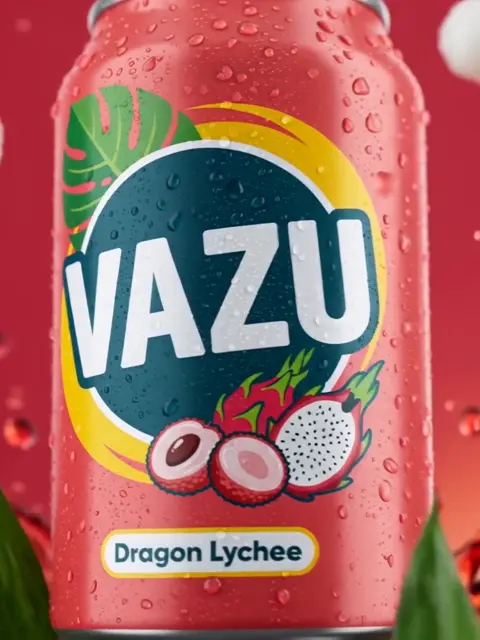
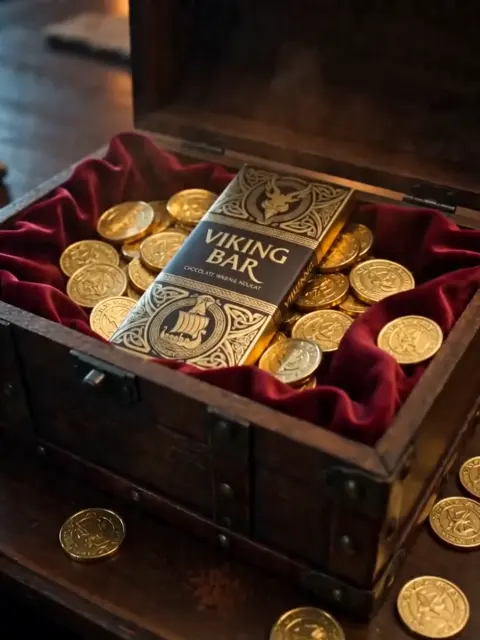
Vidu Q4 alternatives compared: Kling 4.0, Seedance 2.5, Wan 3.0, and Runway Gen-4 — 4K support, input modes, durations, audio, and what each costs in credits on Domer.
The top 4K AI image generators on Domer compared: Flux 3 Klein, Nano Banana 2.1, GPT Image 2.5, GPT Image 2, and Nano Banana Pro — 4K credit costs, reference limits, and speed.
Nano Banana 2.1 vs GPT Image 2.5 Flare compared: credit costs per resolution, aspect ratios, reference images, text rendering, and which tasks fit each model.
Kling 4.0 vs Vidu Q4 compared on Domer: text-to-video vs image-to-video, 1080p vs 4K, audio, durations, and credit costs per second — plus which one fits your shot.
Looking for a Kling 4.0 alternative? Compare how to run Kling 4.0 itself, Kling 3.0, Vidu Q4, and Seedance 2.5 — durations, resolutions, audio, and credit costs per second.
The best AI poster generators compared: Ideogram 4.5, Nano Banana 2.1, Flux 3 Klein, and GPT Image 2.5 — text rendering, poster formats, reference support, and credit costs.

Complete guide to creating Baby Brat memes—the cursed-cute trend combining baby filters with brat aesthetics. Get the best AI prompts, tools, and tips for viral-worthy images.

Everything you need to know about Domer AI—a fast, free image generator for creating memes, art, and transformations. Get 10 free credits to start.

FLUX.2 solves the problems that made AI image tools frustrating—exact colors, consistent characters, readable text, print quality, and efficient workflows. Here's what actually changed.

While competitors race for longer videos and higher resolution, Kling is betting on something different with its AIO model—and it might just work. A deep dive into Kling 3.0's unified approach.

Learn how Kling Motion Control works - upload a reference video and static image to create videos with transferred motion. Complete guide with examples and tips.
Create cinematic videos from text or images with Orelon. Compare 23 video models, apply effects, and direct camera motion in one workspace — no installs.

A deep dive into the Domer meme that took over TikTok in late 2025. Learn what 'Domer' means, why it went viral, and how to create your own Domer-style images with AI.