
![Create a 9-image Instagram feed for this product in [the same aesthetic]. Use...](https://storage.brightvectorlabs.com/prompts/bright/product-and-brand/2027122256426521040-0.webp)
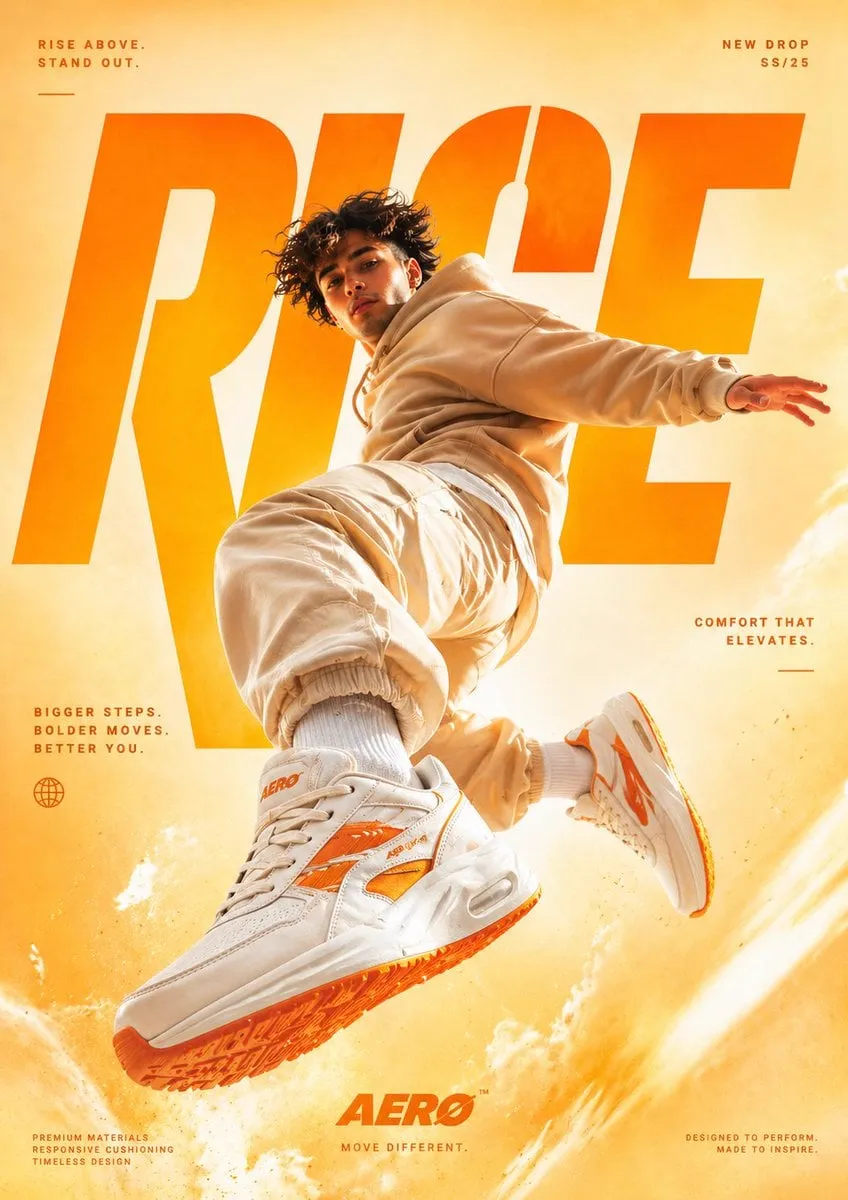
Video production is going through a shift that happens once in an industry: the expensive parts are becoming software. Studios, agencies, and independent creators now share access to tools that turn text prompts into photorealistic footage, generate consistent characters, and automate tasks that used to require specialized crews. The result is not just cheaper video — it is a different way of producing.
This article looks at the trends actually driving that change: leaps in model quality, the rise of open source, precise creative control, director-level automation, consistency technologies, and the discipline of managing generation costs. It ends with practical advice on adopting these trends in your own workflow.
The Production Shift: From Studio to Prompt
For decades, the cost curve of video production was dominated by physical assets: cameras, sets, actors, and post-production suites. Generative AI flattens that curve. The same scene that required a location shoot can now be generated from a description, and the same edit that required a full post team can be assembled from generated clips with automated tools.
The important nuance is that this shift does not remove the need for craft. It moves the craft. Decisions that used to be made on set — lighting, framing, lens choice, continuity — are now made in prompts and reference images. The people who thrive in this new environment are not the ones who can type fastest; they are the ones who understand visual language and can translate it into precise instructions.
Trend 1: Quality Leaps in Foundation Models
The biggest driver of change is simply how good the models have become. A few years ago, AI video was a curiosity: short, blurry, and unstable. Today, leading models produce footage with realistic physics, coherent motion, and detail that survives scrutiny. Families of models like Flux for images and Runway, Sora, or Kling for video have each pushed different dimensions: photorealism, prompt adherence, temporal consistency, and motion quality.
The practical consequence is that more production work can start from a generated asset rather than a shoot. For mood boards, client presentations, and social content, generation is often faster and cheaper than location footage — and the gap keeps narrowing.
A useful way to track the pace: rerun the same test prompt every few months. Keep a prompt that your project depends on — a character close-up, a landscape, a complex action — and regenerate it with the current model. The improvement is usually visible within a single quarter. This practice also tells you when it is worth upgrading your default model, because a jump in your test prompts is a better signal than a press release.
Trend 2: Open Source and Global Competition
A second major trend is the rise of open-source and regionally strong models. Open models let teams deploy video generation on their own infrastructure, which matters for data privacy, cost control, and custom fine-tuning. At the same time, models developed outside the usual Western AI hubs have become serious competitors, each with distinctive strengths in style, motion, or cost efficiency.
For teams, this is a healthy development: no single vendor owns the market, and choice keeps pressure on quality and price. The practical advice is to benchmark a shortlist of models against your own test prompts rather than following hype. The best model for your use case is the one that passes your continuity and style tests, not the one with the loudest launch.
Trend 3: Precise Creative Control
Early AI video felt like a slot machine: you pulled the lever and hoped. The current generation of tools is about control. Features like multi-image reference, first-to-last frame control, and cinematic camera presets let creators specify the beginning, the end, and the look with far more precision.
This matters because production is a discipline of constraints. A director needs a specific shot, not a beautiful surprise. The tools that win in professional workflows are the ones that let you lock the style, hold the character, and direct the camera — while still leaving room for the serendipity that makes generated footage interesting.
Trend 4: Director-Level Automation
Beyond individual shots, the workflow layer is being automated. Modern platforms orchestrate the whole pipeline: turning a script into scene descriptions, selecting the right model for each shot, managing the queue of generation tasks, and assembling the results. In effect, the role of the AI is moving from "tool" to "assistant director".
The practical benefit is speed and consistency at scale. A team that needs a hundred variations of an ad, or a creator producing daily short-form content, cannot afford to hand-tune every generation. Automation handles the routine work, while the human sets the creative direction and reviews the output. The best results come from a division of labor: machines do the repetitive generation, humans do the taste.
Trend 5: Consistency Technologies
Consistency is the quiet hero of the current generation. Character faces that stay stable across scenes, styles that hold across dozens of shots, and objects that remain recognizable through camera moves — these are the features that separate professional work from tech demos. Multi-image fusion, character keyframes, and style references are the mechanisms.
For anyone producing narrative or branded content, consistency is not a nice-to-have; it is the difference between a film and a collage. Adopt a reference-based workflow early: define characters and locations once, then reuse those references in every generation. This discipline pays off in every project, regardless of which models you use.
On the technical side, this also changes how teams brief models. Instead of writing a long description of a character every time, teams point to a reference and describe only what changed. The reference does the heavy lifting, and the prompt stays short. This is why reference management has quietly become a core production skill: the quality of your references determines the quality of your consistency.
Trend 6: Resource Management and Cost Discipline
Generation is not free, and the cost of a project depends heavily on how you manage the pipeline. Blindly generating hundreds of clips and picking the survivors is expensive. Professionals plan the shot list, choose the right model tier for each shot, and use batch processing to keep the pipeline efficient.
A disciplined workflow treats generation budget like a shoot budget: allocate it per scene, set a number of takes per shot, and stop when the shot is good enough. The discipline also extends to tooling: some tasks need a premium model, while routine shots are fine with a cheaper option. Teams that manage this well produce more for less, and that efficiency is a real competitive advantage.
The same discipline applies to human attention. The most expensive resource in a modern production is not GPU time; it is the creative review. Set a hard rule for how many takes a shot is allowed before you change the approach, and review clips in batches rather than one by one. This protects your judgment from fatigue and keeps the pipeline moving. Teams that respect their own review capacity produce better work than teams that review everything and ship nothing.
How to Adopt These Trends in Your Workflow
If you are starting to integrate AI video into production, the path is straightforward:
- Benchmark models on your own test prompts; ignore hype and compare on continuity, style, and motion.
- Build a reference library for recurring characters, locations, and styles. Consistency is a workflow feature, not a model feature.
- Script before you generate. A shot list with clear intentions produces better results and lower costs than exploratory generation.
- Automate the repetitive parts: task queues, batch generation, and assembly save time without touching creative quality.
- Keep a human review step. Every generated clip should pass your continuity and style check before it enters the edit.
What's Next
The trends point in a clear direction: generation will keep improving, control will keep tightening, and the cost of entry will keep falling. The limiting factor will not be the technology — it will be the ability to use it with intent. Producers who understand story, visual language, and consistency will create work that stands out in a world where everyone can generate.
The future of production is not about replacing people. It is about compressing the distance between an idea and a finished frame. Those who build the workflow now, while the tools are still changing fast, will have a compounding advantage later.
How Production Teams Are Using This Today
The patterns are already visible in production teams. Social content teams use AI video to scale: one editor can produce a week of platform-native shorts from a single shoot by generating b-roll, backgrounds, and variations. Ad production uses it for testing: instead of paying for ten finished spots, teams generate dozens of concept cuts, measure engagement, and spend the real budget only on the winners. Narrative creators use it for previsualization: directors block scenes, test camera moves, and present mood-accurate previews to clients before a single dollar goes to a physical set.
The common thread is that AI is not replacing the creative lead; it is multiplying the output per hour of creative attention. The teams that succeed treat generation as an inexpensive draft stage. They generate aggressively, review critically, and spend their money where it matters: on the shots that survive the review.
Building Your Own AI Video Stack
If you want to build a practical stack today, here is a starting checklist:
- Reference library: keep a folder per project with character sheets, location keys, and style keywords. Consistency starts here.
- Image models for concept and keyframes: high-fidelity image generation gives you the visual bible and the anchor frames for video.
- Video models for motion: choose one or two that pass your test prompts, and learn their controls well.
- A queue or batch tool for generation tasks: automation matters more as volume grows.
- An editor with captions and audio tools: assembly, sound, and grade are where the film comes together.
- A review log: note which prompts and references worked, so the next project starts ahead instead of from zero.
You do not need all of this on day one. Start with an image model, a video model, and an editor. Add the rest when the bottleneck appears.
FAQ
Do I need a high-end computer to use AI video tools? Most leading tools run in the cloud, so a normal laptop and a browser are enough to start. Local open-source models are an option for teams with privacy or cost requirements.
Is AI video good enough for client work? For many use cases, yes — mood boards, social content, product demos, and even narrative shorts. The standard is whether the output passes your continuity and style checks, not whether it was made by a camera.
How do I keep a character consistent across shots? Define the character once with a reference image, and use that same reference for every generation. Add angle variations from the same design when a scene needs a different camera position.
Will AI video replace traditional production? It will replace some types of production and change the rest. Traditional shoots still win for live subjects, real locations, and high-stakes brand work, but AI increasingly handles what used to require expensive VFX and sets.
How long does a typical AI-assisted production take? For a short-form video, a few hours from concept to export once the workflow is set up. For a narrative short, expect several days — generation is fast, but consistency, continuity, and sound take real time.
What about copyright and usage rights? Check the terms of each tool you use, especially for commercial work. Generated assets usually carry usage conditions, and your own prompts and references affect what you can claim as original.
The Bottom Line
AI video is not a single breakthrough; it is a wave of connected innovations — model quality, open source, control, automation, consistency, and cost discipline. Together they are making production faster, cheaper, and more accessible. The opportunity belongs to the people who learn the new craft: defining intent precisely, managing consistency, and building pipelines that turn prompts into finished stories.
