
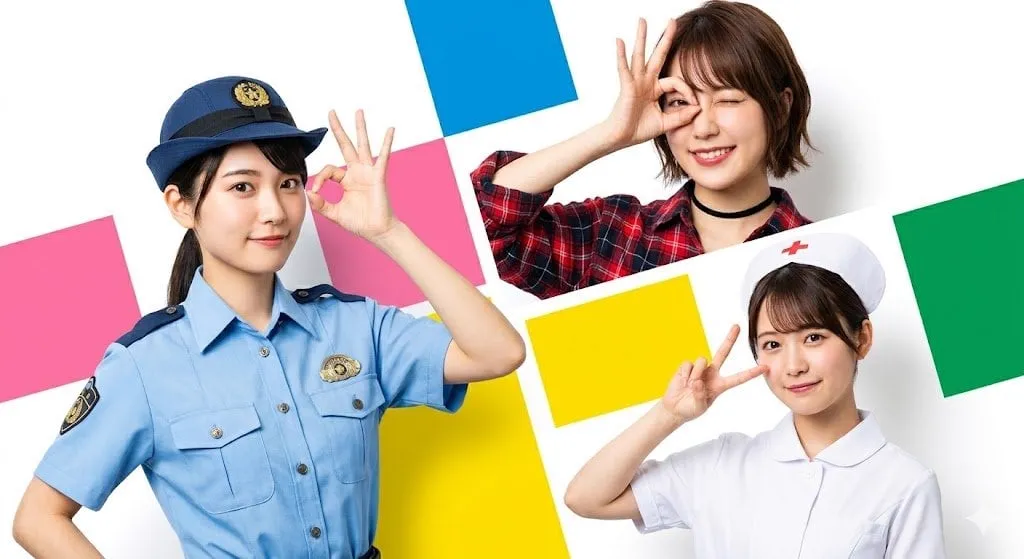
Character consistency is the difference between AI video that looks like a demo and AI video that looks like a show. When a character keeps the same face, hair, and outfit from scene to scene, viewers stop noticing the technology and start following the story. When the character drifts, the illusion collapses in a single cut. This guide explains why characters drift, how to build a character reference system that survives across scenes, and how to apply it to both anime-style and realistic video.
Why characters drift between scenes
Text-to-video models generate each clip as an independent event. The model reads your prompt, imagines a character, and renders pixels. Run the same prompt twice and you get two different people who merely resemble each other. That randomness is useful for exploration and harmful for narrative. A story told across several clips depends on the audience recognizing the same person, and generation-by-generation variation breaks that recognition.
The drift comes from the fact that language is lossy. "A young woman with dark hair and a red jacket" leaves out the shape of her nose, the exact shade of red, the cut of the jacket, and a thousand other details. The model fills in the gaps differently every time. The solution is to stop relying on language alone and anchor the generation to visual references that carry the missing details.
The technical foundations of consistency
Three techniques form the foundation of character consistency: reference packs, keyframe anchoring, and fusion methods.
A reference pack is a small set of images of the same character: a front view, a side view, and a close-up, ideally generated from one detailed written description so they share an identity. Many tools accept reference images as input and use them to condition the generation.
Keyframe anchoring means defining the important frames explicitly. Instead of letting the model decide what the character looks like at the start of every scene, you provide the first frame, and the model animates from it. The character is locked at the moment of the shot, so the only freedom the model has is motion.
Fusion methods go further by combining multiple reference images into a single feature definition. The system extracts the character's face structure, clothing texture, and color palette from several images, weighs them by importance, and applies the combined definition across the whole generation. This is the most robust approach for series work, because a single reference image can be incomplete in ways a set of images is not.
Building a character reference pack
Start with one extremely detailed written description. Include age, face shape, eye color and shape, hairstyle and color, skin tone, body type, clothing with specific colors and fabrics, and any distinguishing marks. Use the same description for every generation of the pack, because wording changes create drift before you even start.
Generate at least three angles: front, three-quarter, and profile. Add a close-up of the face and a full-body shot. Review the set together; if the hair color or outfit varies between images, regenerate until the set agrees. This set becomes the single source of truth for the character. Every scene, every episode, every project uses it. Save it in a folder you can find, because recreating it from memory will not match.
Keeping characters consistent in anime style
Anime style has its own consistency challenges. Characters are defined by design features: hair silhouette, eye shape, color palette, and distinctive accessories. These features are the visual identity, and they must stay identical across scenes.
Work from a design sheet the way an animation studio would: the character's front view, back view, expressions, and key poses. Use the same reference images for every generation. Lock the palette; anime fans notice a hair color shift instantly. Keep the line treatment consistent, whether you are using thick outlines, cel shading, or a softer look, because style is part of the character. When a scene calls for a different mood, change the lighting description, not the character's design.
Keeping characters consistent in realistic video
Realistic video raises the stakes, because viewers have strong expectations about faces. Even small changes read as wrong, and the uncanny effect is stronger than in stylized animation.
Use the highest-quality reference images you can produce, ideally multiple angles of the same face under consistent lighting. Anchor each shot with a keyframe image of the character. Keep motion requests modest; extreme poses and rapid movement are where realistic models lose control of the face. Watch the eyes and hands, the two places where realism fails most visibly. If a close-up needs to be perfect, generate several takes and select the best rather than accepting the first result.
Blending styles in one project
Some projects mix anime and realistic footage: a stylized character stepping into a photorealistic world, or a realistic actor interacting with an animated element. Consistency rules still apply, but you add a bridge between the styles.
Define both styles explicitly before generating. Decide what carries over: the character's core identity features must match in both styles, while the rendering changes. Generate the character in each style from the same base description and reference pack, then check that the features viewers use to recognize the character, hair, silhouette, colors, are identical. Use the same lighting direction and color grade across both styles so the world feels continuous even as the rendering changes. This is harder than single-style work, but it is increasingly common in commercial content.
A production workflow that preserves consistency
A repeatable workflow looks like this. One: write the character description once and generate the reference pack. Two: define the style (anime, realistic, or hybrid) with sample images. Three: storyboard the scenes as a list of shots, each with a location, an action, and an emotional note. Four: generate a keyframe for each shot using the references, and approve or fix each one before animating. Five: animate the approved keyframes, one shot at a time, with motion prompts that describe movement but never redesign the character. Six: assemble the shots, review the sequence as a whole, and regenerate any shot where the character visibly drifted. Seven: grade, add audio, and export.
The discipline is to approve before animating. If you animate a keyframe where the character already looks wrong, you will render the error in motion and waste the generation cost. Catching drift at the still-image stage is ten times cheaper than catching it in the final video.
Beyond the character: consistency as a system
The same techniques extend to the whole production. Backgrounds can be treated as reusable assets, so a village square looks the same in episode three as in episode one. Lighting can be defined per mood and reused. Even camera language can be standardized, with the same lens feel across shots. Consistency is a system, not a single trick. Teams that define these assets once and reuse them everywhere produce libraries of content that look like one continuous world, which is exactly what builds audience trust and brand value.
Diagnosing and fixing drift
When a character drifts despite your references, work through the causes in order. First, check the input: was the same reference pack used in both scenes, and was the written description identical? The most common cause is an edited prompt that quietly changed a detail like hair color or clothing. Second, check the settings: motion strength and creativity sliders change how closely the model follows the reference, and higher values produce more drift. Third, check the model: some models are better at identity preservation than others, and switching models between scenes invites inconsistency. Fourth, check the keyframe: if you animated from a keyframe where the face was slightly off, the whole clip inherits the error. Fix the keyframe and regenerate. Fifth, check the clip length: longer generations accumulate drift, so prefer shorter clips and stitch them together. Work through these in order and you will resolve most failures in one or two regenerations instead of endless re-rolling.
Voice, mannerisms, and the rest of the character
Visual consistency is necessary but not sufficient; characters also live in how they move and sound. If your project includes voice, define it as carefully as you define the face: tone, pacing, accent, and catchphrases. A voice that changes between episodes breaks the illusion just as fast as a face that changes. For motion, define a small set of signature gestures for each character and reuse them: the way they stand, walk, or react. These mannerisms are components in exactly the same sense as the visual reference pack. Over a series, audiences recognize characters by behavior as much as by appearance, and consistency of behavior is what makes them feel like real people rather than images that happen to look alike. Add mannerisms to the story bible, note them in the prompts, and review them during the edit, just as you review the face.
Building a team workflow
If more than one person works on a project, consistency becomes a coordination problem. Write the character bible and the style guide down, and make them the single source of truth that everyone reads before generating. Use shared folders for reference packs so nobody works from an outdated version. Define a review step where one person owns the consistency check for every shot, because a second pair of eyes catches drift that the generator of the shot missed. Standardize the naming of assets so scenes and versions are traceable. The workflow overhead is small compared with the cost of redoing shots that were generated from conflicting references. A team that coordinates on consistency produces series content at a pace that solo creators cannot match, which is exactly why the discipline pays off at scale.
Frequently asked questions
How many reference images do I need? Three is a workable minimum: front, side, and close-up. More angles help for complex characters, but quality and agreement matter more than quantity.
Why does my character still change even with references? The model treats references as guidance, not as strict templates. Lower the motion strength, use the same references every time, and review each keyframe before animating.
Can I keep a character consistent across different tools? Yes, if you use the same reference pack and the same written description everywhere. The pack is portable; the tool is not the constraint.
Is perfect consistency possible? Close, but not perfect. The goal is consistency that the audience accepts as the same character, not pixel-perfect identity. Selection and editing close the remaining gap.
Does this work for real people? The same techniques apply, but the rights of the person matter more. Use only images you have permission to use, and follow the platform's rules about depicting real individuals.
How do I know when to stop re-rolling a shot? Set a limit before you start: three attempts, or two, depending on the shot's importance. If the third attempt still drifts, stop generating and diagnose: check the reference pack, the settings, and the model, as described above. Re-rolling without a diagnosis wastes time and produces the same failure with different details. A disciplined limit forces you to fix the cause instead of gambling on the effect.
Can I reuse a character across completely different projects? Yes, which is one of the main benefits of building a proper reference pack. The same character can appear in a comedy, a drama, and a brand campaign, as long as each project uses the same core identity. Over time, a well-known recurring character becomes a valuable asset of its own, recognized by audiences across all the work it appears in.
Final thoughts
Character consistency is not a feature you switch on; it is a workflow you build. A good reference pack, disciplined keyframing, and review before animation will carry any project, anime or realistic, short or serialized. The technology handles the pixels; the system handles the identity. Build the system once, and every future scene inherits it, which is how AI video stops being a collection of nice clips and becomes a show people follow.
